 Sign In









I always love finding new and interesting ways to help with old problems.
It’s amazing that you can use Facebook Messenger bots to get higher open rates and leverage Instagram to get more sales.
Most of the time, these innovative solutions are extremely effective because not a lot of people are using them.
They help you look at something from a new perspective so you don’t get too stuck.
This particular strategy is odd, but it works really well.
The idea: Using Google’s reverse image search to get more backlinks.
One big reason I love this is that there will never be enough methods of getting backlinks.
Backlinks are the currency of SEO.
You can almost always use more, and your ultimate goal is to have a fortune ln links.
It’s always good to find new ways to get fresh backlinks.
If you’re after that, you’re going to love this.
This is somewhat of an underground SEO tactic.
It’s completely white hat, so search engines will be okay with it, but it’s not very popular among marketers.
I’m bringing it into the spotlight so you can use it for yourself.
One of the reasons I’m introducing this method is because of its first-mover advantage (FMA) strategy.
Not a lot of people are using it.
So if you start using it now, you’ll be able to gain the upper hand.
If you’re not familiar with reverse image search, I’ll go over it in detail.
Then I‘ll show you how you can use it to generate way more backlinks.
What is reverse image search?
You’re probably familiar with regular old Google image search.
When you search for anything on Google, you can click the Images tab at the top of the SERPs to see just the images for your search query.
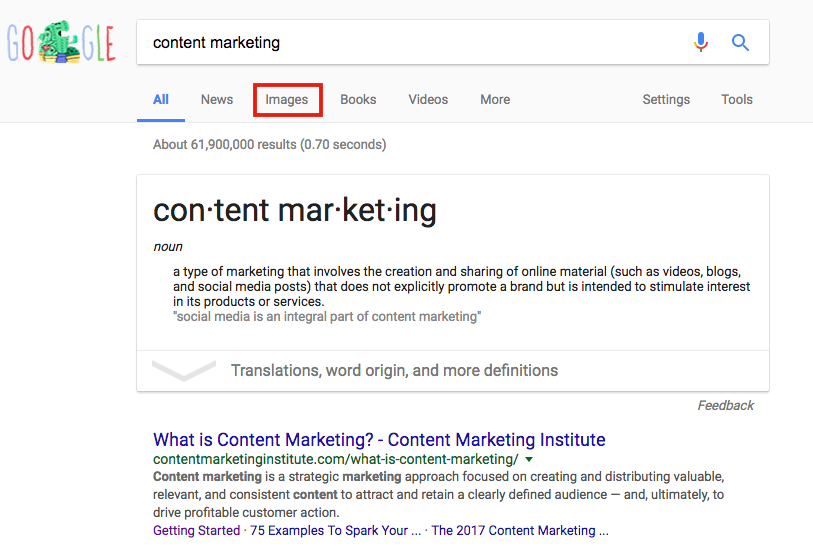
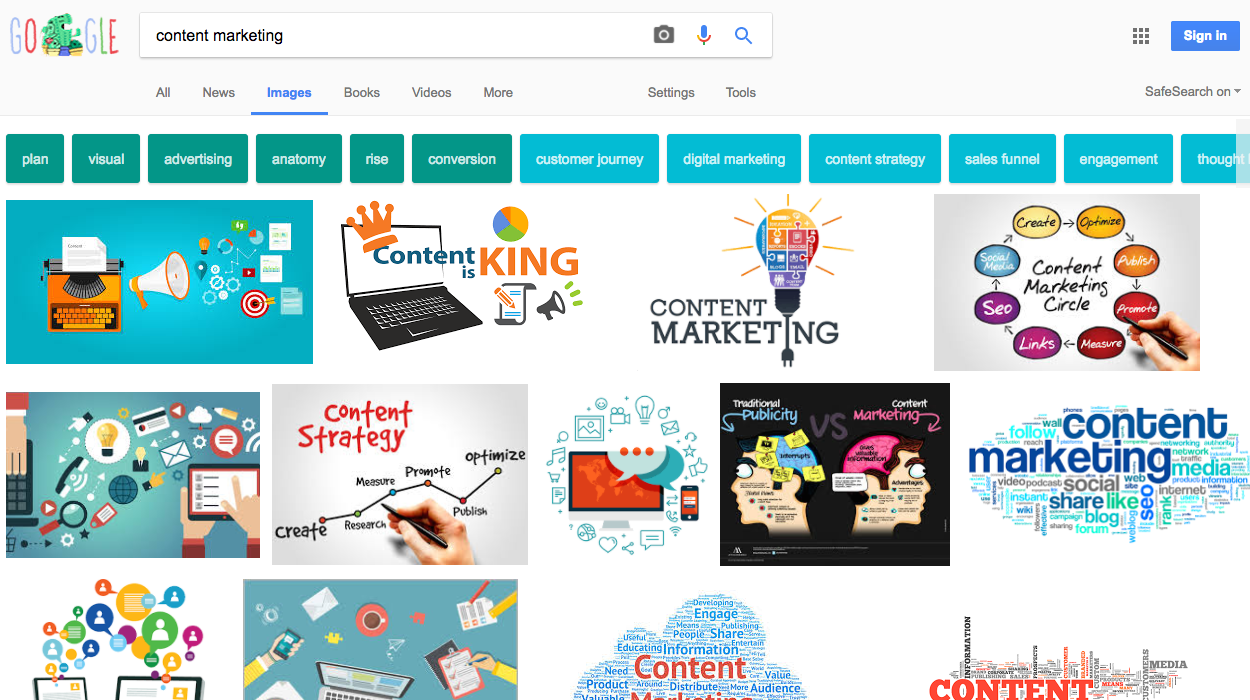
That process consists of entering a search query and looking for an image that has to do with the query.
Reverse image search flips that process on its head.
Instead of searching using a word or phrase, you search with an image.
It sounds strange, doesn’t it? How the heck do you search with an image?
It’s surprisingly straightforward. I’ll show you how to do it.
First, go to images.google.com and hover over the camera icon on the search bar. It should say “Search by Image.”

Click on that, and a new window will pop up. You can paste an image’s URL or upload an image from here.
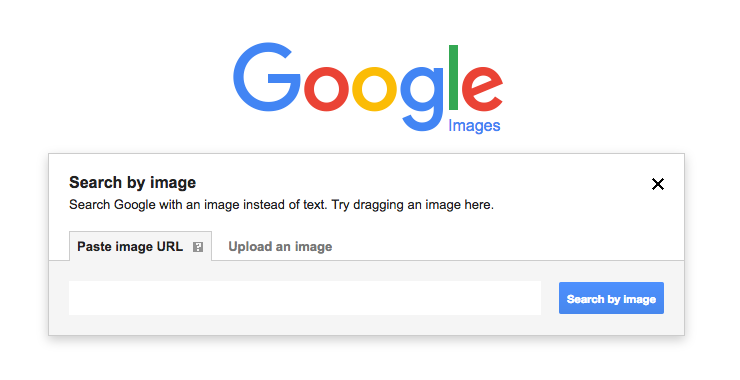
I’ll use an image of me that you’ve probably seen before. In fact, it’s on the right side of this page!

Once you have your image linked or uploaded, click “Search by Image.”

Google will tell you everything it knows about the image. That usually includes:
- File type
- Image size
- Other sizes of the same image
- Pages the image appears on
- Related images
- Pages with matching images

It’s a comprehensive list.
For the best results, click on “All sizes” next to the image at the top of the page.

This will show you all possible results for your image, no matter how big or small it is.

That’s a brief overview of how reverse image search works.
Before I go on and explain all the link-related benefits of reverse image search, I want to show you a few other ways to use the search.
One of the easiest ways to use the reverse image search is with image links.
To get any image’s direct link, right-click on it and choose “Copy Image Address.” (It might have a slightly different name depending on the browser you use. I’m using Chrome.)
If you use Google Chrome or Mozilla Firefox 4+, there are a couple of additional ways to search.
You can drag an image right into the search bar on images.google.com.
You can also right-click on any image and select the “Search Google for Image” option.

You can use a similar process to search with images using the Chrome app on your mobile device.
Find the image you want to use and touch it to open a larger version of the image.
Then press and hold the image to bring up a menu. Choose “Search Google for this image.”
So that’s how to use the reverse image search function. Now let’s talk about using it to get more backlinks.
Find unclaimed backlinks
If you’ve ever created any kind of image, you can use this strategy.
There’s a good chance that someone out there is using your images and not crediting you.
Most of the time, people aren’t trying to steal your media.
It can be tough to find the original source of an image, especially if you don’t have a lot of time to dig through page after page.
So most people end up using images without any attribution like this site does.

You can use reverse image search to find out if your images appear on any other sites and claim your rightful backlinks.
To start, I recommend going to your most visited pages (you can see this in Google Analytics).
If you have any original images that use any data or facts, start with those. Infographics, graphs, and charts all fall into this category.
I’ve found that these types of images are more likely to be shared than any other.
You can also use pictures of yourself if you’ve built up authority in your niche.
I’ll go ahead and use that picture of me in pajamas from earlier.
Since I’m using Google Chrome, I’ll just right click and choose the “Search Google for Image” option for the sake of convenience.
I’m immediately whisked away to Google, where I can see all of the relevant image information:
The link results (the ones that look like regular Google search results) are the ones you should focus on. These are all the sites where your image appears.
After looking through the results, an unfamiliar link caught my eye:

I’m usually good about remembering which sites I’ve been featured on, and I didn’t recognize this one.
Sure enough, I found an unclaimed link on this page:

They technically credited me, but they didn’t give a direct link to the image.
This is exactly the kind of result you’re hoping to find!
If you find your image(s) being used without a link to the source(s), you can take action.
It’s important you’re absolutely certain there’s no link.
Sometimes, the link is right under the picture:
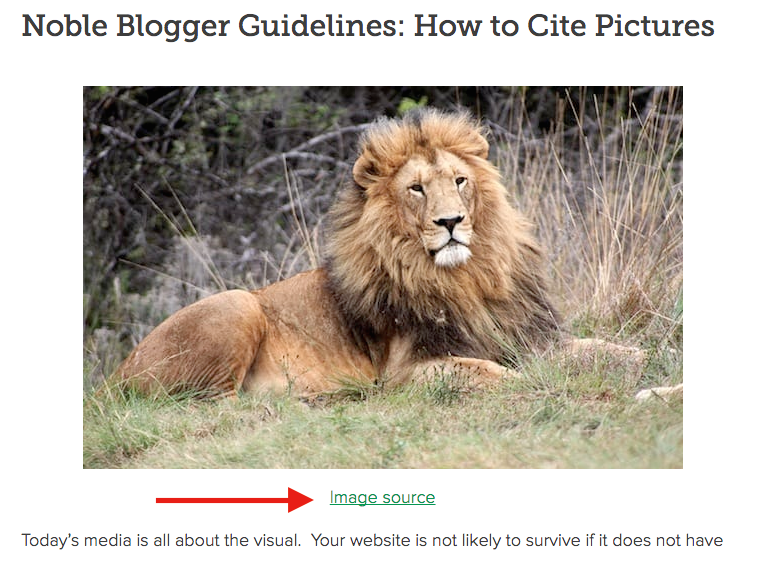
Other times it’s in a block of text.

If you’re still not seeing it, try hovering over the image itself. Your web browser should show you if it’s linking to your site or not. (Again, I’m using Chrome here.)
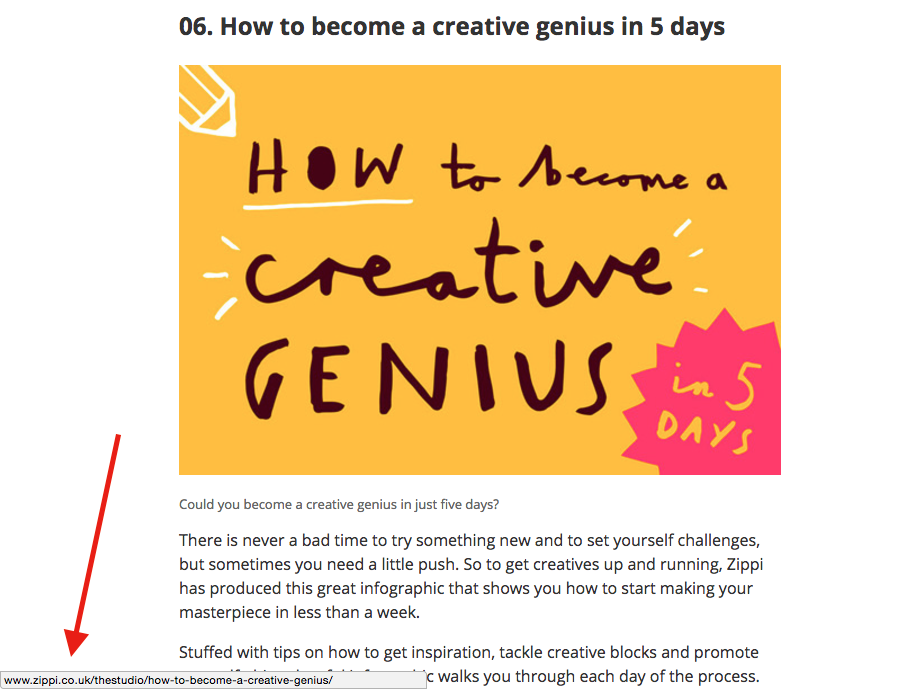
Another note I should add: Any site that uses one of your images should link to the page on your site that you want to send people to.
In most cases, that’s the original source (the page the image first appeared on).
But not all sites link to the original source.
It’s possible that your images are published on certain sites with your permission. Someone may find your images on those sites and credit those sites instead of yours.
Here’s an example.
A few years ago, Copyblogger created this infographic on grammar rules:
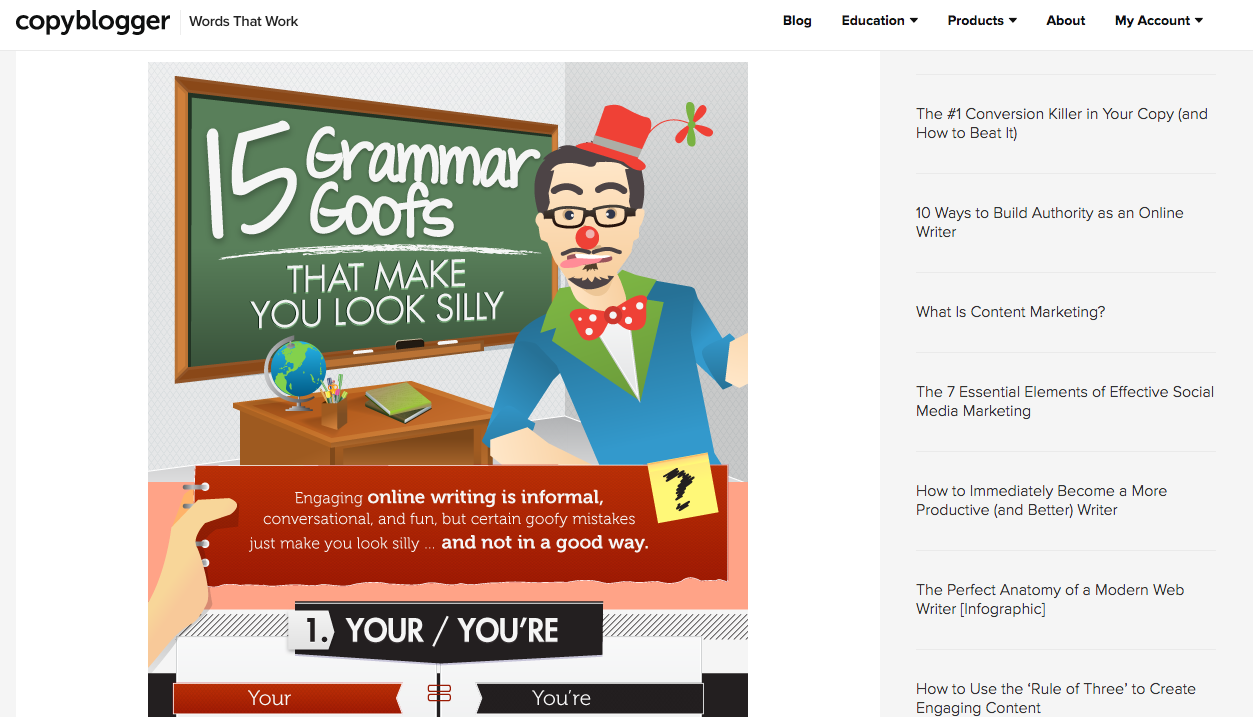
It was an instant hit and received over 263,100 shares.
One site called RenegadeWord.com shared the infographic:
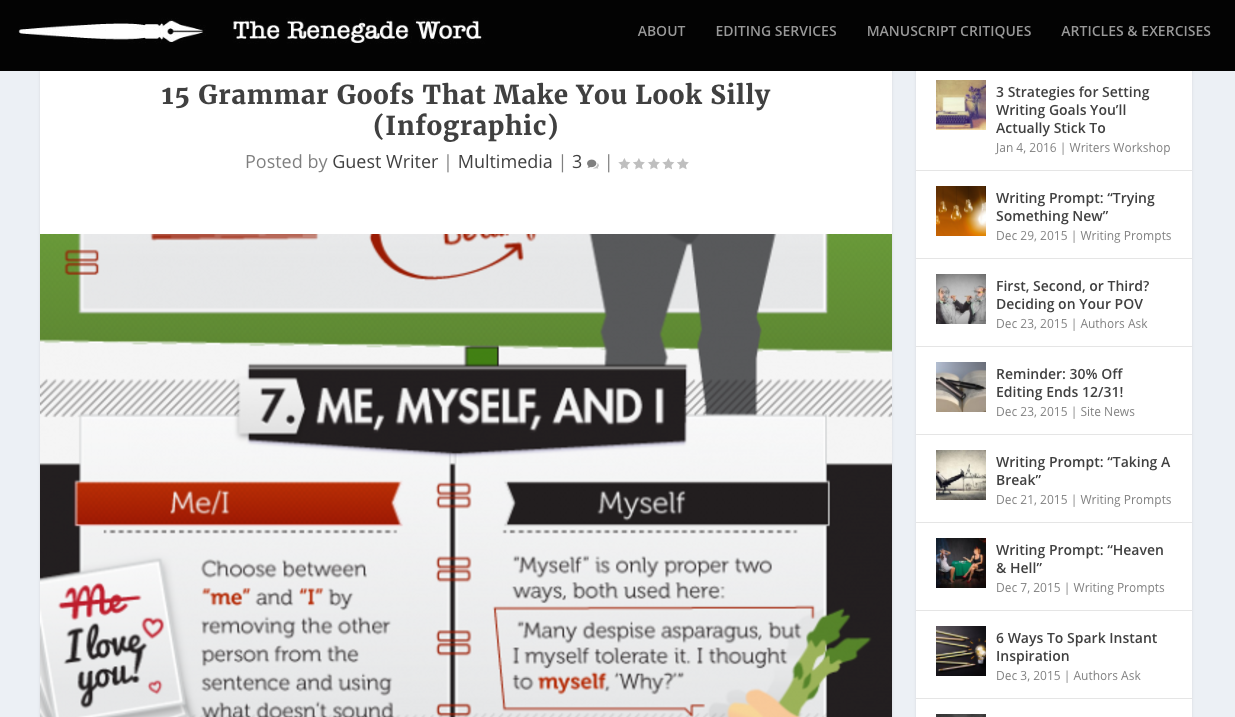
And they did include a link to the image, but it wasn’t to Copyblogger.com (the original source).
Instead, RenegadeWord.com linked to this Visual.ly page where the infographic was shared.
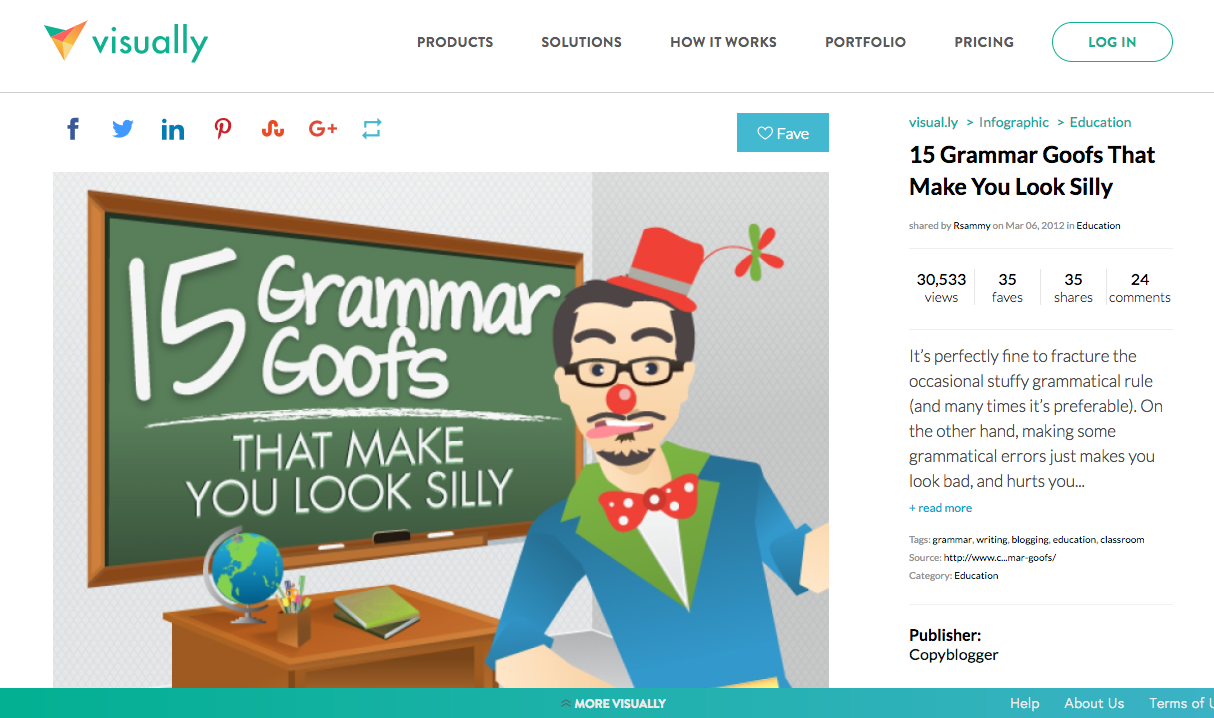
Visual.ly included a link to Copyblogger’s site:

But RenegadeWord.com didn’t.
See the problem?
When content gets shared and reshared so much, it’s hard to keep track of its origin. Some sites, like RenegadeWord.com, make mistakes.
Using reverse image search, you can find these mistakes and get more backlinks to your site.
Like I said earlier, this applies to all kinds of images, not just infographics.
So that’s the basic idea behind this strategy.
But there are a couple more things I want to mention.
Which sites should you go after?
Too often, people forget that strategies should be, well, strategic.
You shouldn’t use any one strategy too much.
I love keyword optimization and think it’s a super important part of SEO. But if you do nothing but keyword optimization, your overall marketing is going to suffer.
That’s also true of using reverse image search. Incidentally, what I’m about to say also applies to backlinks in general.
Not every site is worth your time.
Some links are naturally better than others. You need to get links that will help you get higher up in the SERPs.
And what gets you higher in the SERPs?
High authority, super popular backlinks.
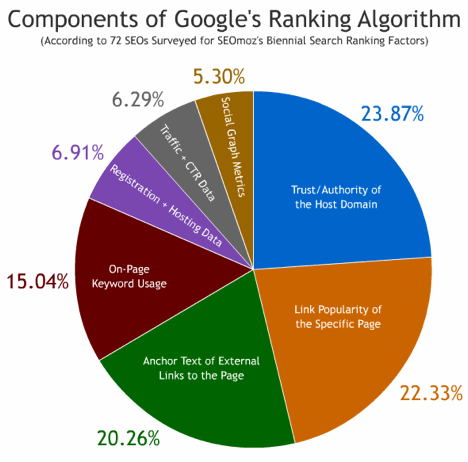
Links from sites with high Domain Authority rankings will give your site a more noticeable SEO boost.
You need to consider which sites you’re going to pursue for links.
It’s not practical to ask for a link from every site that’s using your images.
Sometimes spam sites will use your images, and you obviously don’t want links in that situation. In that case, I’d actually suggest sending a friendly email asking the site to not use your images!
But most of the time, it’s not so black and white. You’ll have to do some research to determine which sites will give you high-quality backlinks.
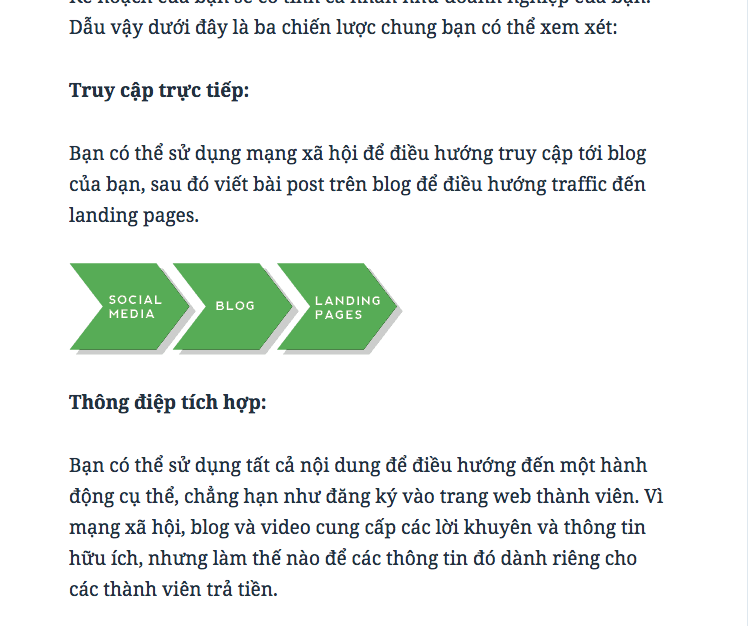
Let me show you what I mean. Here’s an image from Chapter 1 of Quick Sprout’s Advanced Guide to Content Marketing:

If I search Google for that image, I see this result:
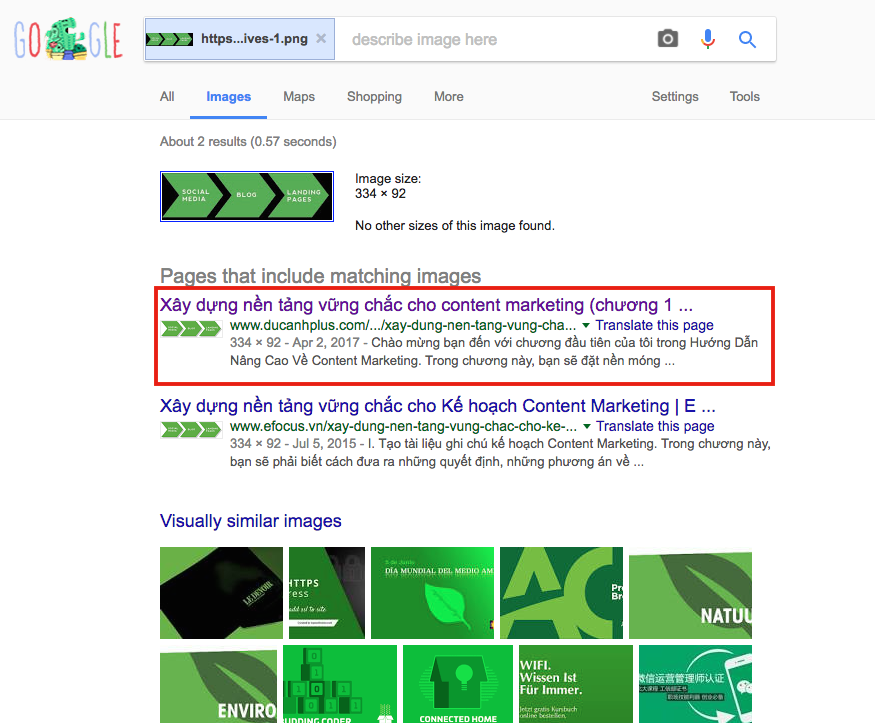
That link leads to an article in Vietnamese about content marketing.
I checked the Domain Authority for that site, and it’s only 8 out of 100.
So it’s not worth my time to try to get a backlink from that site.
When you’re searching for sites that are using your images, you’ll probably run into many sites like this.
Don’t let that discourage you.
And don’t set your sights too low. It’s even possible to use this method to get backlinks from sites with super high DA scores.
As a rule of thumb, anything over 50 is solid. 60 and higher is even better. If you’re in the 70-80 range, you’re cruising.
Track every image on your site
This next tip will really come in handy if you have a smaller site and can spend some time researching. (Or if you want to be extremely thorough.)
You can use one of my favorite SEO tools, Screaming Frog’s SEO Spider, to export a list of all the images on your site.
Then you can run each image through the reverse image search.
This can take a while, so I don’t recommend it for everyone. However, if you have the time and resources to do it, go for it.
To do this, download the SEO Spider tool here. It’s completely free.
Open up the SEO Spider and navigate to Configuration > Spider. Uncheck all of the boxes except “Check Images.”
In other words, the “Check Images” box should be the only box that’s checked.
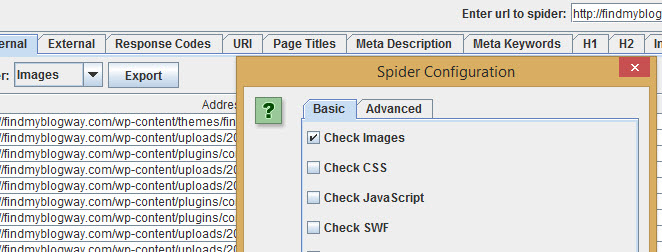
Next, input your URL into the tool and select Images from the drop-down menu on the left side.
Click Start, and the spider will run through your site, grab every image, and gather all of the image URLs.
You can then export the links into a .csv file for ease of use.
Now you have all of your image URLs, and those are ready to go into the Google reverse image search.
This strategy leaves no stone unturned.
It’s also extremely convenient. Even if you don’t have the time to search for each image, it’s nice to have all of your image URLs in one place.
Alternatively, you could outsource the work. I tend to do this for simple or repetitive tasks that I don’t have time for.
It’s not too expensive to hire someone on Fiverr (but make sure whoever you hire has good reviews).
Find new audiences
Because it’s so easy to copy and paste images online, some people view it as a form of theft.
For example, many people want to get credit for their images, usually in the form of backlinks. That’s what I talked about at the beginning of this article.
But I don’t believe that all image sharing is bad, even if it happens without your explicit permission.
Allow me to explain.
Let’s say you’ve made an infographic.
This one shared on Infographicdesignteam.com is a good example:
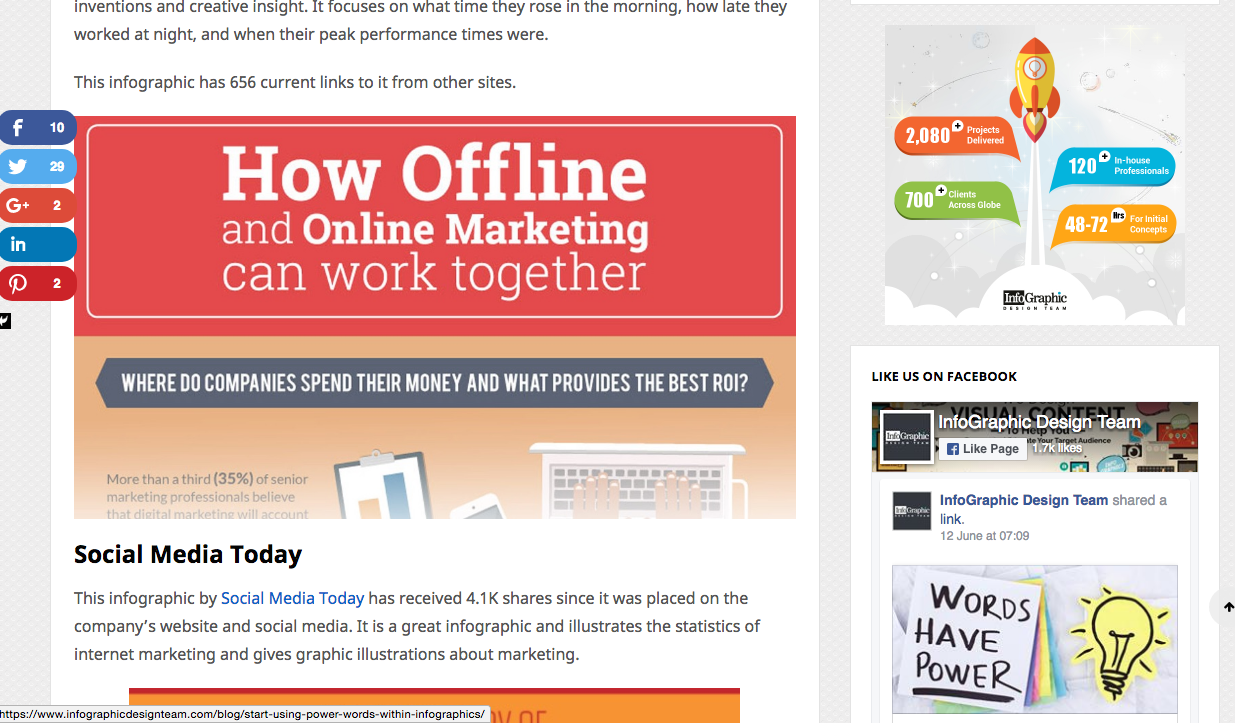
The article credits this infographic to Social Media Today, and there is indeed a backlink to that site.
So everything seems fine, right?
Not quite.
I did some digging, and here’s what I found.
That backlink leads to a JPG image on Leadgenius.com.
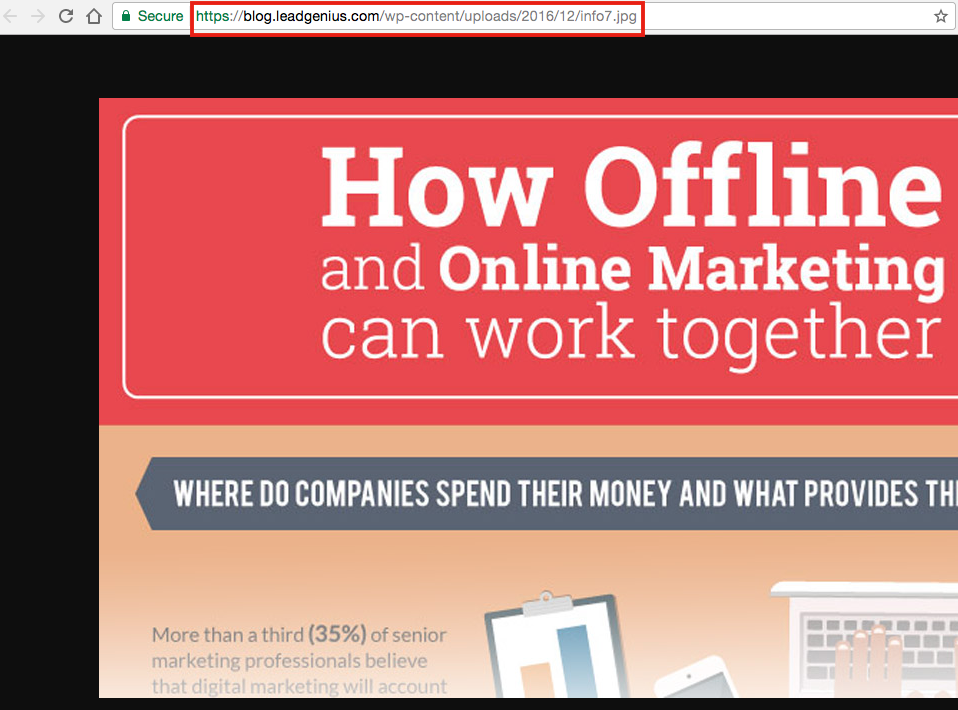
I could find the image on the blog, so I ran a reverse image search on the image.
After I went through a few sites, I found that the original source of the image is from ColourGraphics.com.

So Infographicdesignteam.com really needs to credit ColourGraphics.com as the creator.
And just in case you were wondering, Infographicdesignteam.com has a DA of 40 and a PA (Page Authority) of 46.
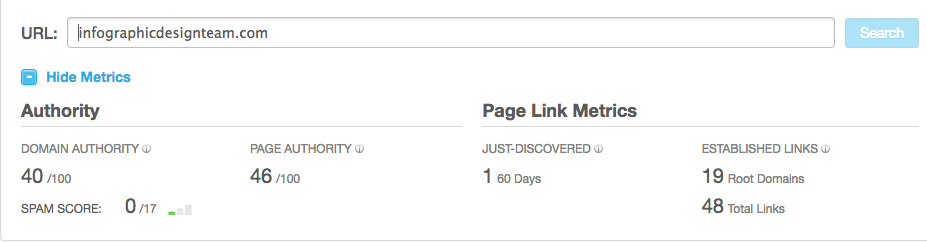
Those numbers aren’t too bad, so it would be worthwhile for ColourGraphics.com to try to get a link.
This situation illustrates exactly what I was talking about at the beginning of this section.
Infographicdesignteam.com probably found the graphic through Leadgenius.com and credited that site as the original owner.
I don’t think anyone was trying to steal the image or avoid crediting the rightful creators.
This goes to show how far your images can spread. It’s like a game of telephone but with images and media.
While it might seem unfair at first, you can actually get huge link benefits if this happens to you.
This phenomenon can happen even with images from niche sites.
You could have tons of unclaimed backlinks out there thanks to image use, but you have to find out for yourself.
Conclusion
Images are such a big part of the Internet, but when it comes to SEO, they don’t get a lot of love.
It’s easy to think, for example, that something like local SEO is more important than changing the alt tags on your images.
And you’re right. If you’re a small local business, you should give local SEO the majority of your attention.
But don’t overlook this tactic.
Images are incredibly important!
In 2014, an average of 1.8 billion photos was uploaded and shared every day.
Every freaking day!
Most of that is on social media and messaging services, but still. Loads of these images are being thrown all around other websites!
You might think that this strategy is a bit unrealistic.
You might think, “Come on, Neil, who would want to use my images? What are the odds?”
But think about it.
With the billions of images being shared every day, there’s a chance a few of them may be yours.
Now it’s not so strange after all.
And if you’re putting lots of work into everything you do, you’re probably producing amazing images that other people would definitely want to use.
If you’re after backlinks that will help you build authority, this is a fantastic strategy to use.
The best link profiles are expansive networks that reach far and wide.
Sure, it takes a while to make that happen, but shortcuts like this one will help you get there much faster.
Have you used reverse image search to build backlinks? What’s your experience with this tactic?