Sign In








If you use ChatGPT for your marketing (content ideas, outlines, copy, strategy), you’ve probably run into the same wall: the AI doesn’t know what’s actually ranking. It doesn’t know how competitive a keyword is. It doesn’t know whether 500 monthly searches is high or low for your industry. It doesn’t know if your competitors are already dominating a topic.
You could paste data in manually. But that means switching to Ubersuggest, pulling a report, copying the numbers, and going back. Every time. For every question.
That gap is now closed.
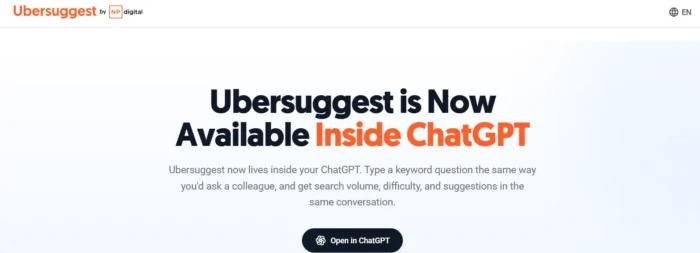
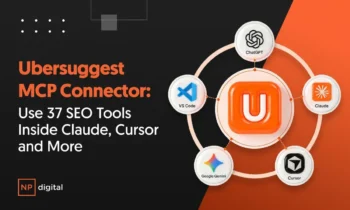
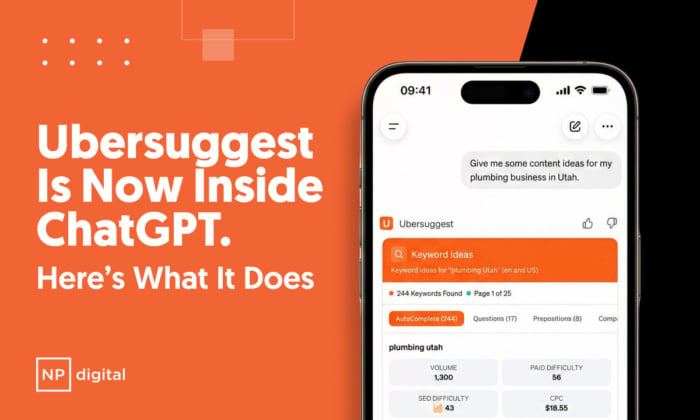
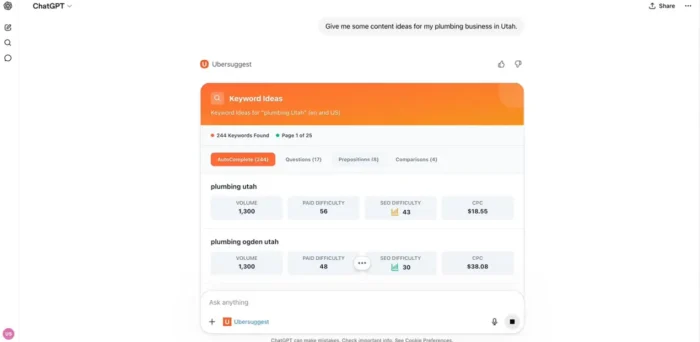
Ubersuggest is now an official app inside ChatGPT. When you use it, ChatGPT calls Ubersuggest in real time to fetch live SEO data (keyword volumes, difficulty scores, related keywords, SERP snapshots) and weaves the results directly into the conversation. You ask. ChatGPT fetches. You get an answer built on actual data.
What the Ubersuggest ChatGPT App Does
The Ubersuggest ChatGPT app is a native integration built using OpenAI’s App platform and Model Context Protocol (MCP). Not a browser extension. Not a workaround. A first-party connection that lets ChatGPT call Ubersuggest’s APIs directly during your conversation.
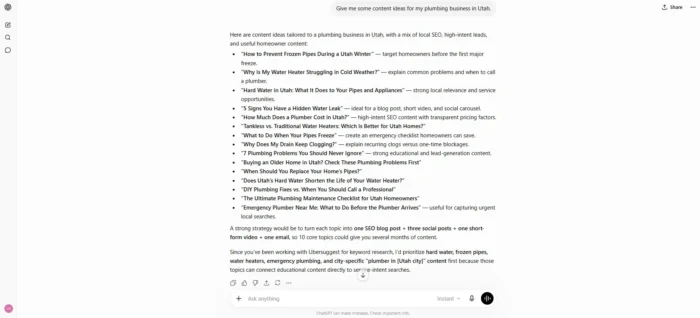
What’s Live Right Now: Keyword Research
The first capability is live keyword research. When you ask ChatGPT a question that requires keyword data, the app fetches it in real time from Ubersuggest’s database of over 100 million keywords. This includes:
- Search volume: actual monthly search data, not estimates based on training data
- Keyword difficulty: a 0-100 score showing how competitive a keyword is to rank for
- Related keywords: semantically related terms you might be missing
- Keyword suggestions: variations and long-tail opportunities based on your seed keyword
- SERP data: who’s currently ranking for a term and what types of content dominate the results
What’s Coming Next
The Ubersuggest ChatGPT app is launching in phases. Keyword research is live now. Coming soon:
- Domain analysis: pull traffic estimates, top pages, and organic keyword counts for any domain
- Backlink analysis: check referring domains, link authority, and new/lost link history
- Site audit: surface technical SEO issues directly in your ChatGPT conversation
- Content research: get content ideas and SEO scores without leaving the chat
- Projects: access your rank tracking data and keyword position history
- Utilities: SERP data, intent classification, and keyword expansion tools
Why This Is Different from Just Asking ChatGPT for Keywords
ChatGPT is excellent at reasoning, pattern recognition, and language. But it has a fundamental limitation when it comes to SEO data: it’s working from training data, not live search data.
When you ask ChatGPT what keywords to target, it’s generating plausible answers based on patterns in its training corpus. It’s not querying an actual keyword database. It doesn’t know current search volumes. It doesn’t know what’s ranking right now.
The Ubersuggest ChatGPT app solves this by making ChatGPT’s SEO answers data-grounded. ChatGPT still does the reasoning, strategy, and language. Ubersuggest provides the live facts it’s reasoning from. The combination is more useful than either alone.
A Real Example
Without the Ubersuggest app: You ask for long-tail keywords for your home cleaning service. ChatGPT gives you a list of logical-sounding phrases. No volume, no difficulty, no way to know if any have real traffic worth pursuing.
With the Ubersuggest app: ChatGPT queries Ubersuggest and presents real data in context: “‘house cleaning service Austin’ has 880 monthly searches with difficulty 32, achievable for a newer site. ‘One-time cleaning Austin’ has 480 searches with difficulty 19, a lower-competition entry point. Here’s the full breakdown…”
Same question. Completely different answer.
How Ubersuggest Compares to Semrush’s ChatGPT Integration
Semrush launched their ChatGPT integration in December 2025, available to Business, Pro, Plus, Guru, and Enterprise plan subscribers, at prices that put it out of reach for most solo operators and small teams.
The Ubersuggest ChatGPT app takes a different approach: available to any Ubersuggest user, on any plan, including free. You don’t need an enterprise license. You don’t need to upgrade. If you have a ChatGPT account and an Ubersuggest account, you’re set.
How to Set Up the Ubersuggest ChatGPT App
Setup takes under a minute:
- Open the Ubersuggest app page at app.neilpatel.com/en/chatgpt-app
- Sign in to ChatGPT. Free or paid account, any tier works.
- Authorize the connection with your Ubersuggest credentials via OAuth.
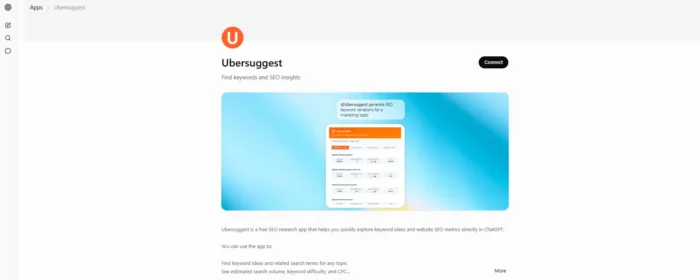
- Start your conversation. No special commands needed.
10 Prompts to Run Immediately After Setup
- “What are the best long-tail keywords for [your topic] with under 40 difficulty and over 300 monthly searches?”
- “What’s the search volume trend for [keyword] over the last 12 months? Growing or declining?”
- “Compare the keyword difficulty for these 5 keywords. Which is the best entry point for a new blog?”
- “Give me 20 related keywords for [seed keyword], sorted by lowest difficulty first.”
- “What types of content are ranking on page 1 for [keyword]? Blog posts, product pages, or something else?”
- “I’m writing a content plan for a [niche] site. Suggest 10 keywords with volume 200-2,000 and difficulty under 35.”
- “What question-based keywords exist around [topic] that I could answer in a FAQ section?”
- “I want to rank for [keyword]. How competitive is it, and what does my content need to beat the top results?”
- “Give me a keyword cluster around [main topic]: one pillar keyword and 8 supporting long-tail variations.”
- “What’s the CPC for [keyword]? Is there paid demand here that signals commercial intent?”
Frequently Asked Questions
Is the Ubersuggest ChatGPT app free?
Yes. Connect it with a free Ubersuggest account and a free ChatGPT account. Data depth may vary by Ubersuggest plan tier.
Does this work on mobile ChatGPT?
The app works on web, mobile, and desktop ChatGPT, anywhere you access ChatGPT with your account.
Is my data secure?
Yes. The connection uses OAuth 2.0. No passwords are shared. Ubersuggest only receives the queries your session generates. No account data or personal information is exposed beyond what’s needed to answer your query.
When are domain analysis and backlink features launching?
The team is rolling out additional capabilities in phases. Check app.neilpatel.com/en/chatgpt-app for the latest.
Looking to take advantage of this functionality? You can add Ubersuggest to ChatGPT in under a minute on any plan, completely free to start. Follow the link here to add Ubersuggest to ChatGPT,