Sign In








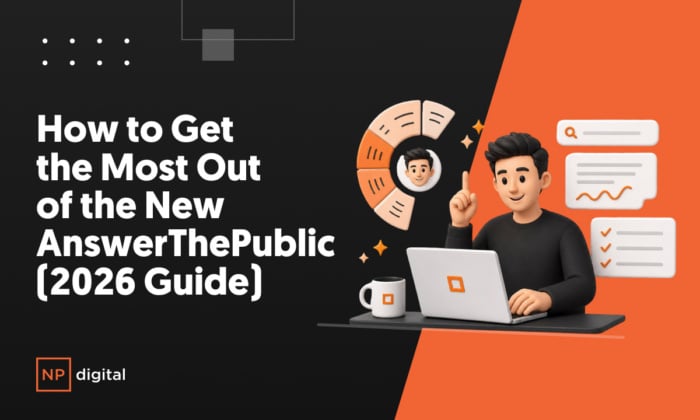
If you just logged into the new AnswerThePublic for the first time, there’s a lot more going on than the tool you might remember.
The version most people know was a keyword visualization tool. Type in a topic, get a wheel of questions people are searching. That version was useful. The new AnswerThePublic is a different category of product entirely.
It’s an AI content engine. You give it your website. It understands your business. It surfaces the keyword opportunities most likely to drive results for you specifically. It researches the competition. It writes the article. It publishes it to your WordPress site. And it repeats that process on whatever schedule you set.
This guide walks you through every part of the product in the order you’ll actually use it, so by the end, you’ll know where to start, what each feature does, and how to get your first published article live.
Two Ways to Start a Search
AnswerThePublic gives you two entry points, and the one you choose shapes everything that comes after.
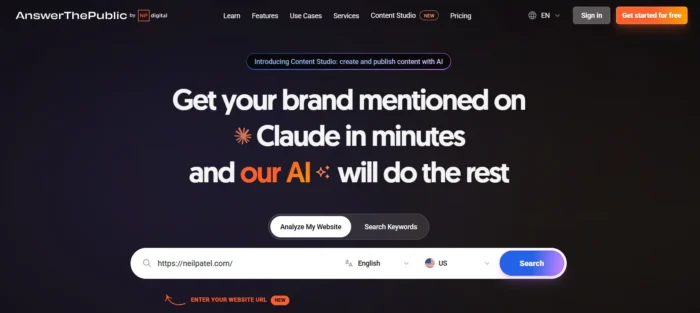
The first is Analyze My Website. You drop in your URL, and AnswerThePublic reads your site to understand your business before you search for anything. The second is Search Keywords, the classic mode. Type in a keyword, get insights.
Both work. But if you use your website URL, every keyword idea, every content recommendation, and every article the tool generates gets filtered through your actual business context. Instead of generic volume-ranked results, you see the opportunities that actually move the needle for your site specifically.
For most users, starting with Analyze My Website is the right call.
The Business Summary: The Brain Behind Everything
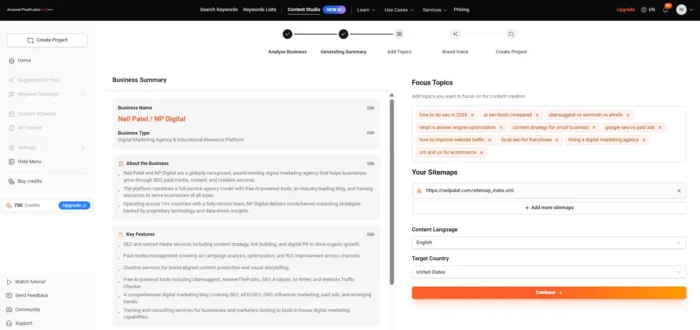
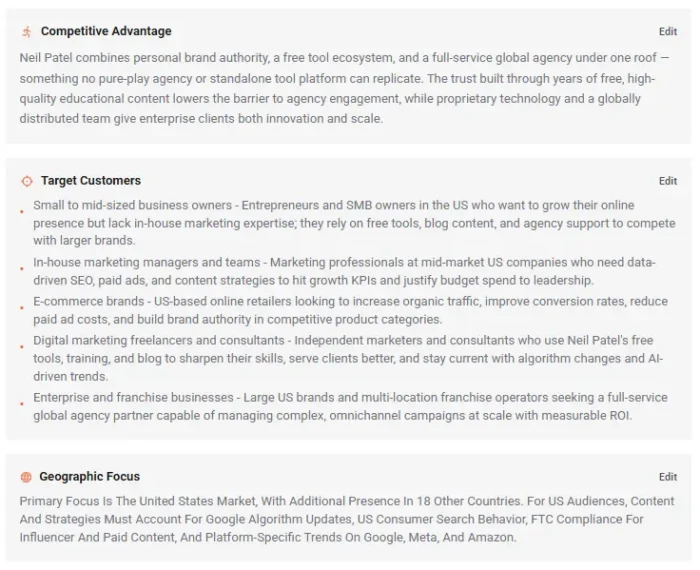
When you analyze your URL, AnswerThePublic builds a Business Summary for you automatically. It includes your business name and type, your target customers, your key features and unique value proposition, your geographic focus, and the topics you should focus on for content.
You can view and edit this anytime, from the Business Summary button at the top right of the Suggested For You page, or inside Settings. This profile is what makes every recommendation specific to you rather than generic. If something’s off about how we characterize your business, fix it. Everything downstream improves when you do.
The Left Sidebar: Your Four Main Surfaces
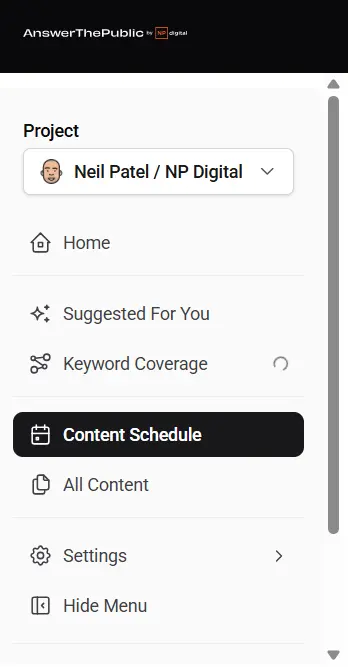
Home is your search history. Every keyword you’ve ever searched, across every source: Google, Bing, ChatGPT, Gemini, YouTube, Amazon, and Instagram. Filter by region, language, provider, or date to find anything fast.
Suggested For You is your content command center. It’s where most users should spend most of their time.
Content Schedule is your publishing calendar. Set how many articles you want generated per week or per day, drag and drop to reorganize, and see status, ranking position, and search volume next to each item so you’re scheduling with context, not guessing.
All Content is your full article library. Every article generated, published, or sitting in queue. Searchable and sortable.
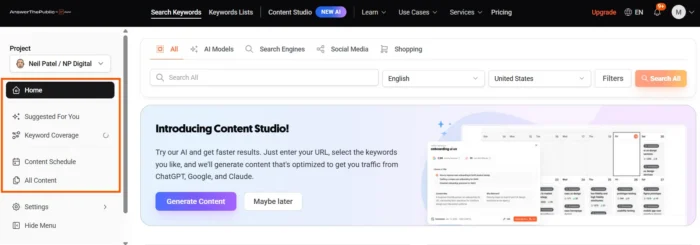
Suggested For You: Where Most Users Should Spend Most of Their Time
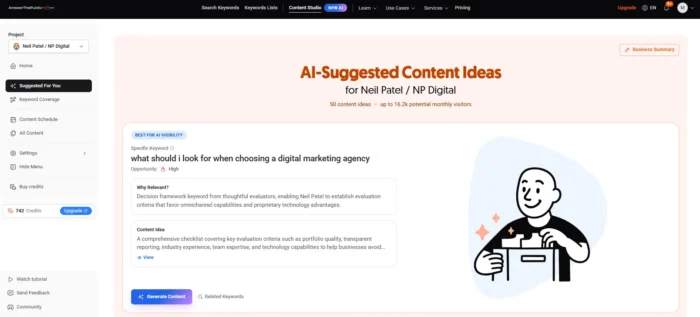
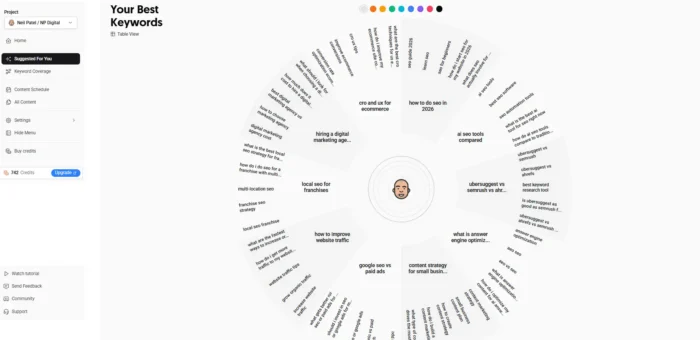
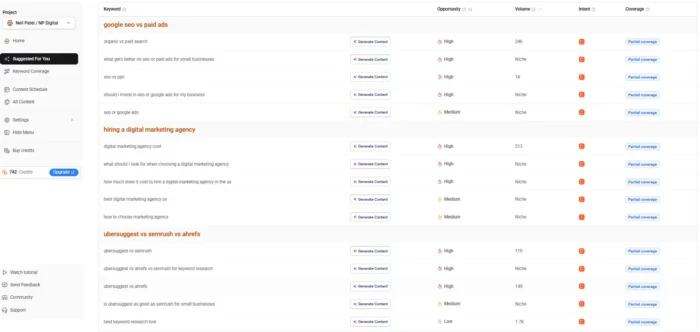
This page is designed to eliminate the blank-page problem. When you land here, you see three things.
At the top: AI-generated content ideas, each tagged with one of three opportunity signals: Best for AI Visibility, Best Short-tail Opportunity, or Best Long-tail Opportunity. Each idea includes a reason why it’s a good opportunity for you specifically, based on your Business Summary. These are often the hidden gems that most keyword tools would never surface because they require understanding your business, not just your niche.
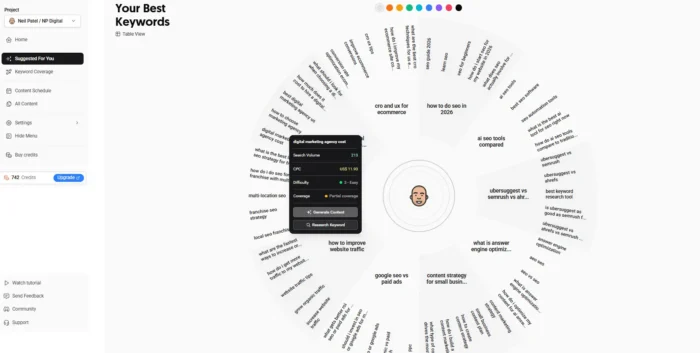
Below the suggestions: The classic AnswerThePublic keyword wheel, now grouped by topic cluster so related ideas stay together visually.
Below the wheel: A full table of your next 50 content ideas, ranked, categorized, and ready to generate. Click any one to start the content process.
Clicking Any Keyword Opens the Full Research View
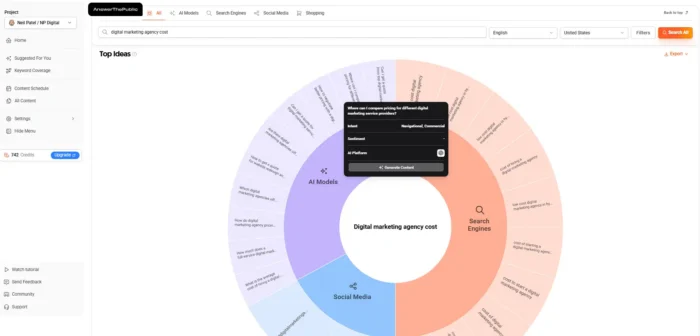
When you click into a specific keyword, you get a complete research page in a single view: search volume, CPC, and your Content Studio rank for that keyword.
Then the Top Ideas wheel, now with two layers. The inner ring shows what people are asking AI models about this topic. The outer ring shows what they’re typing into search engines.
Below that, the AI Prompts table: every AI prompt related to your topic, paired with three signals new to this version:
- Intent: what the user is trying to accomplish with this query
- Sentiment: the emotional tone of how AI models are answering this question
- Brands: which companies are being mentioned in AI responses for this query
Keep scrolling and you’ll see Organic Searches from Google and Bing, a People Also Ask mindmap you can expand into a full tree view, Social Media results from YouTube, TikTok, and Instagram, and Shopping data from Amazon. Every source. One view. No tab-switching.
One-Click Content Generation from Anywhere
You can generate content with one click from anywhere on Suggested For You, and from anywhere on a keyword detail page. From the top suggestions. From the keyword wheel. From the table. From a People Also Ask node.
Before you hit generate, you get a review screen to check the target keyword, edit the content idea, pick a title, and see why this topic is relevant to your business.
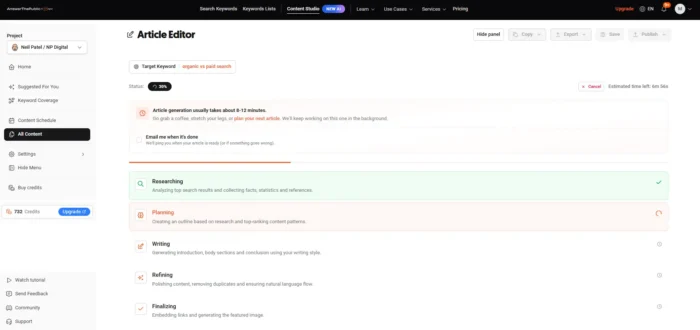
When you click Generate Now, Content Studio runs a five-step editorial pipeline:
- Researches the top-ranking pages for your keyword
- Pulls the facts and statistics that matter
- Builds an outline based on what’s already winning in the SERP
- Writes the article in your brand voice
- Refines it for natural language and flow
This isn’t a raw AI dump. It’s a structured editorial process trained on real ranking data. What used to take an SEO team days, Content Studio produces in minutes.
Full Control Inside the Article Editor
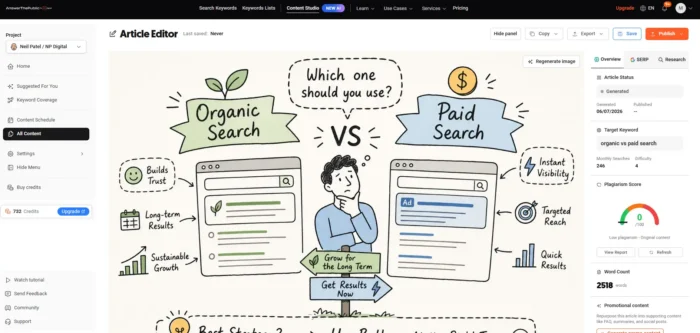
Once your article is generated, you have full control. Add images. Replace the cover image with the AI generator or upload your own. Rewrite any paragraph by hand.
And this is the capability most new users don’t discover: select any section and ask the AI to regenerate just that part. Not the whole article. Just the paragraph or sentence that needs a different angle. That single feature alone saves hours of editing in a typical workflow.
A plagiarism score runs in the background the entire time. By the time you hit publish, you know the content is uniquely yours.
The Right-Panel Tabs
Overview shows your target keyword, monthly searches, difficulty, plagiarism score, word count, and all internal and external links in one place.
SERP shows the top Google results currently ranking for your keyword, without opening a new tab.
Research shows every fact the article cited, with numbered sources and clickable links. Verify any claim before you publish.
Exporting, Saving, and Publishing
From the top of the editor: export to PDF, export to Markdown, save a draft, or publish directly. The Share button auto-generates captions for Twitter/X, LinkedIn, Instagram, and email, following best practices and character limits for each platform. Write once, distribute everywhere.
Settings: Set It and Forget It
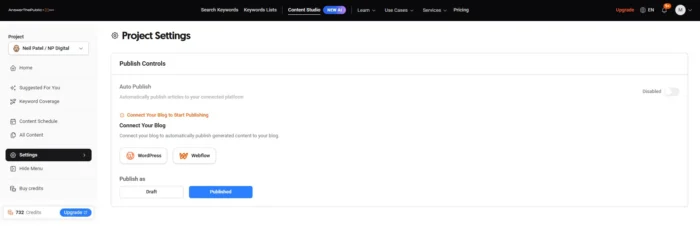
Publish Controls connects your WordPress site. Choose Draft or Published as your default, or enable Auto Publish to send new articles live without manual review. For teams running a daily content cadence, this is transformative.
Image Styles gives you sixteen visual templates (corporate illustration, cartoon, photographic, and more), or let the AI Style Picker choose the best style for each article based on the topic.
Brand Voice lets you pick from templates like The Straight Shooter, The Grounded Guide, or The Curious Storyteller, or build a fully custom voice profile. This is what makes generated articles sound like your brand instead of a generic AI output.
Article Generation controls structure: set length from 500 to 5,000 words, toggle external links, add your sitemap for automatic internal linking, and schedule daily generation at a specific time.
Business Summary is the editable brand profile. Come back here anytime your business evolves: a product launch, a new service, a new audience segment.
Localization sets your content language and target country. Content quality improves significantly when these match your actual audience.
The Fastest Path to Your First Published Article
Four steps in order:
- Add your website on first search, so the Business Summary gets built automatically.
- Go to Suggested For You and pick an idea tagged Best for AI Visibility or Best Long-tail Opportunity.
- Generate your first article with one click. Review the title and keyword, then hit Generate Now.
- Connect WordPress in Settings under Publish Controls and publish.
The Bigger Picture
The thesis behind the new AnswerThePublic is simple: your website already tells us what your business is, what you sell, and who you’re selling to. Your customers are already searching for it, in Google, in AI tools, on YouTube, on Amazon.
The gap between what your customers are searching for and what you’ve published is your content opportunity. AnswerThePublic closes that gap automatically.
You just needed a tool smart enough to connect the dots.
Frequently Asked Questions
What's different about the new AnswerThePublic vs the original?
The original was a keyword visualization tool. The new version adds AI content generation, a Business Summary that personalizes every recommendation to your site, a publishing calendar, WordPress auto-publish integration, and a full article editor with plagiarism scoring. It’s a complete content production system built on top of the original keyword research foundation.
Does AnswerThePublic write the full article, or just an outline?
It writes the full article following a five-step editorial pipeline: competitor research, fact gathering, outline, drafting, and refinement. You can edit any section manually or use selective regenerate to rewrite specific paragraphs.
Can I use AnswerThePublic if I don't have a WordPress site?
Yes. Export articles as PDF or Markdown, or copy and paste the content directly to any platform.
Does it work in languages other than English?
Yes. AnswerThePublic supports multiple languages and regions. Set your content language and target country under Localization in Settings for best results.
The new AnswerThePublic is live, and you can try it free, no credit card required. Try the new AnswerThePublic.