 Sign In










Do you ever feel like you can’t compete with your rivals? Then I’ve got some good news for you:
There’s no need to be afraid of your competitors.
I know it’s easy to look at them and their mega-successful campaigns and think you’ll never be like some of these companies. That’s where you’re wrong.
Why?
Well, their success validates your ideas. If your competitors are doing well, it shows there’s a market, right?
It also demonstrates effective marketing to your ideal customers and getting great returns.
All you need to know now is what your competitors are doing well. If that sounds tough, realize it doesn’t have to be. Competitive research tools help you capture detailed insights into your rivals’ strategies.
Now, I’m not saying using competitor research tools can give you everything you need for a successful business. However, their insights can be so valuable that you might consider such tools an essential piece of the complex marketing pie.
If you want a leaner, more efficient, and proven way of doing business, read on while I discuss some of the best competitive research tools available.
Spying on your competitors can strengthen your position in the marketplace, but not without having three crucial factors in play:
- First, what are you looking for?
- What are the right tools to get this information?
- Finally, how will you leverage these insights to elevate your business?
More specifically, we’ll explore how you can get an inside look at your competitors on each of the following fronts:
- SEO and web traffic
- Social media
- PPC and ads
- Blog content
1. Ubersuggest
We all know how important backlinks are for a solid SEO strategy.
Ubersuggest is a great tool to determine how many backlinks your competitors have, and it’s free.
My tool gives you the fundamentals for a solid link-building strategy that gets you ranked. Here’s how you use it:
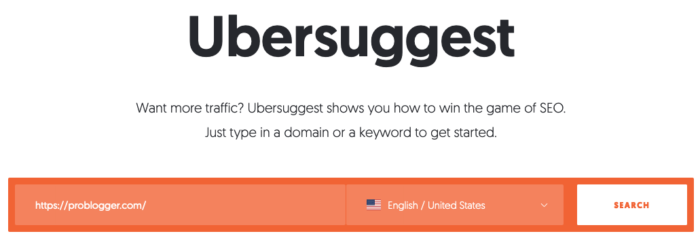
Step #1: Enter your competitor’s URL and click “search.”
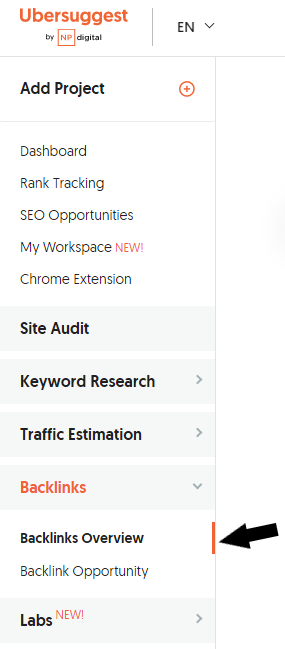
Step #2: Click “backlinks” on the left sidebar.
Step #3: Again, enter your competitor’s URL and click “Search.”
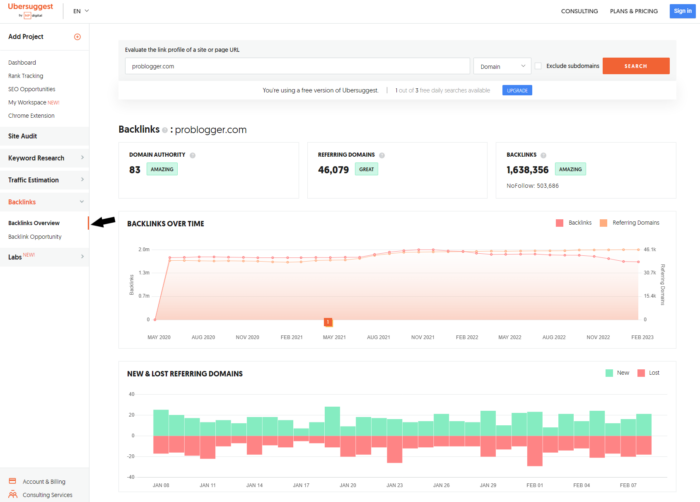
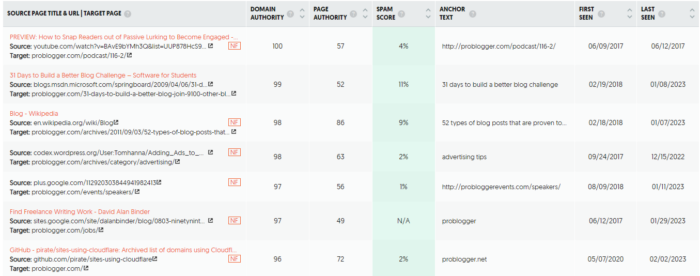
Instantly, you can see a snapshot of your competitor’s current domain authority, referring domains, and backlinks. However, what’s most helpful is the detailed data like referring pages, URLs, domain authority score, and anchor text.
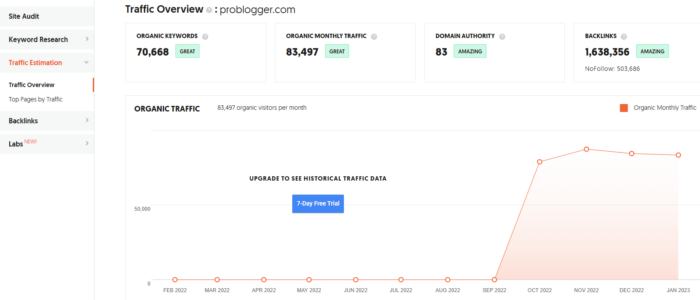
You can also use the “Traffic Analyzer Overview” for a broader look at your competitor’s site, including:
- Number of organic keywords it ranks for
- The total estimated monthly traffic for these keywords
- Domain authority score (ranging from 1 to 100)
- Number of incoming backlinks
- Traffic by month over the past five months
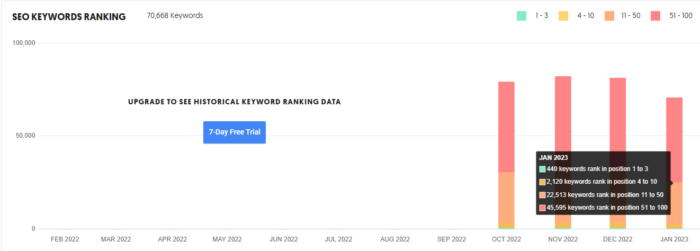
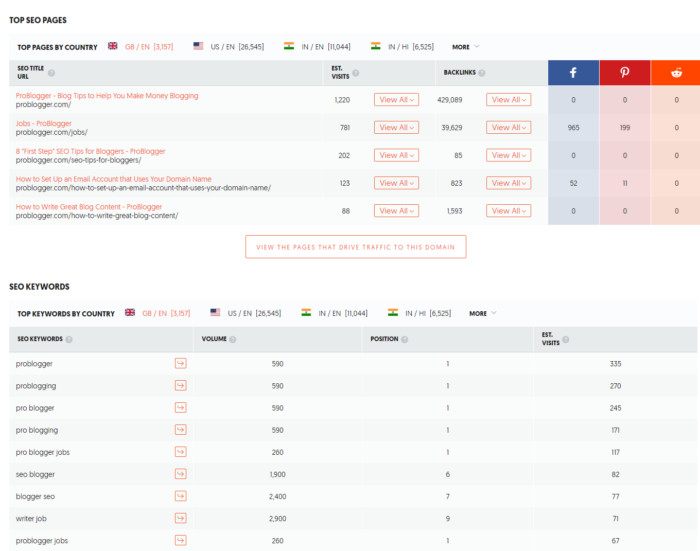
Then, as you scroll down the page, there are charts for keyword rankings by month, top SEO pages, and SEO keywords.
You can target these sites to get backlinks to your content. If these sites link to your competitors, you have a good chance of landing some trusted links.
Besides analyzing backlinks, it can also give you valuable information about your competitors’ content and social media strategies. It helps you understand what’s working for them in terms of keywords, content, and social shares, thereby guiding you in crafting your own strategy. Ubersuggest also gives an insight into the seasonal trends for your chosen keywords, aiding you in timing your campaigns for maximum impact.
2. Google Alerts
Google Alerts is a free service offered by Google to keep you up-to-date on the latest news, conversations, and web content.
It offers an easy way to stay in the loop about what’s happening in their industry or with their favorite brands. Additionally, it’s a simple way for businesses to monitor their mentions on social and track competitors.
To sign up, enter your chosen term and click ‘create alert.’ Below is my search for SEO in 2023:
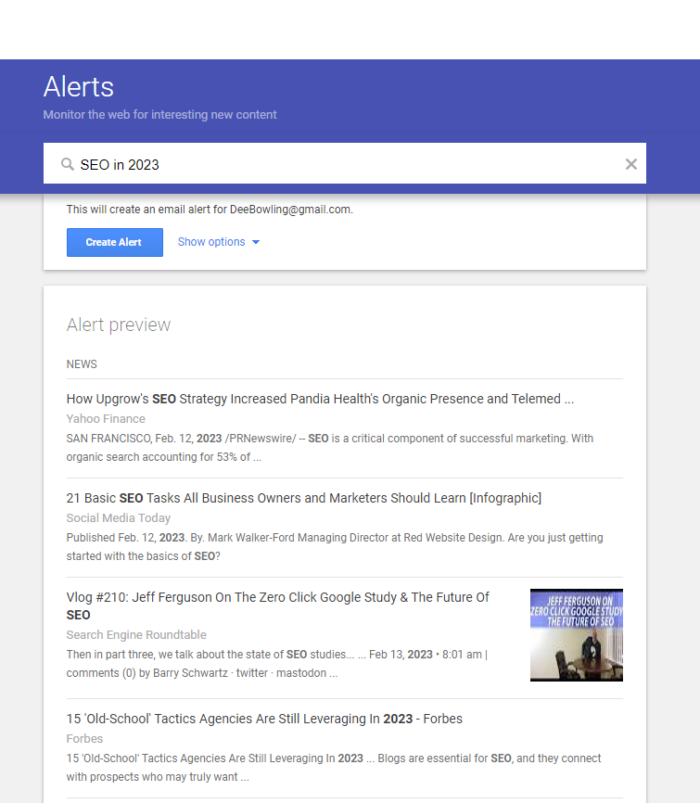
As you can see, my initial search shows some news pieces and competitor articles and gives me a few ideas for blog topics.
3. Majestic
The Majestic competitive research tool examines the backlink profile of individual pieces of content.
If you want to take a deeper look at your backlinks, then Majestic is an excellent option for further analysis.
Let’s say you want to create an ultimate guide on content marketing. The goal is to ensure that your post outranks similar posts by getting more quality links to your page.
To use Majestic, begin by conducting a Google search to pick a post that ranks at the top of search engine results pages (SERPs) for your keyword.
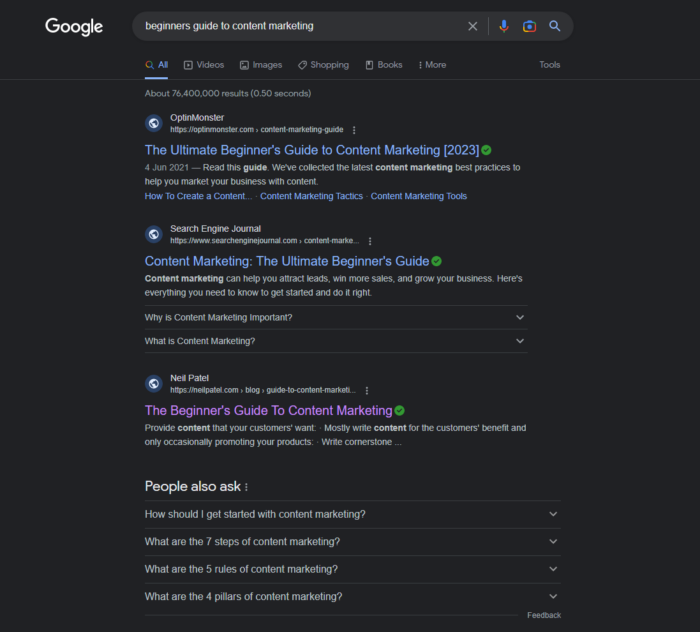
Incidentally, my guide, “The Beginner’s Guide to Content Marketing,” features within the top organic search results in this instance.
Plug the URL of your choice into Majestic’s search bar.
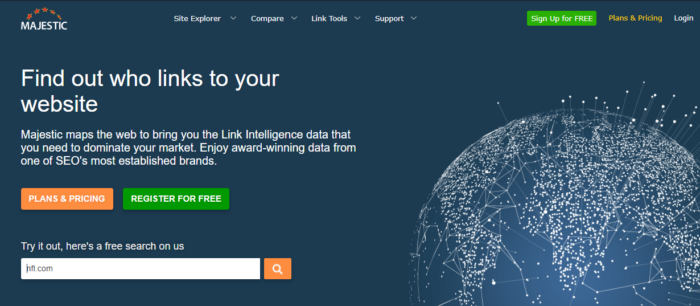
See how it gives a good indication of the number of backlinks that a piece of content gets?
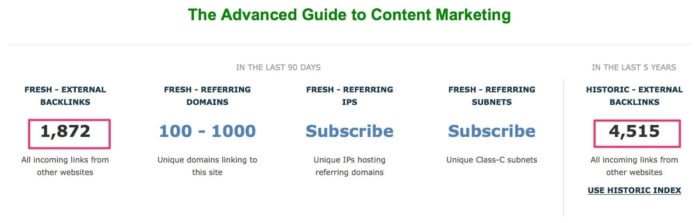
Now you know how difficult/competitive your keyword is to rank for.
The free option allows one search, then you need a paid subscription.
If you want a more detailed analysis, your best bet is the next tool on the list.
4. Ahrefs
Ahrefs is one of the most useful tools for competitive research and SEO.
If you know anything about SEO, you know it can get complicated quickly; the best thing about this product is that it simplifies everything.
However, its main strength is in analyzing backlinks and selecting link targets.
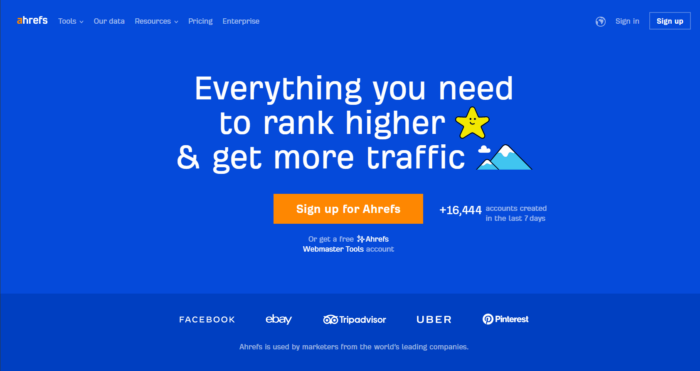
Here’s the information that you can find on your competitors using Ahrefs:
- Domain authority
- Referring domains
- New referring domains
I like to pay attention to the number of new referring domains and where these links come from. Why?
It’s essential to know how quickly your competitors are gaining new links. If they acquire hundreds of links daily, you may want to set a more achievable goal.
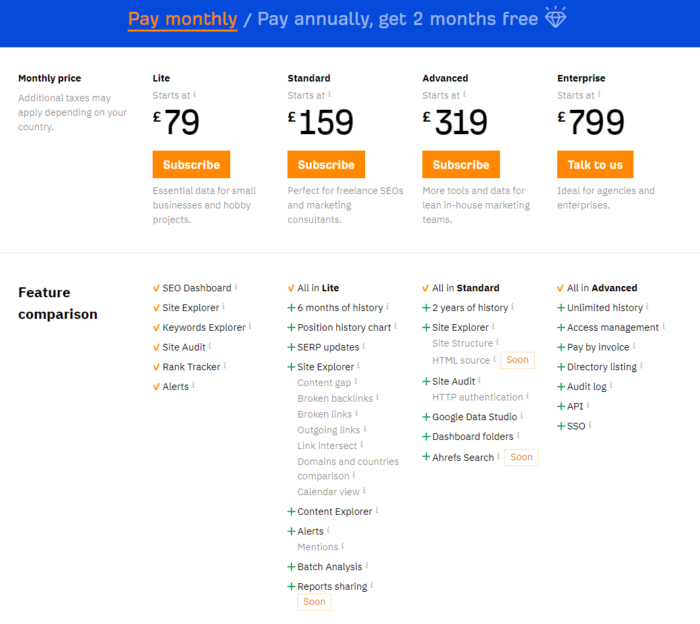
Ahrefs does offer a premium product with tiered subscription packages. However, verified website owners can get free access to a comprehensive set of Webmaster Tools, including backlink analysis.
5. Semrush
Semrush is one of the top competitive research tools available. Like Ahrefs, it is incredibly versatile and comprehensive. Think of SEMrush as your eye in the sky. It goes beyond SEO and PPC. You can check out your competitors’ website traffic, get a sneak peek into their content strategies, and see what they’re up to on social media. It’s a crystal ball that lets you spot trends and opportunities before they do.
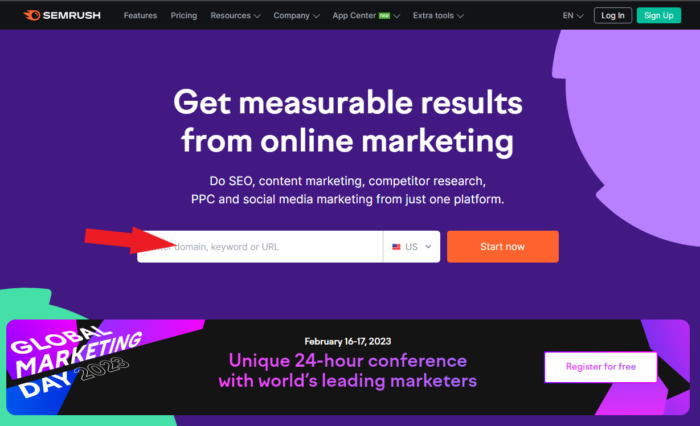
Just type in the URL and click ‘start now.’
Then, you get a domain overview with general data, including domain authority score, organic search traffic, and backlinks.
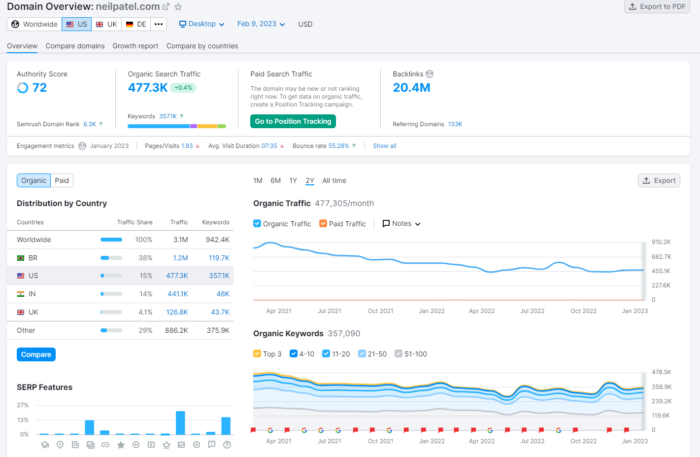
Scroll down through the length of the page, and you get data like:
- Top organic keywords
- The distribution of how these keywords rank
- Main organic competitors
- A map of where they are positioned organically
- Branded search traffic
- Paid keywords
- Referring domains
- Landing pages
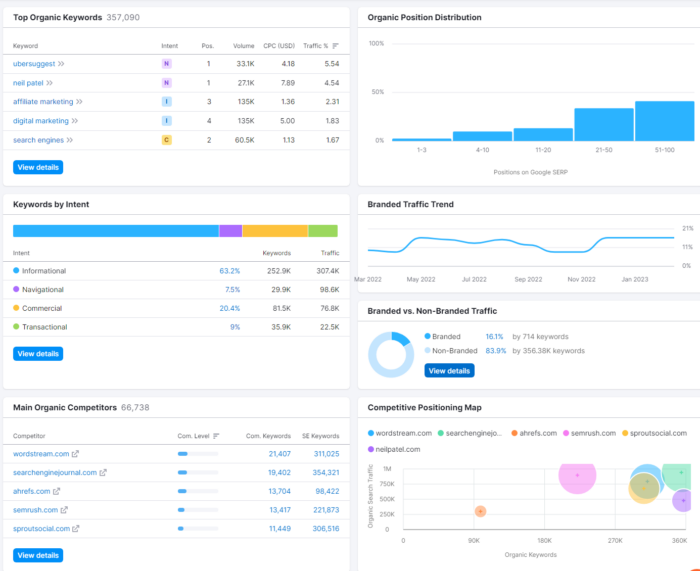
Even better, it allows you to search keywords by intent, and it’s all free.
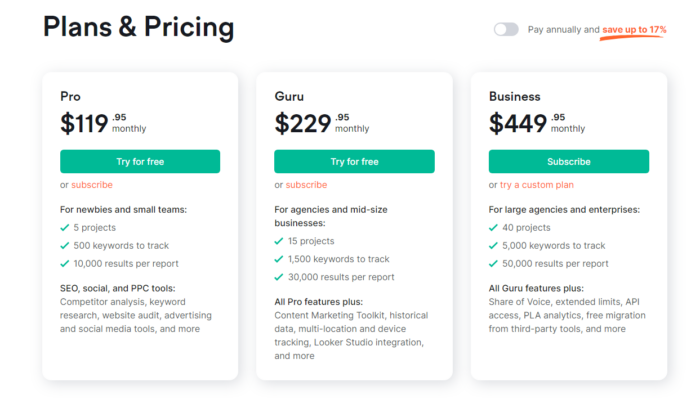
Paid subscriptions start from $119.95 a month. There are three subscription tiers: Pro, Guro, and Business. Below is an overview of what you get with each; however, you can find the full details for each package here.
6. SimilarWeb
Traffic analysis is essential for getting a solid gauge of a competitor’s overall web performance. If you want information about your rivals, like:
- Their monthly traffic
- Which channels bring the most visitors
- Where these visitors come from
Then look no further than SimilarWeb.
But it doesn’t stop there. You also get a peek into their marketing strategies through data on where their traffic comes from and what content they’re pushing hardest.
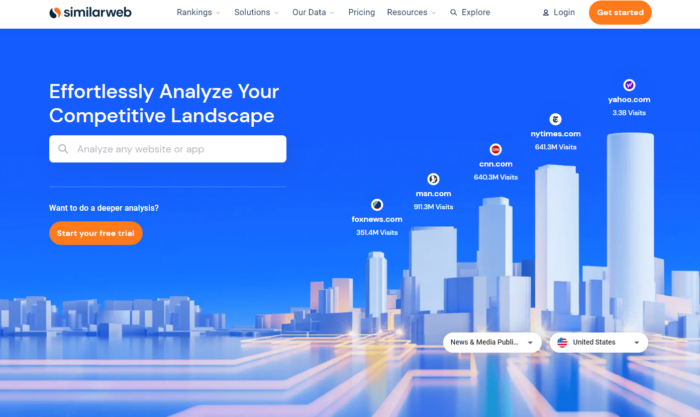
Type in a website of your choice.
Here’s some of the data you will receive:
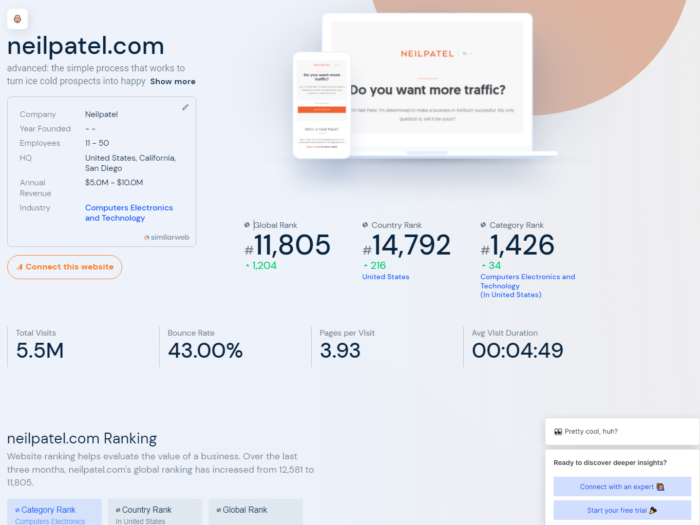
You’ll get an overview of their traffic; pay special attention to traffic sources. That gives you data on which channels are the most effective.
For me, it’s clearly direct traffic and search.
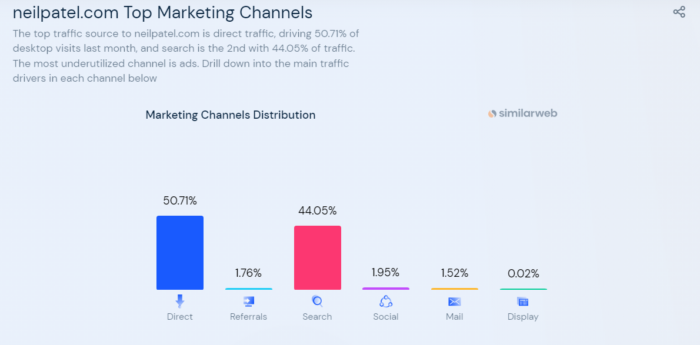
You can also get a breakdown of each of these traffic sources.
Here’s what referral traffic looks like:
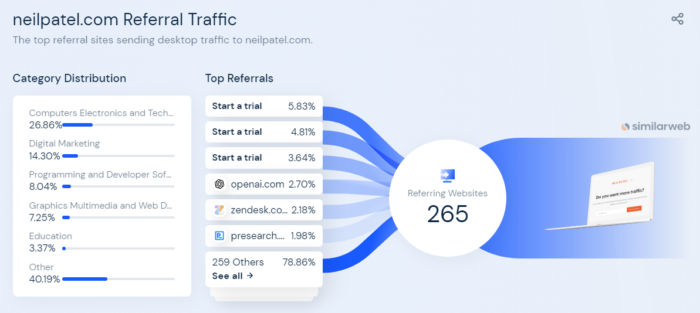
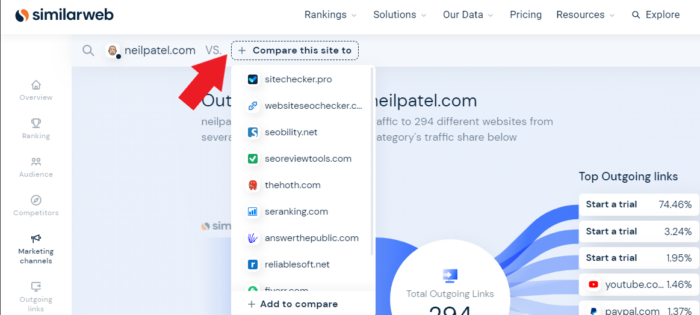
You can compare traffic for several competitors, too.
7. Sprout Social
Sprout Social is an all-in-one solution that helps you manage your social media accounts while finding and connecting with the people who love your brand. It keeps you organized by managing multiple profiles from one dashboard and has an intuitive user interface.
It provides an array of features such as:
- Analytics
- Post scheduling
- Engagement measuring
- Social listening
- Custom report
- Campaign monitoring
Additionally, Sprout Social has many integrations, including Canva, Dropbox, and Bitly.
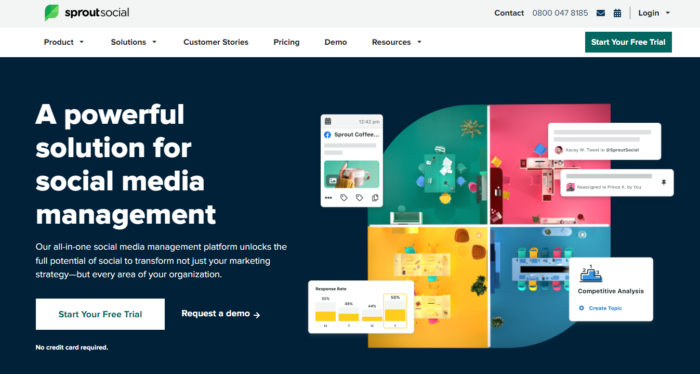
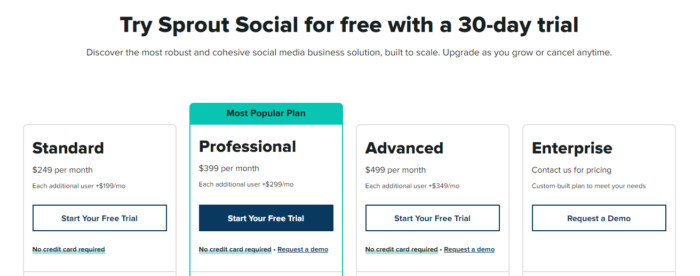
If you’re new to Sprout Social, there’s a 30-day free trial, and paid tiers start at $249 monthly.
8. The Search Monitor
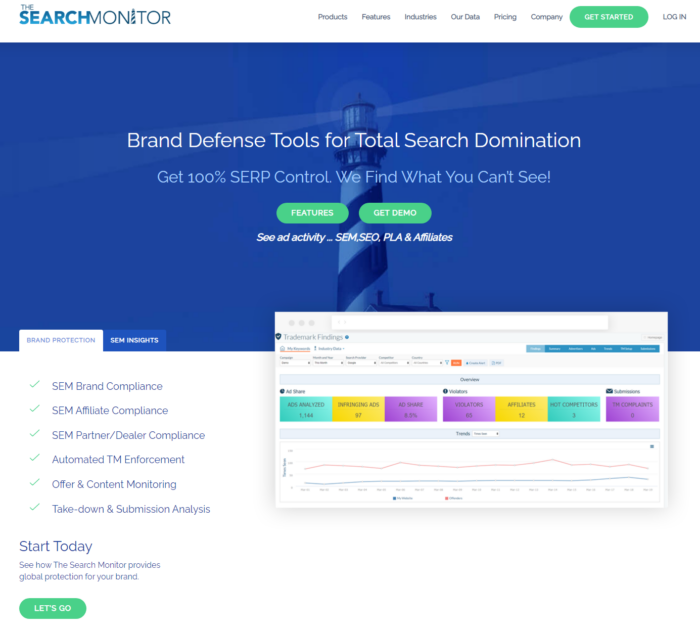
Not sure how your brand stacks up against its competitors? Then get some valuable insights with The Search Monitor.
However, it allows you to monitor affiliates and trademarks and monitors results from platforms such as:
- Bing
- Yahoo
- YouTube
- Yandex
- Amazon
The Search Monitor also allows you to compare SERP visibility with your competitors.
Other valuable resources include SmartCrawler Automation monitors, which lets you track brand variation, and unlimited keywords are available as configurable keyword packages.
For pricing info, click on the ‘build a package’ link online, and you’ll get sent an email.
9. Pro Rank Tracker
You could spend hours manually checking how your keywords are performing on Google. I mean, there are worse things you could do with your time.
However, you may as well use one of the most trusted competitor research tools to speed things up.
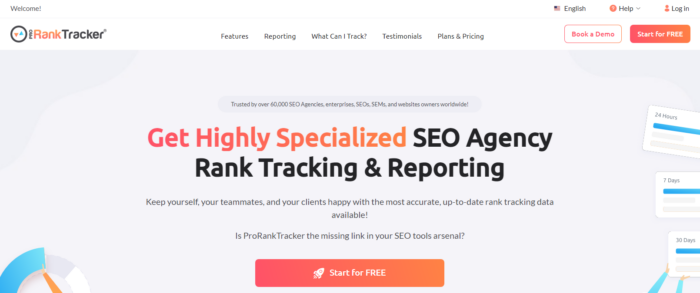
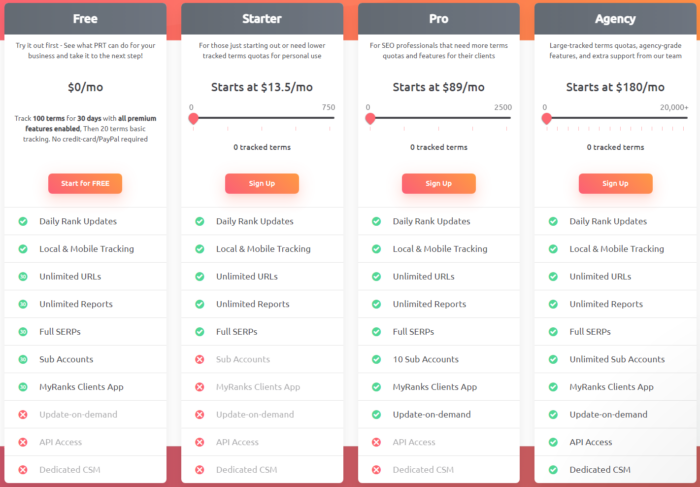
Pro Rank Tracker is a tool that allows you to type in your competitor’s URL and a group of keywords to see how they rank.
With PRT, businesses can identify opportunities for improvement by analyzing their website’s visibility across different keywords and the performance of the competition.
First, create your account.
Then enter your competitor’s URL, add keywords, hit next, and enter the required form fields about where you want to track from. In this example, we use Google in English in the United States.
Add all the keywords that you got earlier from Google’s Keyword Planner.
You can also decide to localize your search if that’s part of your SEO strategy.
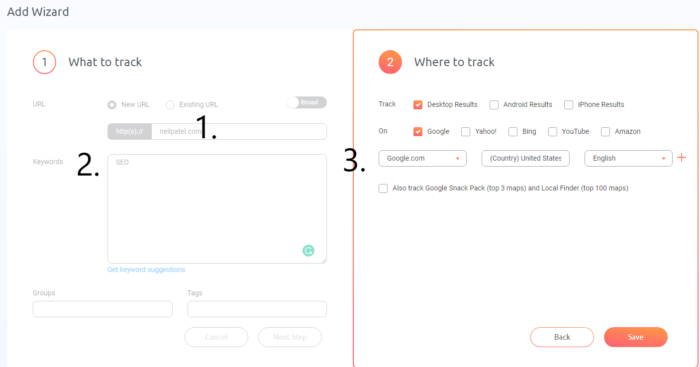
Save this data, and PRT adds it to your dashboard. You’ll then get some metrics on how your keywords rank.
Ideally, you want to target keywords that are already ranking pretty high but have room for you to take advantage of.
Now let’s look at some competitor research tools for keyword monitoring.
10. Hootsuite
I’ll go right out and say it. Hootsuite is by far one of the best competitive research tools for tracking social media analytics.
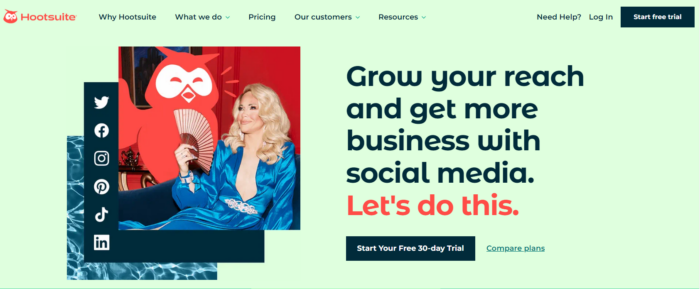
It’s a social media management tool that integrates with all the major social networks, so what better way to keep track of your competitors?
Aside from monitoring, you can use Hootsuite to:
- See which posts work well, tweak them, and reshare them with the ‘repost’ button.
- Compare your social media metrics against industry averages.
- View how your audience engages on your social media platform, allowing you to adapt your strategies.
Hootsuite also lets you track specific keywords and hashtags to give you a clear picture of what your competitors are up to.
11. Feedly
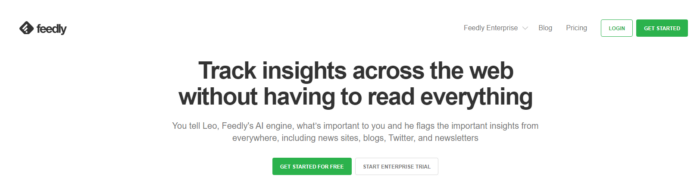
How can you see what your competitors are publishing? And what’s the best way to stay up-to-date with their content marketing strategies?
Like many of today’s top competitor research tools, Feedly relies on AI to deliver online insights from multiple sources, like social media, news sites, and blogs. This convenient tool gathers information in one place, enabling you to:
- Track competitors’ content marketing strategies and get instant updates when they publish new content.
- Follow your favorite marketing blogs and learn new techniques as soon as they’re released.
- Organize your feeds on one platform.
Additionally, Feedly lets you prioritize subjects and events vital to your marketing so that you can share those insights with your team.
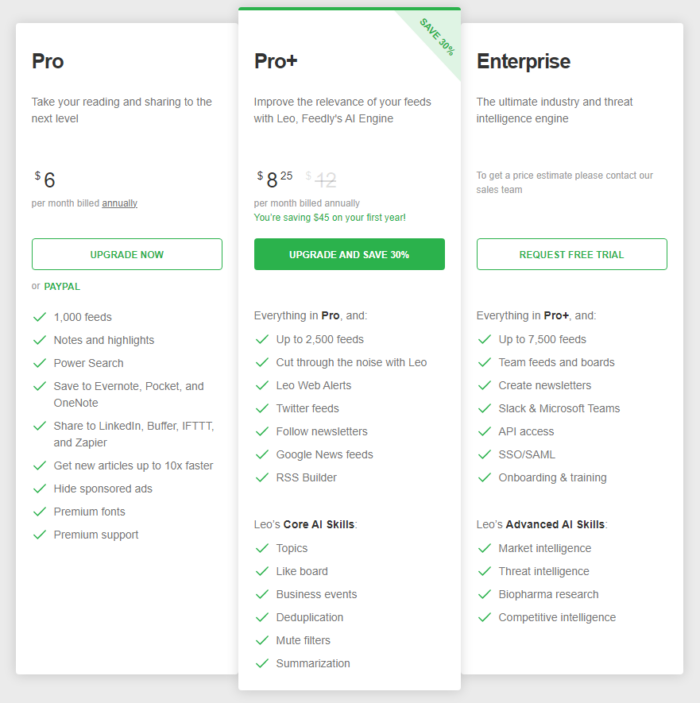
The Pro package starts at $6 monthly and allows you to ‘take your reading and sharing to the next level.’
12. Fanpage Karma
Want to know how your competitors’ social media pages fare? Fanpage Karma is a competitive research tool that lets you do just that.
When you sign up for a free trial, get access to information like:
- Number of fans
- Weekly growth
- Posts per day
- Reach per day

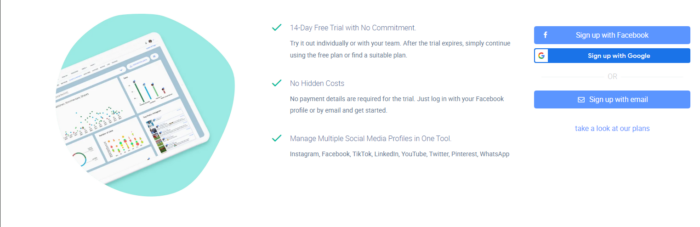
That’s just the surface, though.
Here are my results when I search for Nike’s Instagram fan page.
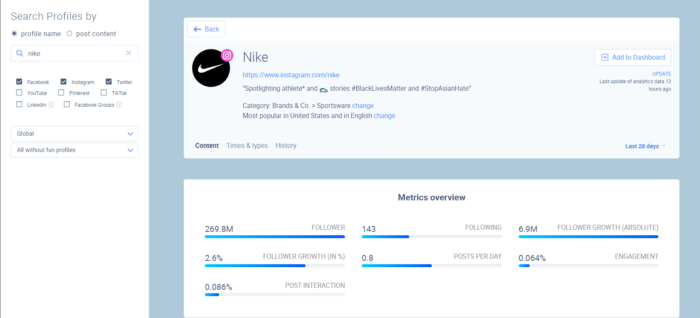
Along with getting data about content, posting times, and frequency. You can also benefit from access to information about:
- Influencers
- Ad value
- Top and weakest posts
- Most popular words used in posts
- Top pictures, videos, and carousels
- Info about reactions, comments, and shares
Pretty comprehensive, huh?
Before moving on, here’s a final tip: look at your competitors’ social media channels to better understand how your rivals compare on different sites.
13. iSpionage
It can be tough to make headway when you’re competing on price, creative elements, and competitors’ budgets, but have no fear. Help is here, thanks to iSpionage.
You can use this useful tool to find the following information:
- Profitable keywords based on what your competitors are using
- How much your competitors spend on their PPC campaigns
You can get other data, too, but our focus is on the PPC element, which is crucial for keeping your conversion rates high and costs low.
First, type in your competitor’s URL and click ‘Start Spying’.
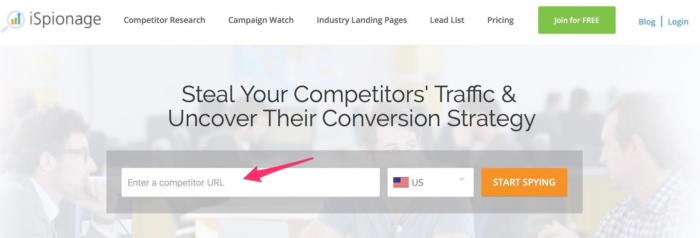
You can get an overview of PPC performance and key data points like search volume, cost per click, and related trends.
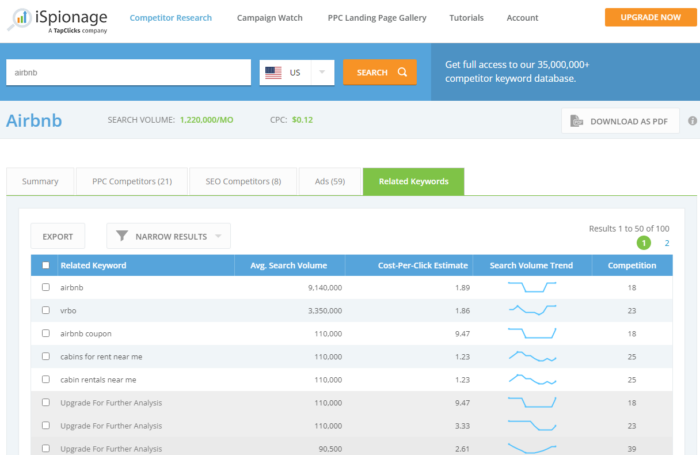
In addition, you can also check out the PPC competitors, SEO competitors, ad copy, and related keywords that triggered the ads.
Keep an eye out for the top-performing ads. Go to the destination URL and analyze the ad creative.
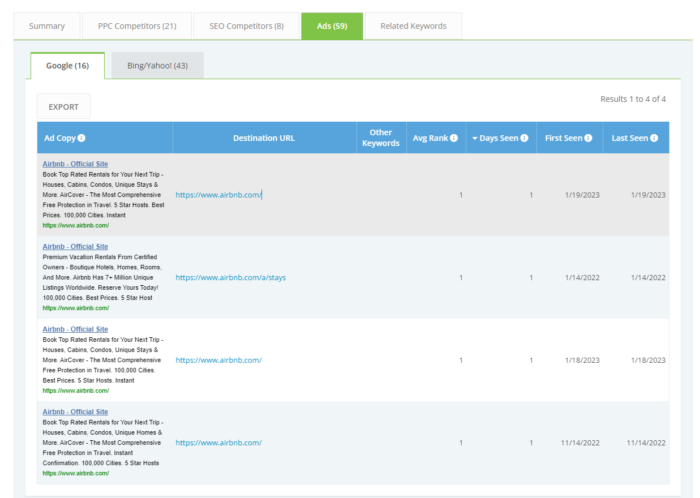
Of course, you don’t want to swipe someone’s entire ad. However, you can learn from your competitors, adopt patterns and formulas, and use rivals’ ads as inspiration to optimize your paid campaigns.
14. Link Prospector
Link Prospector from Citation Labs is all about link building and how that relates to your content.
The tool couldn’t be much easier to use. Choose your report type. For instance, you could select from guest posting, links pages, reviews, donations, content promotions, or giveaways.
Then, enter your key phrases and watch while a list of potential link-building opportunities appears.
You can choose from 16 reports that come in three categories:
- Content development and outreach (blogs, links, pages, and directories)
- PR-focused (accessible journalists and audience input).
- Conversation-focused (interview pieces and quotes).
You can integrate Link Prospector with Raven (an SEO platform for creating/sharing white-labeled reports) for further competitive insights.
You need to register to use the software.
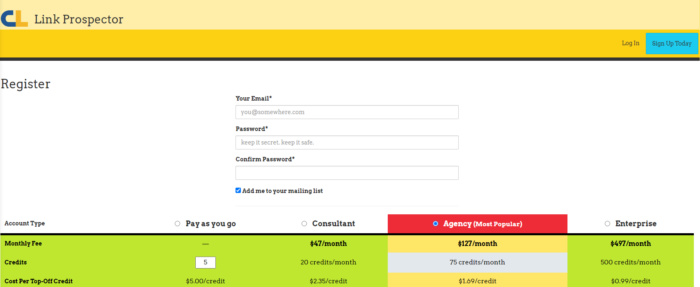
There are four pricing plans. You can start with a pay-as-you-go model with no monthly fees and a minimum charge of $5.00. Monthly subscriptions start from $47.
15. Monitor Backlinks
This is another company with great customer service. You can follow different competitors’ backlinks and have them sent straight to your inbox, with a description of which are the highest domains, which are the lowest, and whether or not they are dofollow or nofollow.
You have a dashboard you can look at and compare your results, but I like to use it primarily to look at links my competitors are earning.
- Get SEO metrics from various sources, including Moz and Majestic
- Receive email alerts straight to your inbox
- Check your keyword ranking
- Review in-depth backlink reports
If you want to check a competitor’s website, you can choose from the ‘competitors’ plan on the Monitor Backlinks website and select monthly or yearly payment. In addition, users can monitor up to 10 domains.
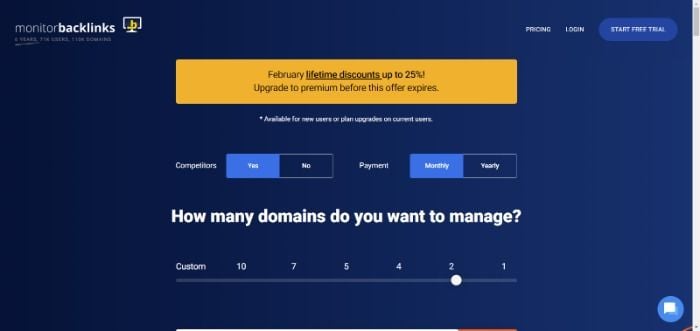
Pricing varies based on how many domains you manage, beginning at $25 monthly. To test this competitor research tool, you need to sign up to start your free 30-day trial.
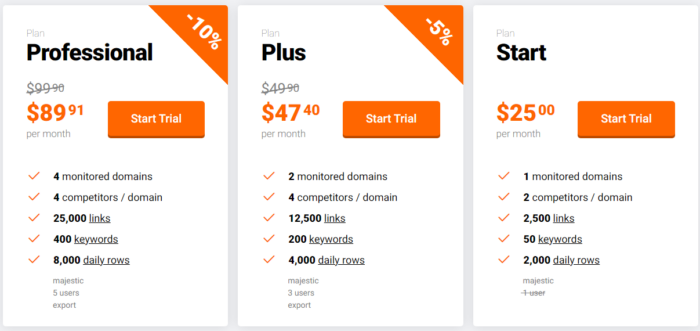
Advanced custom packages are available on request.
16. Oracle Moat Measurement
Oracle Moat Measurement is an advanced analytics software that helps marketers and advertisers measure the impact of digital ads. This innovative technology delivers critical insights about how well online campaigns perform based on real-time data from multiple sources.
It’s an excellent tool for analyzing your competitors’ ad creative and has a set of competitive research tools to make your ad campaigns more effective.
Simply type in a brand and review the ads that they’ve used in the past.
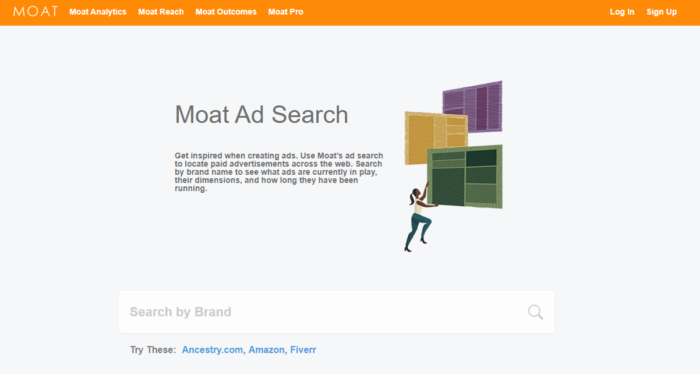
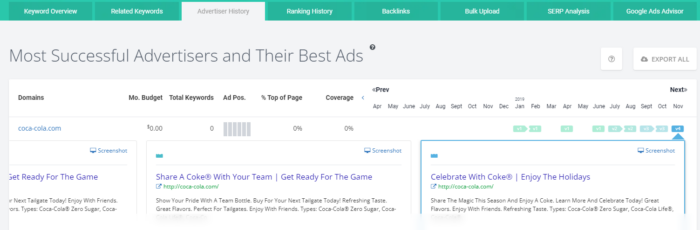
Here are the results when I search for “Coca-Cola.”
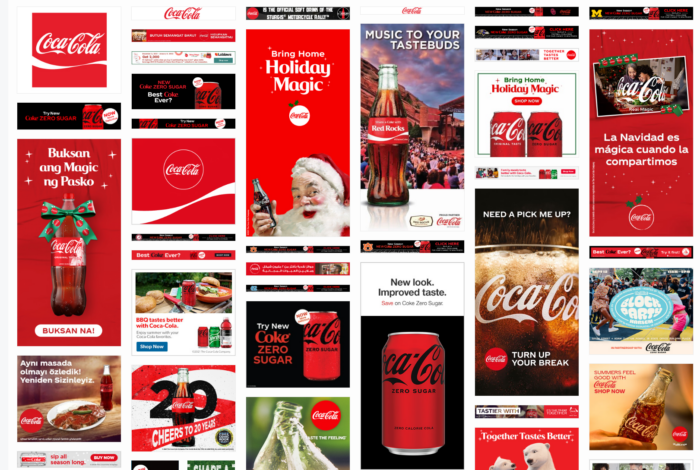
Hover over an individual ad, and you can find out the dimensions when the ad was active.
You can also use Oracle Moat to monitor attention metrics throughout multiple channels and formats while measuring quality and viewability.
Finally, you can follow your competitors and get alerts when they create a new ad, get a monthly overview of the best digital advertisers, and there’s a Chrome extension available, too.
17. Spyfu
As spy tools go, this is the ultimate opportunity.
If you’re a beginner with PPC campaigns, this is the simplest and most effective option.
Let’s see it in action.
Enter your competitor’s website to get started.
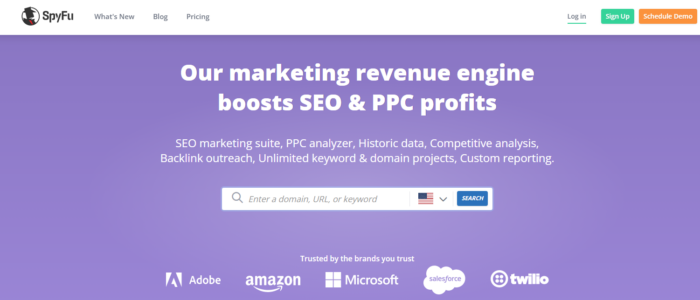
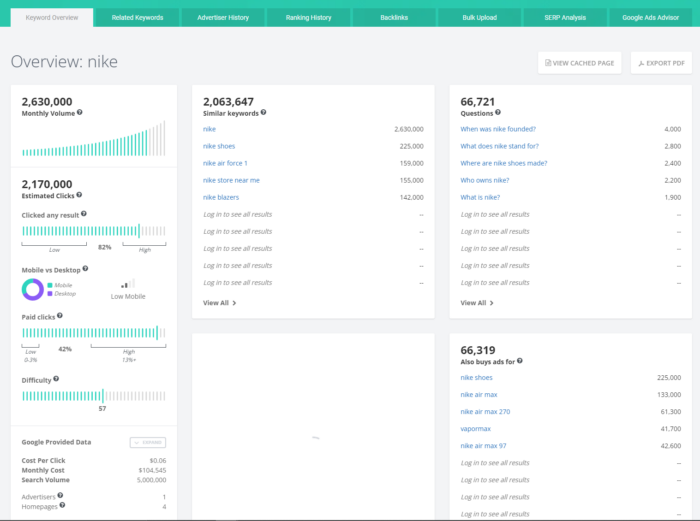
Review the top paid keywords, the cost per click, and the monthly cost.
If you want to find a competitor’s website, use the keyword overview. You can see information about the following:
- What people are asking about
- Keywords
- Advertiser history
- Ranking history
- Backlinks
- SERP analysis.
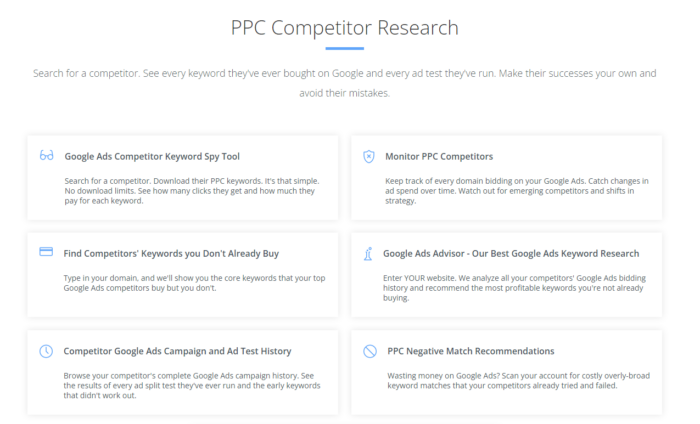
Another feature worth looking at is the PPC competitor research to see their Google keyword history and analyze competitors’ bidding history.
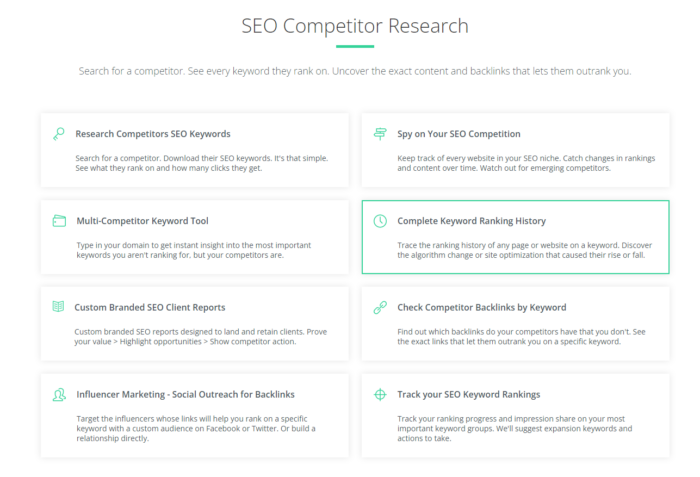
Be sure to check out your competitors’ advertiser history and their best ads. With this feature, you can learn how:
- they started the ad campaign
- the creative elements like ad copy and visuals changed over time
- all these changes led to better conversion rates and lower costs per click
18. BuzzSumo
If you read my blog, you already know how I feel about BuzzSumo.
It’s one of the best competitor research tools out there to determine how other brands and blogs are performing. It shows you what kind of content is a hit with your audience and which channels work best for sharing it. You’ll know what content gets the most social love, who the major influencers are, and where your target folks hang out most online.
Another advantage of BuzzSumo? It couldn’t be any easier to use. Simply enter a domain or keyword and press ‘Find Content.’
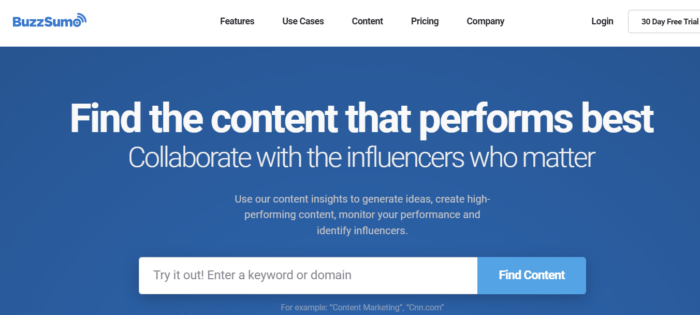
Then you get all the top-performing posts for that domain. Brilliant, right?
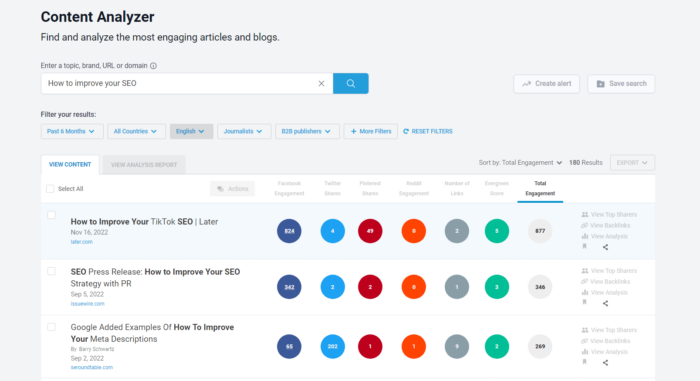
The goal is to select a few targets that make sense for your business and create something better.
You can take it a step further and develop a promotion strategy for your content and focus on the top-performing channels when you share similar content.
Basics subscriptions start from $119 and provide a content idea generator, Chrome extension, and monitoring.
19. Google Search Operators
Have you ever searched on the world’s favorite search engine and felt overwhelmed by the sheer amount of information?
That’s the genius of Google Search Operators. It helps you create more sophisticated and targeted Google searches.
By using specific modifiers, known as search operators, you can use to refine what you are looking for and get more relevant and targeted results:
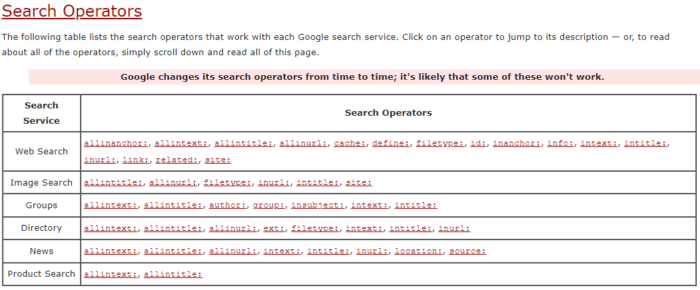
Clicking on the links provides more information about how to use each one, with examples.
Here are some critical search operators for finding your competitor’s content.
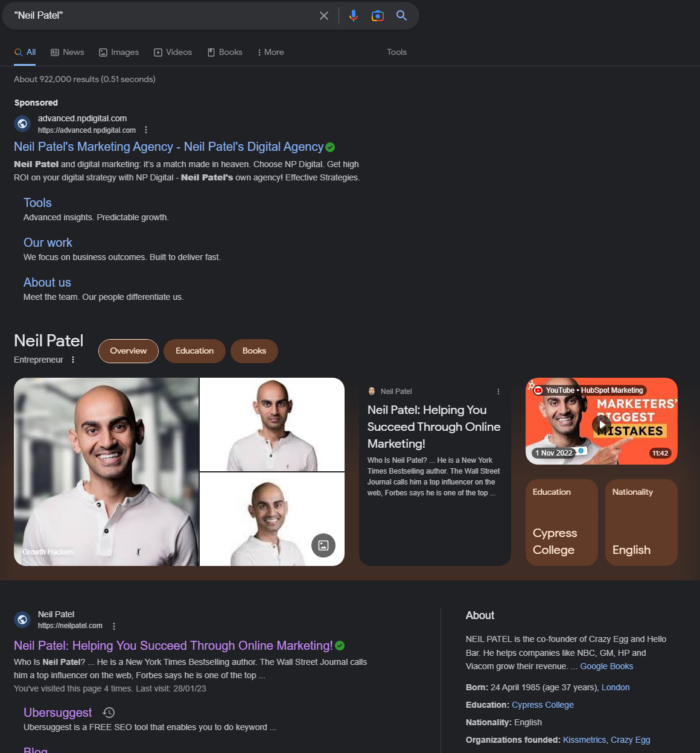
1. “Search term,” e.g., “Neil Patel”
Use this operator to search for an exact phrase.
It has to be within quotation marks. Otherwise, you’ll get every web page with one or all of your keywords.
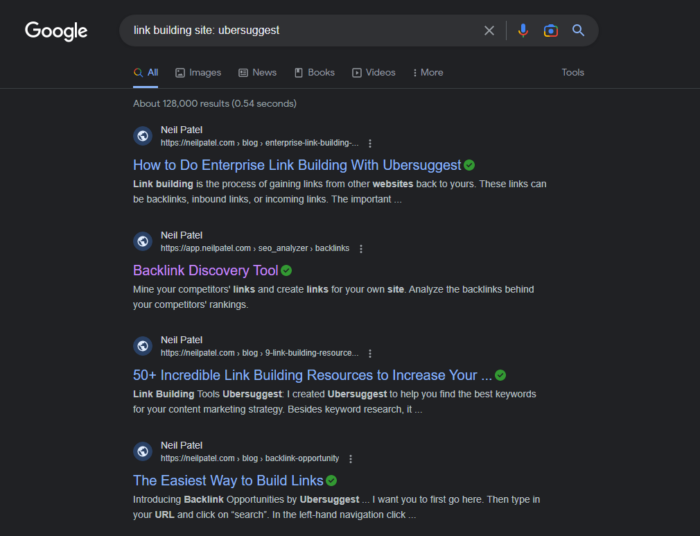
2. Keyword and Site:[site URL] e.g., link building site: ubersuggest
This will give you results for a specific keyword within a given domain.
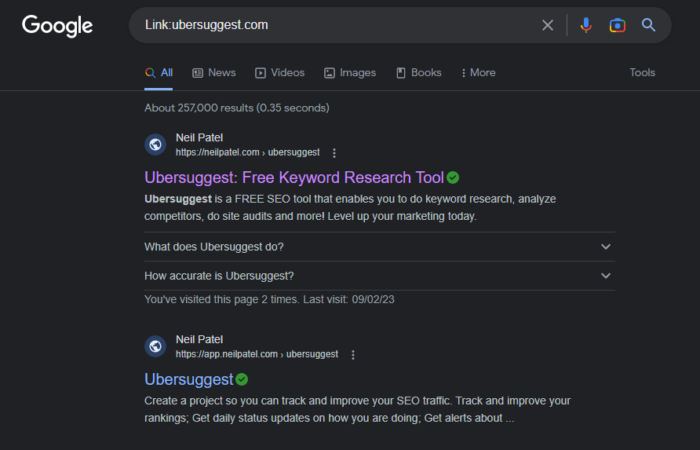
3. Link:[domain] e.g. Link:ubersuggest.com
Use this to get all the sites that link to a domain or specific webpage.
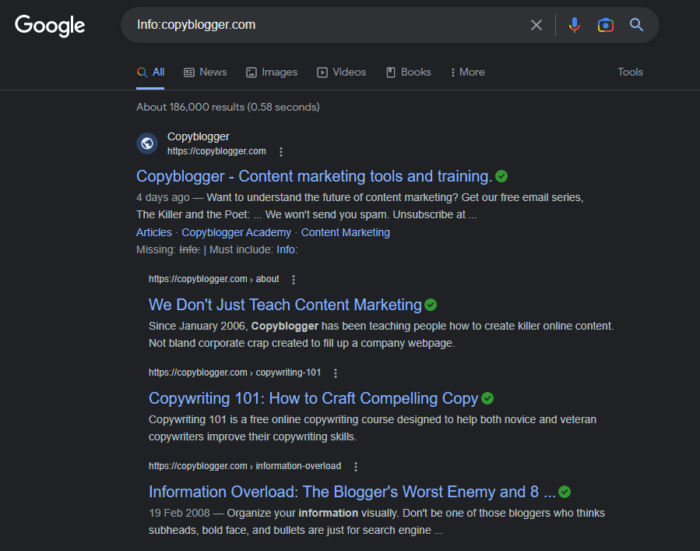
4. Info:[site URL] e.g. Info:copyblogger.com
Use this operator for all the information about a particular domain.
5. Site:[website URL] filetype:pdf e.g. Site:problogger.net filetype:pdf
You can use this to find PDF files your competitors have hosted on their sites.
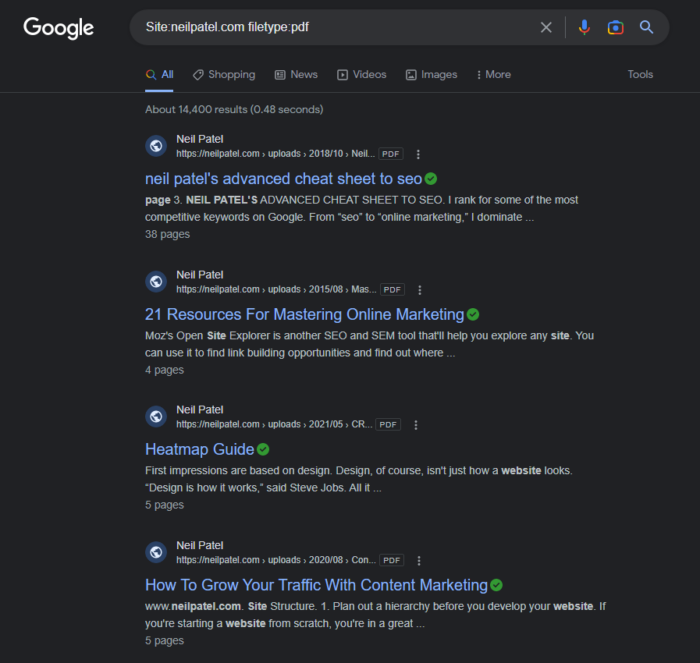
It’s great for finding content that’s unavailable on a site’s navigation. In addition, you can vary the file type to see other content formats.
Let’s call these your secret intelligence codes. Master them, and you’ll have targeted data at your fingertips that can guide your business decisions.
20. Competitor Analysis from WooRank
This is a competitive research tool that allows you to optimize your website. However, you need to establish your website score before you can do that.
Don’t worry. It’s not as complicated as you might think. First, enter your domain, and click on ‘check my website’s score’:
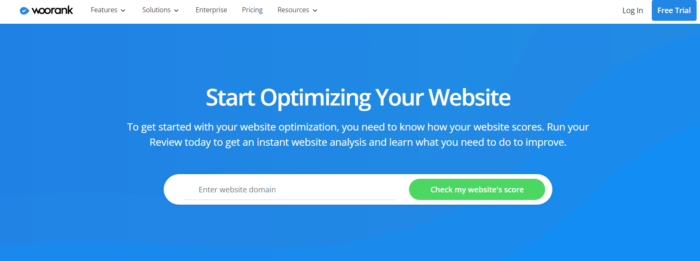
Other features include:
- Competitor tracking
- Technical analysis
- Accessible SEO tasks
- Keyword tool
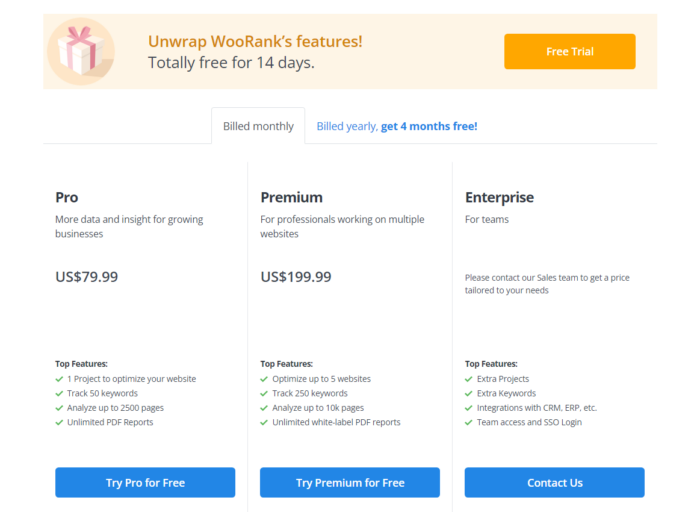
You can enter a URL to get basic information, but you must sign up for a free trial to access more features. Pro subscriptions start at $79.99.
21. Mozbar
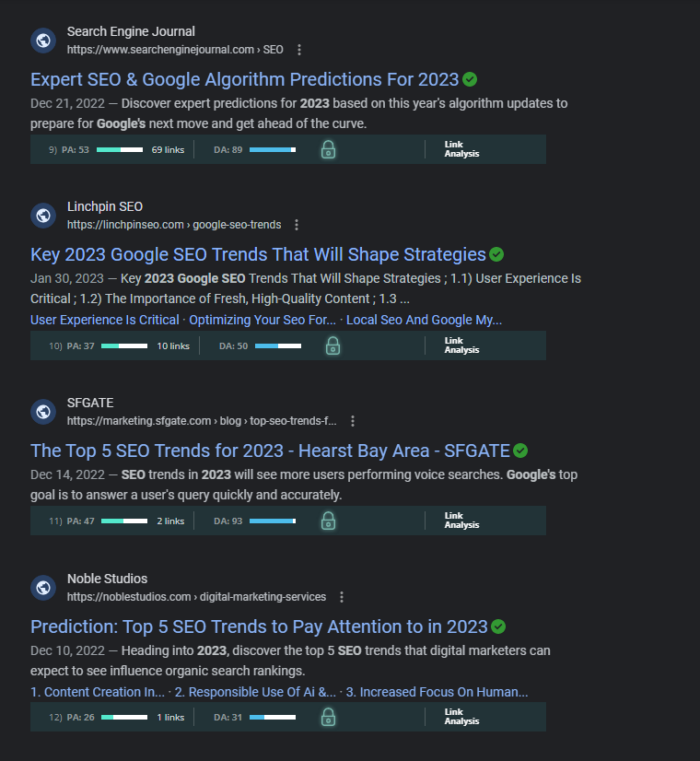
This competitor research tool is a free Chrome web browser extension that allows you to get on-page metrics for individual web pages.
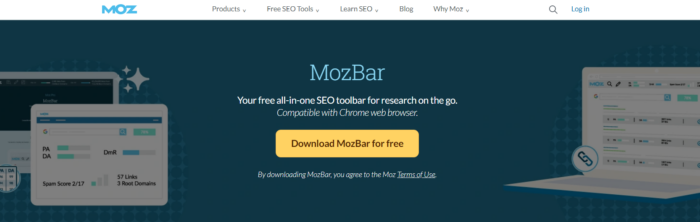
Head on over to Moz, install the Mozbar, and ensure you’ve activated it by creating an account.
Now you can conduct your Google searches as normal and watch as Moz gives you key SEO metrics within the search engine results page, like this:
Other features include:
- Authority scores
- Page highlighter
- Custom searches
- Essential metrics
If you prefer the premium version and its additional tools like page optimization and keyword difficulty scores, there’s a 30-day trial available.
22. Ontolo
There’s no getting away from it. Every business needs fresh prospects to keep it going. However, researching potential leads is time-consuming. The answer? It’s well worth giving Ontolo a go.
It’s an intuitive research platform that helps you discover new opportunities, get more leads, and increase sales; ideal for sales and marketing professionals.
You can use this competitor research tool to identify companies worth targeting and start creating meaningful connections with them and find prospects for:
- Backlinks
- SEO
- Competition
- Contents
Additionally, you can upload your other prospecting lists and search through tons of guest post opportunities.
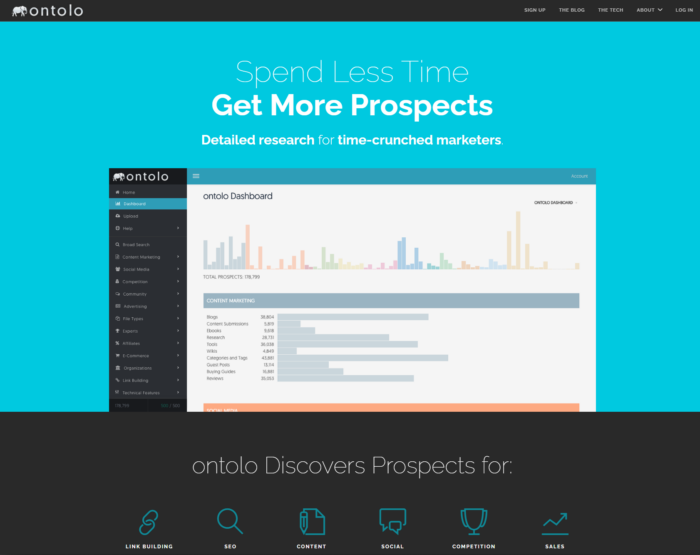
The Pro package is $97/month, and the Agency subscription is $297/month. Custom deals are available on request.
23. Link Explorer From Moz
Need more insights about your backlinks? Then this competitive research tool could be just what you’re looking for. However, it does far more than that.
Moz Link Explorer lets you analyze your and your competitors’ performance in search engine rankings. With this tool, you can see who is linking to your website, how authoritative those links are, and their impact on your SEO efforts.
Aside from looking at your competitors’ backlinks, you can:
- Discover broken links and link-building opportunities
- Find the best-performing content online
- See new and lost links
- Analyze anchor text
If the features sound promising, the pricing is even better. For example, it’s free to enter a URL and click ‘Get free link data.’
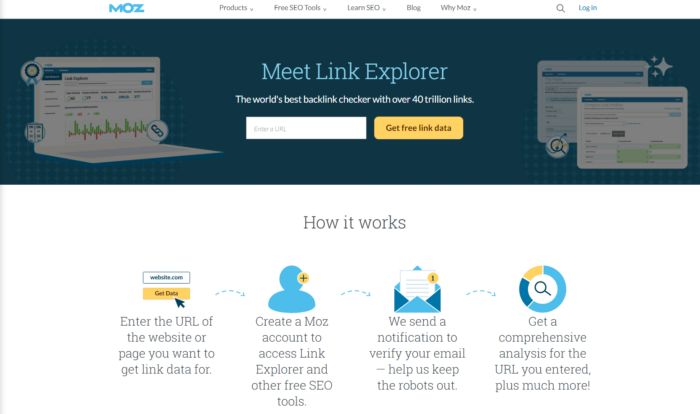
If you want more from the tool, monthly paid subscriptions begin at $99. There are four staggered subscriptions tiers, each one providing structured access to the volume of searches you can do and other features such as:
- The number of campaigns you can run
- How many keywords you can track per month, and keyword lists you can import and export
- Mobile rankings
- The volume of performance metrics you can track URLs and On-demand crawls per month
- Monthly backlink queries and rows per query
- Link tracking lists
- Rank checker queries
- On-page grader reports
- Scheduled reports, branded reports, and report templates
- How many user seats are included
24. Owletter
Many of the competitive research tools on this list focus on SEO, social, or paid ads. However, this gives you a window into your competitor’s email marketing strategy.
Tell Owletter which sites to track, and you get access to every email your competition sends, including when they send it and their spam reputation.
Some of the best ways to use this tool include:
- See how often competitors send emails
- Track emails based on specific keywords
- Long-term access to data so you can spot trends over time
- View seasonal trends and more
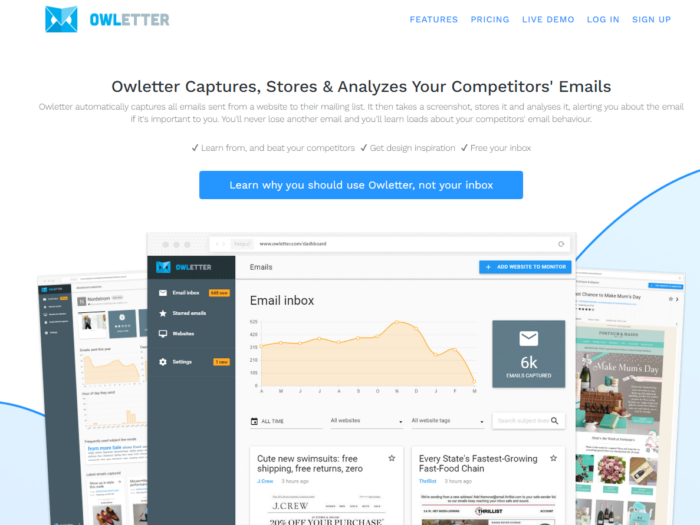
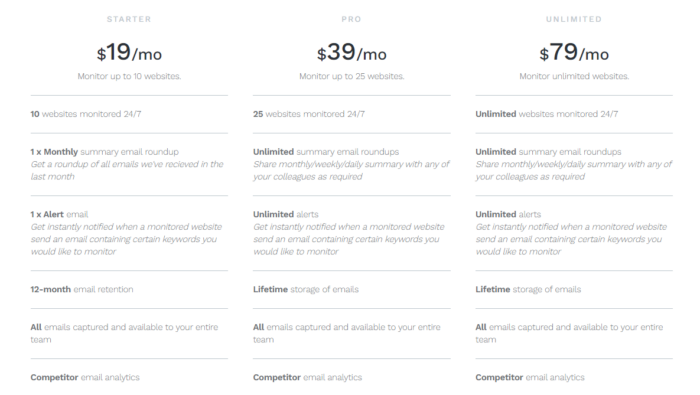
Another feature worth flagging is the ability to store competitor emails. For pro members, there is no time limit on how long you can store saved emails. The starter deal lets you keep emails for a year.
If you’d like to test the tool, you can view a demo or sign up for a 14-day trial. You can sign up for $19 a month for up to 10 sites, $39 for Starter, and $79 per month for unlimited, which enables you to access the following features:
25. Social Blade
See real-time stats about your competitors on social media, including follower counts and the number of uploads. This tool is a quick way to get a lay of the land so you can build a stronger social media marketing strategy.
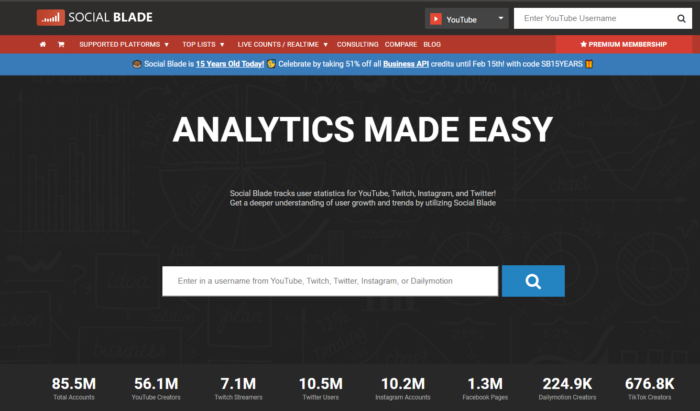
You can use Social Blade to analyze YouTube, Twitch, Instagram, and Twitter accounts by providing detailed insights into viewership, audience growth, and engagement rates. Additionally, you can compare yourself against other influencers in your space or use the data to optimize your own strategies.

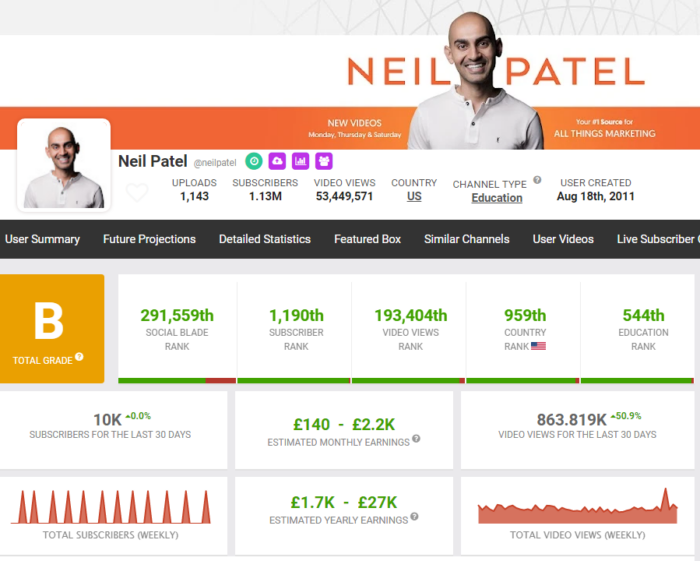
Enter your social media username and click the search icon to discover stats. You can then use the data to attract more YouTube followers and rank videos. However, this versatile tool also makes analytics easy so you can track and compile data from your social platforms to better understand your users and measure growth on:
- Youtube
- Twitch
- TikTok
- Trovo
- StoryFire
- Mixer
- DLive
- Dailymotion
Bonus #1: BuiltWith
You know what? Sometimes your competitors get ahead because they use better tools.
It sounds obvious, but it’s true.
If you’ve ever wondered what technology your competitors use to build and sustain their website, you’ll love this tool.
BuiltWith gives you a complete technology profile of a competitor’s website.
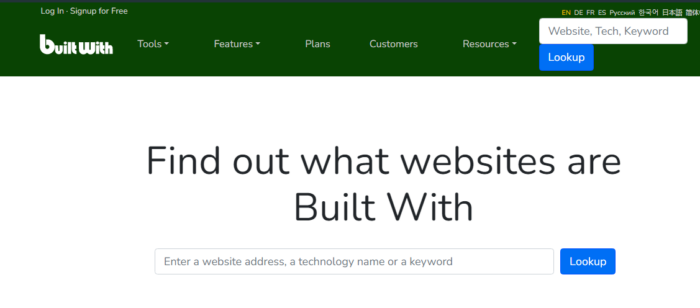
Here’s what you can learn about your competitors.
- Hosting providers
- Content and email management systems
- Advertising tools
- Analytics and tracking tools
- Payment processors
- Widget and plugins
You can also use BuiltWith for lead generation, market analysis, and sales intelligence.
An individual look-up is free; the basic tier begins at $295 monthly.
Bonus #2: DataForSEO
This is a tool with a twist and requires some extra effort on your part. DataForSEO gives you all the dirt on your competitors’ SEO – their keyword rankings, backlink profiles, and even on-page SEO tactics. It’s like a continuous stream of insider info that can keep you one step ahead.
Users access these tools via API, giving you everything your SEO software needs.
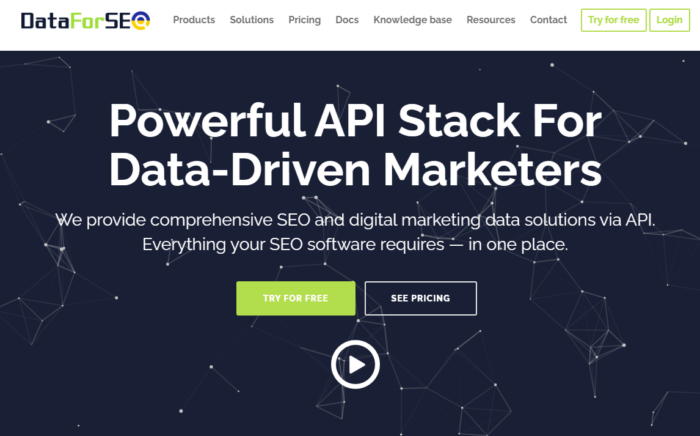
You can choose from several APIs, like:
- Google Ads and Trends
- Domain analytics
- SERPs
- Content analysis
- Business data
Competitors API from DataForSEO provides a set of essential metrics that you can use to spy on competitors, including:
- Estimated traffic analysis
- Traffic estimation history
- Estimated bounce rate and average time on site
In addition to that, they have SERP API for checking competitors’ organic, paid positions in SERP and other tools you can use for your research.
Definitely a competitive intelligence research tool worth checking out.
FAQs
How do I keep track of my competitors?
The simplest way is to use a combination of competitive intelligence research tools covering various marketing aspects, like backlinks, social media monitoring, and SEO.
Keep your goals at the forefront of your mind and sign up for some free trials to assess the tools and understand how they can help you achieve your aims.
Why is competitive analysis important in marketing?
You can spot trends in your sector by keeping your finger on the pulse through competitor research. It gives you a better understanding of your own positioning within the marketplace, including areas where they may be able to exploit opportunities or shore up weaknesses.
It’s also a great way to stay informed about changes in the industry, new products or services that could threaten existing ones, or possible shifts in customer preferences.
What does a competitor analysis include?
A comprehensive competitor analysis starts with gathering data on your competitors. Although this may sound complex, with so many competitor research tools, tracking marketing strategies, building links, and seeing what’s working for others is easy.
Additionally, look at factors like industry trends that may affect the future competitive landscape, and sign up for the latest industry alerts.
What are the goals of competitor analysis?
The primary goal of competitor analysis is to gain insights into what makes your competitors successful and how you can replicate their successes. It also helps you identify areas where you can differentiate yourself from your competition and potential weaknesses that you can exploit for competitive advantage.
What is competitive intelligence?
Competitive intelligence is like the business world’s version of being a super sleuth. It involves gathering, analyzing, and using information about your competitors, market trends, and customer behavior. The aim? To make better business decisions, anticipate market shifts, and stay a step ahead of the competition. It’s not about copying what others are doing, instead, it’s understanding the landscape and positioning your business to shine.
What are competitive analysis tools?
Competitive analysis tools are like your gadgets and gizmos for that super sleuthing we talked about. These tools help you gather and analyze information about your competitors. They can show you everything from your competitors’ SEO and PPC strategies to their website performance, content strategies, and social media moves. Tools like Ubersuggest, SpyFu, SEMrush, SimilarWeb, Google Search Operators, BuzzSumo, and DataForSEO are some of the top picks in the business world.
Why is collecting competitive intelligence beneficial for my marketing strategy?
Collecting competitive intelligence is like getting the game plan of all the top teams in the league. It shows you what’s working and what’s not in your industry. This kind of insight is invaluable for crafting a marketing strategy that hits the mark.
You’ll know what customers in your market respond to, what channels are most effective for reaching them, and how you can differentiate your brand from the rest. Plus, staying on top of what your competitors are doing can help you spot opportunities and trends before they do. It’s like having a crystal ball for your business.
Conclusion
There’s no escaping it.
You operate in a competitive landscape, and analyzing your competitors’ strengths is necessary for your growth strategy.
However, there’s no need to overthink this. Instead, simply employ a few competitive research tools in your arsenal and you’ve got a chance of out-competing other players in your niche.
Using the competitor research tools in this article can give you a bird’s-eye view of your competitors’ actions so you can start emulating their success.
For the best results, use multiple sets of data from different sources and connect the dots to view the big picture. It will be the single best thing you do for your business.
Finally, ensure that you have a plan to implement the valuable insights that you gain,
What tools do you use to spy on your competitors that are not on this list?