 Sign In








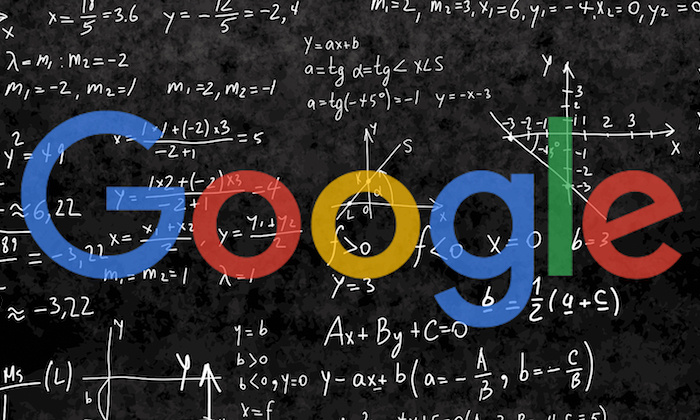
Google’s search engine is technically complex.
There are hundreds (maybe even thousands) of different factors taken into account so that the search engine can figure out what should go where.
It’s like a mysterious black box, and very few people know exactly what’s inside.
However, the good news is that search engines are actually pretty easy to understand.
We may not know every single factor (out of a hundred or thousand), but we also don’t need to.
I’ll bring it down to the basics with a simple method to please Google, rank higher, and bring in more website traffic.
I’ll also introduce some of the latest developments, like RankBrain, that help Google guess what you’re actually looking for (even if you don’t type it in).
First, I’m going to walk you through exactly how Google’s search engine really works so that you can see that it’s not as difficult to understand as you might think.
How Do Search Engines Crawl the Web?
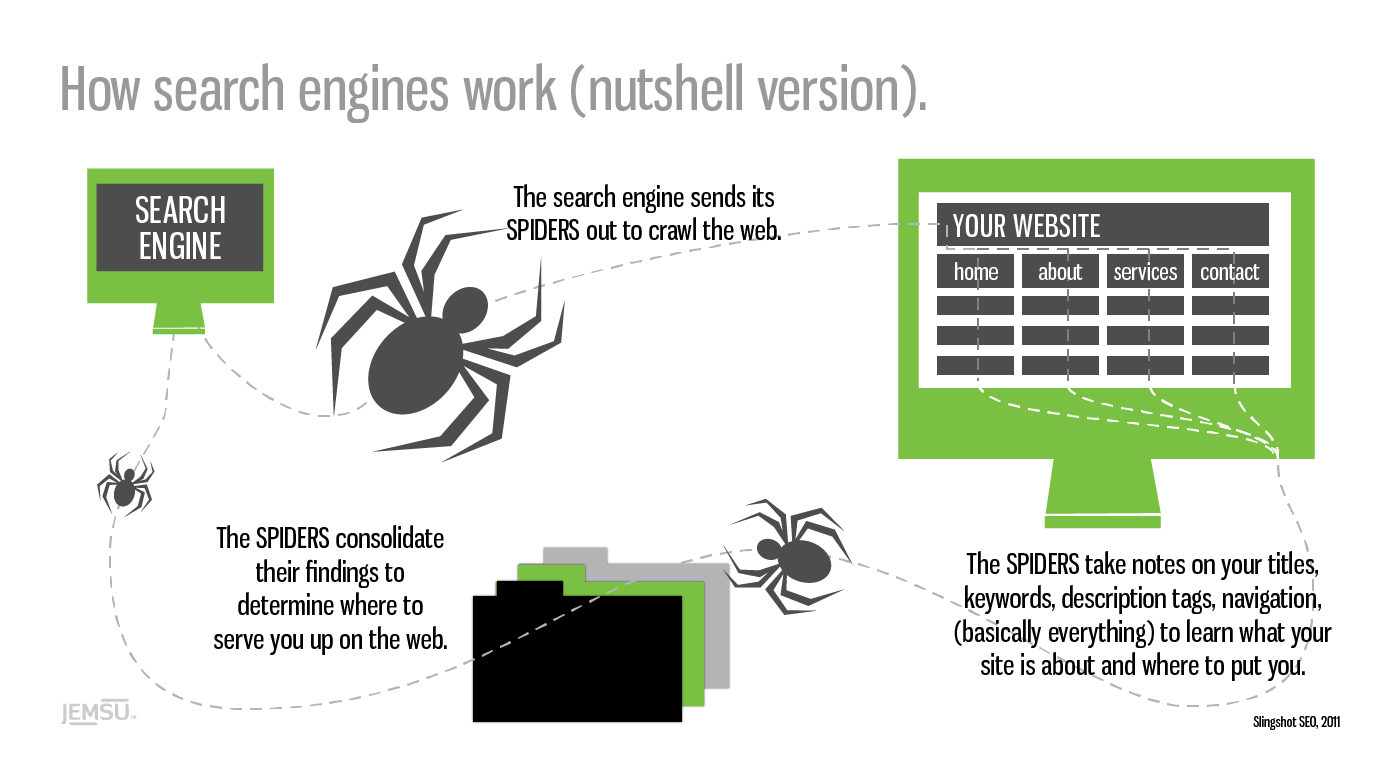
Google’s first job is to ‘crawl’ the web with ‘spiders.’
These are little automated programs or bots that scour the net for any and all new information.
The spiders take notes on your website, from the titles you use to the text on each page to learn more about who you are, what you do, and who might be interested in finding you.
That may sound simplistic on the face of it.
Which is no small feat, considering there are more than 1.8 billion websites online today — with thousands of new sites popping up every day.
The first massive challenge is to locate new data, record what it’s about, and then store that information (with some accuracy) in a database.
Google’s next job is to figure out how to best match and display the information in its database when someone types in a search query. Scaling becomes a problem, though.
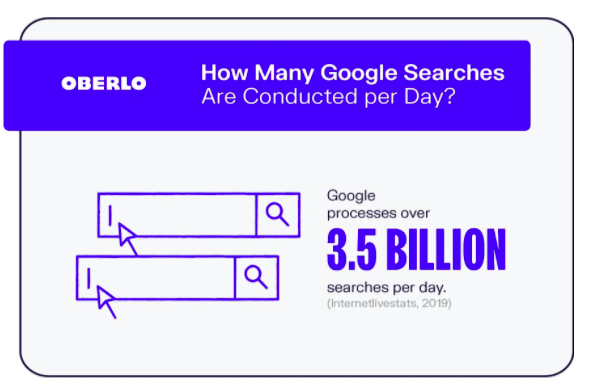
Google processes over 3.5 billion searches a day, and that number increases every year.
That means the information in its database needs to be categorized correctly, rearranged, and displayed in less than a second after someone expects it.
Time is of the essence here, because speed wins, according to Marissa Mayer back when she worked for Google over a decade ago.
She reported when they were able to speed up Google Maps’ home page (by cutting down on its size), traffic leaped 10 percent within seven days and 25 percent just a few weeks later.
Google won the search engine race because it’s able to:
- Find and record more information
- Deliver more accurate results
- Do both of those two tasks faster than any other search engine
One of the reasons Google is the front of the pack comes down to the accuracy of its results.
The information it displays is more likely to match what users are actually looking for.
Think about it this way.
When you type something into Google, you’re expecting something. It might be a simple answer, like the weather in your city, or maybe a little more complex, like “how does Google’s search engine really work?”
Google’s results, compared to other search engines, tend to answer those queries better. The information was the best of the best.
This breakthrough came from an initial theory Google’s co-founders actually worked on in college.
Why Do Links Matter to Google?
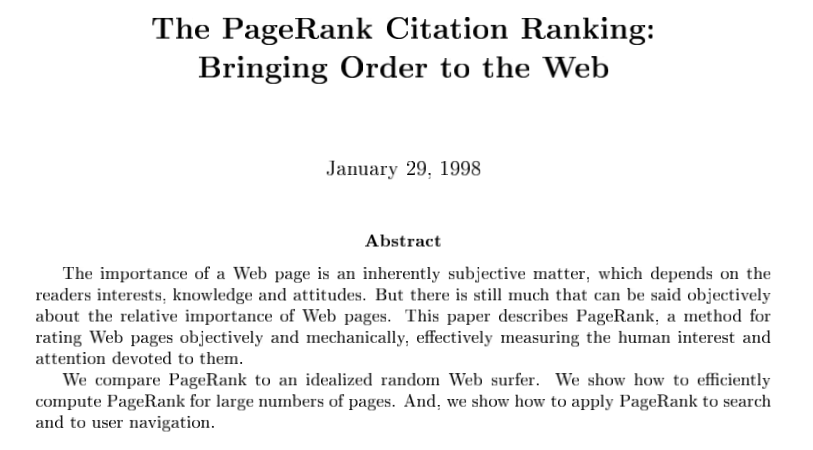
Google’s co-founders were still at Stanford in 1998 when they released a paper entitled “The PageRank Citation Ranking: Bringing Order to the Web.”
Check it out — you can read the whole thing right here!
The PageRank breakthrough was simple.
Academic papers were often ‘ranked’ by the number of citations a paper received. The more they received, the more authoritative they were considered on that topic.
Google co-founders, Larry Page and Sergey Brin, wanted to apply the same ‘grading’ system to the web’s information. They used backlinks as a proxy for votes. The more links a page received, the more authoritative it was perceived on that particular topic.
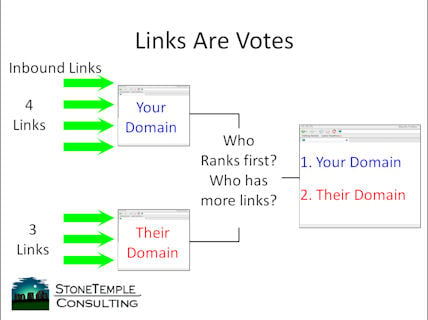
Of course, they didn’t just look at the number of links. They also factored in quality by considering who was doing the linking.
If you received two links, for example, from two different websites, the one with the more authority on a topic would be worth more.
They also considered relevance to better gauge the ‘quality’ of a link.
For example, if your website talks about “dog food,” links from other pages or sites that talk about things related to “dogs” or “dog food” would be worth more than one talking about “truck tires.”
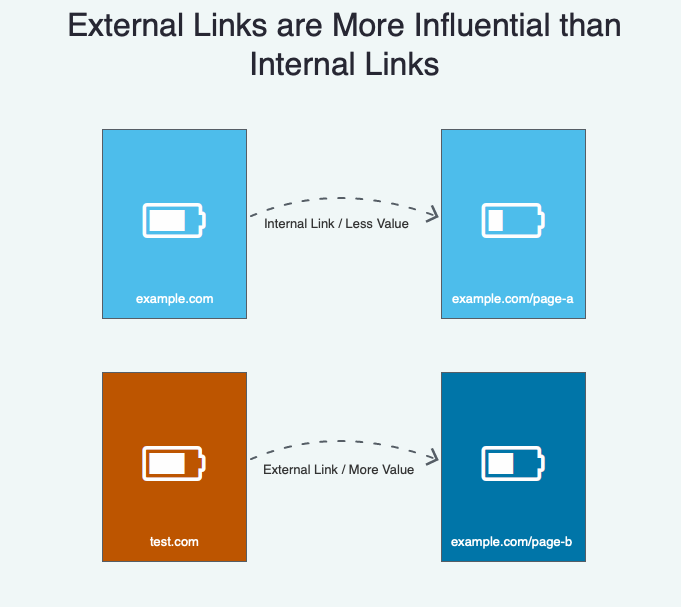
External links (links from other sites) are also more valuable than internal links (links to different pages on your own site.)
Before we go any further, please understand these concepts are over two decades all.
PageRank may have mattered years ago, but it’s evolved tremendously since then. So don’t worry about it explicitly today.
One of the reasons is because of newer algorithm developments, including RankBrain.
What is ‘RankBrain’ and How Does It Work?
RankBrain was first acknowledged in 2015 by Google engineer Greg Corrado:
RankBrain has become the third-most important signal contributing to the result of a search query.
Google’s been working on this technology for years to help the search engine handle the massive increases in volume without losing accuracy.
The RankBrain secret sauce is that it uses artificial intelligence to continually learn how to improve.
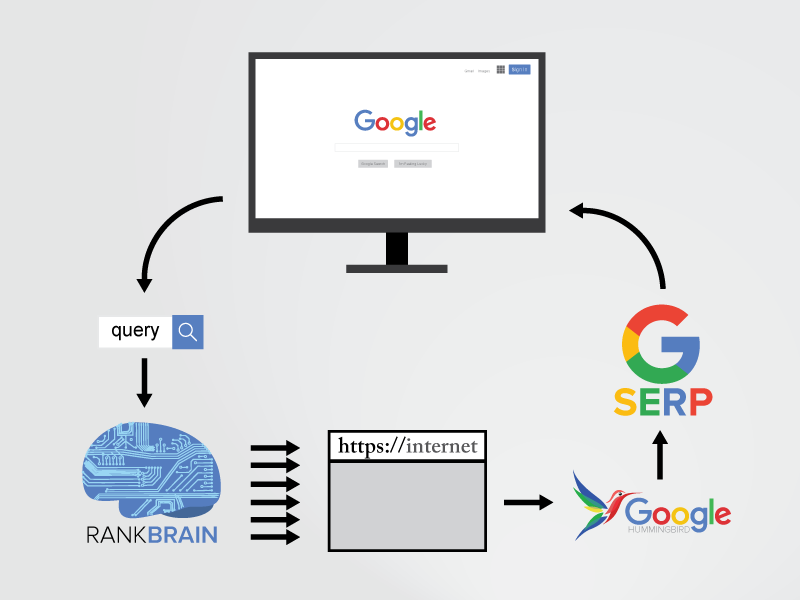
So the more it processes new information or new search queries for users, it actually gets more accurate.
For example, in 2010, Google’s algorithm “might have up to 10,000 variations or sub-signals,” according to Search Engine Land. That’s a lot!
As you can imagine, somehow managing all of those on the fly would be incredibly difficult (if not impossible).
That’s where RankBrain comes in.
Generally, the two most important ranking factors are:
- Links (and citations)
- Words (content and queries)
Note: this changes over time, and these aren’t the only factors that matter. Speed plays a major factor in Google ranking, as do Core Web Vitals.
RankBrain, however, is still a main component. It helps analyze or understand the connections between those links and content so Google can understand the context behind what someone’s asking. This is often called semantic search.
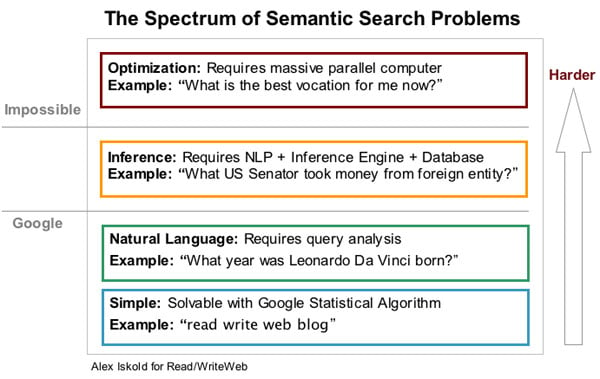
For example, let’s say you type in the word “engineer salaries.”
Now think about that for a moment. What type of engineer salaries are you looking for?
It could be “civil,” “electrical,” “mechanical,” or even “software.”
That’s why Google needs to use several different factors to figure out exactly what you’re asking for.
Let’s say the following events played out over the past few years:
- You’re getting a degree in computer science.
- Your IP address puts you on the campus of Stanford University.
- You follow tech journalists on Twitter.
- You read TechCrunch almost every single day.
- You Googled “software engineer jobs” last week.
Google’s able to piece all of these random bits of data together. It’s like a bunch of puzzle pieces suddenly coming together.
So now Google knows what type of “engineer salaries” to show you, even though you never explicitly asked for “software engineer salaries.”
That’s also how Google is now answering your questions before you even ask them.
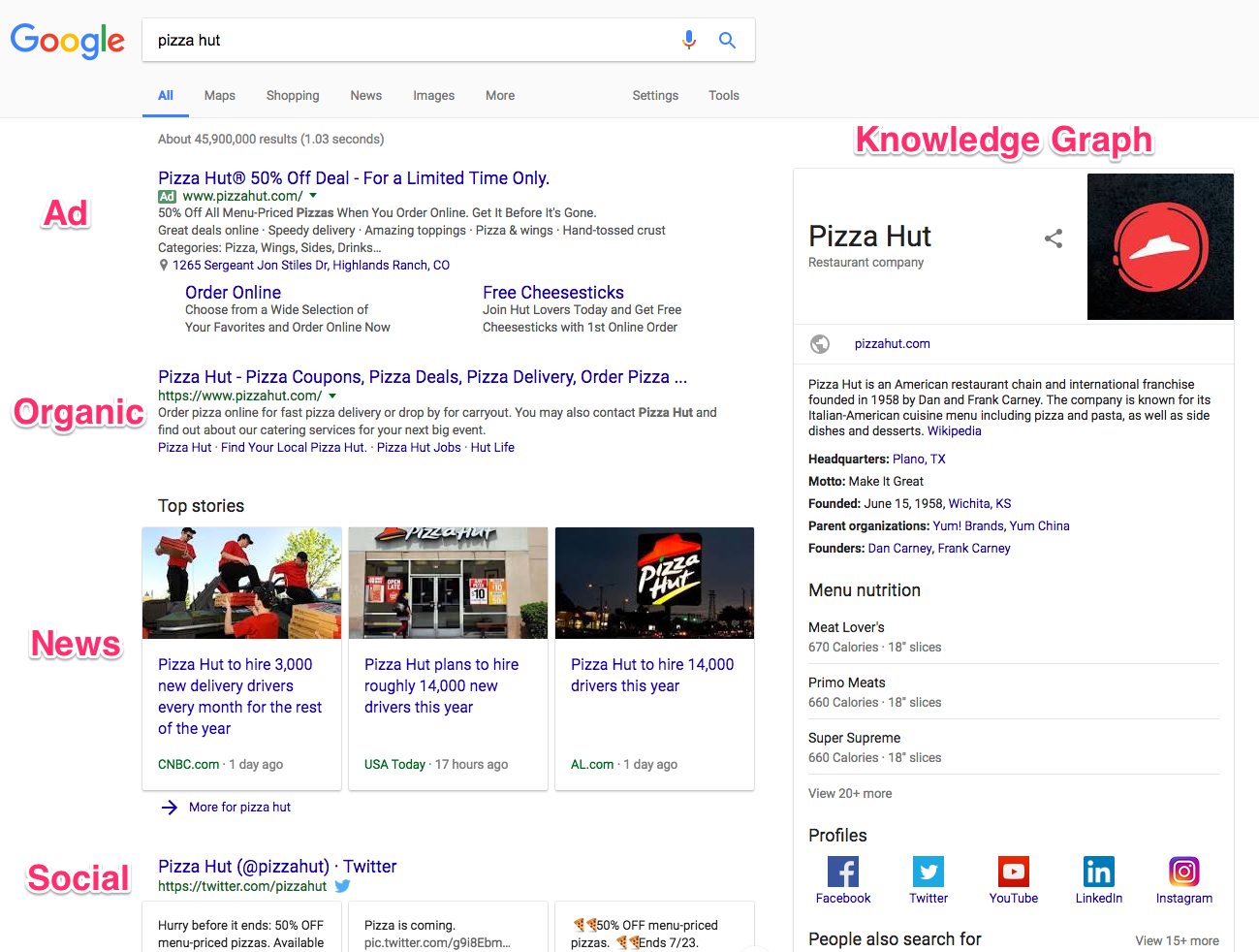
For example, do a generic search right now for anything, like “pizza.”
Now, what do you see?
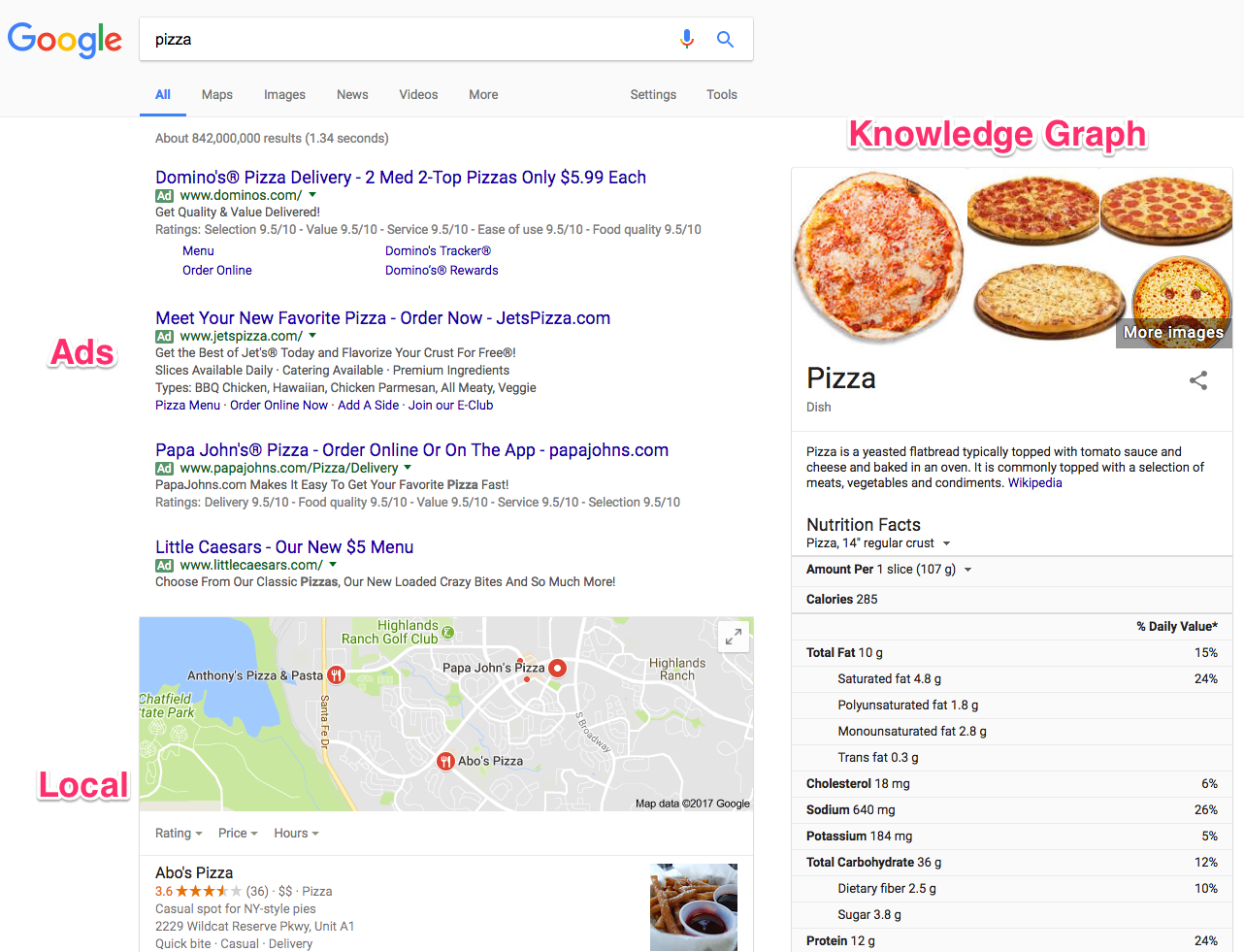
You see the typical ad spaces up at the top.
However, the local results below the ads are assuming that you’re asking “where to get pizza.”
The Knowledge Graph on the far right-hand side is serving up almost every fact and figure about pizza imaginable.
RankBrain process and filters all this data to give you answers before you even ask them.
Change your search up a little (like this one for “pizza hut”) and the search engine result page (SERP) changes with new information.
Now you know how Google’s search engine really works.
While you don’t need to be an expert, understanding the basics like this can help you better figure out how to give your prospects exactly what they want (so you get better rankings and more traffic).
Here are a few of the big things to keep an eye on.
How to Rank Higher in Google: Solve People’s Problems
People type searches into Google to get an answer to whatever question they’re facing.
If they’re looking for an answer, it means they have a question.
If they have a question, it means they have a problem.
So your primary job is to solve someone’s problem.
In theory, it’s really that simple. If you solve someone’s problem better than anyone else, you’ll get better rankings and more traffic.
Let’s take a look at a few examples so you can see how this works in real life.
Someone comes home from a long day at work. All they’re looking forward to doing is grabbing something to eat fast and hanging out with their family or watching a new show on Netflix.
Before they’re able to throw a meal together, they try to run the kitchen sink and discover that it’s clogged.
Bummer.
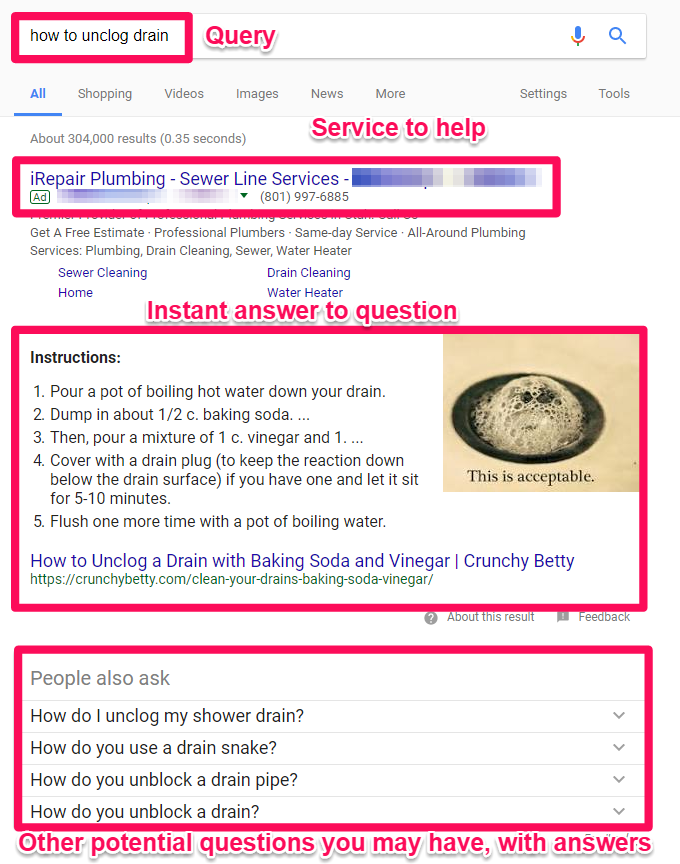
It’s already getting late, though, so they don’t want to call a plumber. Instead, they head over to Google and start typing in “how to unclog drain” as their search query.
Then here’s what they see:
See?!
Way up at the top is an ad for a plumber (just in case you want to call in a professional).
Next up is an Instant Answer box that contains step-by-step instructions that Google believes has helped other people. So you might already be able to fix your sink without ever leaving this page!
Below that are related questions that other people commonly ask (along with their answers).
So all of this begs the question: How do you create something that can help solve a user’s problem?
I’ll answer that in one second, but here’s what you don’t do for the record:
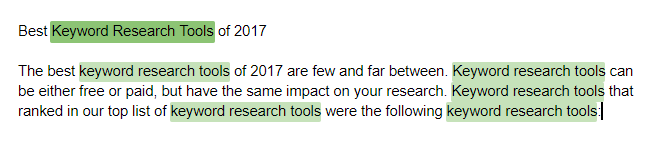
“Keyword density” used to be an old-school tactic that was once relevant when Google’s algorithm was dumb and static. With RankBrain, Google has become a borderline genius.
So keyword stuffing like it’s 1999 will hurt you in the long run. As you can see, this is a terrible “answer” or “solution” to someone’s problem.
After saying that, there are a few places on a page that you want to pay special attention to.
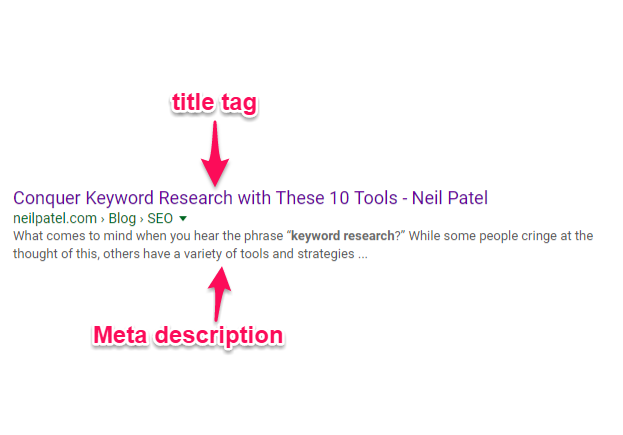
For example, the Title Tag and Meta Description are used by Google to provide an official answer for what this page is about.
Those are the two elements that will also show up on a SERP when someone types in their query.
It only makes sense, then, that you should use the main topic in those areas so that everyone knows exactly what your page is discussing.
Do you want to see where that text is getting pulled from?
Simply right-click on a website to view the source code. For example, my homepage looks something like this:
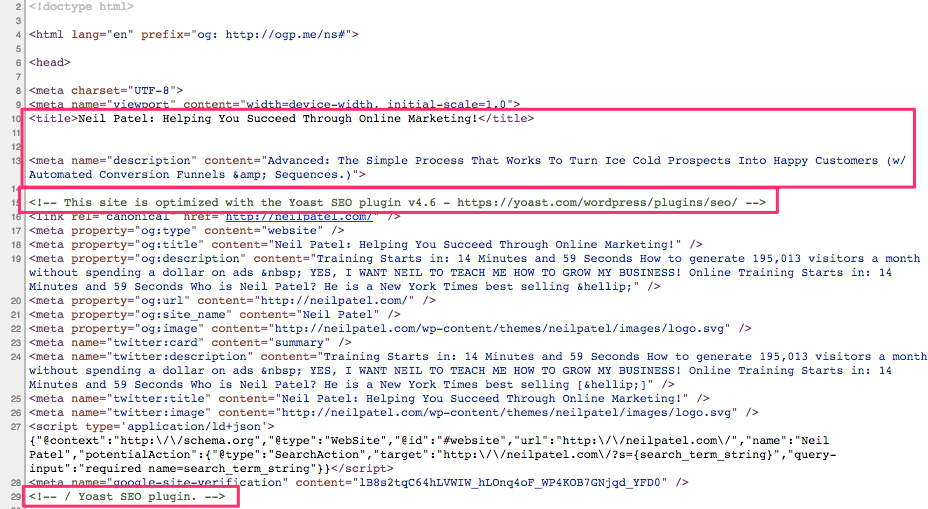
You can see the title tag and meta description at the top of the code.
I’m also using Yoast’s WordPress SEO plugin to help add these extra fields on the backside of WordPress.
That way, all you have to do is write out the specific title and description in plain text (as opposed to getting your hands dirty with code).
Otherwise, the actual page content should be written for humans (as opposed to keyword stuffing to tricks or fool the search engines).
Instead, here’s how your page content should look:
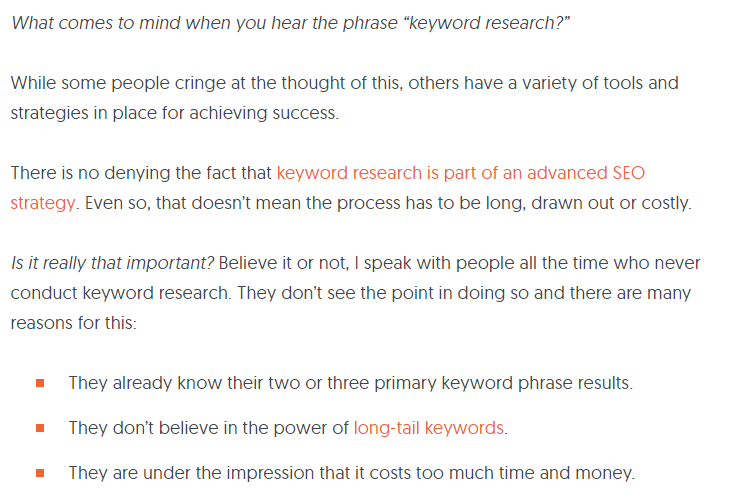
I wrote an in-depth response to help someone figure out a solution to a complex problem (keyword research).
Even though it’s a complex subject, I was trying to give them a simple, step-by-step solution so they could fix that problem ASAP.
Google even takes website usage data into account now to determine how helpful your content is.
For example, let’s say that someone clicks on your website from Google and is turned off by the poor design or hard-to-read content. So they ‘bounce back’ to Google immediately to find a different result.
That’s a bad sign! Google determines you weren’t a happy searcher. So maybe Google will try to find a few other results to swap out with that one to hopefully make everyone happy.
That’s why I also break up the paragraphs and include a lot of images. The goal is to help people quickly find what they’re looking for.
I want them to read the page faster and digest the information more easily so that they’ll stick around longer instead of bouncing away.
That’s the key to ranking well in search engines. Give the people what they want, keep them around or coming back for more, and Google will be happier as a result.
Let’s go back to our clogged drain example to see how this works in another context.
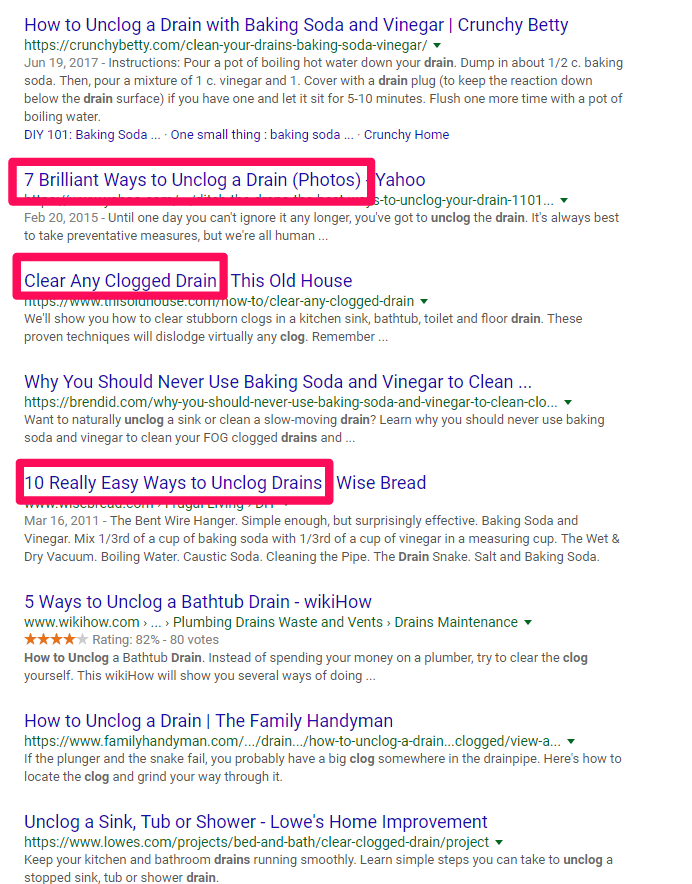
Those are all pretty good results!
In each case, the person who crafted each page provided a detailed answer to a common problem.
Let’s zero in on that second SERP result, “7 Brilliant Ways to Unclog a Drain (Photos)” from Yahoo, to discover what they’re doing so well to hit number two on a big, popular search query like that.
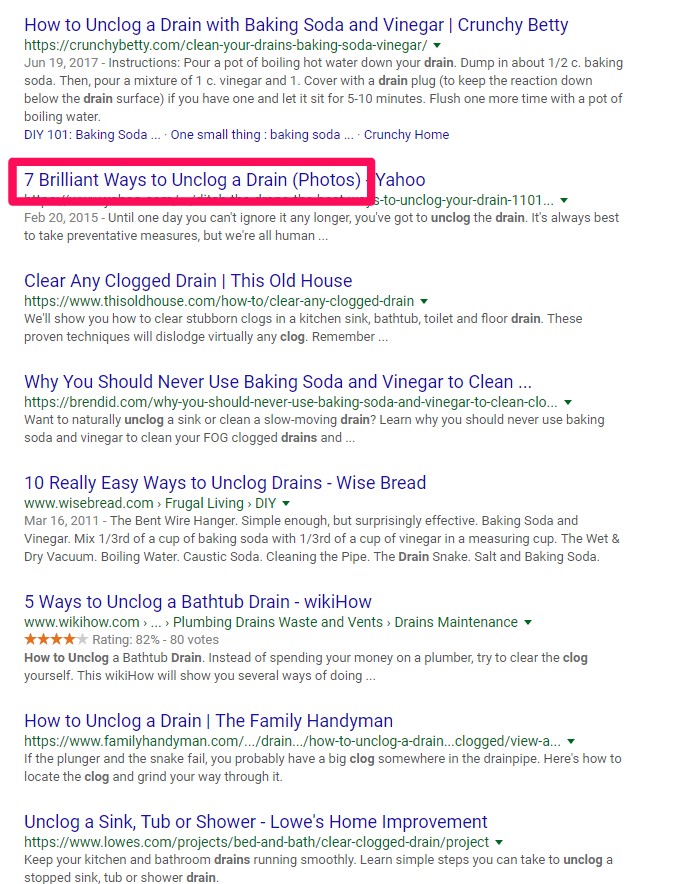
This seems like it might be a good result because it gives us multiple methods to try, along with photos so we can see exactly what’s happening.
Let’s click on that to see what they provide.
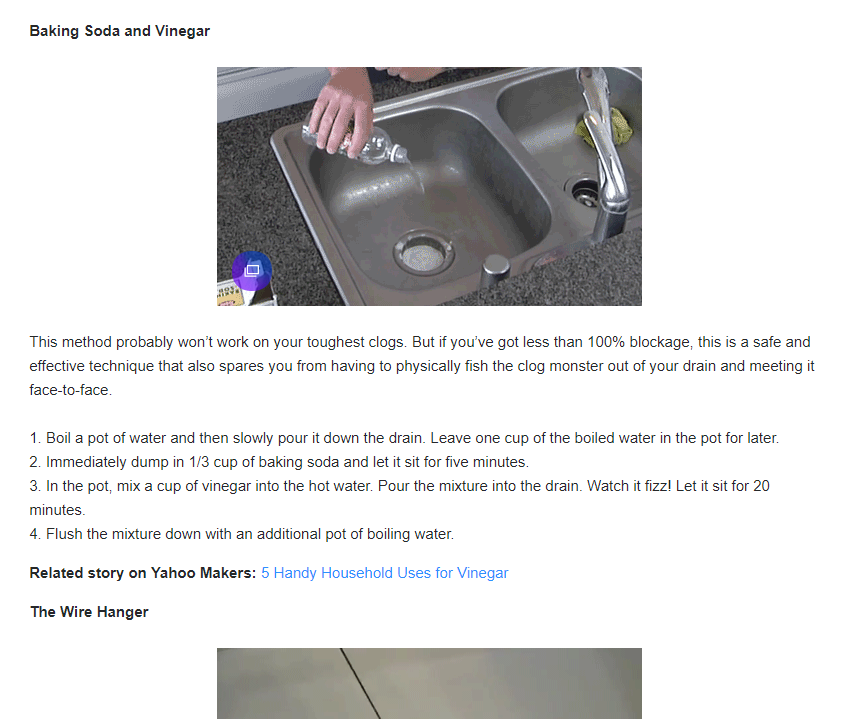
Pretty good overall!
It provides the user with good, quality content to help solve a problem. The better your content does that, the more links or ‘upvotes’ it will receive when other people find it useful, too.
Links and other citations or social signals help alert Google. They tell the search engine that your page is on the rise and to start paying attention to your website for these topics.
Your page will get better treatment, move up in the rankings, be exposed to more people, get more links or votes as a result, and continue that upward trend.
That’s where the genius of Google’s process comes into play.
It makes people happy by giving them exactly what they’re looking for. When you do it right, it gives you compounding benefits that can take off all of a sudden, expanding your website traffic as a result.
How Google Search Engine Works: Conclusion
Google’s search engine is one of the most complex technologies in the world.
It crunches a mind-numbing amount of data at lightning speeds to give people exactly what they’re looking for in seconds.
When you boil it down to the basics, search engines are actually pretty easy to understand.
They want to help people find what they’re looking for.
People use Google to find answers and solutions. They have something on their minds, and they want to find an answer that helps them clear the issue to move on with their day.
How Google finds and delivers that information is the building blocks of SEO, making it crucial to growing your business online.
Now that you know how Google works, how are you going to use this information?