Sign In














Are people finding your local business?
If you’re not seeing a lot of traffic from Google, you’re not alone.
This is a super common problem.
Whenever I consult for a local business, I almost always get asked about how to rank better on Google.
It’s an important question to ask because most people find local businesses through online searches.
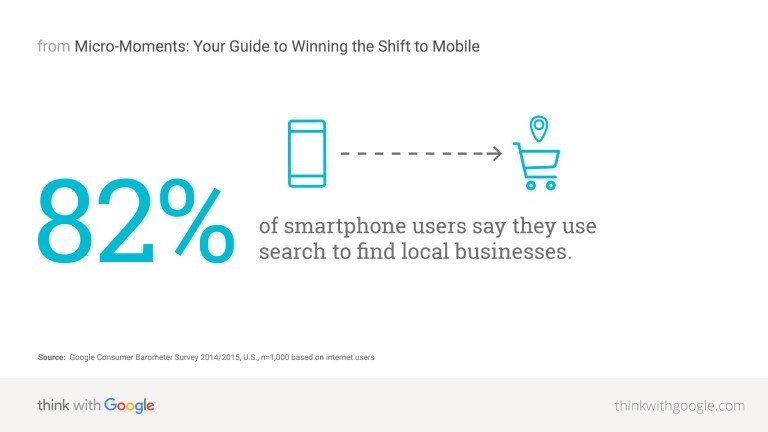
If you’re not easy to find with a quick Google search, you’re missing out on a ton of visitors (who are all potential customers).
And it’s not enough to just optimize your site and hope for the best. If you’re sitting on page 3, you may not get any traffic.
It makes sense that the very first result gets a ton of traffic, but the numbers drop like crazy after that.
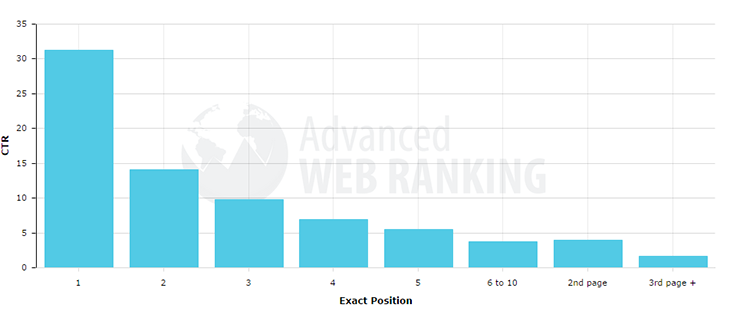
Many people never go past the first page.
Ideally, your site would rank on page one at position one, but you want to be on page one no matter what.
To do that, you need to rank like a pro.
Most of the local business owners I’ve met are scared that they won’t be able to rank well on Google.
They often think that you have to have a huge social media following and millions of fans to get on page one.
They’re surprised when I tell them that it’s actually pretty easy to rank on page one of Google.
It doesn’t happen overnight, of course, but it doesn’t have to take years.
I’m going to share with you 5 of my favorite methods for ranking on page one. I’ve used every single one of these strategies to rank fast, and they’ve never let me down.
1. Steal your competitors’ keywords
Chances are good that most of your traffic will come from searches that are driven by specific types of keywords.
I’m not talking about any old keywords. I’m talking about keywords that are unique to your niche and your location.
One of my favorite keyword techniques is to steal your competitors’ keywords.
If you have a competitor who’s ranking on page one, it’s easy to find out what keywords they’re ranking for and then take those keywords for yourself.
You don’t have to spend hours doing extensive keyword research, and you’ll get a sneak peek at what your rivals are doing.
The first step is to head over to SpyFu.com and enter a competitor’s URL into the text box. (I’ll use Copyblogger.com for this example.)
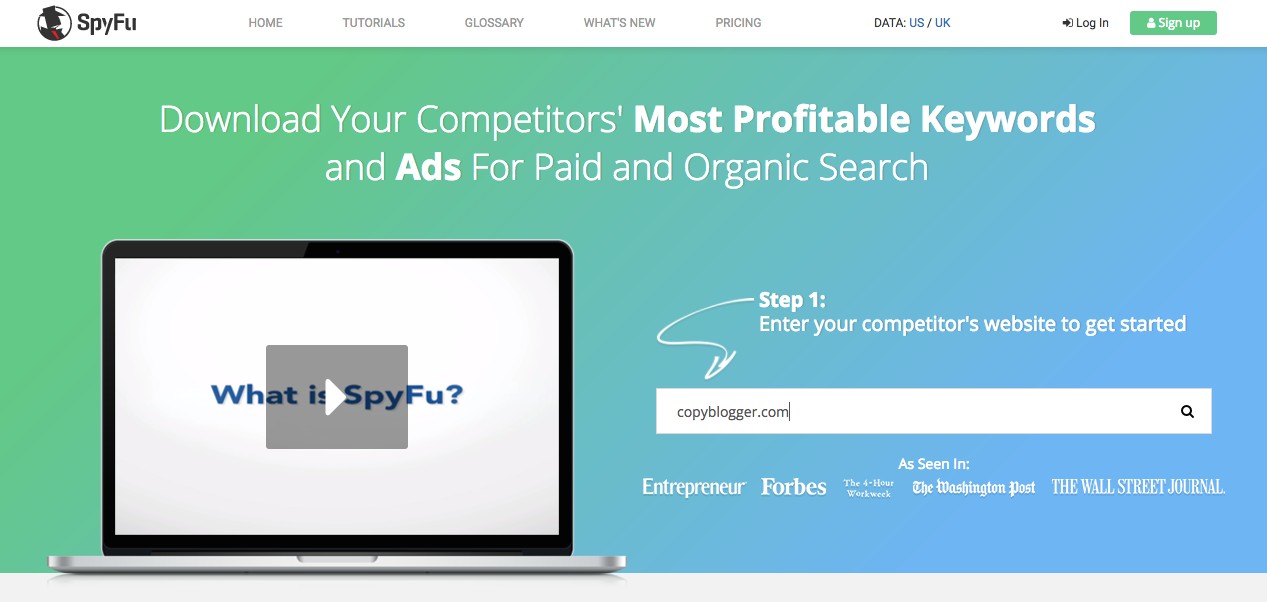
Hit enter or click the little magnifying glass icon on the right side of the box. You’ll be taken to a results page that looks like this:
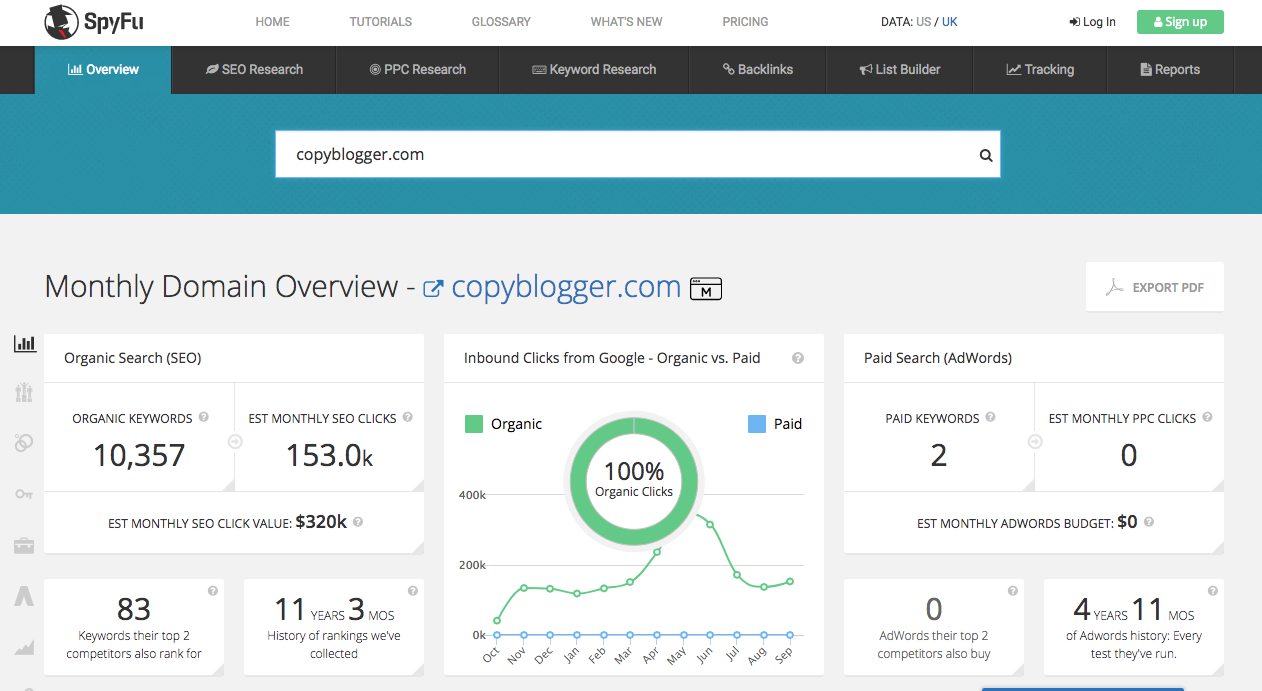
Scroll down and you’ll see a section called Top Keywords.
On the left side, this shows you the top organic keywords that the site ranks for. On the right side, you’ll see the top paid AdWords keywords that they bid on.
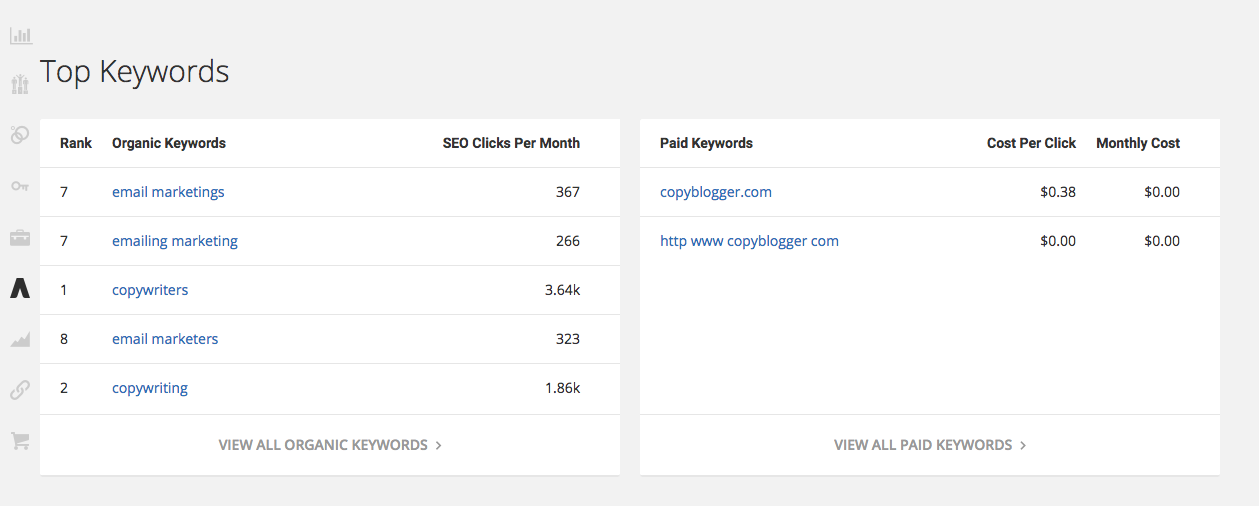
You can verify the organic rankings for yourself by doing a Google search for each keyword.
There are lots of things you can do with this knowledge.
One of my tried and true techniques is to write a super in-depth blog post (or piece of content).
The idea is to build the content around one or two of the keywords your competitors are using.
It sounds simple, but there’s a lot to it.
You have to create an awesome piece of content, which means you have to spend time researching, creating, and refining the content.
But don’t worry. Later on in this article, I’ll go over how to write a great blog post, which is my personal favorite form of content.
You could also use these keywords to find new keywords for your site.
To do this, go to your AdWords account and enter the Keyword Planner tool.
You can get here by going to Tools > Keyword Planner.
Once you’re there, click “Search for new keywords using a phrase, website or category.”
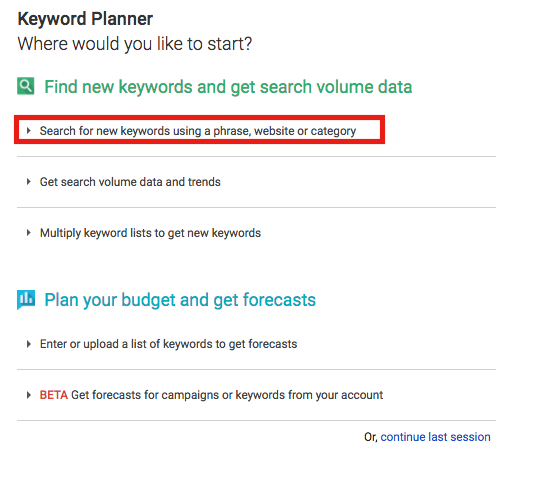
Then type in your competitors’ keywords (the ones you got from SpyFu) and click the blue “Get Ideas” button at the bottom.
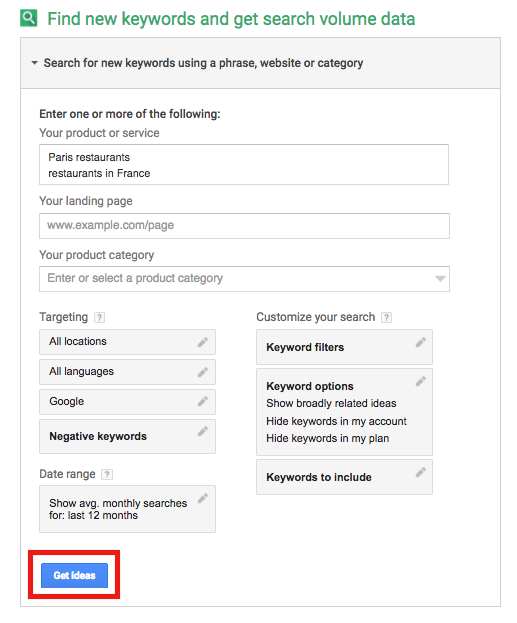
The Keyword Planner will give you related keywords under the “Keyword ideas” tab.
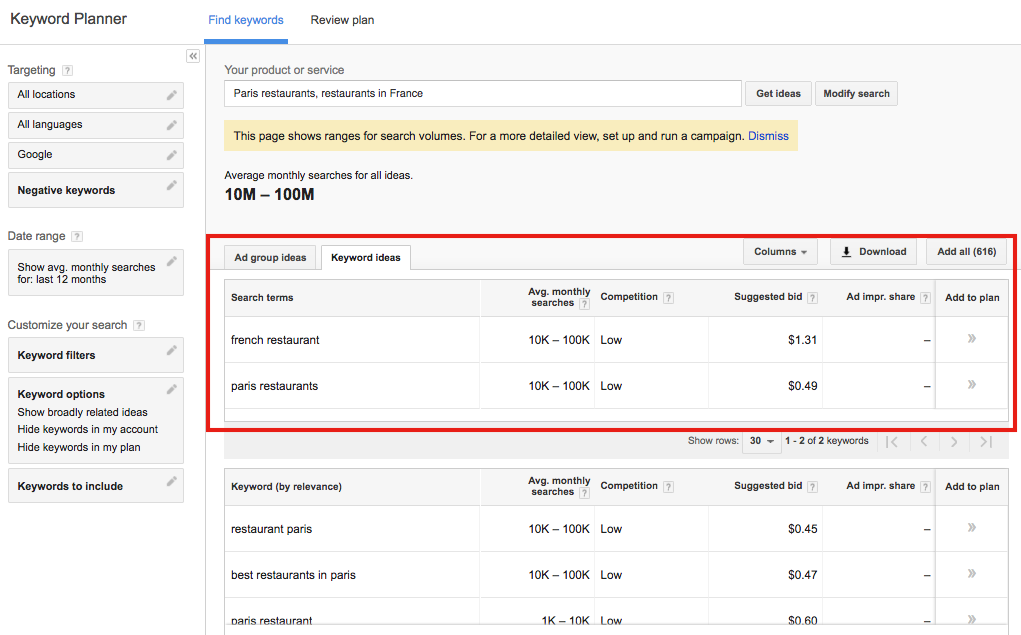
These might be keywords that your competitors haven’t thought of. You can then take those keywords and rank for them so people will find you instead of your competitors.
2. Get in the local pack
There are a few places that people tend to look when they’re searching on Google.
The first result (page one, position one) is one of those places.
But there’s some prime Google real estate that can get you tons of clicks. And if you play your cards right, you can get your business featured here.
I’m talking about something called the local pack.
You might not know what that is just by hearing the name, but I guarantee you’ve seen it before.
It’s that block that pops up under the map when you search for businesses. It looks like this:
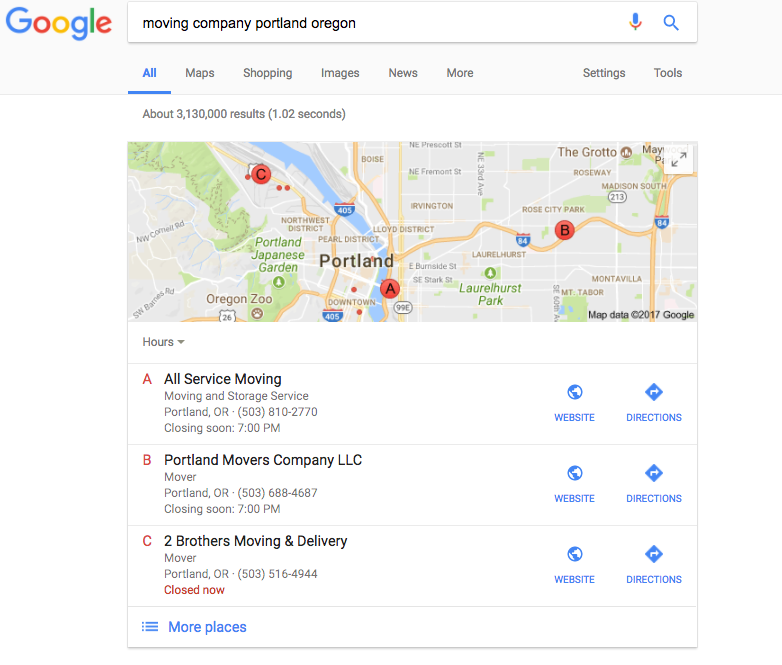
There are only 3 spots available in the local pack, so it seems like it’s highly competitive and difficult to claim one for yourself.
Thankfully, it can actually be pretty easy.
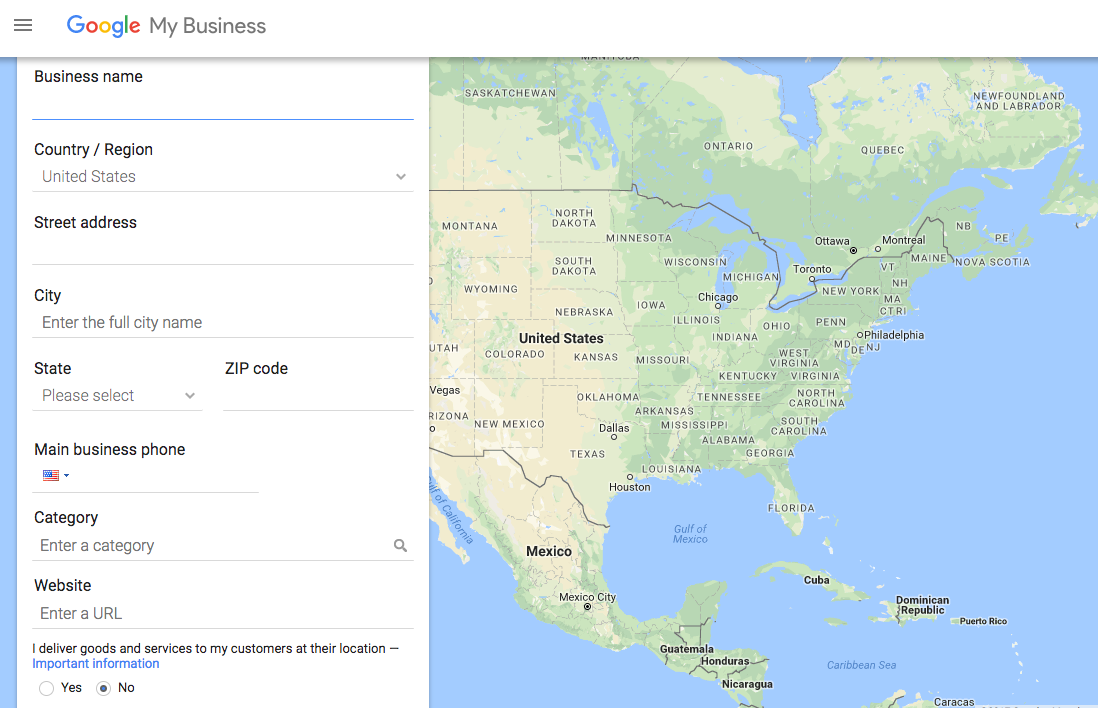
The first thing you want to do it set up your Google My Business account.
To set it up, head to https://www.google.com/business/ and click one of the green “Start Now” buttons.
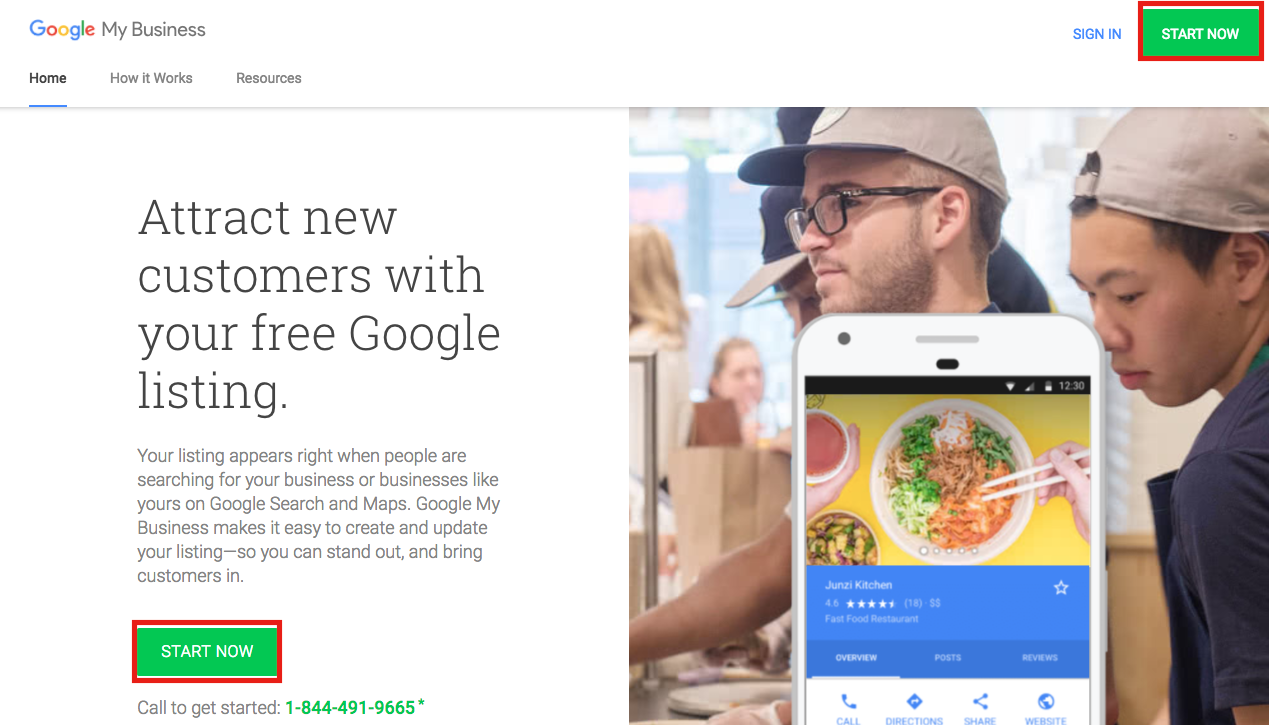
Fill out all of your information to register your business.
Second, it’s important to NAP.
I don’t mean sleep more (although you should).
It stands for name, address, and phone number.
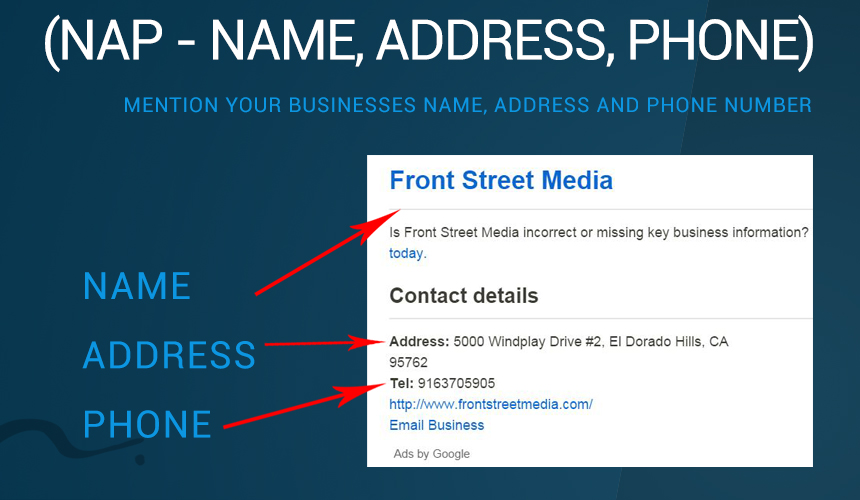
Your NAP should be consistent no matter where you post it. You need your legal business name and information for Google.
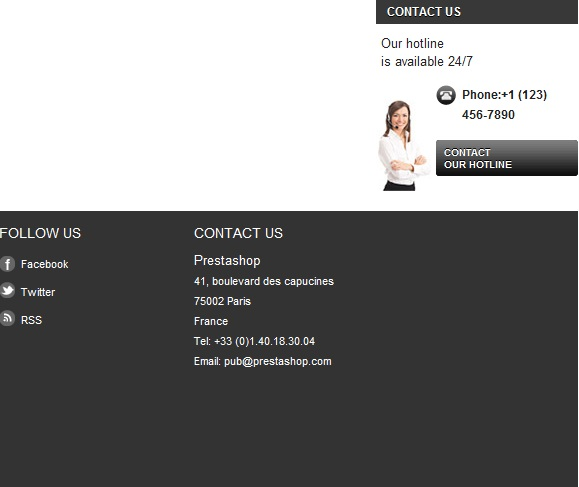
You can (and should) include your NAP on the important pages on your website (e.g., home page, about page, services page, etc.).
Usually, it goes in the footer area like this.
Using your NAP correctly is a super important part of marketing your local business, so don’t pass it up.
It also increases your chances of getting in the local pack.
Even if you don’t end up in the local pack, that’s okay because Google My Business is good for local SEO in general. Just by setting it up, you already have a huge advantage.
3. Make sure your site is mobile friendly
I write a lot of articles about mobile.
It’s because mobile devices are used more than desktops for searching the web.
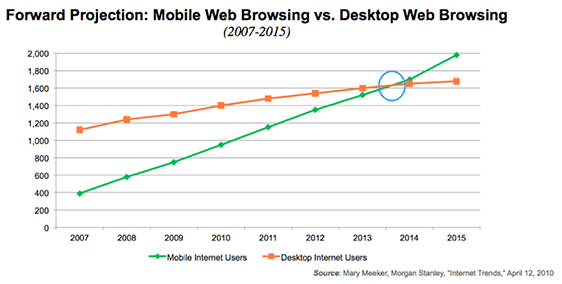
This is because Google has rolled out a mobile-first index.
What does that mean for you? Basically, Google is indexing sites based on mobile friendliness.
If your site isn’t mobile friendly but your competitor’s site is, you’ll lose out because they will rank better than you.
If that’s not enough reason to make your site mobile friendly, consider this: If a site isn’t mobile-friendly, most of your visitors will leave, giving you a sky-high bounce rate.
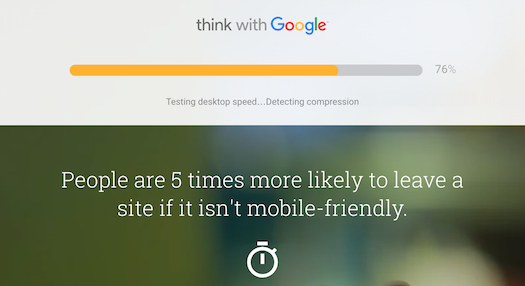
Mobile-friendliness is pretty darn important.
If you want your site to be truly mobile friendly, you have to understand what mobile friendliness is all about.
Mobile friendliness doesn’t mean having a separate mobile site (e.g., m.facebook.com) or avoiding interstitials.
It means focusing your entire user experience on mobile users.
There are a few elements of mobile-friendliness that are super important to focus on.
I’ll go over them briefly here, but I encourage you to read more on each topic.
First, your site should use responsive design.
Responsive design means that your site will adapt to different types of devices.
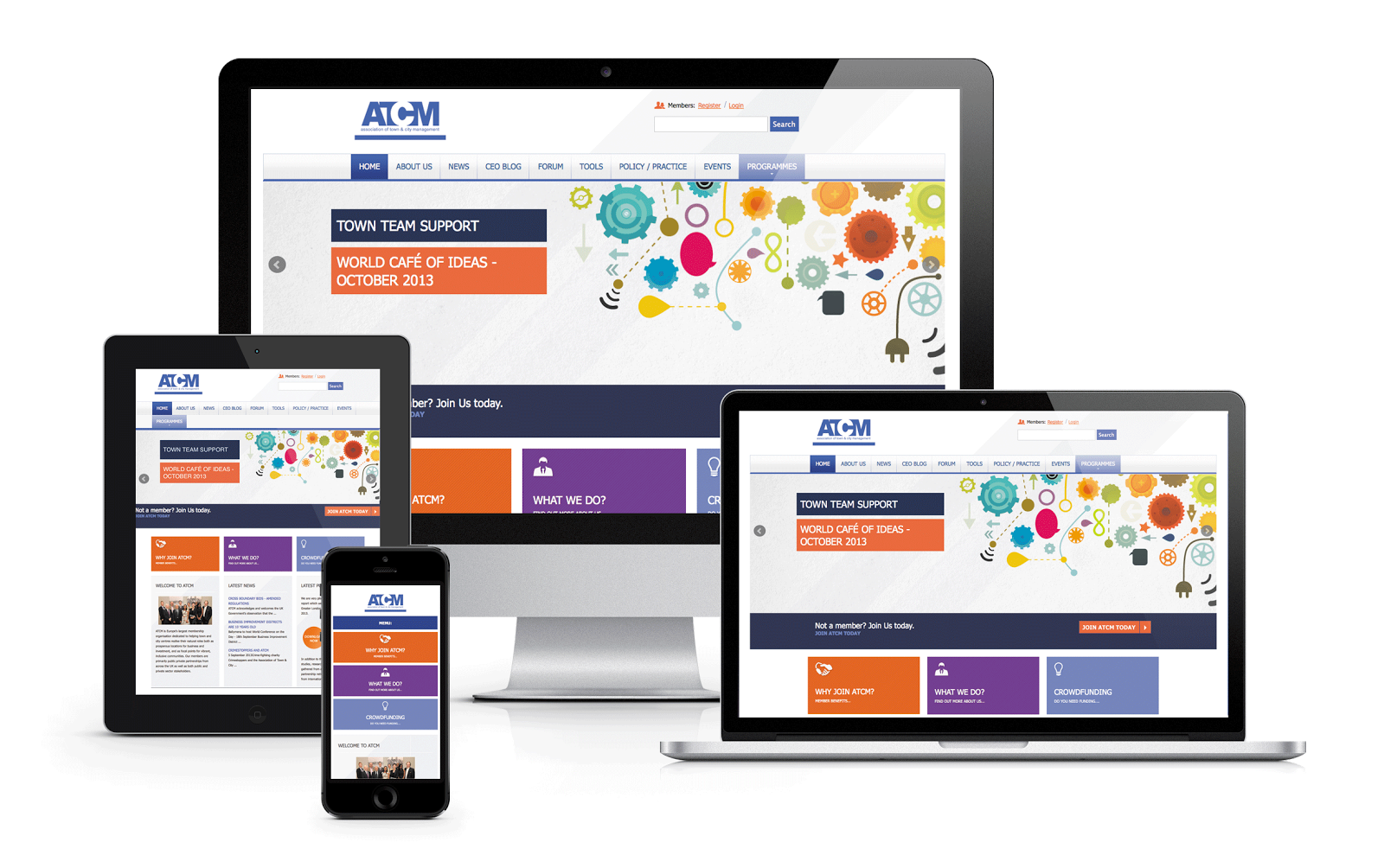
With responsive design, mobile and desktop users will have similar experiences on the same site even though the site itself might look a little different.
Responsive design helps you please both your mobile and desktop users.
This is different from creating a separate mobile site for your business. Responsive design allows mobile and desktop users to browse the same site.
Ideally, your site should be so responsive that it resizes for all kinds of screens.

The number of different screen sizes is growing, and your site should be prepared for all of them.
Google actually came right out and said that it prefers responsive design.

Second, use mobile-specific keywords.
Mobile users often use different search terms than desktop users.
If you’re only focusing on desktop keywords, you’re neglecting the majority of your audience.
Instead, you need to spend some time on mobile keyword research.
Mobile keywords and desktop keywords are pretty different.
For example, mobile keywords are often shorter, and they usually contain location-based phrases like “near me.”
Mobile users also have different motives. They usually visit or call businesses shortly after they perform a search.
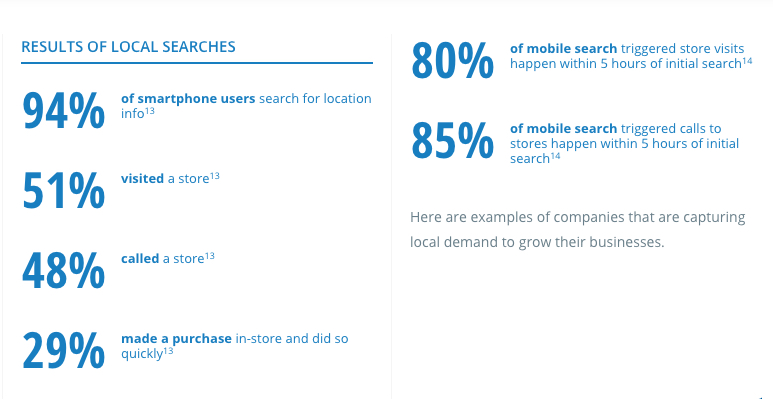
Concentrating on desktop keywords only isn’t going to help you. If anything, you need to be focusing a little more on mobile keywords.
Third, work on mobile SEO.
Mobile SEO is an animal of its own, and you owe it to yourself to take a close look at it.
There are several elements that make up mobile SEO, and it can get a little confusing.
I recommend testing your site with a mobile SEO checker. It does the hard work for you and lets you know what you need to improve.
Conveniently, Google has a checker that makes sure your site is mobile friendly.
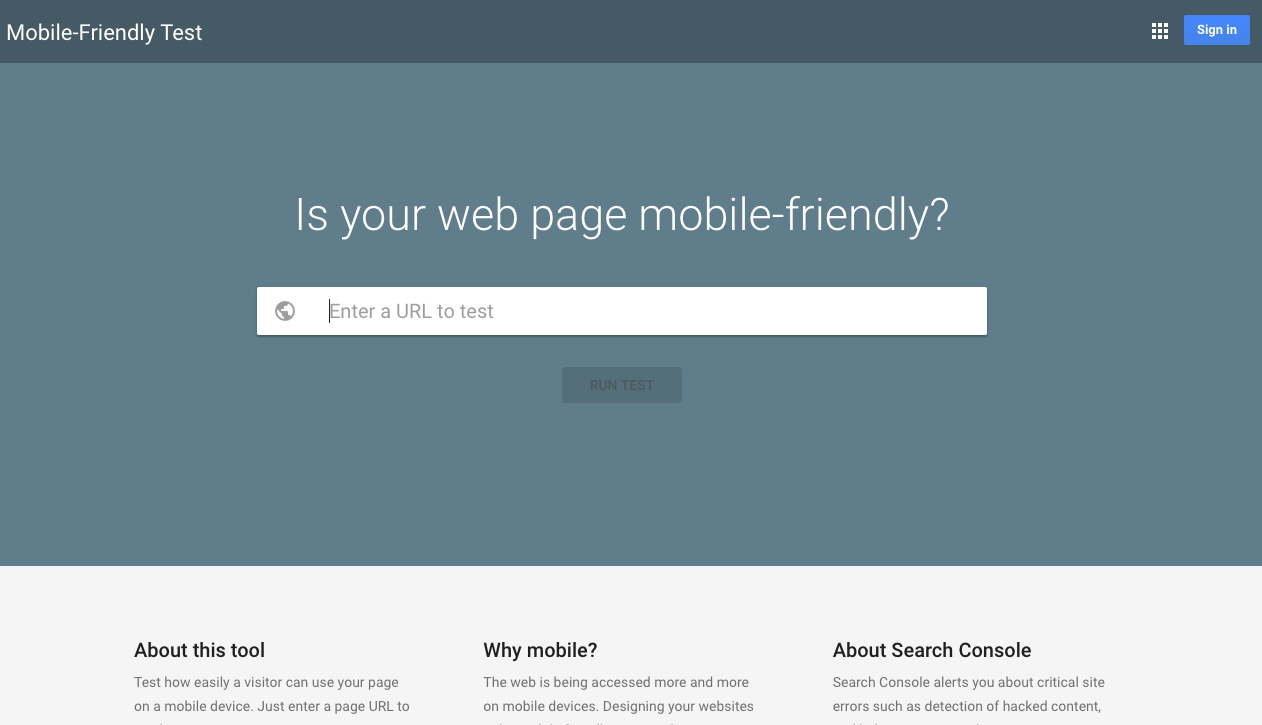
Enter your URL, hit “Run Test,” and the tool will analyze just how mobile friendly your page really is.
But this tool isn’t that thorough, so I recommend also using Varvy’s mobile SEO checker.
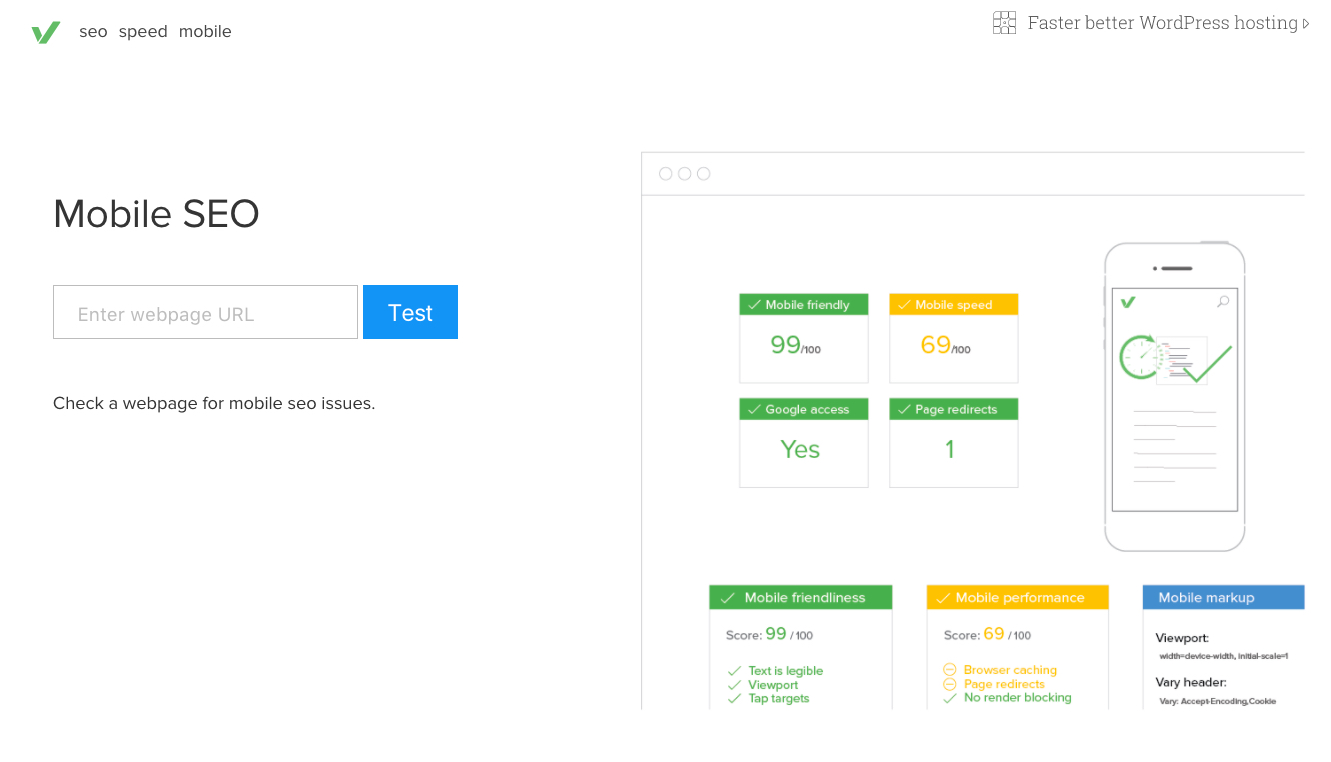
It gives you a more comprehensive report of your site’s mobile friendliness.
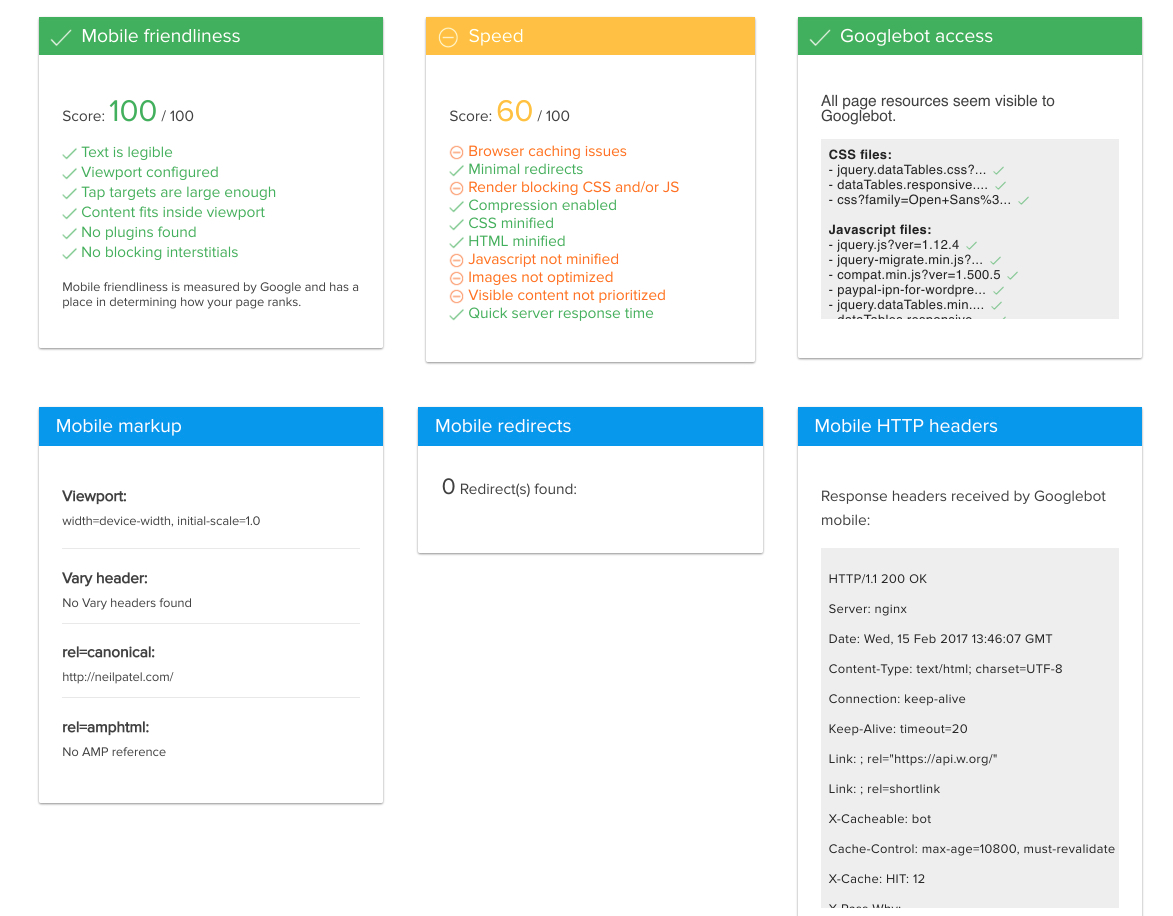
To summarize everything, there are three important factors that help make your site truly mobile friendly:
1. Use responsive design
2. Research and rank for mobile keywords
3. Improve your mobile SEO
Overall, mobile friendliness isn’t optional anymore. It’s a must-have for any site.
And it’s also a ranking signal, so it counts big time toward your spot in the SERPs.
If you haven’t made your site mobile friendly yet, what are you waiting for?
4. Organically include your location in your URL
If you’re still building your site, you’ll love this tip. (I’ll explain how you can use it if you’ve already built your site.)
A while back, my team and I ran a huge experiment on local results in Google.
We found some interesting results that helped us understand how Google ranks local pages.
One of the big findings was all about the URL.
We discovered that for local searches, Google prefers domains that include location names in the URL.
So if someone is in San Diego and searches for tourist attractions, Google will favor domains that include San Diego in the URL (e.g., sandiegocountytourism.com).
This only happens at the local level. If someone in Stockholm searches for tourist attractions, they’re not going to see anything about San Diego.
This also applies if a site has part of a city name in its URL. For example, Clevescene.com includes a shortened form of Cleveland.
This is why many small businesses include their city name (or part of it) in their URL like this.
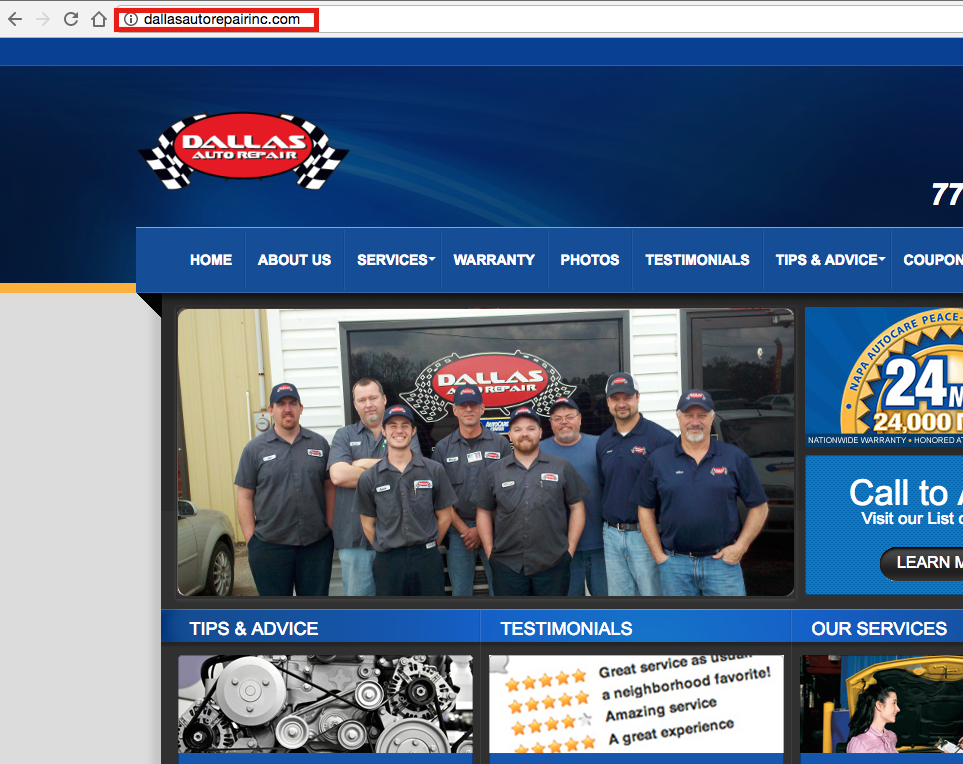
If you have a URL that doesn’t include your location, consider replacing it. A domain name is only a few bucks, and it could help you rank higher.
You can also keep your old domain name and use a 301 redirect to send people to your new site.
5. Write high-quality, long-form content
Earlier in this article, I promised I’d talk about how to write a great blog post, and I’m making good on that promise.
It’s hard for me to not talk about content because I love it and create it every day.
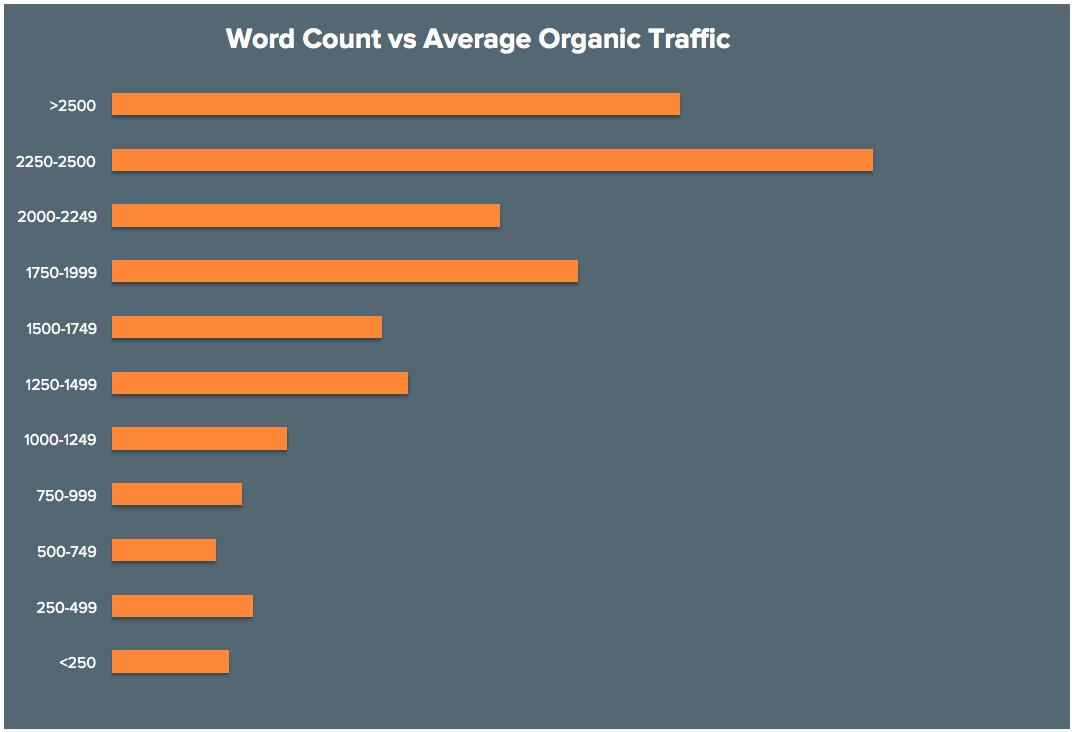
I’ve had a ton of success with long-form articles. While there’s no definitive word count, most people agree that long-form content is at least 1,000-1,500 words.
Me? I err on the side of having too much content. I regularly recommend writing content that is 3,000+ words.
It gets more traffic, more links, and more shares.
See for yourself. Longer content gets more traffic:
More links:
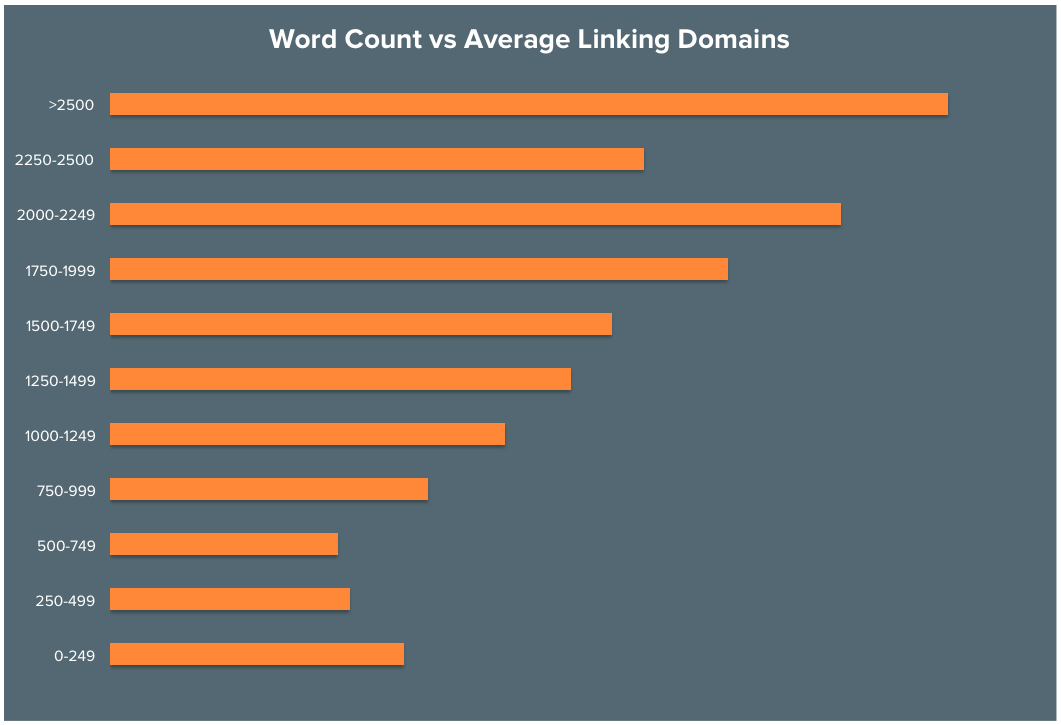
And more shares:

The data we’ve found by analyzing highly shared content has shown that good content typically has three characteristics:
- It goes deep into the topic.
- It covers the topic in a comprehensive manner. (No general or shallow content here!)
- It’s focused on the keyword you’re trying to rank for.
This is what Google likes, and long-form content has all three of these characteristics. It’s a match made in heaven.
In the chart below, you can see that the top results for any given search term are typically pieces of long-form content.
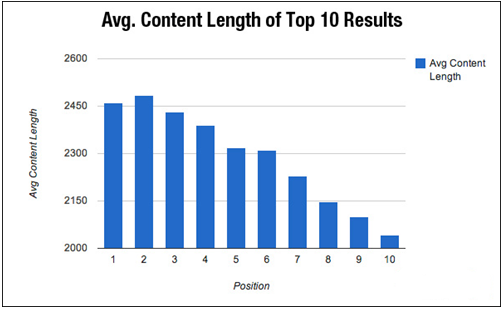
Long and comprehensive content is what millions of people are looking for. If you create some, you’re boosting your chances of getting one of those coveted spots on page one.
You might be thinking, “I just run a local business. What on earth could I blog about?”
You can blog about almost anything in your niche as long as you have something valuable to say. It’s possible to write long-form content about anything even if your niche is boring.
And you don’t have to be a trained copywriter either. You just need to spend some time researching the fundamentals of good content.
Conclusion
It’s easy to fall into the trap of local business syndrome.
Okay, I just made up that term, but it’s something I’ve seen with almost every local business I’ve worked with.
Most of them think that they can’t reach a wide audience because they’re, well, local.
They think that being a local business stops them from ranking well in the SERPs or getting traffic to their site.
And that couldn’t be further from the truth.
In fact, in many ways, local businesses have it made.
Obviously, a large brand can’t use local SEO, so they have to resort to other techniques.
But local businesses can use local SEO in addition to regular on-page and off-page SEO.
In other words, it’s easier than you might think to land on page one of Google.
Even if you have to spend some time tweaking your site, the payoff will be more than worth it.
Imagine seeing your result on page one and then watching your analytics go through the roof.
That’s entirely possible. It’s not a pipe dream, even if someone told you that before.
And lots of traffic isn’t the only benefit. Getting on page one also helps with your branding.
You want to become the go-to place in your area, right? If you’re a barbershop, you want people in your area to think of your business name when they think “barbershop.”
These days, those associations happen through Google. It’s where people go to find anything and everything.
Don’t worry about having a trendy design or a huge marketing budget. You don’t need those to start bringing in more customers.
What strategies are you using to rank your local business on page one? Are you going to use any of these 5 techniques?