Sign In







Key Takeaways
- Boost posts that are already winning organically, not the ones you hope will catch on.
- Paid spend won’t fix weak content. Only boost LinkedIn posts that have social proof.
- Your campaign objective tells LinkedIn who to show your post to. Choose your goal strategically so LinkedIn doesn’t optimize for the wrong audience.
- Start with one or two targeting filters. Too broad wastes budget on junk impressions, and too narrow spikes costs and limits delivery.
- Impressions and clicks are vanity metrics. Rate comparisons between boosted and organic rates tell you what’s actually working.
If you’re not getting views on your LinkedIn posts, you’re losing business.
How do I know that?
LinkedIn is where buyers vet your credibility and compare options before they ever book a call. The platform has become a powerful lead-gen engine.
That’s why LinkedIn can be your highest-leverage channel in B2B, where 89 percent of marketers use it for driving leads.
The challenge, though, is that solid content can still flop.
That’s where boosting comes in. Paid reach behind the right posts breaks you out of the “great content, tiny distribution” trap. Your message suddenly starts reaching the people who truly matter.
Before you hit the Boost button, though, it helps to know which posts are worth putting money behind.
What Does It Mean to Boost a Post on LinkedIn?
Boosting a post on LinkedIn means taking something you published organically and turning it into a paid promotion so more of the right people see it.
Think of it as putting fuel on a fire that’s already burning.
There’s no need to start from scratch in LinkedIn Campaign Manager. All you have to do is pick an existing post from your company page, choose a goal (like more engagement or website visits), define a basic audience, and set a budget.
LinkedIn does the rest, extending your post’s reach beyond your followers. Here’s what that looks like from your Page posts dashboard:
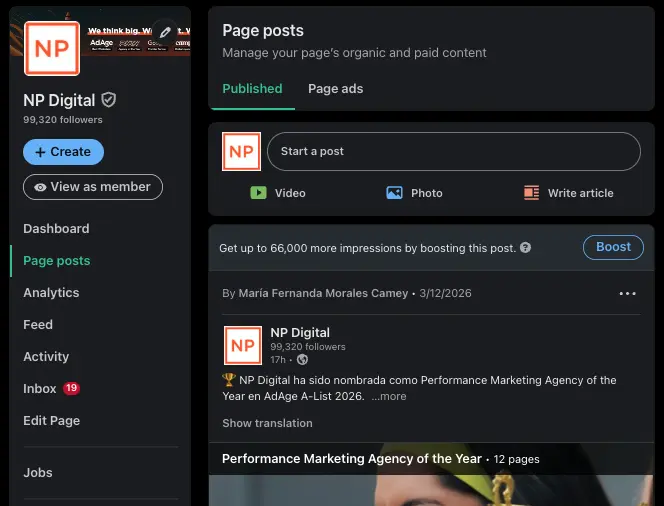
Source: NPD LinkedIn
Here’s how boosting stacks up against your other options:
- Organic posts rely on the algorithm and your existing network. If it hits, great. If it doesn’t, it disappears fast.
- Building a campaign gives you more control over targeting through advanced marketing metrics, but it requires more setup and management.
Boosting sits in the middle. It’s designed for speed and simplicity, not for hyper-specific targeting or complex funnels.
For a deeper look at LinkedIn’s full toolkit, my LinkedIn marketing guide is a good place to start.
The Challenge of Getting Views on LinkedIn
LinkedIn is the world’s largest professional network with more than 1 billion members.
That sounds like a marketer’s dream, until you try to earn consistent views. The numbers reflect the challenge:
- Organic reach is getting squeezed. Richard van der Blom’s 2025 Algorithm Insights Report, which analyzed more than 1.8 million posts, says it has dropped nearly 50 percent.
- Most people scroll past without engaging. Socialinsider’s benchmark data shows the engagement rate per impression at about 5.2 percent, meaning about 95 out of 100 people who see a post don’t interact with it.
- Timing alone won’t save a post. LinkedIn’s continued push toward relevance over recency means even well-timed content can get buried if the algorithm deems it less relevant to a given user.
That’s exactly why boosting works. It stops the guessing game on distribution and puts paid visibility behind posts that already deserve a wider audience.
When Does It Make Sense to Boost a LinkedIn Post?
Boosting only makes sense when the post does. Put paid spend behind weak content, and you’re wasting marketing dollars.
You should boost a post when:
- It’s already showing strong early signals. Comments and saves in the first few hours, for example, tell you the content is resonating.
- The post is tied to a hard deadline. Events, product launches, webinars, and hiring pushes all have a window where visibility directly drives action.
- You have one clear conversion goal, such as a download or follow.
- You need reach beyond your existing network, and organic distribution won’t get you there fast enough.
Hold off on boosting when:
- The post isn’t gaining momentum on its own.
- The call to action (CTA) is vague. “Thoughts?” is not a measurable conversion goal, for example.
- You haven’t defined what success looks like before you spend.
It pays to be selective because LinkedIn’s audience is genuinely valuable: LinkedIn data says 4 out of 5 members drive business decisions.
However, just because decision-makers use the platform doesn’t mean they’ll see your post. LinkedIn’s algorithm weighs credibility heavily in distribution, and verified members see up to 50 percent more engagement on their posts as a result.
Boosting works in a similar way. It amplifies what’s already credible, not what’s struggling to find its footing. Boost your winners, not your wishes.
How to Boost a Post on LinkedIn (Step by Step)
Boosting is straightforward, but the results depend on the decisions you make before you hit publish. Here’s how to do it right.
Choose the Right Post to Boost
Start with posts already showing signs of life.
Look for strong early engagement (especially comments and saves) or a clear spike in impressions versus your usual baseline. If a post isn’t earning attention organically, paid reach won’t magically fix it.
That’s why you should boost only what’s already working.
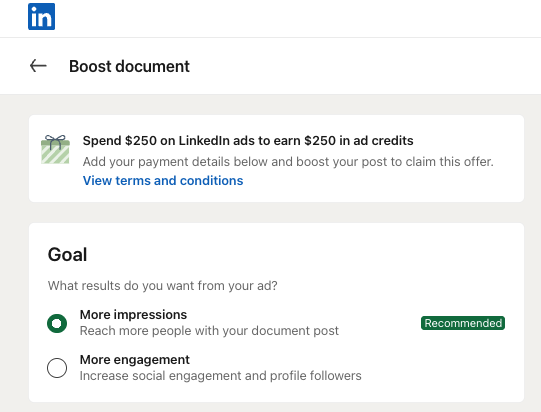
Select Your Campaign Objective
Open the post from your company page and hit Boost. Then choose the objective that matches what you’re trying to do:
- Brand awareness, if you’re launching something new or want to grow your share of voice in a category
- Post engagement, if you want to grow followers or keep your brand top of mind
- Video views, if your post is a video and watch time is the priority
- Website visits, if you want to drive traffic to a landing page or lead capture form
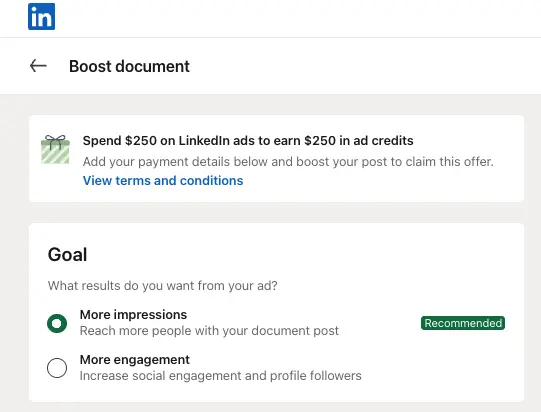
Here’s what that looks like within LinkedIn.
Define Your Audience
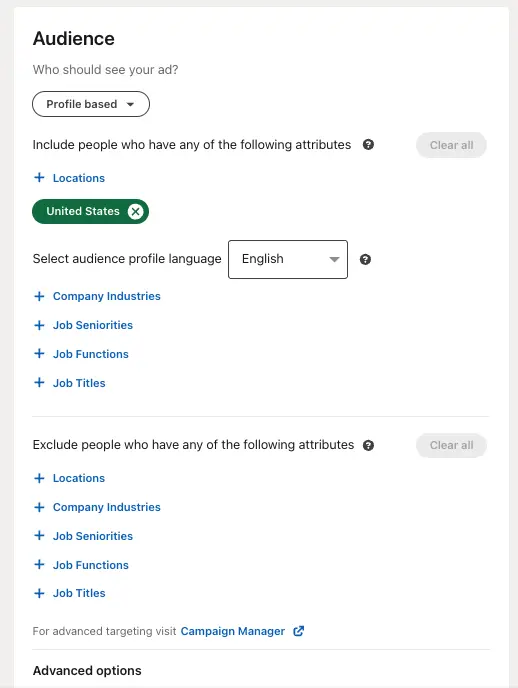
Keep targeting focused enough to be relevant, but not so narrow that it limits delivery. Start with one or two core filters: job title or function, seniority, industry, company size, or location.
If your audience is too broad, you’ll buy cheap impressions that don’t convert. If it’s too tight, your costs will spike and your delivery won’t be consistent. Keep in mind that relevance beats reach every time.
Here’s what setting your audience parameters looks like in-platform:
Set Your Budget and Duration
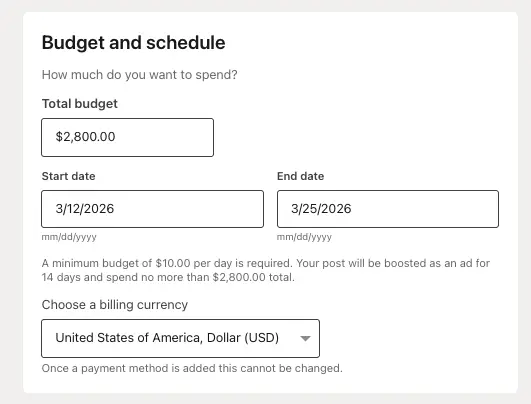
Set a lifetime budget and choose your start and end date. If your post is tied to a deadline-driven event like a webinar, set your end date accordingly.
Start with a modest test budget, and give the campaign enough time to generate meaningful data. A few hours won’t tell you much.
Watch your frequency as your boosting campaign runs. If the same audience sees your post too many times, engagement may drop and your spend will likely be less efficient.
Review and Launch
Before you hit Boost, run through this quick checklist. Make sure that:
- Your copy and visuals look exactly as intended.
- Your messaging matches your campaign goal.
- There are no grammar or spelling errors.
- All links are working.
- You confirm your audience targeting and budget.
Once everything checks out, it’s time to boost.
Best Practices for Boosting LinkedIn Posts
Boosting isn’t magic. It just gives a good post more distribution, but it can’t rescue a weak one. Here’s how to make sure your post is worth putting money behind.
Lead with Native-First Content
If your goal is to increase views and engagement, it’s best to keep people on the platform. Native formats like video or documents are built for feed consumption. A Metricool study shows video post growth up 53 percent, while clicks on linked content are up 28 percent.
The format should follow your goal. Native content keeps readers in the feed and builds engagement. Links work when you want to drive traffic to a specific destination. Documents are strong for capturing attention before directing readers off the platform.
Test what works, and track the results.
Write Like a Person
Keep your copy tight and human. LinkedIn posts allow for up to 3,000 characters, but that doesn’t mean you should use them all.
Readers might be quickly scrolling through LinkedIn over lunch or during a coffee run. They’ll read what’s worth reading and skip over everything else. So be direct and to the point. Use plain language, and focus your post on one specific point or outcome.
Win the First Line
On mobile, LinkedIn previews cut off at about 200 characters. On desktop, it’s around 300. Sponsored posts can show an even shorter preview. Everything after that lives behind a “see more” click that many people won’t tap.
Your first line is your hook, and its job is to grab the reader’s attention.
A few approaches that work:
- Lead with a surprising stat or a bold claim.
- Ask a question the reader wants answered.
- Open with a contrarian take on something familiar.
- Set up a story with an unexpected outcome.
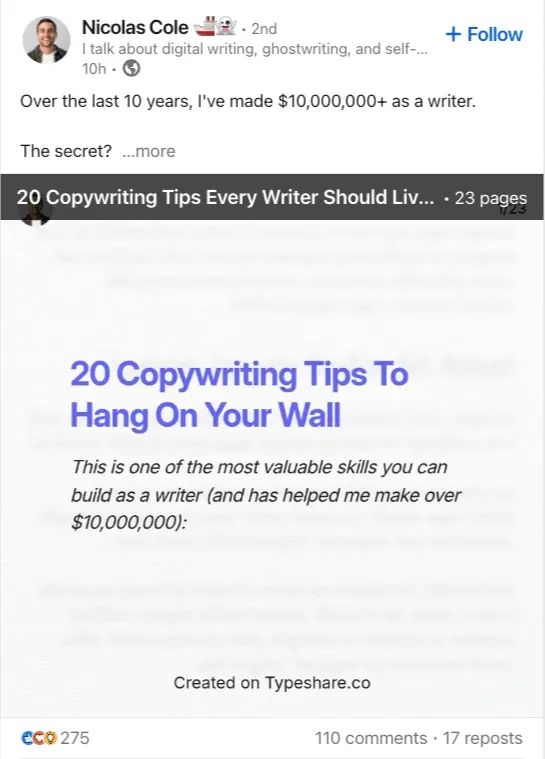
Nicolas Cole’s opening line in the post below is a good example: “Over the last 10 years, I’ve made $10,000,000+ as a writer.” It’s a single stat that stops the scroll. The second line (“The secret?”) creates just enough tension to earn the click.
Two sentences, and you’ve got your hook.
Source: https://sproutsocial.com/insights/linkedin-best-practices/
The hook is just the beginning, though. Once you have a reader’s attention, provide so much value that they keep coming back. For example, you might offer your latest lead magnet.
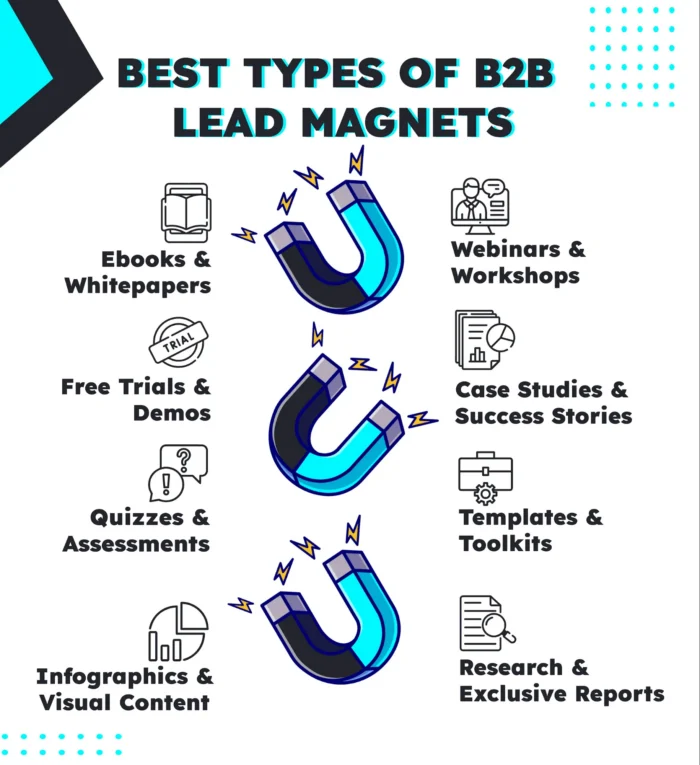
A strong lead magnet gives readers a reason to act beyond the post itself. The graphic from Pathmonk below covers the most effective options for B2B audiences. It includes:
- E-books
- White papers
- Webinars
- Free trials
- Demos
- Case studies
- Success stories
- Quizzes
Source: https://pathmonk.com/best-b2b-lead-magnets-8-tactics/
Odds are your team already has at least one of these in some form.
Use One Clear CTA
Each post should have one job and clearly direct the reader on what to do next, like subscribing or downloading.
The more CTAs you stack, the more you dilute the click. LinkedIn sponsored content formats are built around a single CTA path for good reason.
To get the best results, match your CTA language to your post’s intent. If you want them to download your checklist, say, “Get the checklist.” Saying something like “Learn more” gives the reader no clear direction and no reason to move.
Watch Early Results and Pause Fast
Give a boosted post 24 to 48 hours before drawing conclusions. That’s enough time to collect a meaningful signal but not so much time that you waste spend on something that’s not working. Test ad variations with LinkedIn’s A/B testing workflows and review their performance.
How do you diagnose where your post has gone wrong? The best place to start is your click-through rate (CTR). If you have a low CTR, then there’s an issue with your creative (post copy or visuals). If you have a high CTR but a low conversion rate, the landing page or form you’re using could be the issue.
How to Measure the Success of a Boosted Post
A boosted post’s results can be misleading if you measure the wrong things. Start with the metrics that match your objective:
- Engagement: Track your engagement rate by totaling the post’s social signals and dividing by the number of total impressions. Comments matter more than likes because they signal real interest, not drive-by approval.
- Website visits: Watch CTR. See how many people are landing on your website from your boosted post. Compare those numbers against a similar organic post to see whether the boost is moving traffic or just generating impressions.
- Brand awareness: Look at your follower growth and repeat engagement from the same audience over time. These are signal metrics that tell you whether the right people are paying attention.
From there, look at whether rates moved, not just totals. If impressions climbed but CTR and engagement rate stayed flat, the post reached more people without changing their behavior.
More visibility without action is not a success metric. A boost works when it drives the specific outcome you set your objective around. That’s the only measure that matters.
FAQs
How do I boost a post on LinkedIn?
Go to your LinkedIn company page in admin view, open the post, and click Boost. Then choose your objective, audience, budget, and duration. Keep it simple by focusing on one goal, one or two audience filters, and one CTA.
How much is it to boost a post on LinkedIn?
You can often begin with as little as $10, making it one of the more accessible ways to advertise on LinkedIn. It’s typically best to start small for a few days, and then scale only if results justify it. For a deeper look at LinkedIn advertising costs overall, check out my LinkedIn ads pricing guide.
Can you boost carousel posts on LinkedIn?
Not if it’s a multi-image carousel. Boosting doesn’t support posts with more than one image. If you want a “carousel feel,” use a document or PDF post and promote it through Campaign Manager instead.
Conclusion
LinkedIn marketing doesn’t need to be a mystery. The platform is one of the most powerful tools your business has for reaching real decision-makers, and the right approach can make it a game-changer.
Start by publishing content your audience actually wants to read. Then use boosting to put paid reach behind what’s already earning attention organically. That way, the right people see your post on your timeline, not whenever the algorithm gets around to it.
Consistent social media measurement is what separates marketers who scale from those who guess. Track your rates and compare them against your organic baseline. When something isn’t working, cut it fast.
Use data to make smart boosting decisions, and you’ll earn more qualified attention that leads to real business results.