Sign In














Do you want to see a massive increase in traffic?
Of course you do.
The easiest way to do this is to optimize your SEO for different languages and countries.
The international market for your content is huge, and remember: most of the world doesn’t speak English.
If you’re only targeting English speakers based in your country, you’re missing out on a huge audience.
But in order to take advantage of the huge international and multilingual market, you need to make sure you’re using a few best practices.
In this article, I’ll show you exactly how to set up your SEO for different languages and countries.
Let’s jump in.
Plan out your strategy
The first step in optimizing your site for international readers is to ensure you have a strategy in place before you get started.
The process can be complicated at times, and if you don’t know what you’re doing, you can get lost quickly.
To start things off, figure out where your current traffic is coming from. If you already have a large international audience, you should start with that country first.
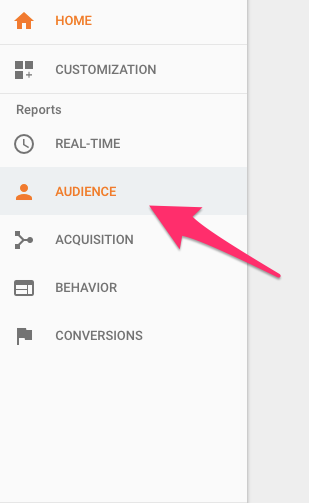
To find out what countries you’re already reaching, go into Google Analytics and click on Audience.
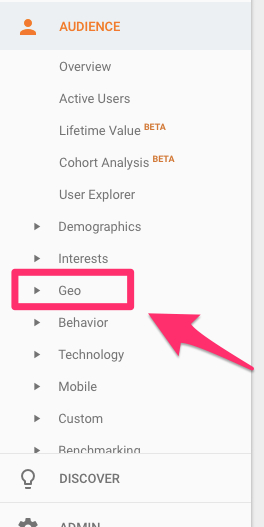
In the menu that appears, choose Geo.
You’re presented with two options: Language and Location.
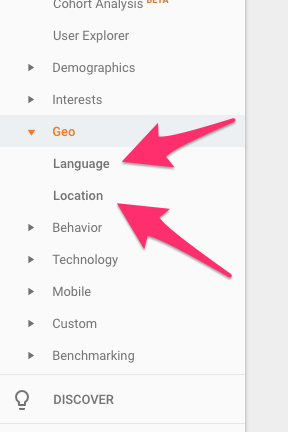
I recommend reviewing both to make sure you can see what traffic segments you should be targeting.
This example from the HOTH shows a site with most of its traffic from the U.S., with the UK in second, and Canada in third.
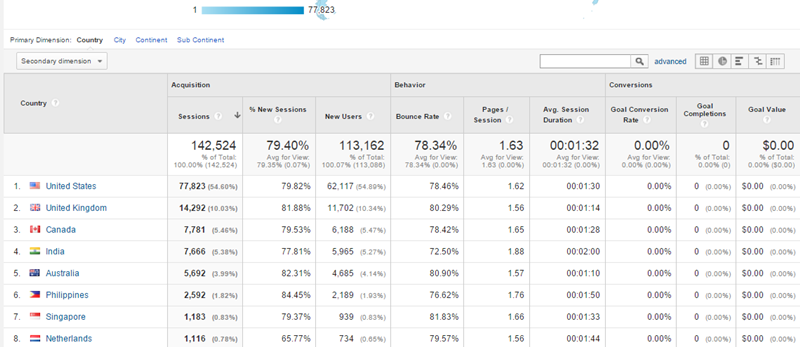
If your site looks similar, it gives you a feel for your current strengths and areas for improvement.
Decide if you need international SEO
I’ll be honest: most smaller sites don’t need to worry about the hassles that come with setting up for different countries and languages.
It’s a difficult process that requires maintaining multiple sites in different languages. It’s a huge challenge, and if you’re not ready for it, it might just be too much work.
This infographic from Moz shows who should invest in creating a site that’s optimized for other languages and countries.
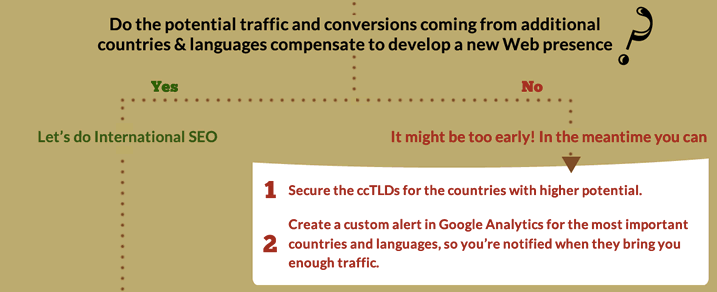
If you don’t stand to earn profit from this move, I can’t recommend it. It makes the most sense for international brands and companies that do business around the globe.
If that’s not you (yet), you don’t need to worry about it.
But if that does describe your site, you need to decide whether you want to target different countries, different languages, or both.
Multinational content
Let’s talk about multinational content first.
To start with, you can’t distinguish between regions. A “Middle East” or “EU” version of your site isn’t possible, so be aware of this upfront. You can only target countries.
Targeting different countries works best for a company that has a reason to be in each country separately.
Travel site Expedia has links for each of its global sites. As a travel company, it needs different sites to reach the needs of different customers.
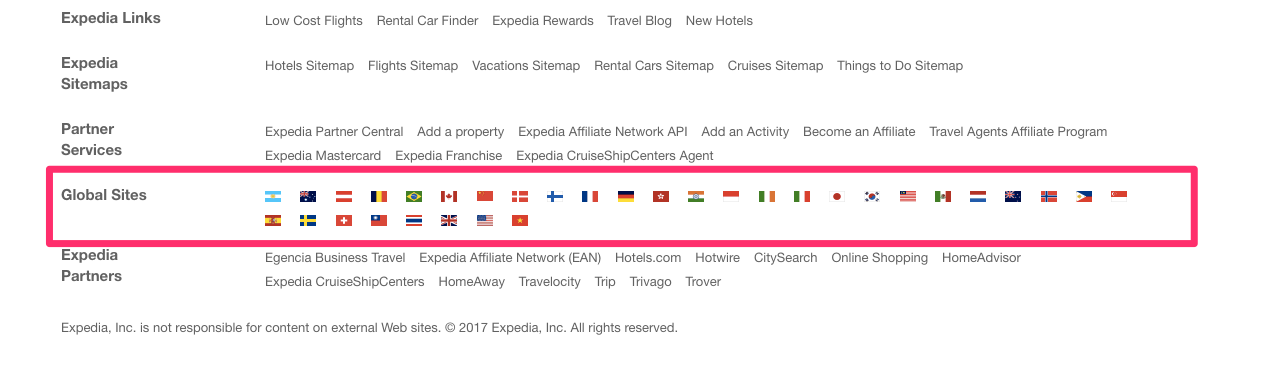
They also have a language option, but that’s separate from the international pages.
Multilingual content
If your services are largely the same around the world, you should probably just focus on languages.
Since Facebook offers the same basic product to all its users, despite their country of origin, Facebook focuses on language rather than country on its homepage.
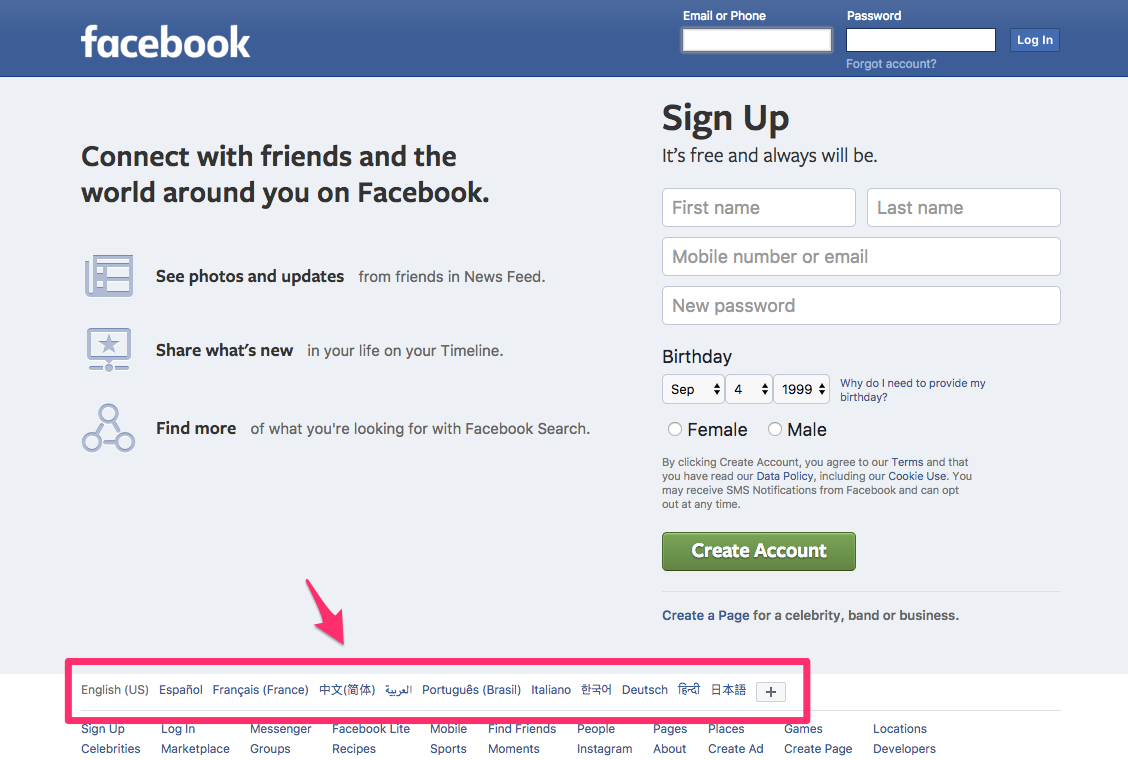
If you don’t have a particular reason to show different content to different locations (or don’t need to let users switch between this content), languages are usually easier.
It isn’t that difficult to create separate languages for your content, while not worrying about different countries.
Multinational and multilingual content
But what if you need to cater to different languages and different countries?
This is the case with Stripe, which focuses on country and language on its homepage.
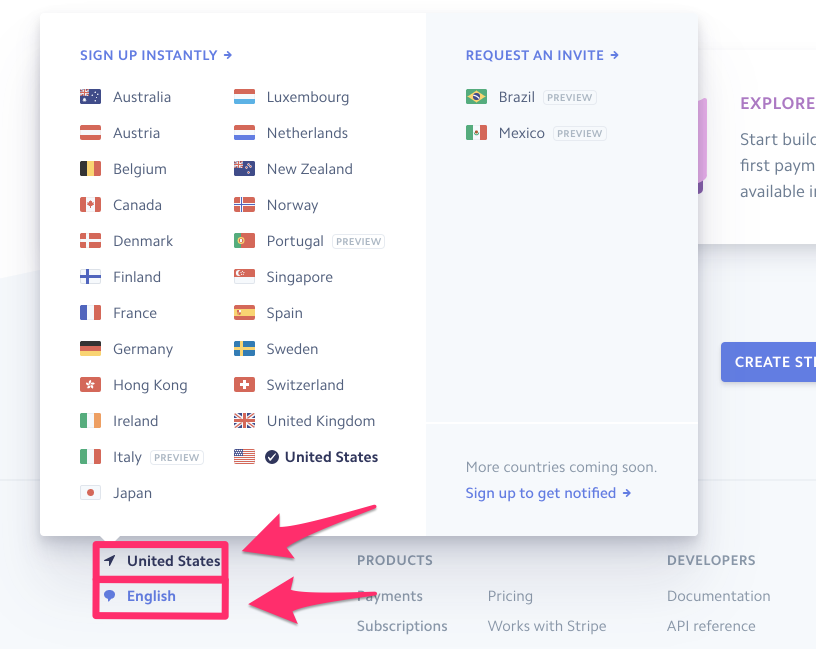
For Stripe, the reason is simple: they’re not available in every country. Stripe Mexico, for example, shows what amounts to an “upcoming content” page.
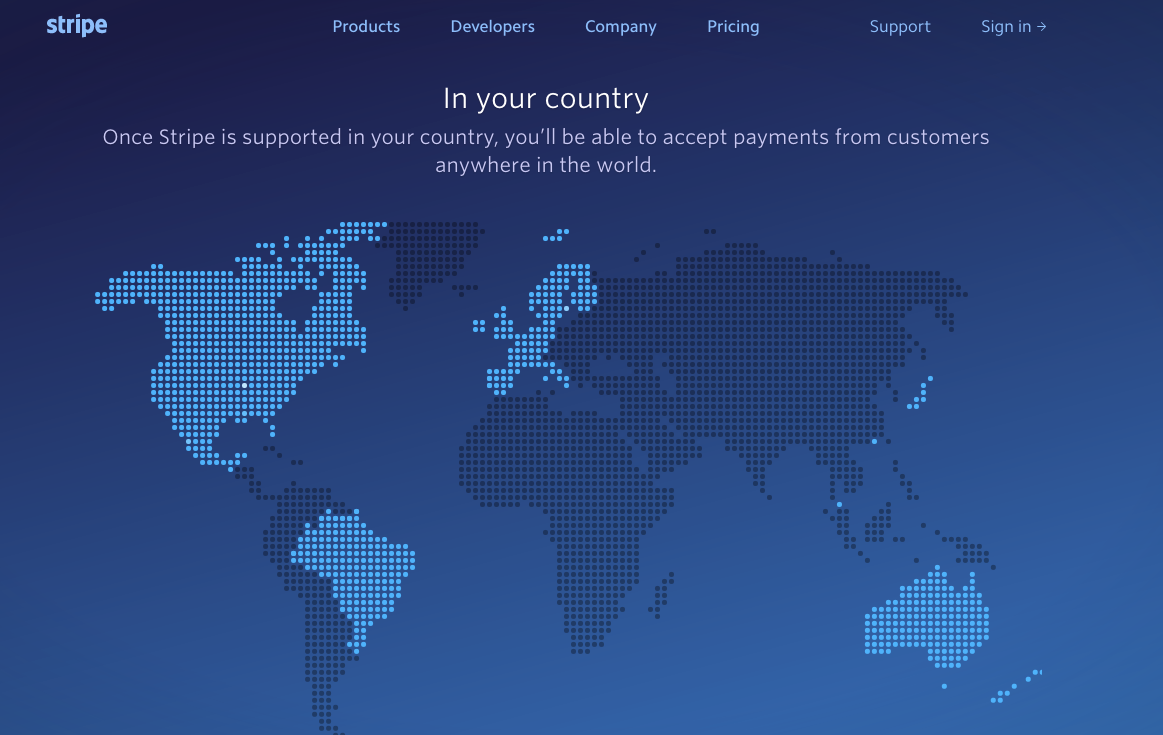
But since users in countries with full support (like the U.S.) might want to use Stripe in a variety of languages, they include both options on their homepage.
If you have different requirements for different countries, based on availability and shipping prices, this might be the best option.
It allows users to view their relevant country page, no matter what their language.
Choose a domain and URL structure
The first and most important factor in creating a site that’s customized for different locations and languages is developing a URL structure.
This may sound simple, but it’s really not.
You can use a combination of top-level domains (like .ca or .co.uk), subdirectories (like /es/ or /de/), and subdomains (like es.example.com or us.example.com).
This image explains the different options.
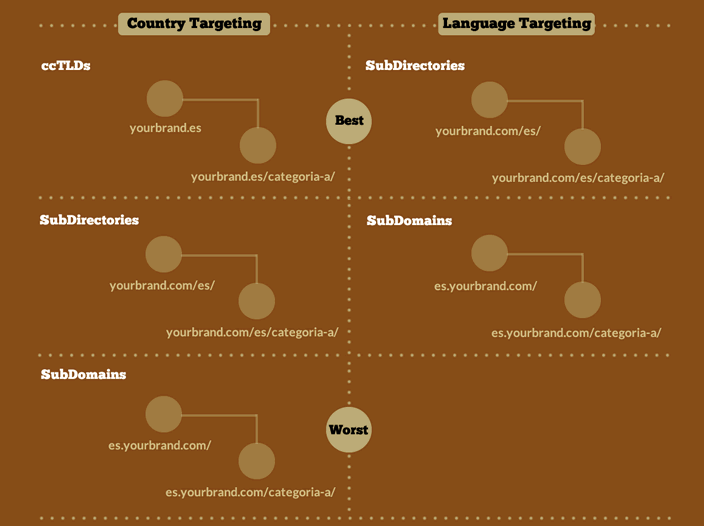
Not all options are created equal, however. I’ll explain the pros and cons of each one here, and provide you with my top recommendations based on the needs of your site.
Country code top-level domain (ccTLDs)
A top-level domain, or a TLD, is the phrase at the end of your domain name. The most common one is .com, which is known as a generic domain name.
It can be used for any country without specifying a particular location.
There are different TLDs for specific countries, though — like .mx for Mexico or .co.uk for the United Kingdom.
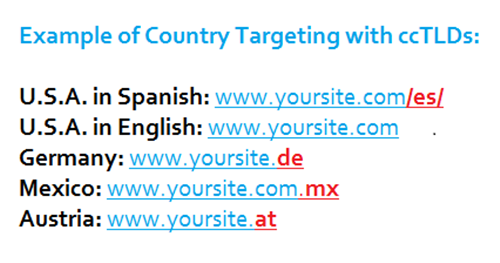
If you’re going to target a specific country, this may be your best strategy. The idea that a strong TLD will improve rankings is a myth, but it does apply to international results.
A country focused TLD will help you rank better in a particular location.
According to data by SEMRush, search engine results are more accurate when using ccTLDs than the other options.
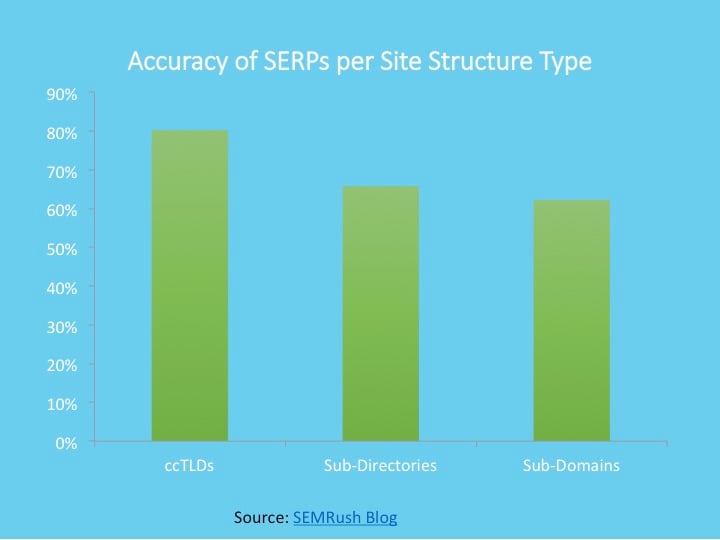
Again, this is the best option for country targeting with large sites.
If you have a smaller site, or if you only want to target a language, you should probably consider a different option.
Subdirectories with generic TLDs
The next option at your disposal is to use subdirectories on the main site with a generic TLD. This can be really helpful if you want to target countries, languages, or both.
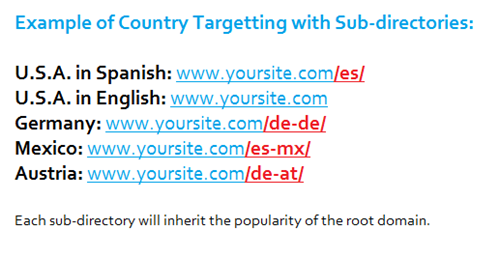
This is the method I use for my international pages. For example, the Brazil version of my site in Portuguese uses /br/ to distinguish it from the English version of NeilPatel.com.
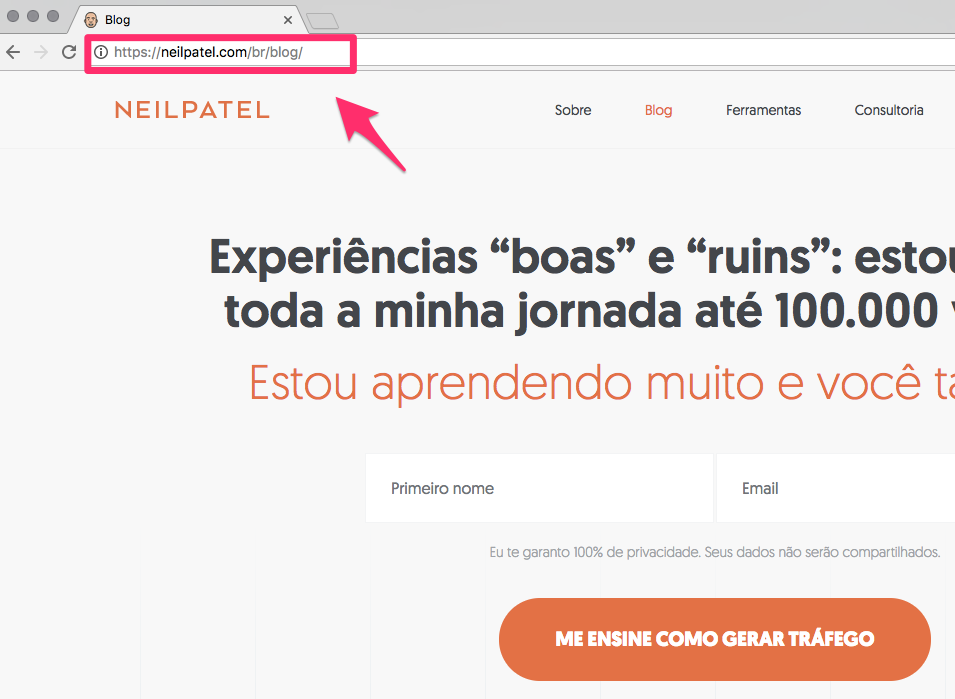
If you don’t have a global brand, this is the strategy I’d recommend.
Subdomains with generic TLDs
This is a method that can work for some websites, but I don’t recommend it for the average user.
It tends to be too complicated, and it isn’t all that user friendly. This would be a website with different versions at en.example.com, fr.example.com, and so on.
What ends up happening is that each of these is registered by Google as its own site, and the domain authority doesn’t really extend to these other pages.
By using directories like I recommend, you’ll have a much easier navigation process that allows more users to find what they want on your site with less hassle.
It’s an easier way to do your SEO.
How to set up language SEO
Now let’s get into the details of setting up SEO for different languages.
How is this different than a country?
Well, sometimes it’s the same. It makes sense to have your French site in French.
But oftentimes you’ll have a site with different languages. A Canadian version of your site, for example, needs to be in English and French. How do you set this up?
If there’s enough traffic to make country targeting worthwhile, you should move to that section. But otherwise, you should just start with language targeting.
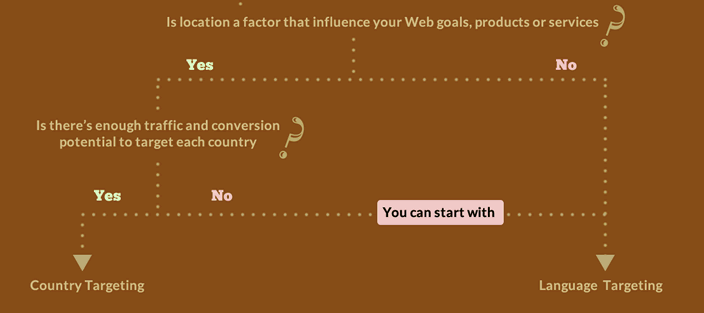
Here’s how you can set that up.
Use a human translation
First and most importantly, you need to use human translation.
Yes, I know Google Translate has come a long way.
But if you’ve ever seen poorly translated English, you know what it can feel like to read content that’s clearly not written by a native speaker.
It’s frustrating and unprofessional. What’s worse, you probably won’t be able to make the same kinds of sales or revenue to make it worth it.
I recommend hiring a freelance translator on a site like Upwork to do the job for you.
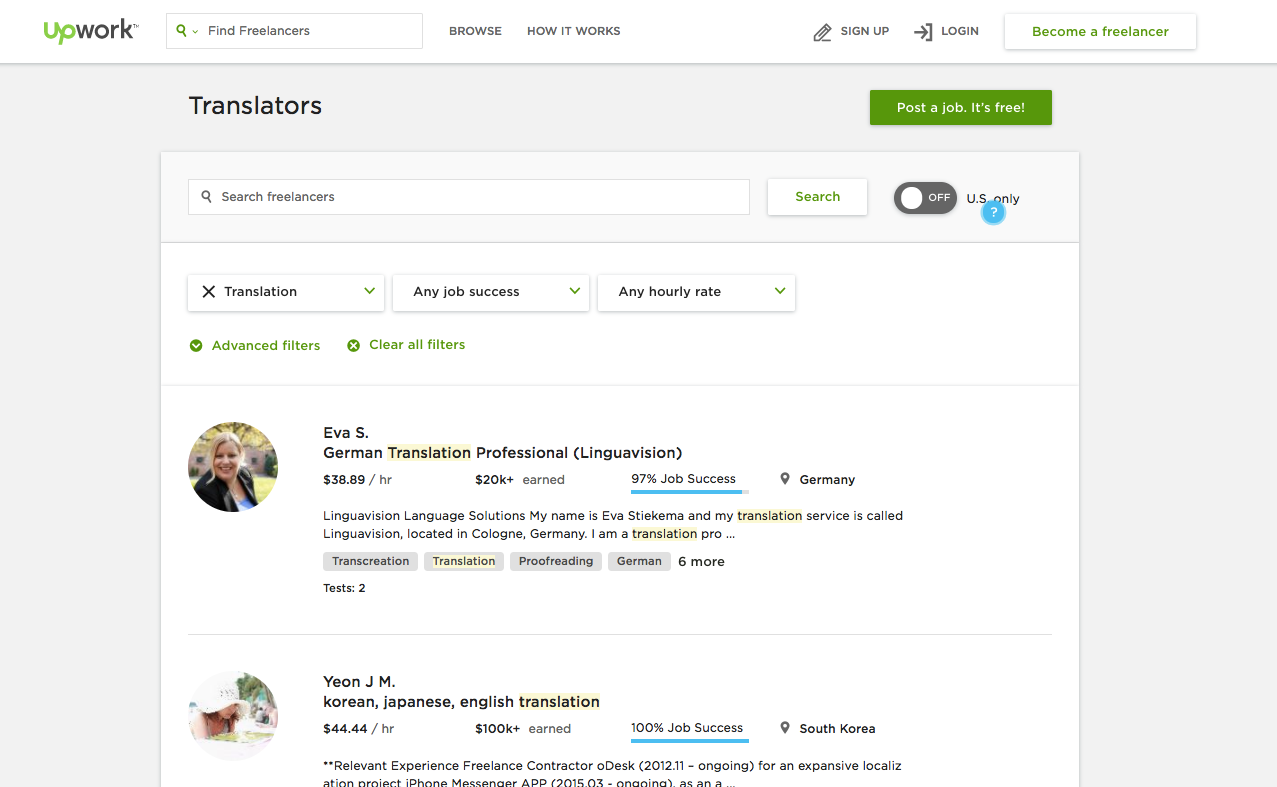
It will only cost $50-100 for each page, which isn’t much if you think of the benefit you’ll get from appealing to thousands or millions of new customers.
Create a sitemap
To help search engines find your content, you need to create a detailed sitemap with the language content contained in the data.
The IKEA sitemap lists each of its language properties. This helps search engines correctly mark the pages and display them to the appropriate users.
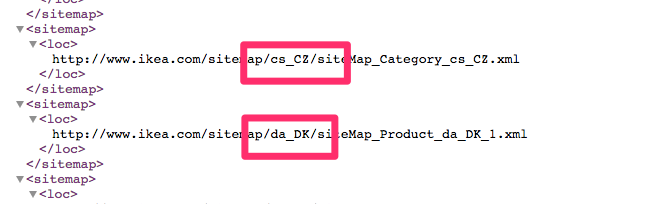
To make use of this yourself, you’ll need to create a sitemap.
If you use WordPress, I recommend a simple, free tool like Yoast SEO or Google XML Sitemaps, which will do this for you.
Use the hreflang and alternate tag
One of the possible problems you might encounter with multiple languages is that of duplicate content.
Of course, Google and other search engines don’t want to see content that’s the same across your website.
And while content in another language isn’t identical, it might raise some flags if it has the same images in the same order and the same inbound and outbound links.
So, what should you do?
The answer is simpler than you might expect: use the hreflang and alternate tags.
These indicate to Google that your page is an alternate version of another page, except in a different language. It’s similar to the canonical URL, but for languages.
Here’s how it looks on one of my articles in Portuguese.

By specifying rel=“alternate” and hreflang=“pt-br” (code for Portuguese and Brazil), Google doesn’t count this “duplicate” content against me.
*Use the language meta information
While most search engines work the same way, language is one area where they differ.
Google recognizes the hreflang tag, but Bing prefers its own meta language content. This diagram by HubSpot does a good job of explaining how to set it up.

It’s not a complicated step, but adding this data can help Bing users locate the right content on your site.
Detect the language correctly
If you’re just getting started with different locations and languages for your website, you might think the smart thing is to automatically redirect users to the language for their country.
While this seems like the simplest solution, it really isn’t very accurate.
Countries have a huge variety of languages, and it’s a bad idea to assume one’s language based on one’s location.
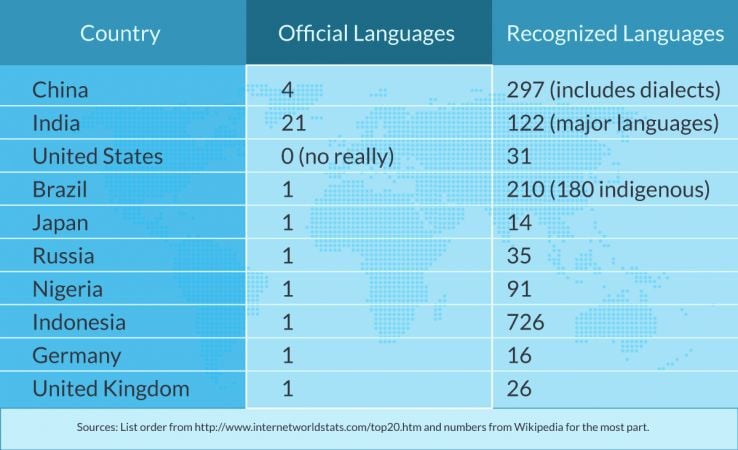
This location-based targeting isn’t ideal, and it won’t result in a very good user experience. So, what should you do?
The secret is twofold. First, you should use the default language settings supplied by the browser.
This means that an American visiting your site in Paris won’t get hit with a French version of your site if he or she is using a browser in English.
The second piece of this puzzle is asking the user. Rather than making assumptions, ask the user for his or her language preferences.
It’s also a good idea to include language options that are readable in other languages, without any country signifiers that are inaccurate at best.
This diagram from Flags are not Languages demonstrates it perfectly.
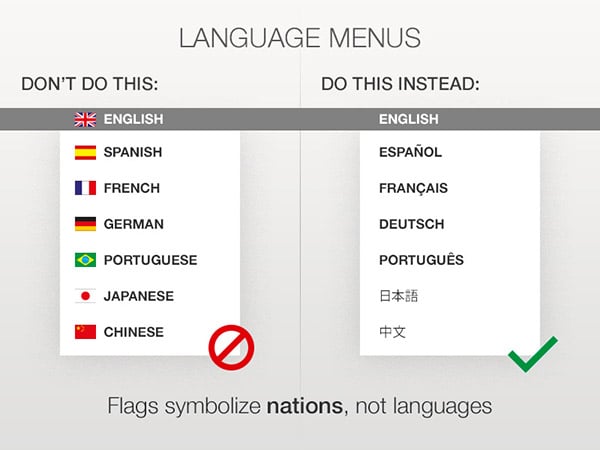
The ultimate goal is to make your site accessible to people across different languages regardless of their location.
Review and check for issues
The final step in setting up languages is to make sure everything is functioning properly.
Before you start building with off-page SEO, you need to make sure your efforts are worthwhile.
To double check your site, go into the Google Search Console and make sure everything is functioning properly.
This diagram gives an example of the possible issues you might face with your content.
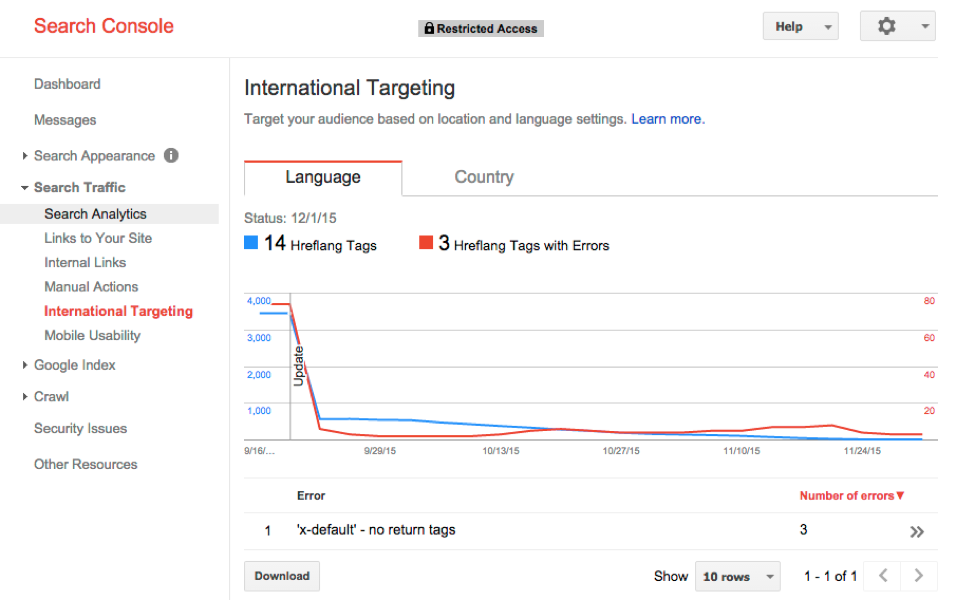
Look to see what Google has encountered, and go about fixing your tags and errors so your pages get indexed properly.
How to set up country targeting
Sometimes, you want to do more than just change the language of your website.
There are times when you need to display different content to visitors in other countries.
It’s not difficult to do if you know how to go about it. Here are the strategies you need to know, in order, to set it up correctly.
Prevent duplicate content
First and foremost, you want to make sure you aren’t accidentally creating a duplicate version of your site.
While it may be easy to think you need a separate site, be sure there are actual needs, depending on the content.
If you want to correct some regional spelling (colour vs. color, for example), this is best left in languages and doesn’t need country targeting.
But if there is more content you want to display differently, you shouldn’t need to worry about duplicate content.
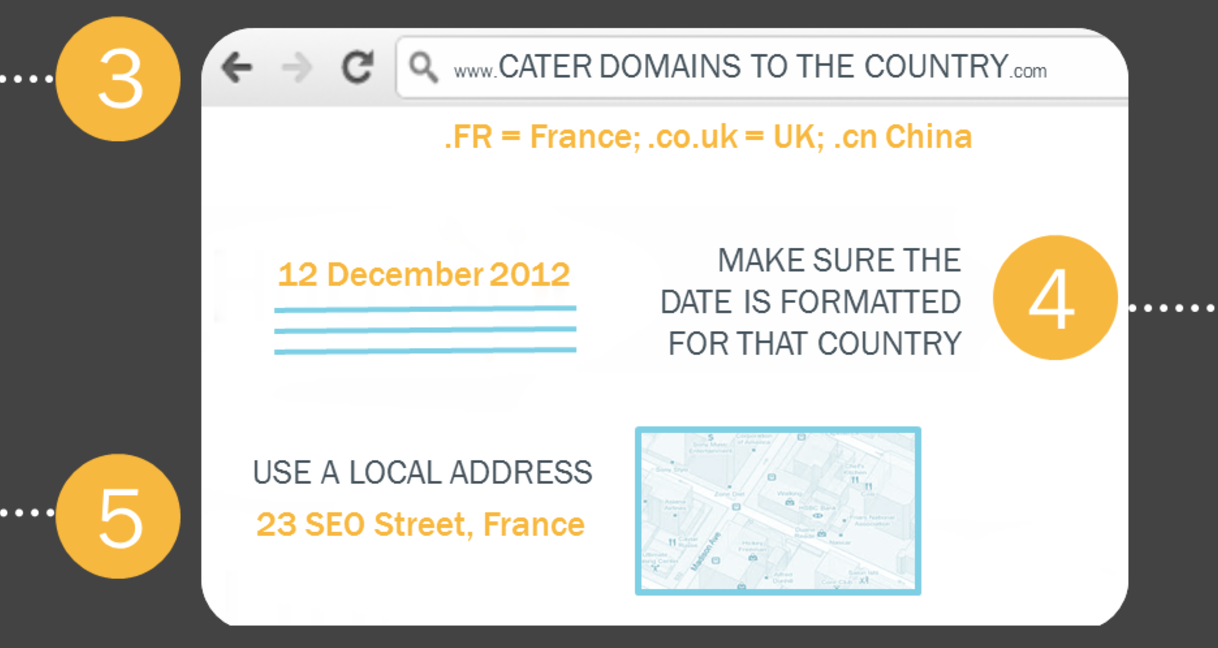
Make sure your content is different for different regions, and you’ll prevent duplicate content on your site.
Change HTML content based on location
The first thing you should do when creating content for a different region is to make it as relevant as possible.
Look to change multiple HTML content areas, including your title, meta description, navigation, and headings.
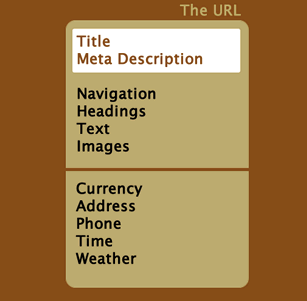
The goal should be a page that has a different appeal and reason for existing.
That is, it provides unique value to visitors from another country that your default page wouldn’t provide.
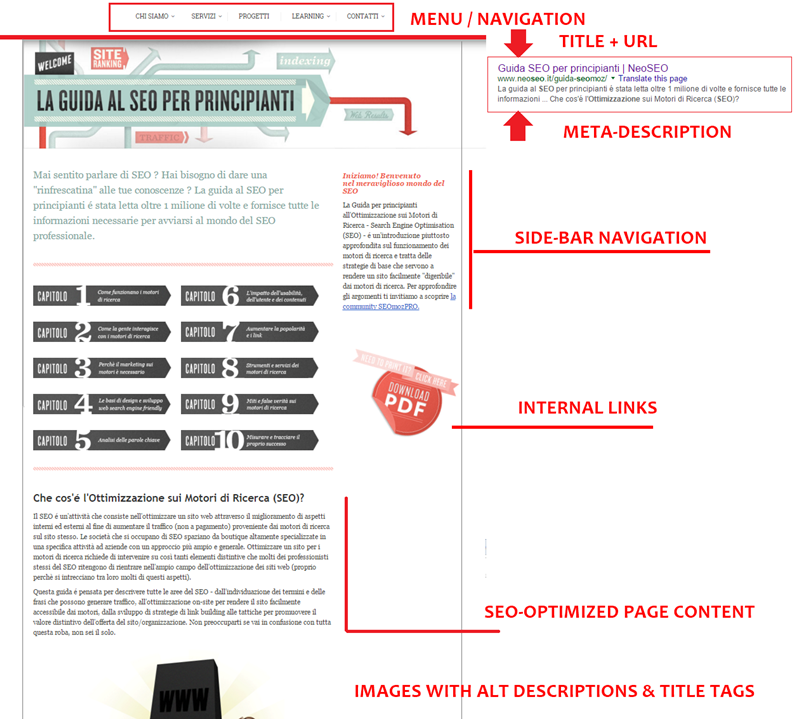
Here are a few things you should consider changing to make your content as relevant as possible.
Adjust pricing to national currency
If you have an e-commerce store or if you sell products of any type on your website, it’s a good idea to include different pricing in the local currency.
You should also include any requirements you have for international orders, such as shipping fees or export duties.
This isn’t a difficult process for most website owners, but it can provide a tremendous amount of value for readers in other countries.
On the Beats by Dre U.S. website, the price is listed in U.S. dollars.
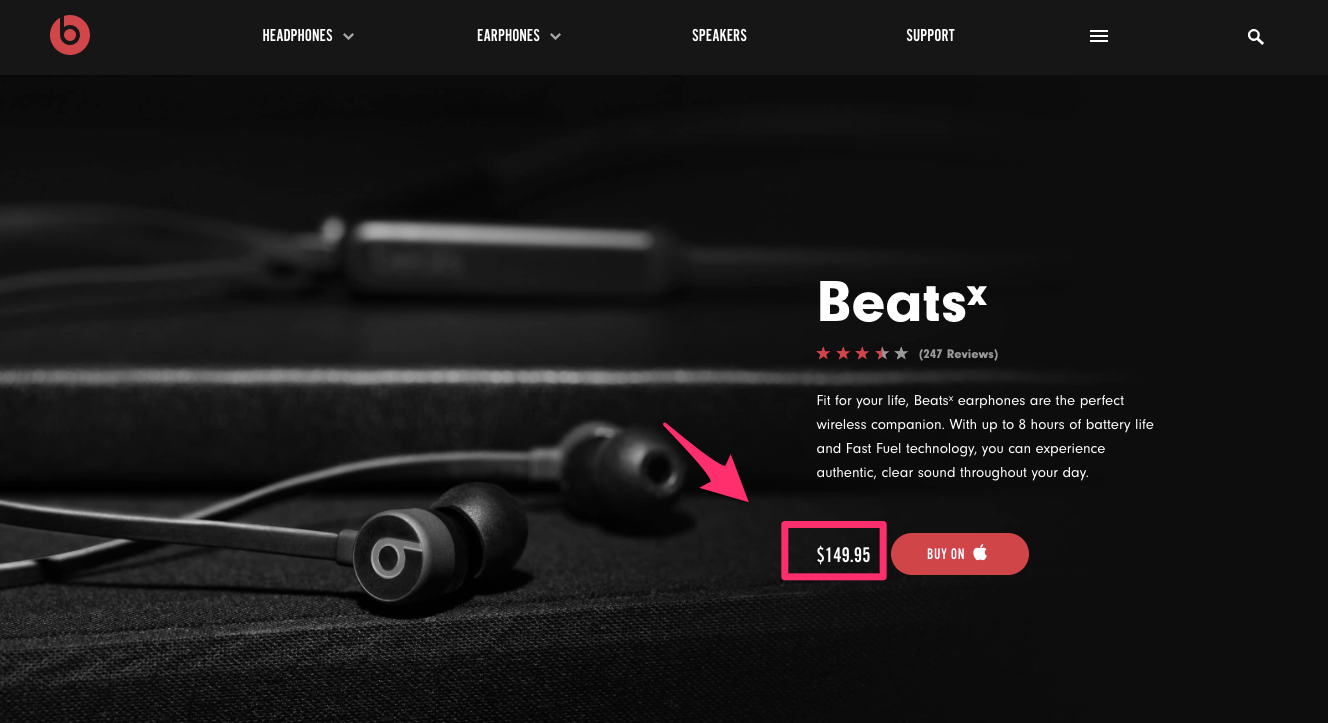
But on Beats by Dre Brazil, the price is listed in Brazilian Reals.

This is a small but significant way to add more value to your website for international readers.
Change content based on local culture
Sometimes, the content you display isn’t relevant to the visitors who will be looking at what you have to offer.
If that’s the case, work to provide something more targeted to the demographic who can see the page.
The home page of Getty Images U.S. includes information about current U.S. events, including Hurricane Harvey, and college football season.
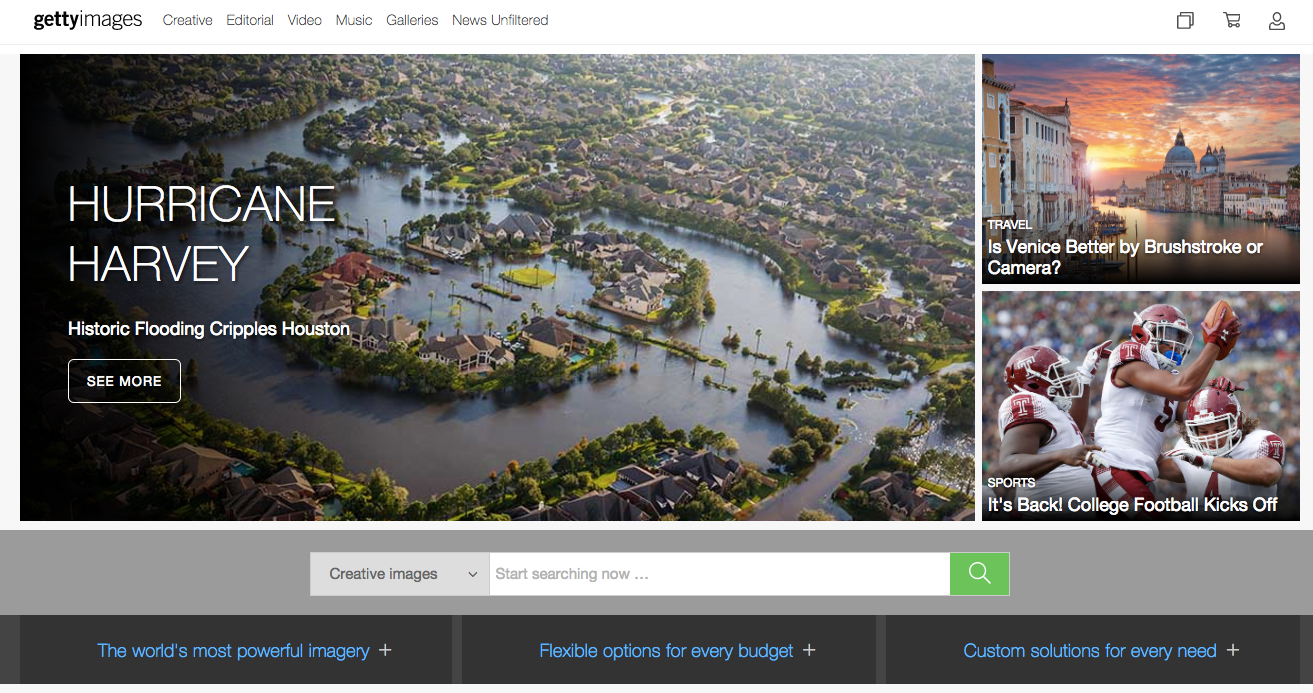
Meanwhile, Getty Images Latin America focuses on the World Cup, and it displays a completely different home page layout and design.
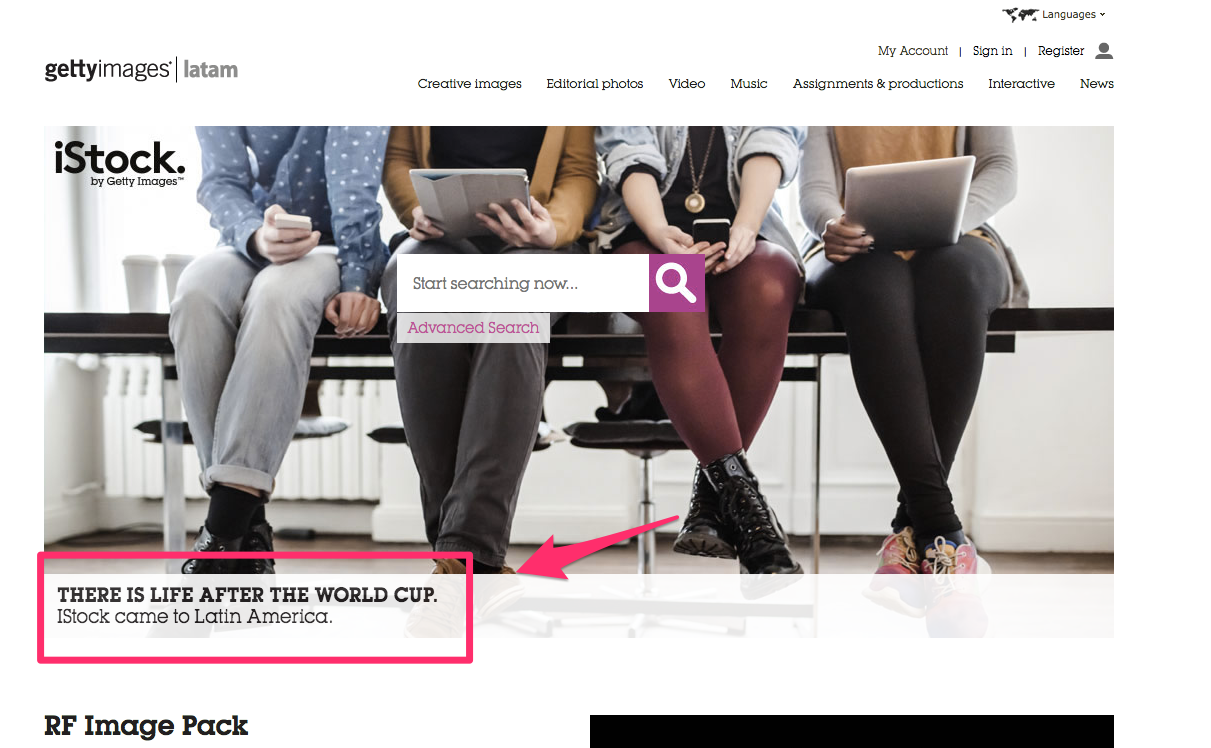
When in doubt, it’s a good idea to check with someone based in the target country to create copy and design a landing page that best appeals to that demographic.
A home page that seems harmless for Americans could be incomprehensible (or even offensive) in another country.
Adapt to local laws and regulations
While you might think you’re exempt from regulations in other countries, nothing could be further from the truth.
If you sell products, you need to make sure those products are legal in the country of your updated website.
You need to be sure you have all the necessary documentation in place if it’s a product with sensitive regulations, like medication, tobacco, or produce.
But there’s even more to consider than the product you sell.
A visit to the U.S. Amazon page shows the products they sell and login information.

But in the UK, every website (even those based in the U.S.) must include a notification that cookies are being used.
There’s a subtle change on the Amazon UK page, letting users know about the use of cookies.
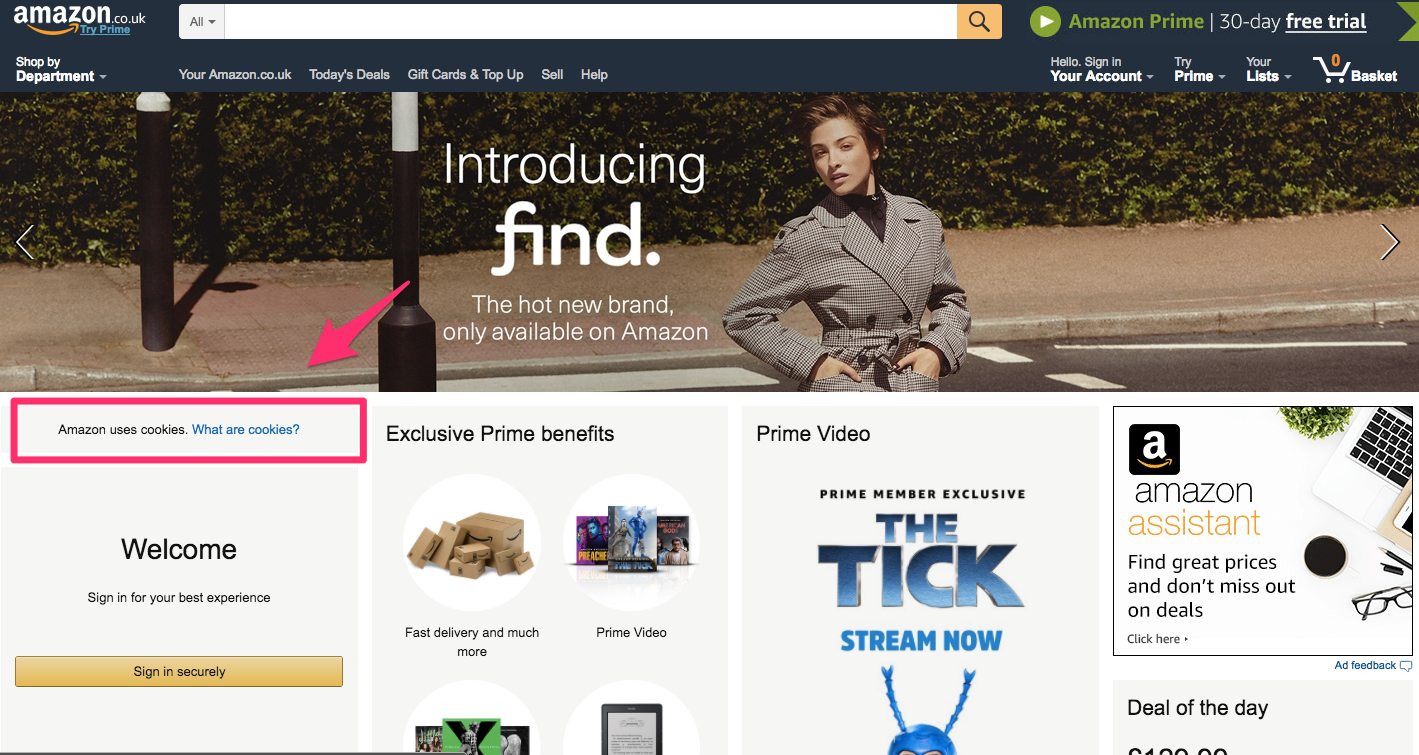
These seemingly tiny changes can introduce new legal matters to your business, so you need to prepare before launching a site for a different country.
Ask users before redirecting
Finally, you need to send users to the right page, but do it in the correct way.
While you can redirect someone, this usually isn’t the best way to go about it. Instead, Google recommends asking users if they want to go to a local site.
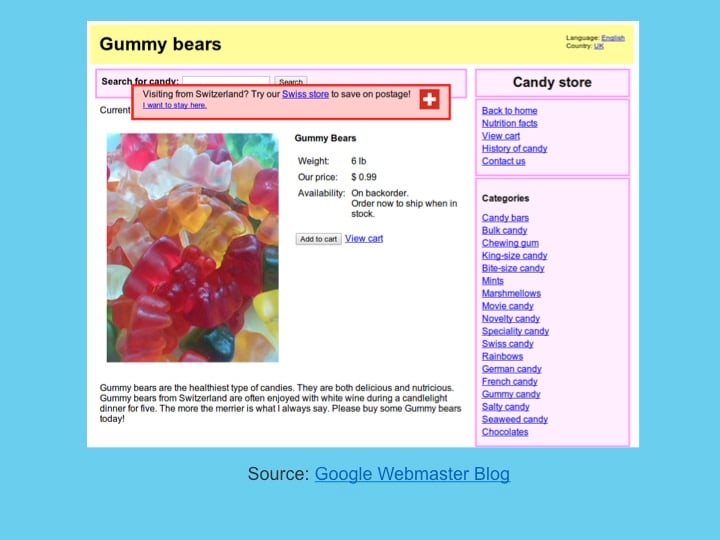
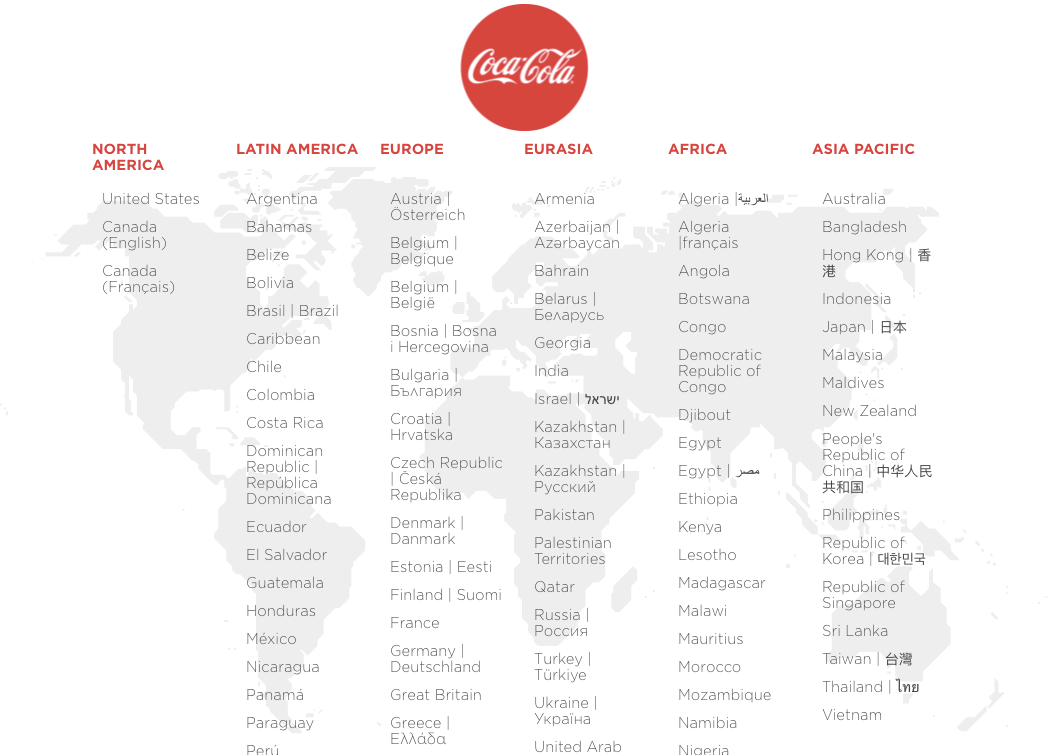
You can see this with large brands that have a presence in multiple countries. For example, Coca-Cola.com leads to this page, asking the visitor which site they want to view.
While it’s a good practice to keep in mind, some sites with highly local information redirect automatically.
For example, Craigslist automatically redirects you to the local page no matter where you’re located.
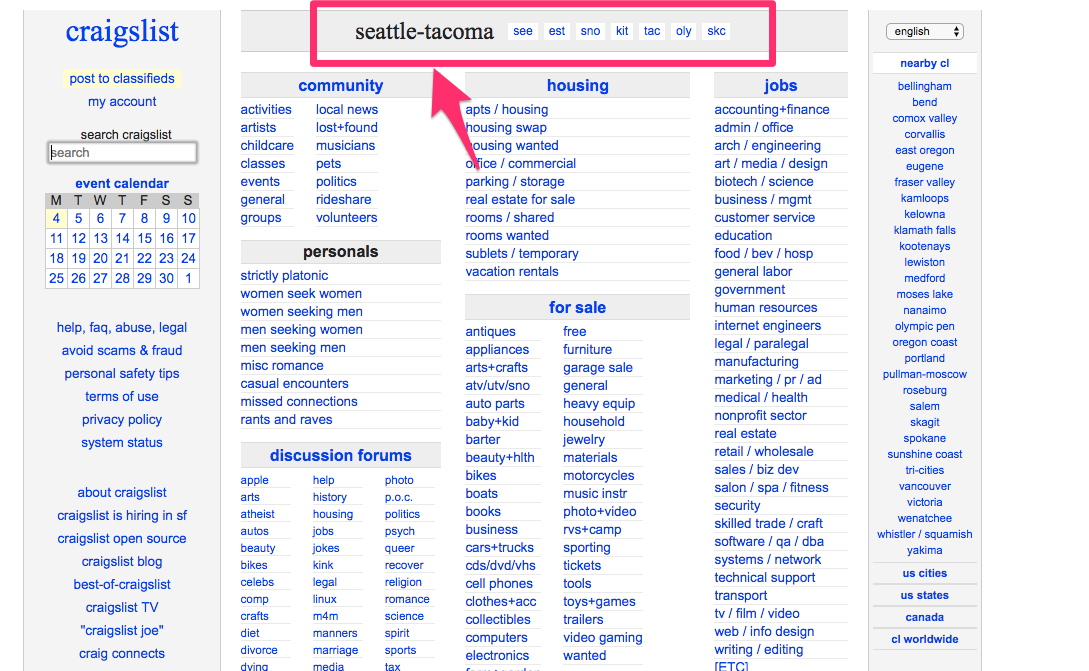
If your site has this hyper-local focus, you’re probably safe with a redirect. Otherwise, it’s best to stick with Google’s recommendations and ask users before sending them elsewhere.
How to set up hybrid targeting
Now you know how to set up language targeting and location targeting.
But what if you want to do both?
Thankfully, thousands of multinational brands have found the best ways through trial and error, and I’m here to explain exactly how you can get the best results using hybrid targeting.
Geotarget first based on the country
The first way to target users is based on country.
No matter how many languages you choose to include, you should always start with a country.
It’s much easier to direct an Algerian visitor to the French version of the Algerian site than to do the process in reverse.
When you visit IKEA International, you’re presented with a default geotargeted option (“Take me to IKEA United States”), but the site also asks you if you want to choose another country.

This is a great way to provide a default option with a backup. If a user is visiting the U.S. but wants to order something back in his or her home country of Sweden, they can easily do so.
Send to appropriate language through hreflang
Once you’ve created a country level designation, you’ll want to send users to the appropriate language page.
This is best done with hreflang, as shown in this diagram.
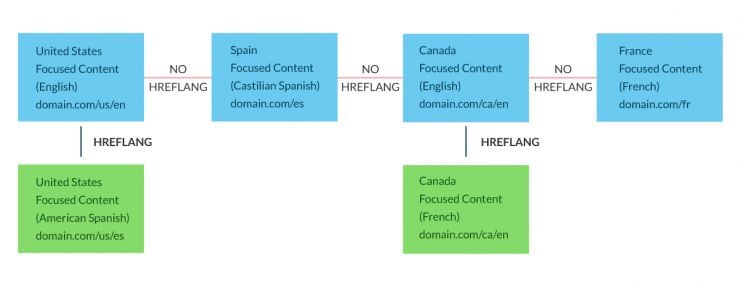
If you’re going to use multiple languages and countries, I recommend subdirectories. This is a simple way to format your URLs with the country code first and language after.
This leads to URLs like example.com/us/en/ or example.com/mx/es, which are easy to read and understand for humans and computers alike.
Conclusion
Once you’ve decided to optimize your site for international audiences and additional languages, you need to set it up properly.
First, decide on your exact strategy. Make sure you’re ready to make the needed changes, and figure out if you want content for different locations, different languages, or both.
Next, you’ll need to pick a URL and domain structure for your content. It’s important to get this step right, because you’ll be stuck with your decision for the long term.
If you’re going to set up your SEO for different languages, make sure to use a human translation and include the necessary information for search engines.
You’ll want to have a solid sitemap in place, plus you’ll want to optimize for the hreflang tag and meta language data that search engines expect.
Start with an educated guess of the user, but provide options for letting him or her change the setting.
If you’ll be targeting based on location, take steps to ensure you don’t publish duplicate content by accident, and be sure to make it clear to users what their choices are.
You’ll also want to provide custom content based on location, including local currencies, cultures, regulations, and general information.
If you need to prepare for both language and region, the settings are more difficult but doable. Target the country first, then select a language from there.
What strategies will you use to set up your SEO for different languages and countries?