Sign In













Just like you regularly clean your home, you should regularly clean up your old content.
Why? Because old content brings in tons of website traffic.
HubSpot almost tripled the number of leads they generated on a monthly basis by optimizing old blog posts.
Plus, the company’s organic traffic increased by 106% after they updated older content:
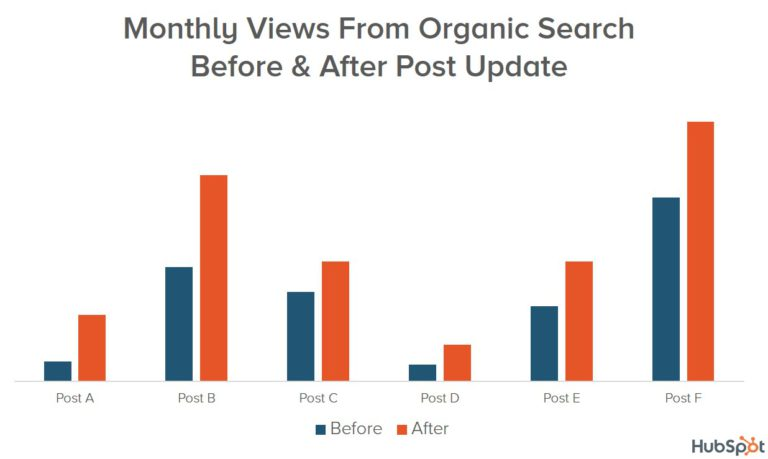
Those are huge results. And it takes a lot less effort than writing new blog posts.
Old content can easily become new again. All it takes is a bit of creativity and cleanup.
If you have any blog content on your site, a maintenance plan and schedule is essential for keeping all of your hard work relevant.
Most people obsess over sharing their brand new content to acquire traffic or convert leads.
But, if you play your cards right, you’ll find the greatest amount of success with a post after it’s been online for several months.
In this article, I’m going to tell you exactly why (and how) I keep my old blog posts relevant so that you can see more organic traffic, too.
Why should you care about old blog posts?
There are countless reasons why you should care about your old blog posts, but one of the biggest reasons is that Google likes fresh content.
Google displays dates right on their SERPs to show users when a piece of content was last updated.
Therefore, if you update older posts, Google will show the date you last changed a blog post on the results pages rather than the original post date.
This means that you can benefit from higher click-through rates, traffic, and more.

Editing your old posts also prevents them from adding to the bounce rate of your website.
Since you’ll be adding relevant images, links, and information, readers will be less likely to click away.
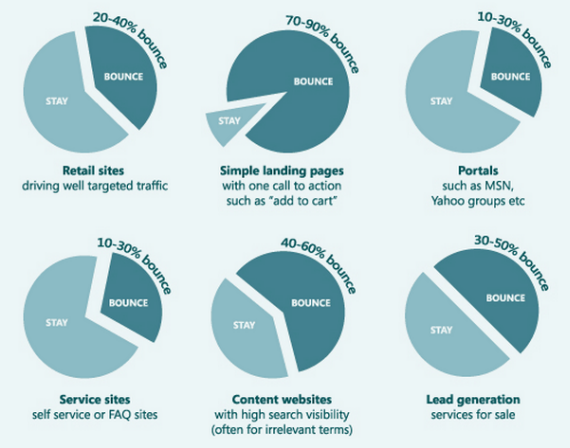
Bounce rates, on average, are already pretty high for most sites. Content websites have the second highest bounce rate in comparison to other web pages.
Only landing pages have higher bounce rates than content websites. So you need to do everything you can to keep them low.
It’s easy to upload a blog post and forget about it. But that’s the last thing you want to do.
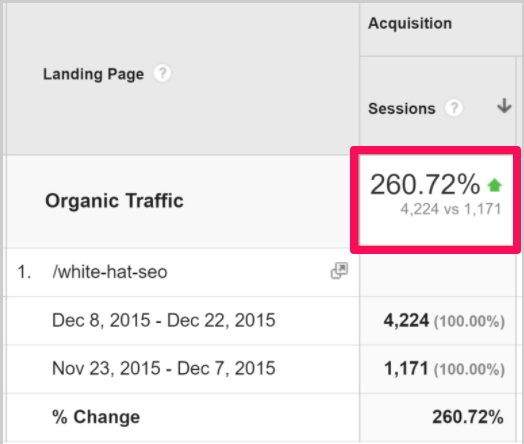
Brian Dean of Backlinko did a simple content relaunch of the blog post below and saw huge results:
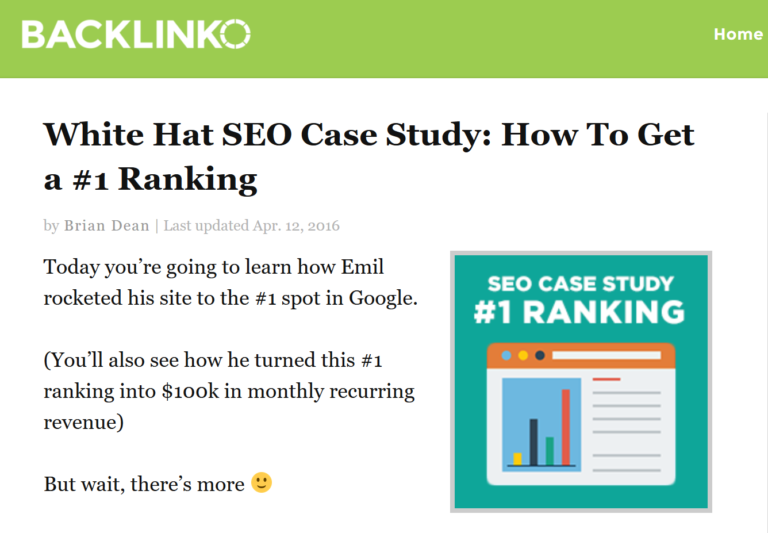
In just two weeks, the organic search engine traffic for that page increased by a whopping 260.7%.
The page also saw a massive increase in traffic from other blogs and social media:
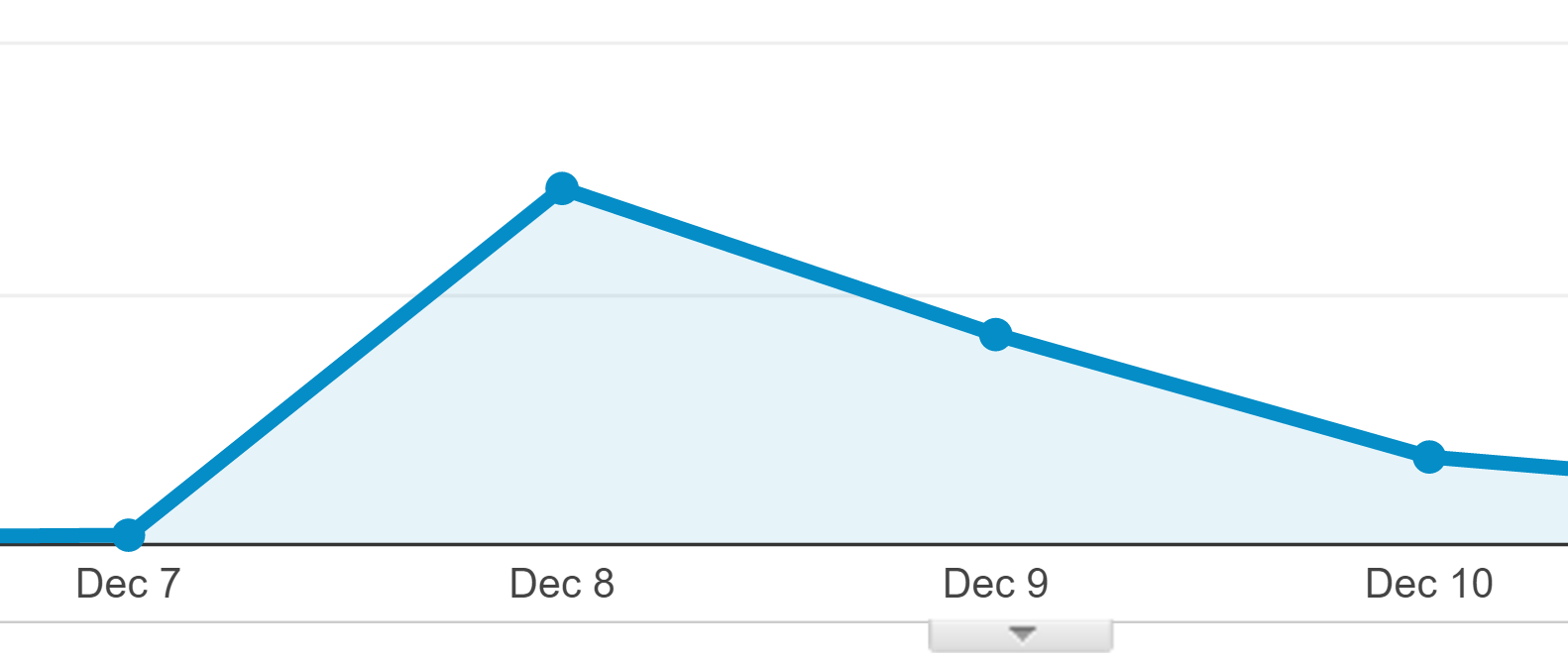
This increase in traffic led to tons of backlinks.
More backlinks led to higher search rankings.
And higher search rankings led to even more traffic and backlinks.
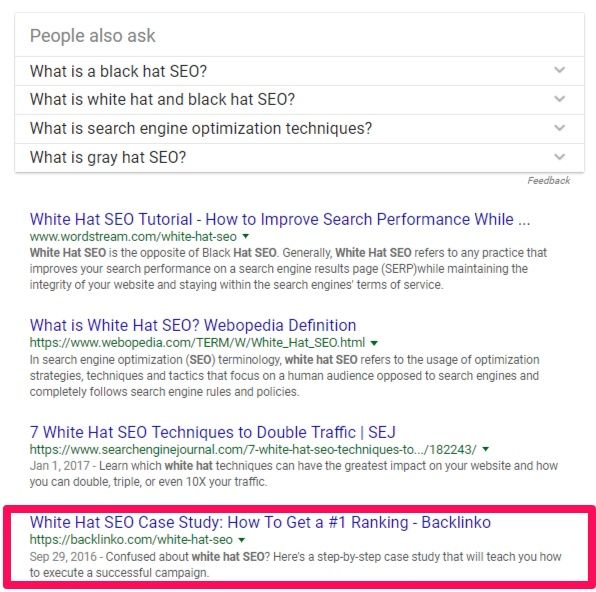
For example, my case study on white hat SEO is on the first page of Google’s SERP when you search “White hat SEO.”
That’s largely because I keep all of my content updated, evergreen, and as timeless as possible.
Poorly managed content certainly limits your brand’s potential, but it can do even worse damage. Outdated posts could be hurting your reputation, costing you customers, and decreasing your revenue.
If your customers find outdated posts on your site, they’re far less likely to trust you. First impressions are lasting ones.
Your blog could even get you into legal trouble, depending on your industry, if you’re sharing outdated information with trusting customers. And you don’t want that.
It’s expensive and time-consuming and it makes your company look bad to the public.
Old blog posts are also bad for SEO, which I’ll tell you more about later on in this post. Search engines aren’t a fan of content that isn’t high-quality.
There’s really no excuse for not updating old posts.
Tweaking an old post takes far less time than writing something new, you’ll boost the quality of your blog, and your post will be easy to promote on social media.
If your old post already has some authority, you can almost guarantee that it will rank higher for searches after you spend some time updating it.
Basically, old posts are bad if you let them continue to be “old.” They are extremely beneficial if you know how to update or recycle them correctly.
All it takes is some quick planning, refreshing, and promoting. Here’s how to make old blog posts relevant again (and keep them that way).
Decide which posts to update
The first step to update old content is to pick which posts need to be updated.
Review old posts every week, month, or quarter to decide which content needs revamping.
Set a timetable that works best for you and your company. Pick posts by checking out Google Analytics.
Find posts with high and low page views. You can refresh underperforming posts to gain more views or you can harness the power of an article that’s already popular by updating it regularly.
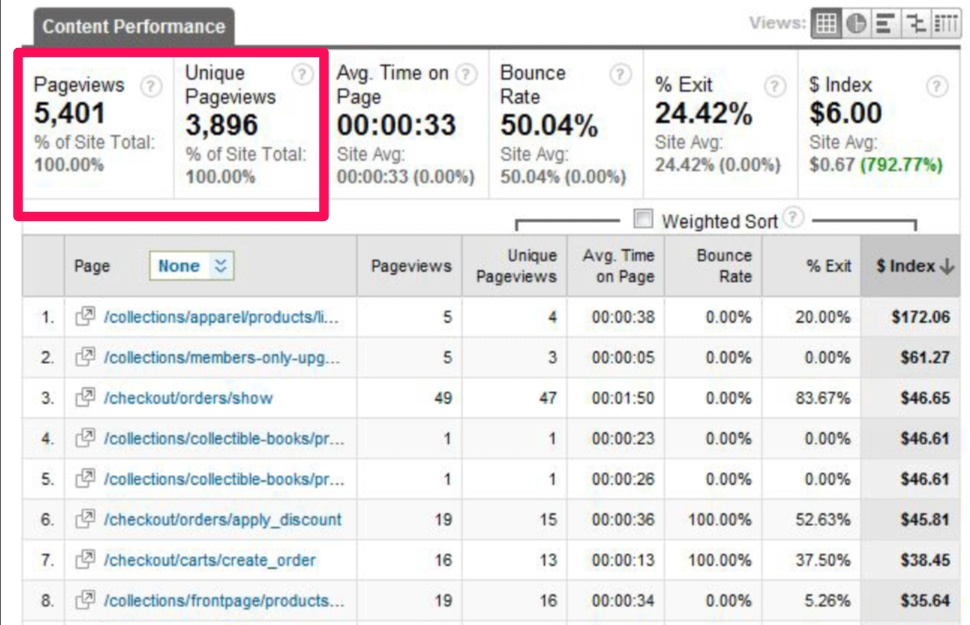
You may even want to consider deleting blogs with low page views if you can’t make the topic relevant again.
Check all incoming links on old posts and evaluate whether they’re still high-quality, timely, and relevant.
Conserve these posts. They have valuable backlinks that you don’t ever want to lose.
Use a backlink checker, like Monitor Backlinks, to easily identify and keep track of these articles.
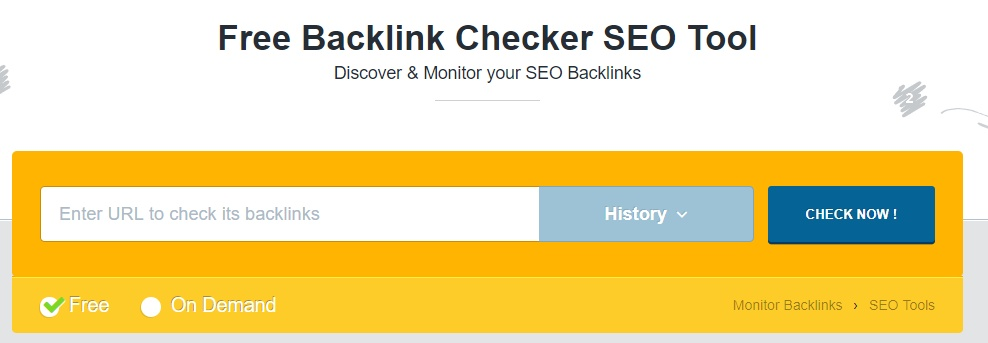
Never delete a post with high-quality backlinks. Always recycle them.
Only delete a post if it’s damaging to your overall reputation as a brand.
You should also run some search tests on your blog to see if current keywords are bringing up your posts.
Search trends are always evolving and changing. Old blog posts might show up in newly-trending search phrases, making them excellent candidates to refresh and reshare.
Check Google trends to find and compare keywords over time.
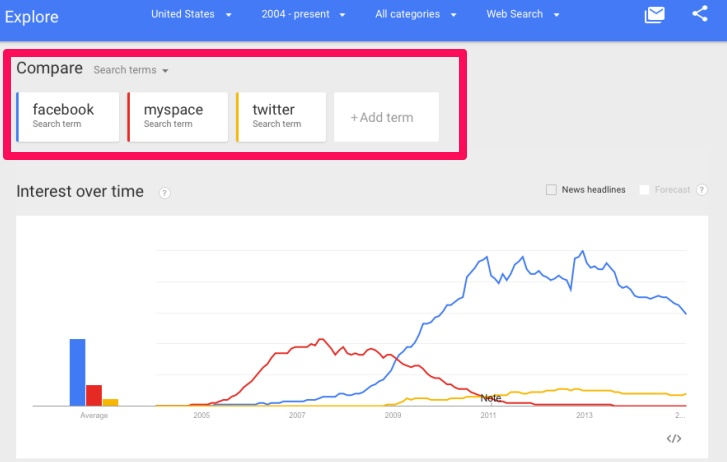
The next step is to update your content as a whole.
Update content
Start your updates by checking and correcting references to people or public figures who have changed occupations, passed away, retired, or become irrelevant.
Delete any mentions of businesses or organizations that no longer exist or that could be problematic to mention.
Update any old references to popular culture that may have been trending at the time you wrote the article but aren’t anymore.
For example, a post with a joke about fidget spinners might be funny in 2017, but it probably isn’t a good reference to keep in a blog post years later.
Unless, of course, the fidget spinners defy previous trends and remain popular.
People won’t understand your humor if the content isn’t relevant anymore, and you’ll give away the age of the article with an outdated reference.
Take out any mentions of time — such as “It’s been one year since…” — so that events are referenced based on their actual year of occurrence instead.
Say “In 2016…” rather than “One year ago…”
Change present-tense references to past tense if needed. It’s also important to let people know you’ve updated the post with a small blurb at the beginning or end of the blog.

Be sure to add new information where it’s necessary and always focus on making content evergreen.
Keep the fundamentals of a post the same and make sure that the core focus of your subject matter won’t be outdated too soon.
Take out any mention of plugins that are now outdated, for example, and remove dead links.
Avoid social trends where you can, and don’t use memes or fads that could be potentially embarrassing or a dead giveaway of a post’s age in just a year or two.
Another important thing to update is the length of your post. Back in the day, you could get away with sharing brief blog posts.
But now, Google loves long ones. Lengthen your posts where you can with useful information.
You should also proofread your blog post and fix any spelling or grammar mistakes. Run your article through Grammarly to easily identify and correct errors.
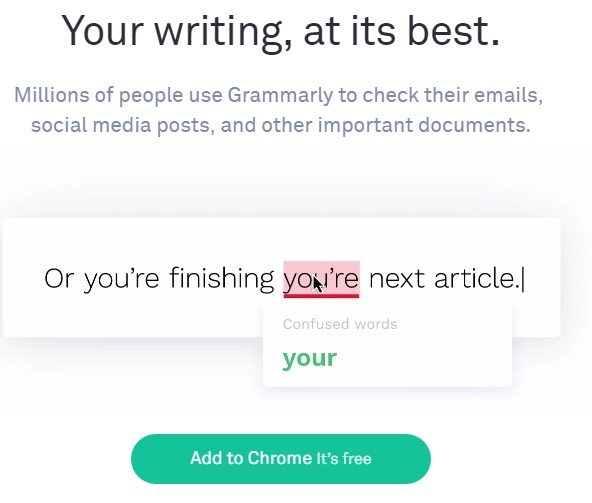
All you have to do is copy and paste your text into Grammarly, and the site will give you suggestions for improving punctuation, word choice, spelling, and more.
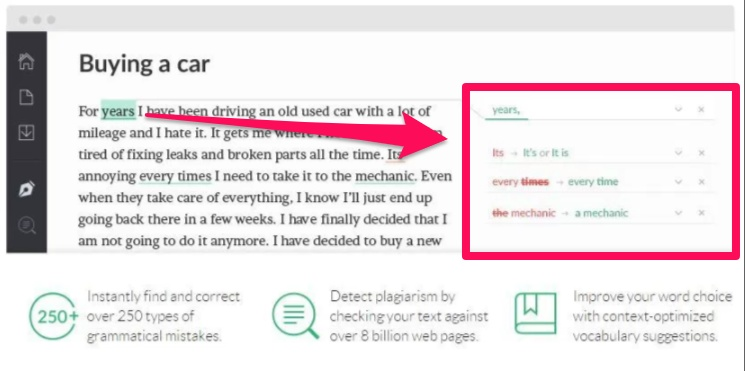
Once you’ve proofread, make sure you’ve laid out everything in a way that boosts readability.
Smaller chunks of text are best. Make sure that paragraphs aren’t a huge block of 20 sentences. Instead, keep paragraphs short.
This makes it easier for readers to scan your content.
You should also add some high-quality images and update any outdated ones.
Add branded images
If you’ve been blogging for a long time, it’s probably true that your site’s overall feel and appearance has changed.
I know mine has.
Be sure to update outdated images on your blog posts and add high-quality photos, like this one on my site.
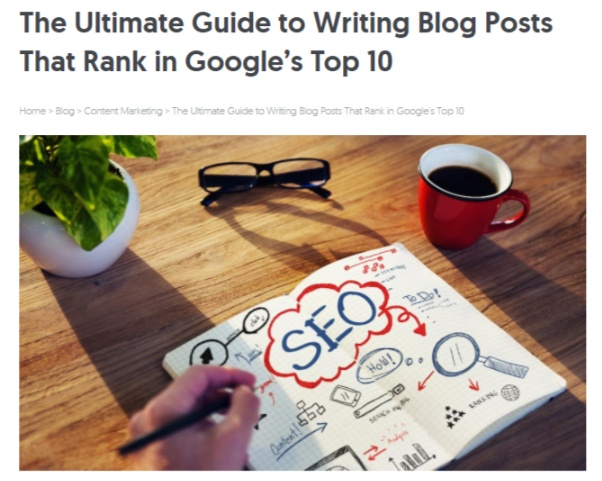
You can create tons of great images on your own by using a tool like Canva. They’ve got an entire section of templates to choose from for blogging and e-books.

Once you pick a template, add elements like shapes, icons, or illustrations. You can even add text or upload your own images rather than using Canva’s photos.

If your site has screenshots from other web pages or software that are outdated, you should also update those to keep your references fresh.
Be sure to update old keywords or add new ones in next.
Add or update keywords
When it comes to SEO, keywords are incredibly important. You can’t always rank for the best ones, but they still belong in your content.
Keywords give people a sense of what your post is about, and these are the words that people might type into Google’s search bar to locate your blog post.
That’s why you should identify keywords and then repeat them a few times in the meat of your content.
This is a really easy way to boost your rankings and increase traffic. You’ve probably already used keywords in past blog posts, but you should always update them as needed.
An awesome tool to help you prioritize keywords is Ubersuggest.
An old keyword that you might have prioritized in the past could be too general now, meaning you’d be competing with tons of other blogs to rank for it.
Ubersuggest will show you how often a keyword is searched each month, how difficult it is to rank for, paid difficulty, and cost per click.
Start by entering your keyword into the tool and clicking “Search.”
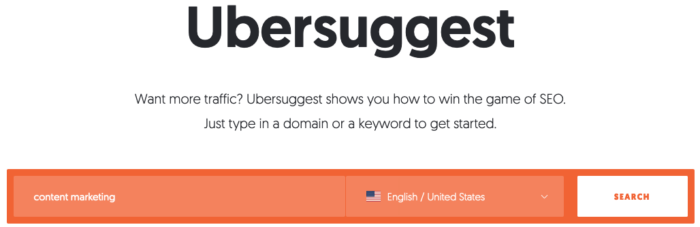
This takes you to an overview of the keyword, where you can quickly digest the data mentioned above.
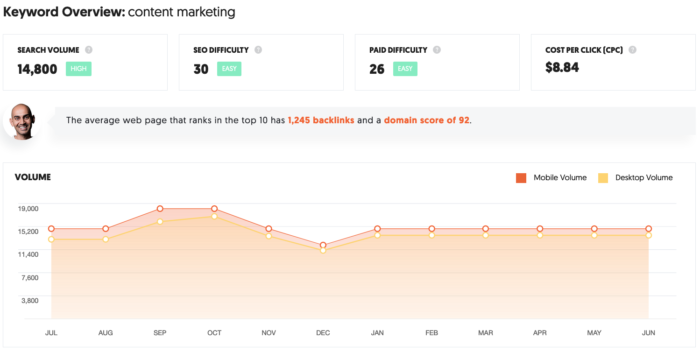
One thing, in particular, I want you to pay attention to is the “average web page” blurb.
For the keyword phrase “content marketing” the average web page ranking in the top 10 has 1,245 backlinks and a domain score of 92. That’s not easy to achieve, so you may want to target a long-tail keyword instead.
If that’s the case, Ubersuggest can help again. It provides thousands of keyword suggestions that might be easier to rank for. All you have to do is click “keyword ideas” in the left sidebar.
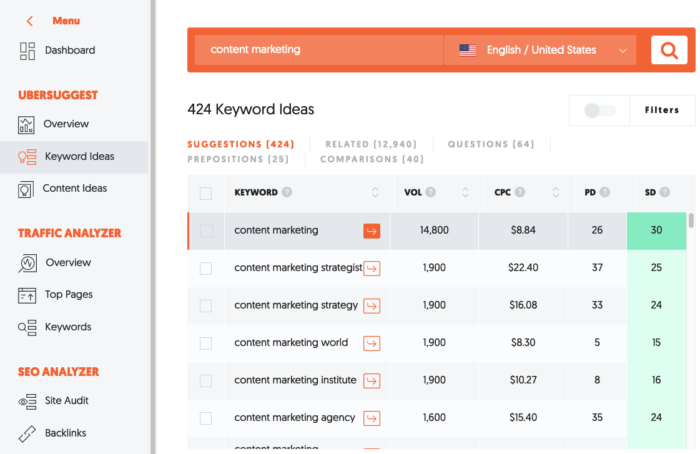
There are 424 keyword suggestions, along with 12,940 related keywords. That’s more than enough to find keywords that more closely align with your current content strategy.
Link to other posts
One of my favorite things to do when blogging is to link to my other content as often as I can.
Here’s an example of where I did this in my post, “The Ultimate Guide to Writing Blog Posts That Rank in Google’s Top 10.”
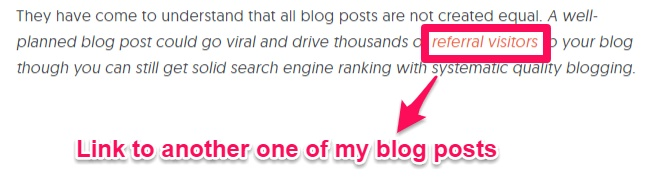
This provides readers with insightful information on a topic I mentioned and it’s also an easy way to boost traffic.
Here’s where the link in the image above will take you:

It’s an entire article about referral traffic.
Your readers will appreciate that you’ve linked resources for them that are just one click away.
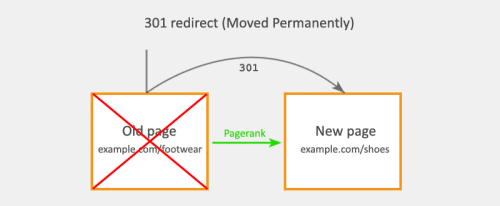
If you end up having to completely delete a post for any reason, 301 redirect the URL of the old post to the URL of a new one on the topic.
Be sure to make the titles and links in your post SEO friendly, too.
Make it SEO friendly
The title of your post is one of the most important factors that contribute to your SEO.
If you want to rank higher, then add keywords right in the title.
The best way to rework old titles is to think of what a person might search for to find your blog post. Then, just add it to the title.
Changing the URL, like we just talked about, to include the keyword will give your post a higher chance of ranking for the keyword you’ve chosen.
For example, when you type in “how to rank higher,” the number one Google suggestion is “how to rank higher on google.”

One of my articles shows up on the first page for this search query.
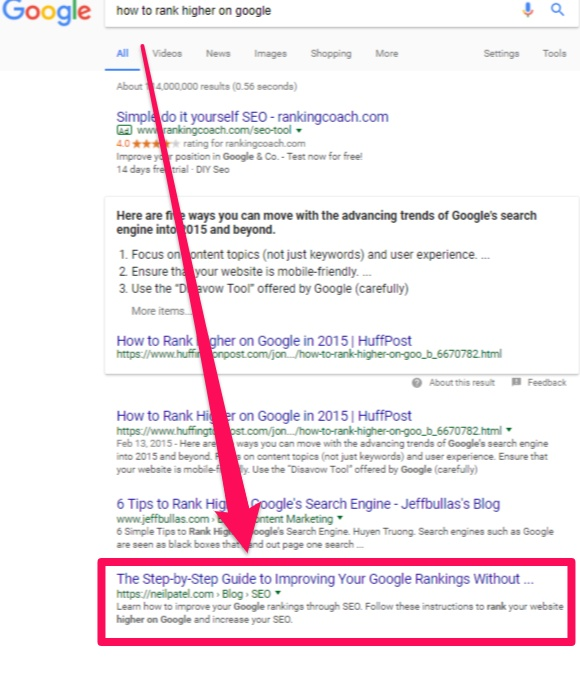
Its URL is https://neilpatel.com/blog/improve-google-rankings-without-getting-penalized/.
Since this post ranks pretty high, I don’t plan on changing its web address anytime soon. If I ever do, I’ll lose any backlinks that link to this page unless I use a 301 redirect.
Not only is this bad for my website since I’ll lose the authority I once had, but it also hands rankings to my competitors.
This is bad for SEO. Don’t do it.
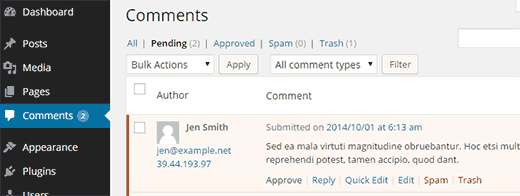
Deleting spam comments is another quick trick for keeping your old posts relevant.
Delete spam comments
Have you ever read a great blog post and then scrolled down to the comments section only to see tons of spam comments?

I know I have. There’s nothing I hate seeing more than spammy comments with potentially dangerous links in them.
Delete any spam comments from your blog posts that are decreasing your credibility and making your site look cluttered and messy.
A good, engaging comments section can boost your reputation and relevancy in no time.
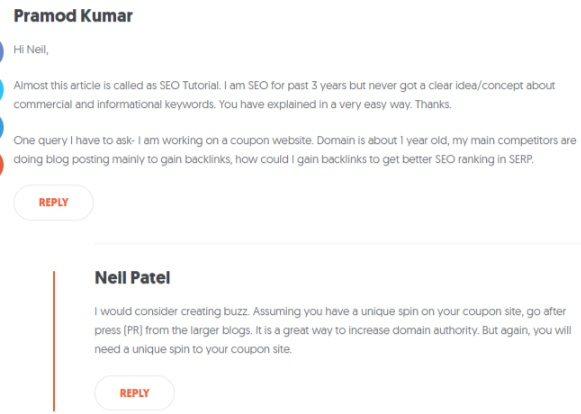
You can also change the comments section of your site to require you to approve comments before they go live, which can help keep spam off your site.
Once you’ve followed these steps, it’s time to republish your post and promote it.
Republish and promote the post
One of the most effective things you can do for an old blog post (once you’ve updated it, of course) is republish it on your homepage.
It will look like a fresh, brand new blog post.
Then, just promote it like you would with any new content.
Reshare it on social media by using a plugin like Revive Old Post.
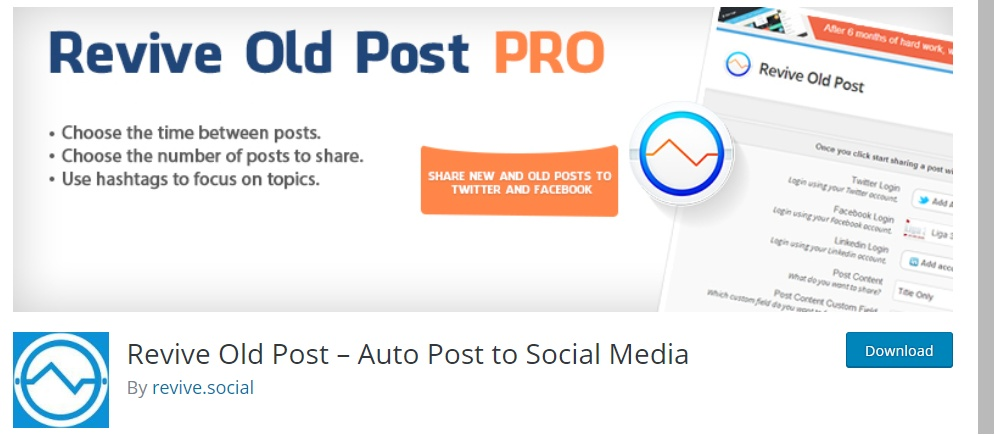
You’ll send new visitors to the blog post each time you share it on social media, meaning you’ll get more exposure.
And send out an email about the updated post to everyone on your mailing list like you would for a brand new blog post.

You could even send out emails to those who commented on your blog post to let them know that you’ve updated it.
If they were intrigued by your content enough to comment on the original post, they’d probably be interested in checking out the updated version.
Conclusion
You should constantly be revising, updating, and cleaning up old content to keep it relevant.
It boosts your organic traffic like crazy and it can help you generate leads a lot quicker than writing a new blog post can.
Old content doesn’t have to stay old. All it takes is a few tweaks to make something new, interesting, and fresh.
Start out by deciding which posts you need to update.
Then, begin updating your content. Delete outdated links and information and add updated screenshots and images.
Delete any photos that are low-quality or low-resolution.
Add keywords that are currently trending and update old keywords to match with more effective ones.
Make your links and titles SEO friendly, and always delete old spam comments.
Then, republish your new (old) post and promote it like you would any other piece of new content.
That’s it!
How do you go about updating your old content?