Sign In








Key Takeaways
- Ubersuggest is officially listed in Claude’s connectors directory, searchable by name at claude.ai/directory/connectors/ubersuggest-by-neil-patel.
- Once connected, Claude can pull real Ubersuggest data, keyword research, competitor analysis, backlinks, site audits, content ideas, and AI Search Visibility, straight into a conversation.
- No dashboard tab-switching. No CSV exports. No copying numbers into a prompt by hand.
- Connecting takes minutes: search the directory, sign in with your Ubersuggest account, and start asking real questions about a real domain.
- Data access follows your existing Ubersuggest plan limits, and the connector is read-only. It can’t delete a project or publish anything on your behalf.
You already use Claude to write, think, and plan. You draft the content brief, outline the client report, work through a strategy question out loud. But the moment you need a real number: search volume, a competitor’s ranking keywords, what’s actually broken on a site, you still have to stop, open another tab, and go get it.
Not anymore.
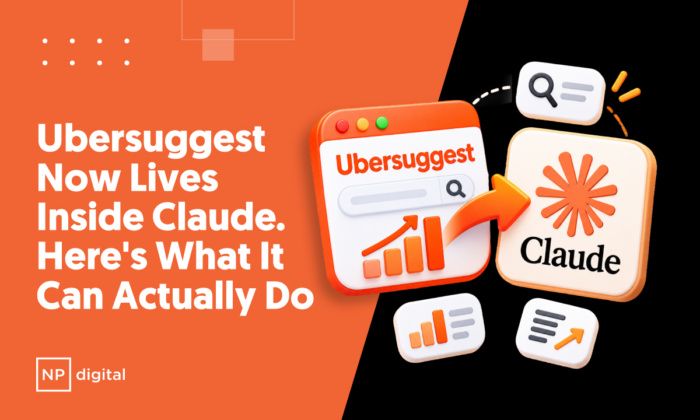
Ubersuggest is now officially listed in Claude’s connectors directory, so connecting your account takes a search and a click. Once it’s connected, you never have to leave the conversation for the number. Ask, and Claude answers with your actual Ubersuggest data.
Here’s what that looks like in practice.
Meet Ubersuggest Inside Claude
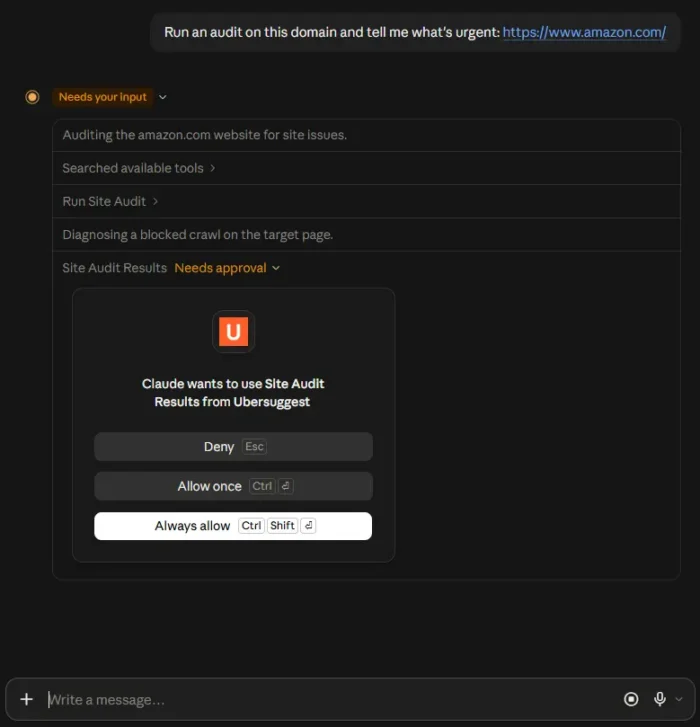
Ask something like “What keywords is my competitor ranking for that I’m not?” or “Run an audit on this domain and tell me what’s urgent,” and Claude reaches into Ubersuggest, pulls the real data behind ubersuggest.com, and answers inside the conversation instead of pointing you back to a dashboard.
Under the hood, this runs on Model Context Protocol (MCP), an open standard that lets AI tools call outside applications mid-conversation instead of only working from what you type or paste.
You don’t need to know that to use it. What matters is that Claude now has a direct line to your actual SEO data, not a general answer pieced together from training data.
Being listed in Claude’s official connectors directory also means Anthropic has vetted it, so connecting is a native, in-app action: search, click, sign in. No manual setup, no workaround required.
The SEO Work You Can Do Today
The flagship use case is keyword research, and it’s the one most people will reach for first.
Ask Claude for search volume, CPC, SEO and paid difficulty, related keyword suggestions, Google autocomplete ideas, or search intent for any term, and it comes back in plain language instead of a filtered dashboard view.
Ask a follow-up question, and Claude narrows the list without you touching a filter.
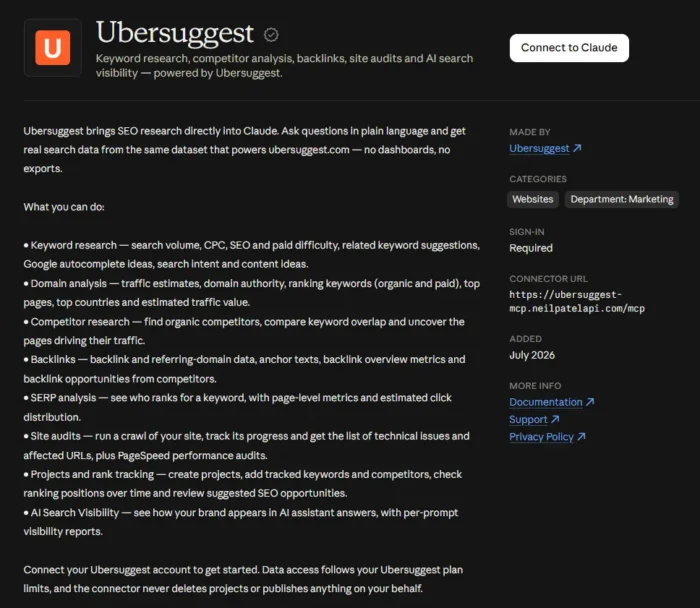
Beyond keyword research, Claude can currently work across eight areas of Ubersuggest data:

Domain Analysis
Traffic estimates, domain authority, ranking keywords across both organic and paid, top pages, top countries, and estimated traffic value, for your domain or anyone else’s.
Competitor Research
Find organic competitors, compare keyword overlap, and surface the specific pages driving their traffic, instead of piecing that picture together from three separate reports.
Backlinks
Backlink and referring-domain data, anchor text distribution, backlink overview metrics, and backlink opportunities pulled straight from a competitor’s profile.
SERP Analysis
See who’s actually ranking for a keyword, with page-level metrics and estimated click distribution, so you know what you’re up against before you write a word.
Site Audits
Run a crawl, track its progress, and get back the list of technical issues and affected URLs, plus Page Speed performance data.
Projects and Rank Tracking
Create projects, add tracked keywords and competitors, check ranking positions over time, and review suggested SEO opportunities.
AI Search Visibility
See how a brand shows up inside AI assistant answers, with per-prompt visibility reports, not just where it sits on Google.
All of it runs on 58 tools behind the scenes, which is the range that makes this useful. It’s not a demo of a couple of lookups. It’s most of what you’d normally do inside the Ubersuggest dashboard, available as a question instead of a click path.
Why This Beats a Generic Claude Answer
You could always type “give me keyword ideas for running shoes” into Claude and get something back. The difference is that without a connection to real data, Claude is generating plausible-sounding suggestions. It doesn’t know the actual search volume, the actual CPC, or what’s actually ranking right now. It’s a starting point, not an answer.
With Ubersuggest connected, the same question pulls real numbers from Ubersuggest’s index, the same data set that powers ubersuggest.com. Volume, difficulty, and competitor rankings are measured, not guessed.
That distinction matters most the moment you’re about to make a decision with the answer, choosing which keyword to target, deciding whether a backlink is worth pursuing, or telling a client what changed in their rankings this week.
Watch It Work: A Quick Walkthrough
Say you’re prepping for a call with a client whose organic traffic has been flat. Instead of opening three separate reports before the call, you ask Claude directly: “Give me a full overview of [client domain], traffic estimate, top pages, and top countries.”
![A requested prompt for Claude saying: "Give me a full overview of [client domain], traffic estimate, top pages, and top countries."](https://neilpatel.com/wp-content/uploads/2026/10/ubersuggest-claude-integration-001-700x579.webp)
Claude pulls the domain overview and hands you the shape of the account in a few lines instead of a dashboard screenshot.
You follow up: “What keywords is [competitor domain] ranking for in the top 10 that my client isn’t targeting yet?” Claude compares both keyword profiles and returns the gap, the terms the competitor owns that your client doesn’t even show up for.
One more: “Find domains linking to [competitor domain] but not to my client’s site, prioritized by domain authority.” Claude runs the backlink gap and hands you a prioritized outreach list.
Three questions, no exports, no spreadsheet cross-referencing. By the time you’re on the call, you’re not presenting a report. You’re talking through what’s actually happening and what to do about it.
Ubersuggest vs. Semrush: The Price Gap
Most of the tools built for this kind of research charge enterprise pricing. Semrush’s Pro plan starts at $139.95 a month. Ahrefs’ entry plan starts at $129 a month. Ubersuggest’s Individual plan starts at $12 a month, and that’s the same data now reachable directly through Claude.
That gap matters most for the person who doesn’t have a dedicated SEO ops team already living inside a dashboard all day.
If you’re a solo consultant or a two-person agency fielding a client’s question in real time, pulling up a full report isn’t always practical mid-call.
Asking Claude and getting a straight answer, backed by real data instead of a guess, is a different kind of tool entirely, and it doesn’t come with an enterprise price tag attached.
Getting Connected
1. Open Claude, on web or desktop, and go to your connectors settings.
2. Search “Ubersuggest” in the connectors directory, or go straight to claude.ai/directory/connectors/ubersuggest-by-neil-patel.
3. Click connect and sign in with your Ubersuggest account.
4. Start a new conversation and ask Claude a real question about a domain you actually manage.
That last step matters more than it sounds. The fastest way to understand what this does is to stop reading about it and ask something specific.
8 Prompts to Try First
“What keywords is [competitor domain] ranking for in the top 10 that my site isn’t targeting yet?”
This used to mean opening two separate reports, exporting both, and cross-referencing manually in a spreadsheet. Claude pulls both keyword profiles, finds the gap, and hands you an actionable list.
“Run a site audit for [domain] and show me the high-priority issues most likely to be hurting organic rankings.”
A standard site audit returns hundreds of flags, and most of them aren’t urgent. This prompt asks Claude to interpret the data instead of just handing it over.
“Find keywords related to [topic] with monthly search volume above 500 and keyword difficulty under 30.”
Filtering is usually where manual keyword research stalls. This prompt does the pull and the filter in one step.
“Find domains linking to [competitor domain] but not to my site, prioritized by domain authority.”
Backlink prospecting is one of the slowest manual SEO tasks there is. This runs the gap analysis and returns an outreach list ordered by what’s worth pursuing first.
“Which of my tracked keywords dropped more than 5 positions this week, and what changed in the top results for those terms?”
Rank tracking without context is just an alert. This asks for the explanation alongside the data.
“Show me who’s ranking in the top 10 for [keyword] and estimate the click share each position gets.”
Before you write a word of content, this tells you what you’re up against and how much traffic is actually available once you get there.
“Give me a full overview of [domain], traffic estimate, top pages, and top countries.”
The fastest way to understand a new domain, your own or a competitor’s, without opening a single report.
“How visible is my brand in AI assistant answers for [topic], and what prompts is it showing up for?”
Google rankings only tell part of the story now. This checks whether your brand is actually present in the answers AI assistants are giving.
Frequently Asked Questions
What is Ubersuggest inside Claude?
It’s Ubersuggest’s SEO data connected directly to Claude through an official connector, so you can research keywords, competitors, backlinks, and site health through a conversation instead of a dashboard.
Do I need a separate account to use it?
No. Connecting uses the same login as ubersuggest.com. It reaches the same account and data you already have, just from inside Claude instead of a browser tab. Data access follows your existing Ubersuggest plan limits, so what you can pull through Claude matches what you can already see in your dashboard.
Can Claude change or delete anything in my Ubersuggest account through the connector?
No. The connector never deletes projects or publishes anything on your behalf. It reads and returns data. Any action inside your account, like setting up a new project or making changes, still happens the way it always has.
Is this only available in Claude?
Claude is where it’s officially listed today. The underlying technology is an open standard, not a Claude-only feature, so the same connection is built to work with other compatible AI clients too.
Does using it mean exporting CSVs or copying data around?
No. That’s the entire point. Claude queries Ubersuggest’s data directly and returns an answer inside the conversation, no dashboard, no export, no manual cross-referencing.
Is this a replacement for the Ubersuggest dashboard?
Not exactly. The dashboard is still where you’d go for a full visual report or to set up ongoing project tracking. Ubersuggest inside Claude is for the moment you need a specific answer fast, mid-conversation, without switching tools to get it.
Where This Leaves You
An official directory listing sounds like a small thing until you consider what it replaces: a manual setup that only the technically patient bothered to finish. Now it’s a search and a click, and the data behind it is the same real Ubersuggest data you’d get from a full report, keyword research, competitor gaps, backlinks, site health, and AI Search Visibility, reachable from wherever you’re already thinking through a client’s SEO problem.
Search “Ubersuggest” in Claude’s connectors directory, or go straight to claude.ai/directory/connectors/ubersuggest-by-neil-patel, connect your account, and ask it something real.