 Sign In











Google recently announced that they have delayed the release of the Google Page Experience update.
In mid-June they are going to release the update as well as some new tools to help you out.
But as you know, you don’t want to wait for Google to release their algorithm update and then fix the issues as then you can potentially lose traffic if something is wrong.
But don’t worry, I have 3 steps to prepare you.
Step 1: Read this…
I’ve already blogged about the Page Experience update. Make sure you follow everything in that blog post.
Even though they are focusing on mobile, you can eventually expect them to ensure that websites are providing the best experience to searchers whether they are using a mobile, desktop, or even tablet device.
So I would recommend that you again, read my article on Page Experience and follow the steps.
Step 2: Fix these errors in Search Console
If you haven’t, go and create a Google Search Console account.
Once you create your account, it may take some time for data to populate.
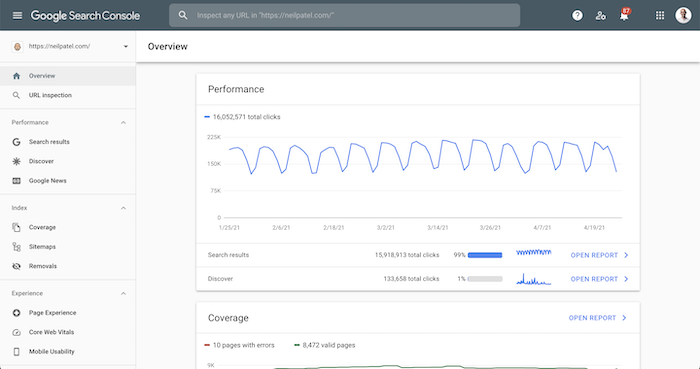
And once data populates, you’ll see a report that looks something like this:
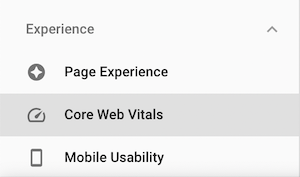
In the left hand navigation I want you to click on “Core Web Vitals”.
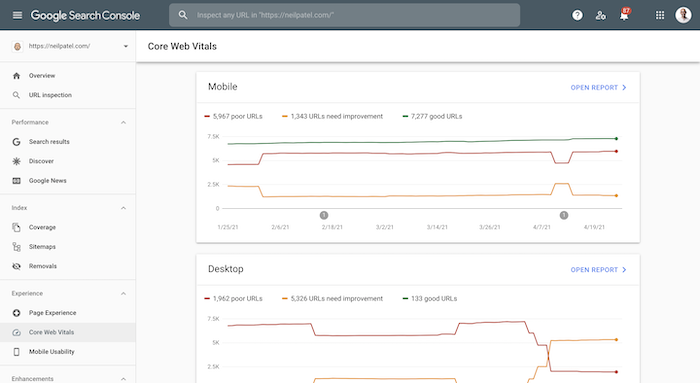
And then you will get an overview of any URLs on your site that have issues on both mobile and desktop devices.
I want you to click on “open report” next to the mobile heading.
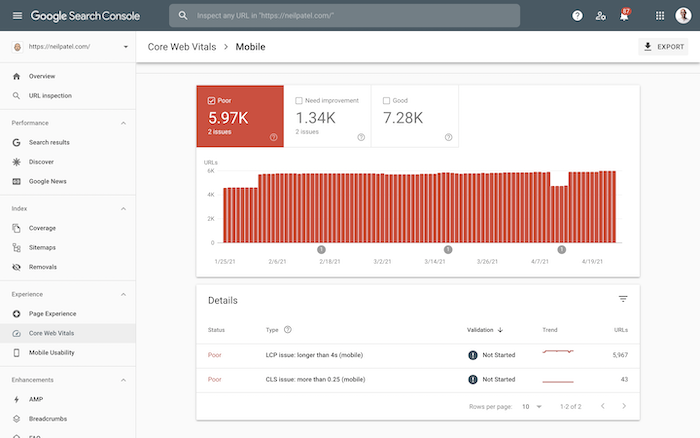
You’ll want to fix all of the errors.
You’ll also want to do the same for desktop errors and fix them as well.
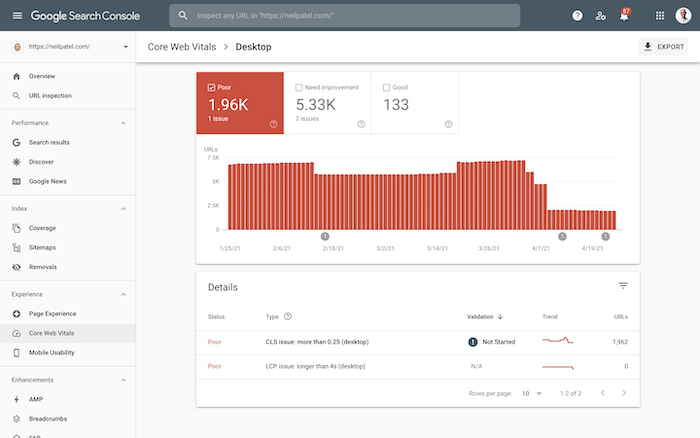
Now if you don’t know what words like “LCP” or “CLS” mean, no worries. You can get an explanation from Google themself, so that way you can fix them.
Step #3: Don’t forget to run a site audit
In the article I linked to in step 1, I did mention running a site audit. But in case you didn’t fully read it, go here and put in your URL.
Once you put in your URL and click “Analyze Website” it may take a few minutes to load. But once it does, you’ll see an overview of your site that looks like this:
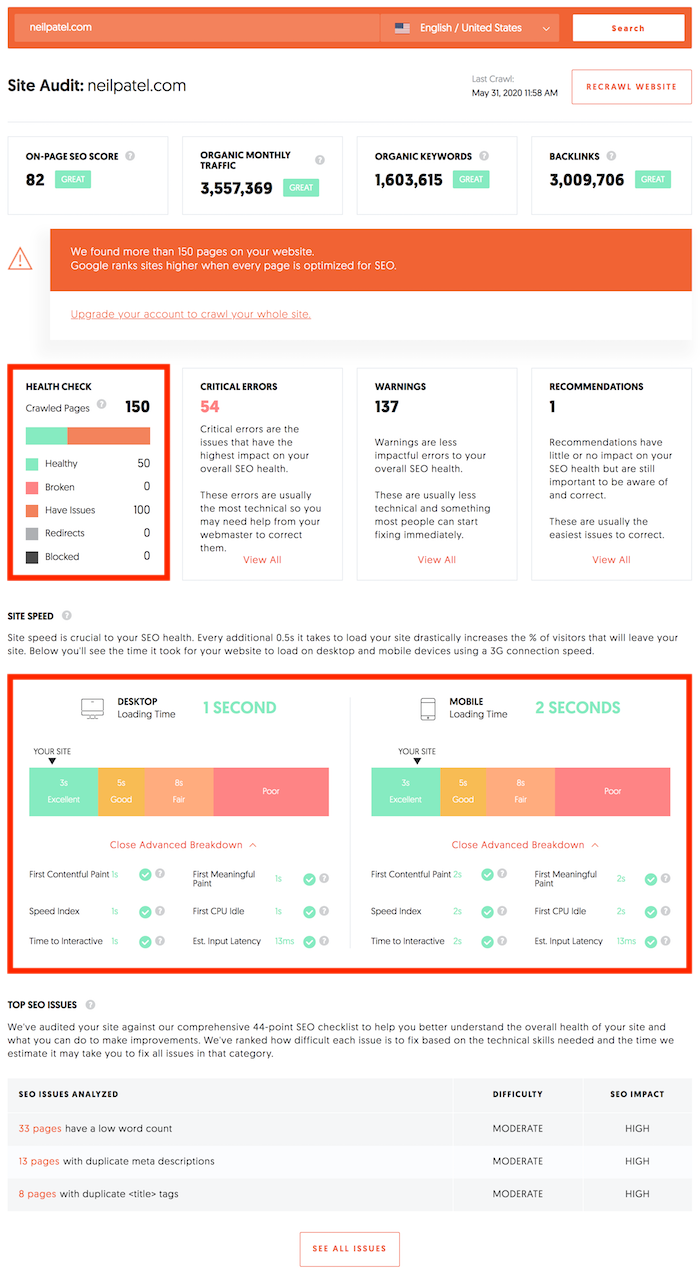
You’ll want to fix your “critical errors” which are towards the top of the report, as well as go over your “top SEO issues” which are at the bottom of your report.
Make sure you try and fix each and every single one. SEO has changed over the years where it’s turned into a game of every little thing really adds up.
Conclusion
Don’t wait for Google to roll out their update to see what happens to your website.
Unlike most updates, Google is giving you a chance to fix your issues BEFORE they roll out the algorithm.
So, do yourself a favor and fix them.
This way you won’t have to worry about your traffic declining.
Are you ready for the update?
PS: If you want my team to help you with your SEO and handle dealing with Google’s ongoing algorithm changes, go here.