Sign In







 Ubersuggest
  AnswerThePublic

Recently, I was working with a client, talking about backlinks and how to create a great link building strategy for the company.
I asked them what their current link strategy was and found out they didn’t exactly have one. They weren’t super familiar with link building and had only done a little research into it.
So when I warned them about the possibility of a link penalty, they were surprised. Link penalties? In 2017? They didn’t know that could even happen.
Yikes.
But this is something I see almost on a daily basis. I visit lots of sites that have unhealthy or dangerous links.
This is one big reason you need to perform link profile audits on a regular basis.
But there’s another big reason that goes way beyond risk. There’s opportunity!
When you take a good hard look at your site’s backlinks, you quickly understand just how powerful a good link profile is. You’ll see places where you can get even more high-value links that will boost your site’s performance and rankings!
You might even get a chance to steal your competitors’ backlinks.
So what is a link audit, anyway?
A link audit analyzes your current links (also called your link profile) and evaluates how good they are for your site.
And, like I mentioned above. a good link audit also reveals any risky links and shows you how you can improve your strategy.
Even if your links aren’t at risk, you could still be underperforming. Link audits can help you size up a competitor, enhance your SEO, and much more.
If you’ve done link audits before, you know that they can take some time. I’ve worked with agencies who price link audits at one hundred hours!
Agencies often charge $1,750 to $5,750 for a link audit. The average price comes out to around $3,450 to get a done-for-you link audit.
More commonly, a link audit can take anywhere from 5-10 hours, and that’s assuming you have some powerful and expensive tools at your disposal.
I don’t know about you, but I want to get the best results as quickly as possible.
I’ve created together a link profile audit process that only takes 45 minutes.
Does the name “link audit” sound a bit scary? Don’t worry. Even if you’re a complete beginner. I’ll cover everything you need to know, step-by-step.
Learn how I grew my search traffic to over 100,000 visitors a month through link building.
Pre-audit research (Optional: 30 seconds per competitor)
There is one thing you can do before you start your audit: get an idea of your competitors’ backlink strategies.
This step is optional, but I highly recommend it because it will give you helpful information and context.
At the very least, you can run a Majestic analysis for each of your competitors, which will take a total of 30 seconds.
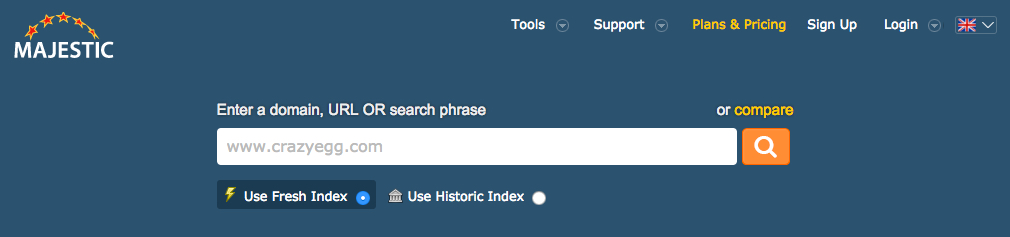
Go to Majestic.com (you don’t need to purchase a subscription).

Type in your competitor’s URL, and click the orange magnifying glass button.
Instantly, you’ll see the number of external backlinks, referring domains, referring IPs, referring subnets, types of links, backlink history, etc., etc.,
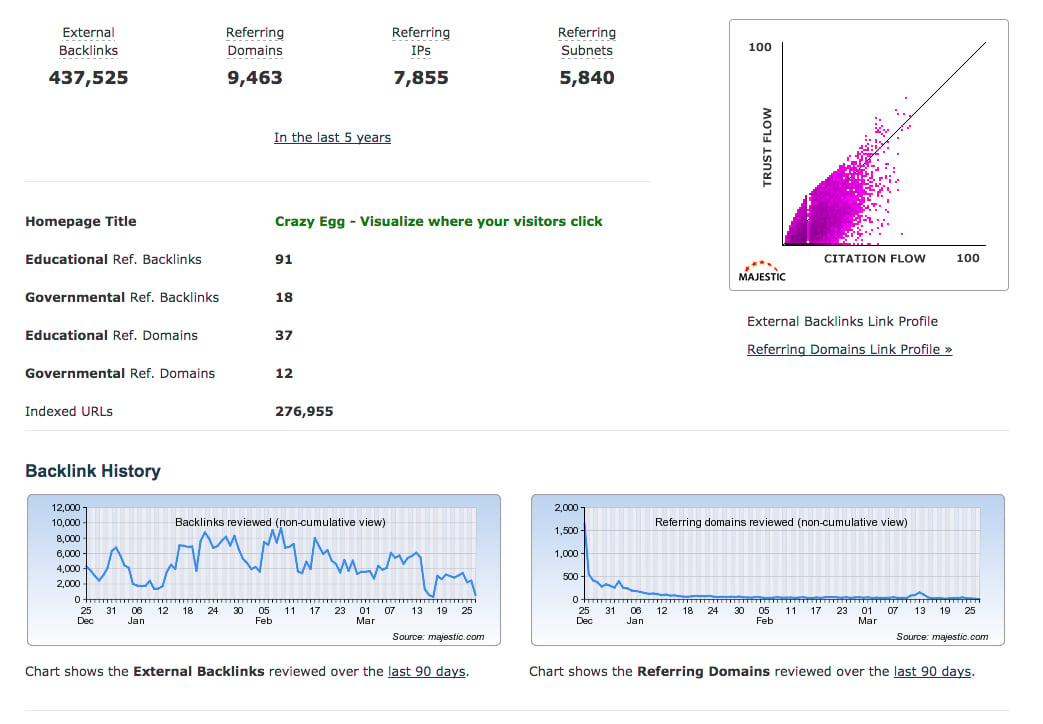
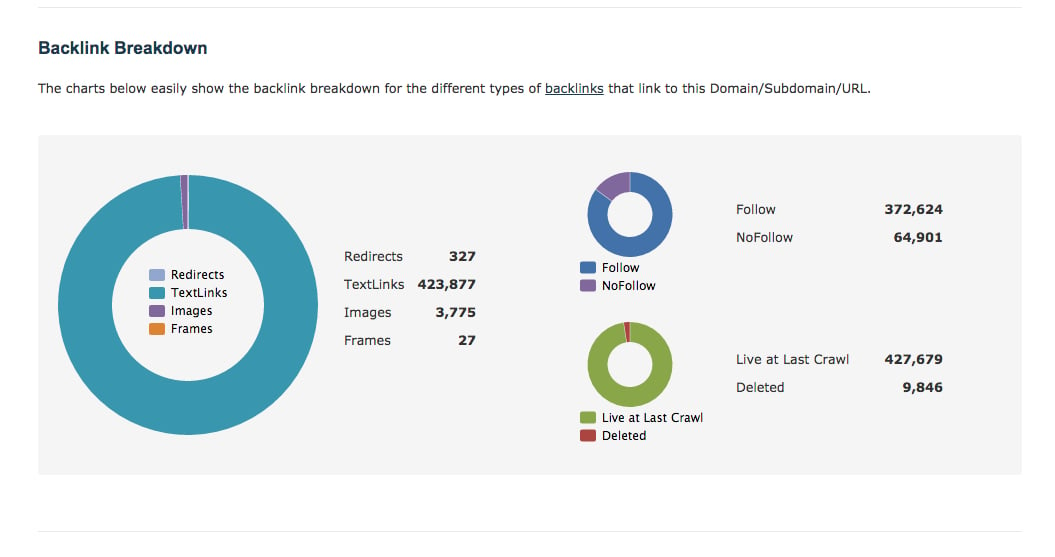
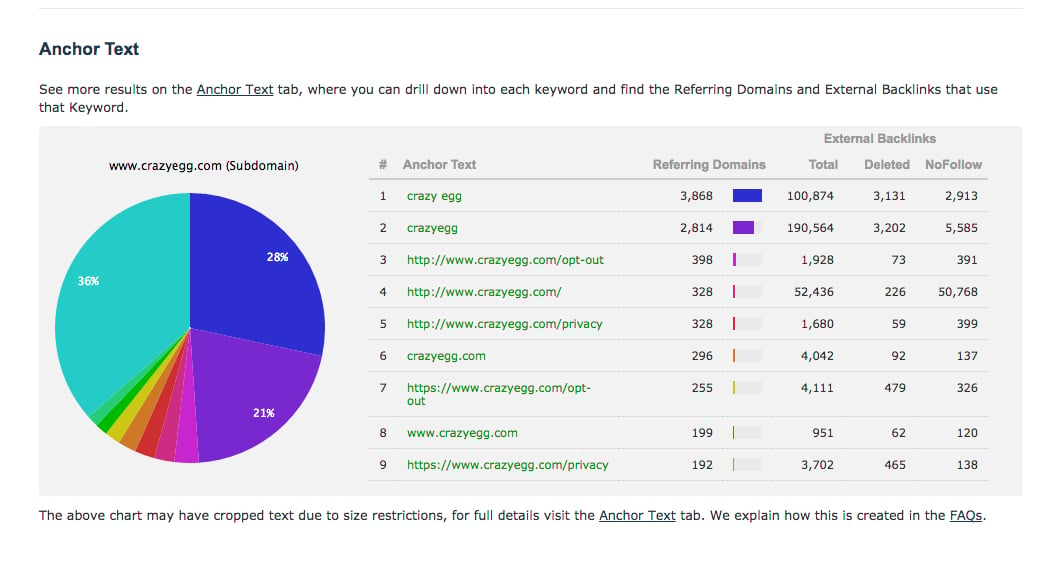
That’s a lot of information!
Don’t worry if you aren’t sure what any of this stuff means yet.
What’s important is this: You’re getting valuable information on your competitors that you can use as a benchmark to understand your own site’s link profile.
Armed with this information, you’re now ready to dig in to your link profile audit.
Finding your backlinks (2 minutes)
Before you do anything else, you need to find all of the links that are sending traffic to your site.
The easiest way to do this is to use Google Search Console. Google provides a handy resource that lets you see what’s happening with your backlinks.
There are plenty of websites that will dish up a list of your backlinks. In my experience, however, Google provides the most accurate and up to date information.
To see this, log into your Google Search Console (Webmasters) account by clicking “Sign In” at the top right.
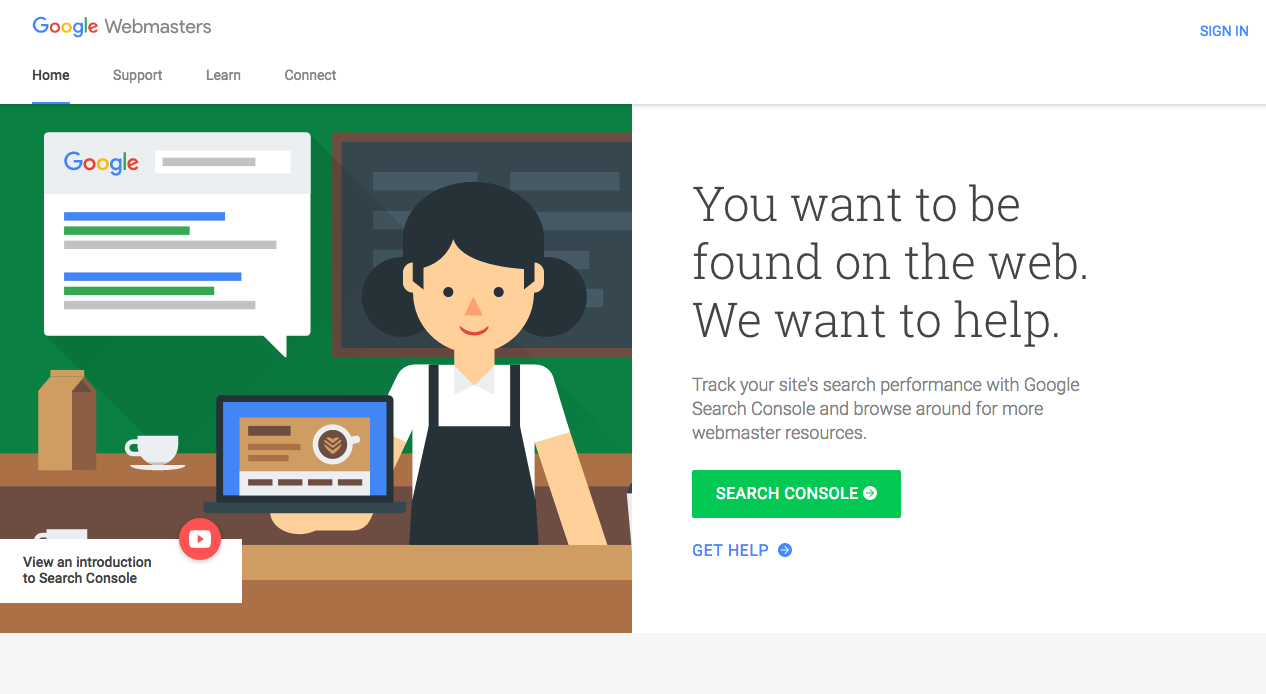
Once you’re at your Dashboard, click “Search Traffic” in the sidebar on the left side.
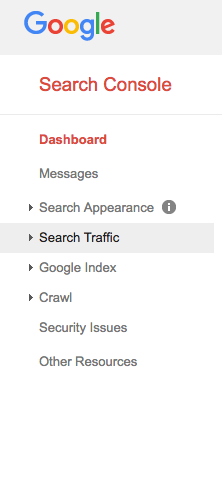
Then click “Links To Your Site.”

Now you’ll see the total number of backlinks to your site:

You’ll also see a few helpful categories. The “Who links the most” category shows you which sites are giving you the most backlinks.
You can also see your most linked content and even see how your content is linked (i.e., what anchor text is being used for your backlinks).
Analyze your backlinks (20 minutes)
At this point, you have two options to continue your backlink audit.
Option 1: Evaluate each link manually. This would consist of visiting each link separately and considering its value and health.
The big problem with this? If you have a lot of links (and I’m guessing you do), it would be a pain to visit each link. You could end up visiting hundreds of thousands of links!
Thankfully, there’s a second option…
Option 2: Use a link analysis tool.
That sounds better, doesn’t it?
What’s more, you have a few options to choose from. In fact, you can even use more than one of the tools I’m about to share with you. That way, you’ll have a super comprehensive view of your backlink situation.
I’ve provided a summary on the most popular tools, and will briefly explain how to use each one.
No matter which tool you end up using, you want to look for a few important results:
- List of backlinks
- List of unhealthy/dead backlinks (i.e., backlinks that don’t work)
- Domain authority (DA)
- Page authority (PA)
SEMrush Backlink Audit
This sounds exactly like what we need, and indeed it is! SEMrush’s Backlink Audit analyzes backlinks using 30 “toxic factors.”
Basically, it checks each of your backlinks for red flags. You’ll then see results that show you how to improve your links and which links need some help.
To get started, create a free SEMrush account by going to SEMrush.com by clicking “Log in” at the top right corner.
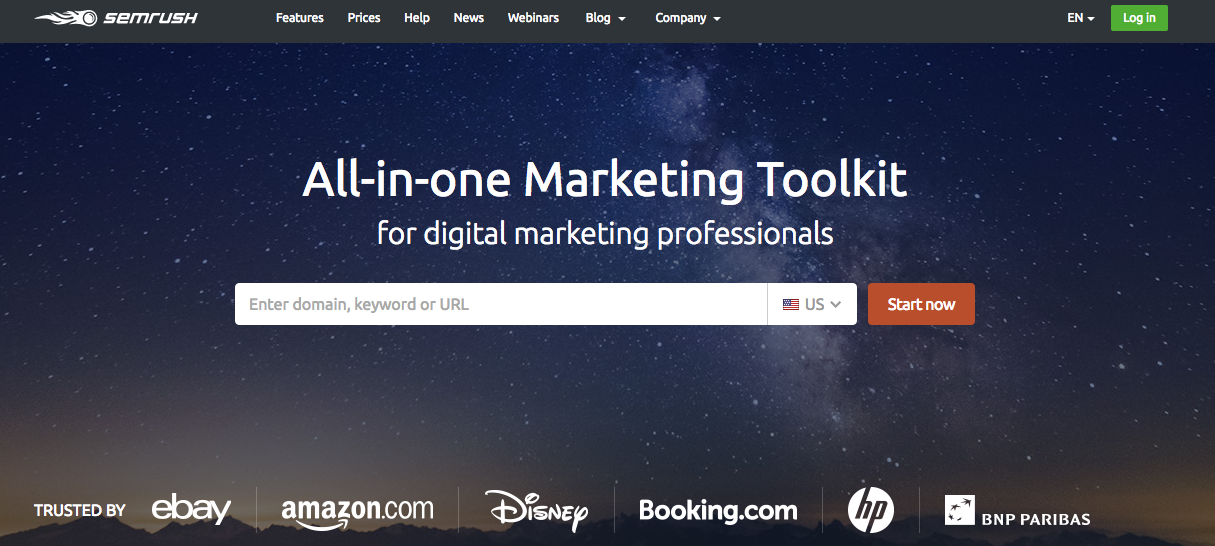
Click the “Register” tab and set up a free account.
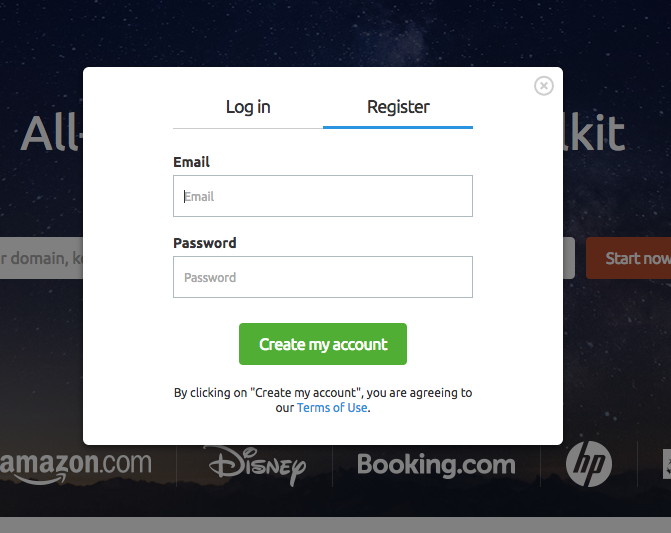
Next, go to your Dashboard.

On the left hand sidebar, click Projects > Create my first project.

Click “Create my first project.”
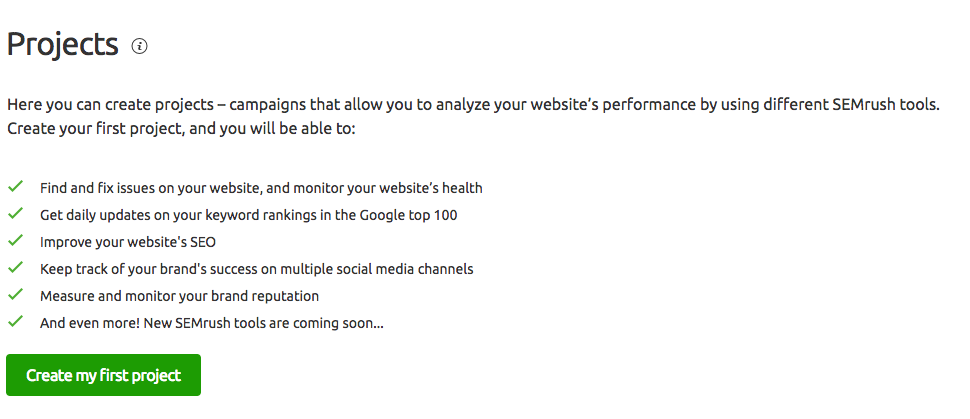
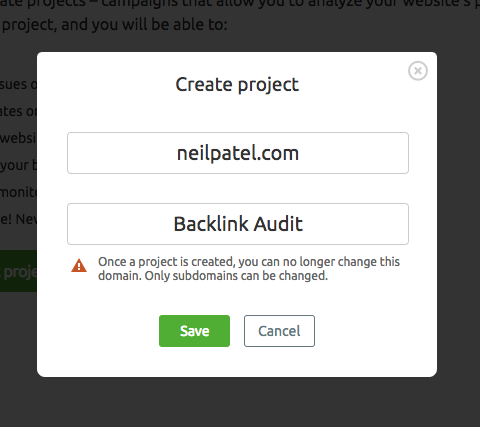
Enter your site URL, give your project a name, and hit “Save.” (I’m going to call the project “Backlink Audit.”)
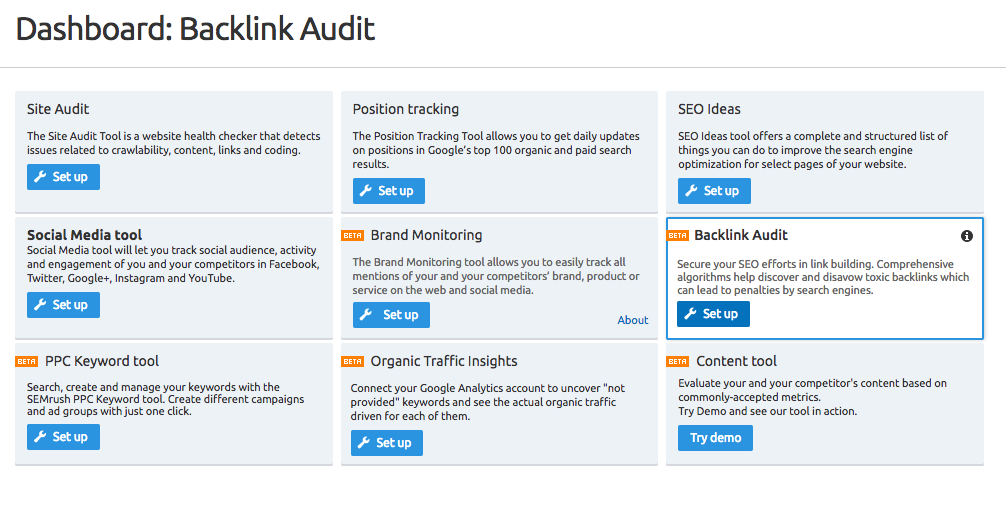
You’ll see several options on the next screen. Find “Backlink Audit” and click “Set up.”
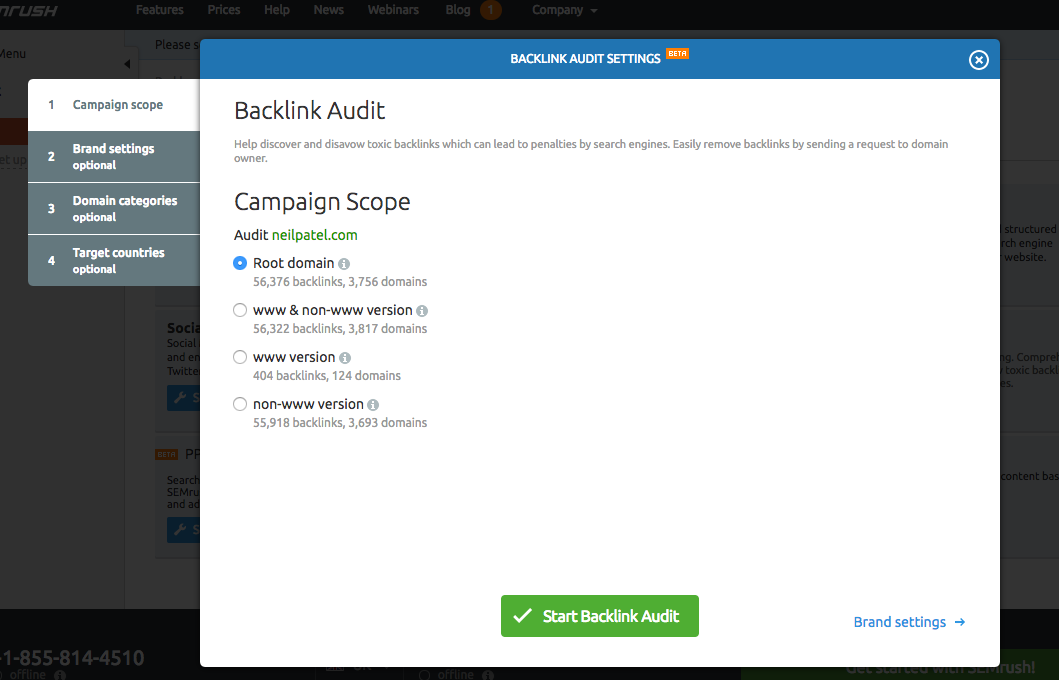
Select your campaign scope and click “Start Backlink Audit.” (I recommend choosing the “root domain” option.)
You might get a popup notifying you about the ability to connect Google Search Console with SEMrush. This is optional, but it will give you more flexibility and power as you perform your audit.
From here, you just need to wait. SEMrush will complete the backlink audit and show you the results.
You can see the progress bar in the top right:

Once the audit is finished, you’ll get a notification like this:
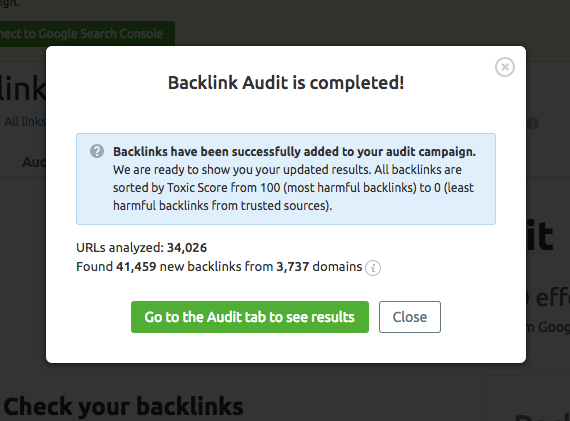
Your results page should look like this:
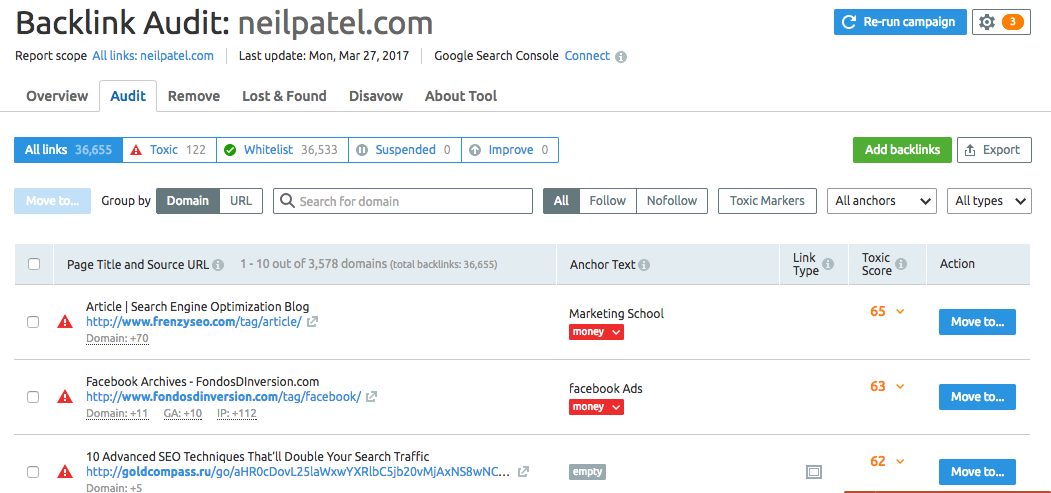
I especially like this tool because it evaluates which links are the most hazardous to your site’s health.
Running SEMrush Backlink Audit should take somewhere from 3 to 8 minutes, although it could take longer if you have a big site.
If you want to maximize your time, you can start with the next tool while SEmrush is doing its thing.
Majestic
I briefly mentioned Majestic in the introduction, when I suggested checking out your competitors.
There’s a reason I picked Majestic. It’s quick. It’s easy. It provides a ton of information. And it’s free.
Majestic is basically a link index database (a big one!) that displays several different handy metrics when you enter a link into the software.
Head over to Majestic.com and enter your site URL into the search bar:
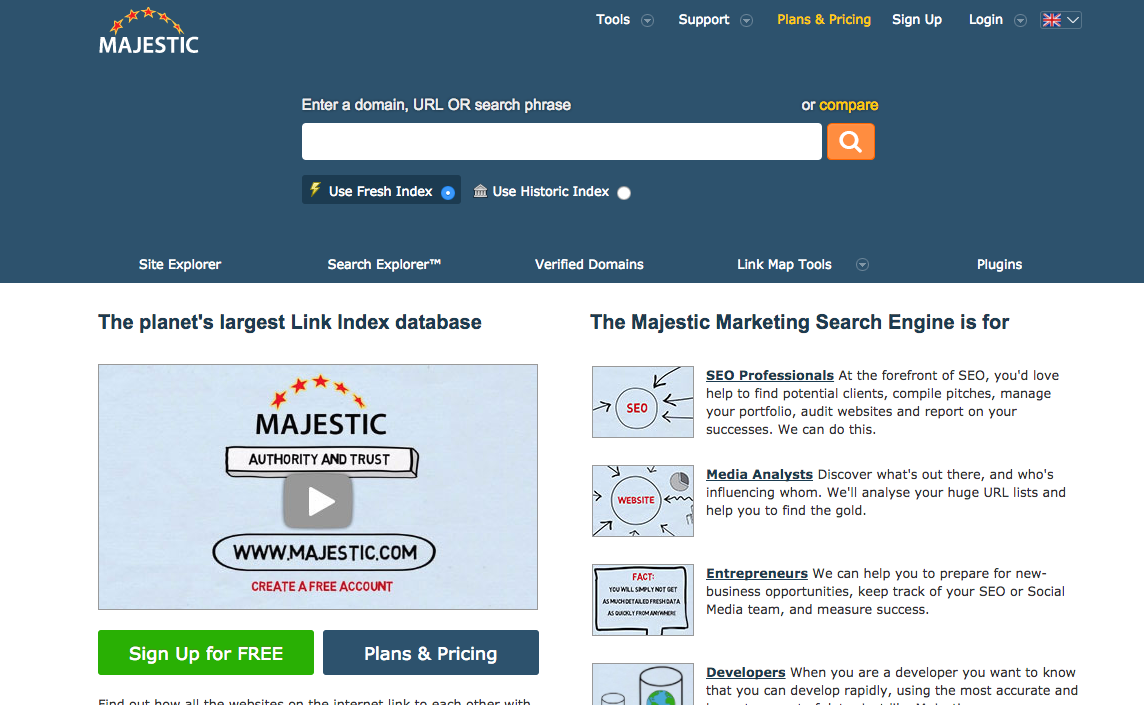
You can choose from either a fresh index or a historic index. The fresh index contains information from the last 90 days.
I like using the historic index since it gives you the most results, but it does require their Pro plan, so go with the Fresh index.
On the results page, you’ll see the number of external backlinks, referring domains, a backlink breakdown chart, anchor text, and tons of other useful data.
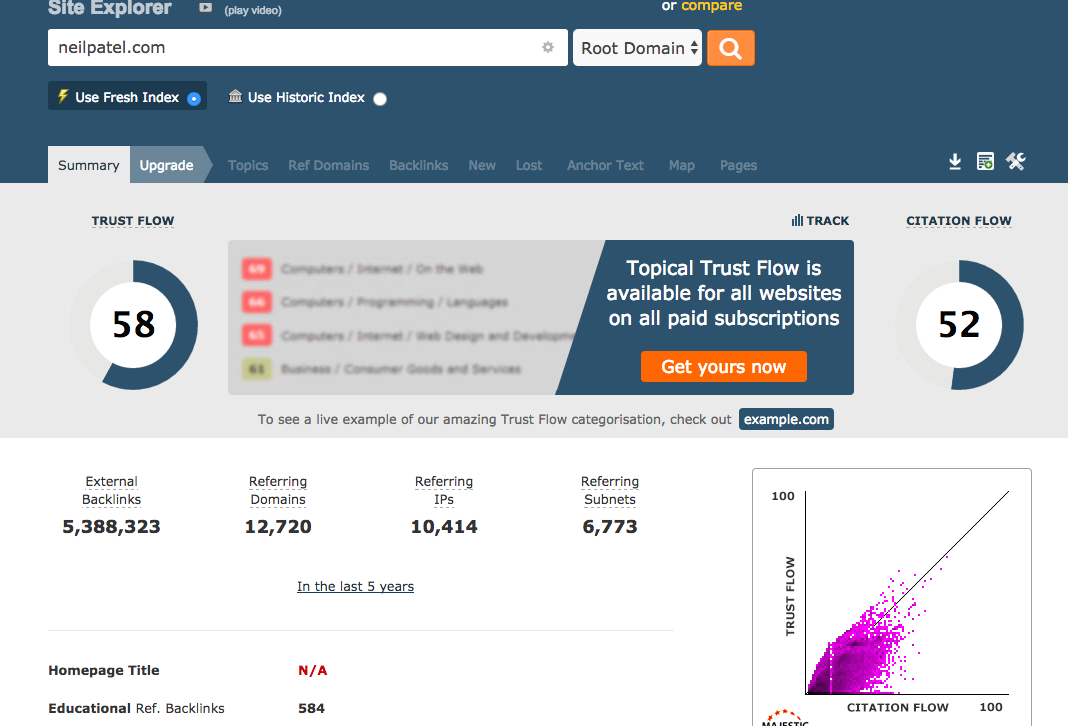
They have a free plan, so I suggest starting out with that.
If you decide to upgrade, you can get access to several helpful features that I consider vital when doing a backlink audit.
For example, you’ll be able to access the Backlinks tab in the results page.
Another great, unique feature is the Lost tab. This shows you backlinks that have stopped pointing to your site in the last 90 days.
Majestic has some one-of-a-kind features, so it’s definitely worthwhile to take a few minutes and set up a free account.
Moz Open Site Explorer
Moz is one of the kingpins of SEO, so it’s no surprise that they offer one of the best tools for backlink auditing: Open Site Explorer.
I’ve talked about Open Site Explorer (OSE) before, and I’ve found just how beneficial it is in so many different contexts. In other words, you can take this information and apply it to several situations.
OSE shows you some of the same metrics that SEMrush Backlink Audit and Majesty provide, but it also shows you your Domain Authority (DA) and Page Authority (PA).
Since you’re focusing on backlinks, you’ll want to pay more attention to your DA. But PA is also important and shouldn’t be ignored.
To get started, enter your site URL into OSE:
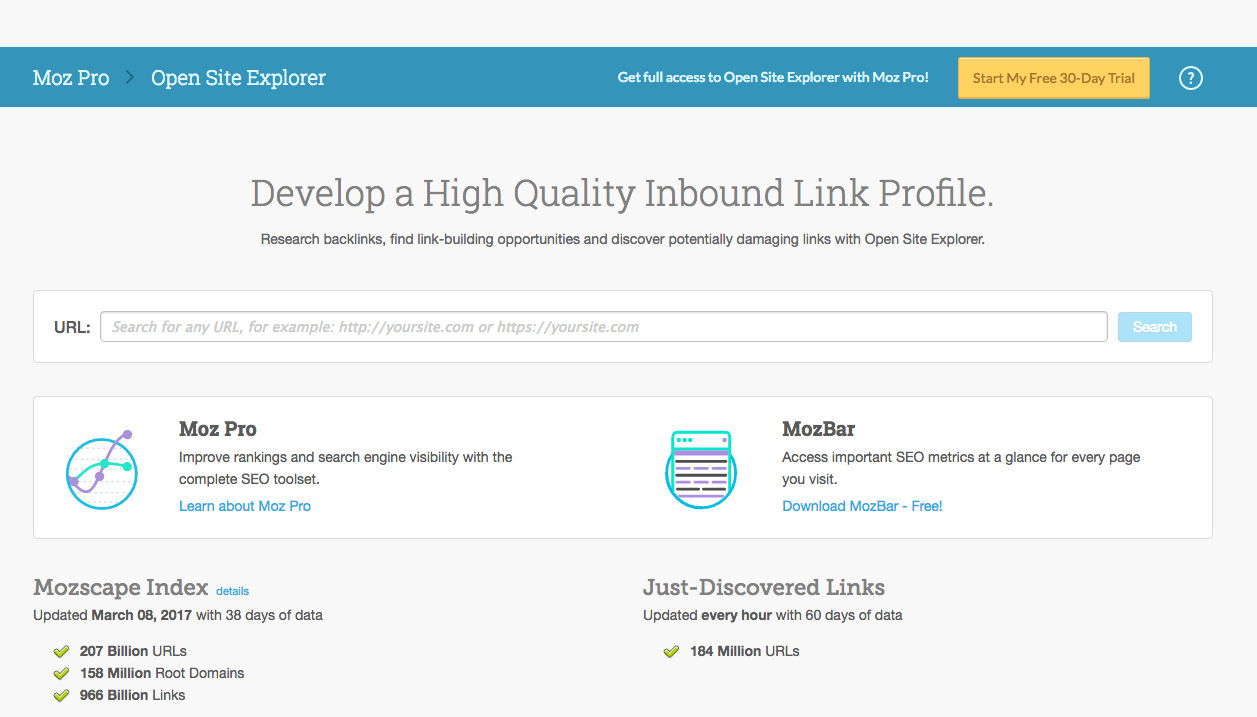
You’ll see a results page like this:
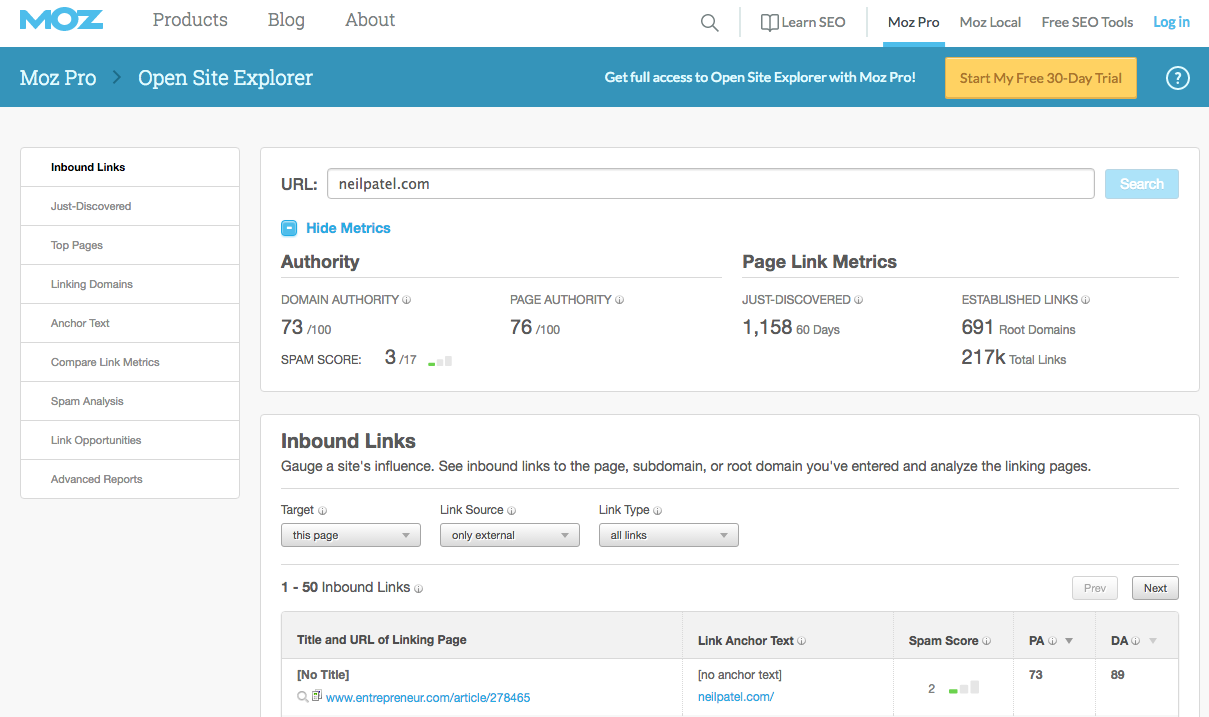
You’ll see your DA and PA right below the URL bar:
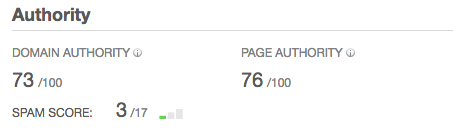
Both scores are out of 100, so the closer you are, the better. Generally, the 60-80 range is a good place to shoot for.
You can also see Moz’s results for the number of root domains and backlinks on your site:
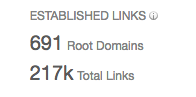
Below are your backlinks listed in a table:

This next feature is one that you absolutely need to use.
In the left hand sidebar, click on “Compare Link Metrics.”

This feature will let you compare your performance to your competitors’.
Right off the bat, you see your own metrics:
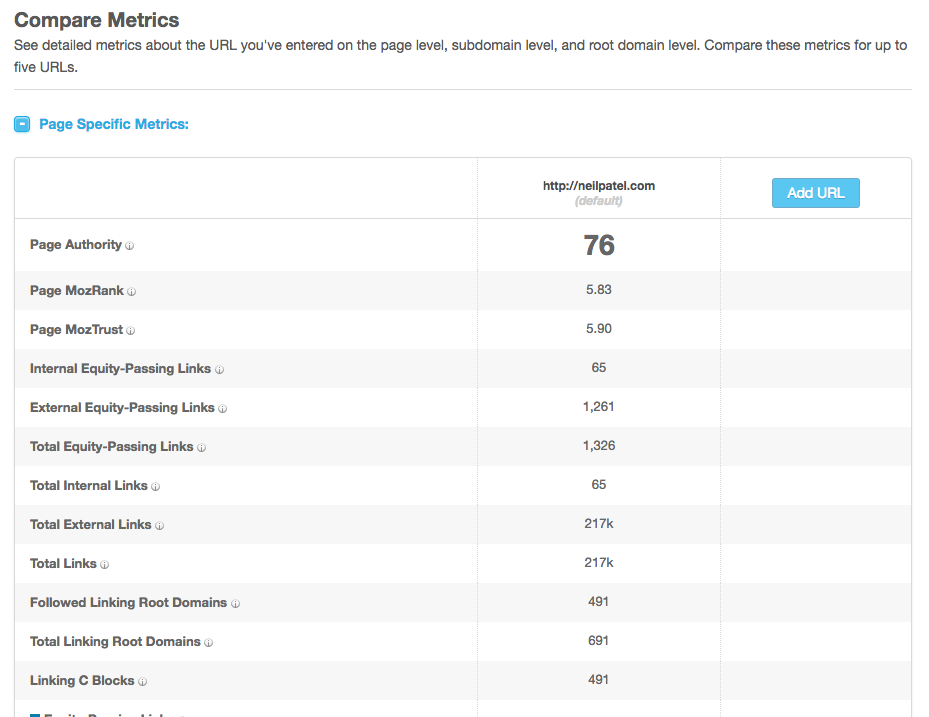
To pit yourself against a competitor, click the “Add URL” button in the column on the right:
Enter your competitor’s URL, and you’ll be able to see how you stack up against them.
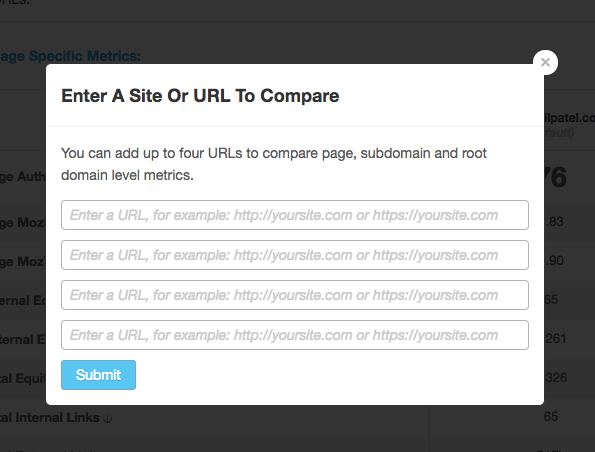
I recommend repeating this step with your top 5 competitors and see how your site performs.
This will help you improve your site. For example, if you have a PA of 55 and your competitor has a 70, you can analyze their link strategy and take a page or two from their book.
Other tools
For the purposes of a good link profile audit, you really only need to use one of these tools.
My recommendation: If you’re going to just use one, use Moz’s Open Site Explorer. It’s free and gives you a lot of versatility.
However, if you use all three, you’ll get a lot of information that certainly won’t be wated.
And if you really want to go all in, you can make use of a couple of other tools. If you want even more options, here are a few additional major players in the link analysis world.
Ahrefs. Ahrefs is another excellent tool that’s actually six tools in one.
You get access to all of these features:
- Competitive Analysis
- Keyword Research
- Backlink Research
- Content Research
- Rank Tracking
- Web Monitoring
So you can use it for your link audit and general site enhancement. You can also start with a 2-week free trial of any of their plans.
LinkResearchTools. One of the most expensive options, LinkResearchTools is also one of the most powerful. It’s primed and ready for deep audit work.
They have some features that hit it out of the park for backlink analysis:
- Quick Backlinks Tool
- Backlink Profiler
- Link Detox
- Link Juice Recovery Tool
- Link Alerts
This could actually be your one-stop shop for link auditing if you have the budget for it. If you don’t, they do offer a 7-day free trial that includes 4 of their 21 SEO tools.
Check for link penalties (5 minutes)
Before you analyze all the results you gathered, you should check to make sure none of your links have received penalties.
There are two types of link penalties: manual and algorithmic.
Manual penalties happen when Google’s team reviews your link profile and sees something wrong.
These might occur because of spam reports or something on your site that triggers a human review of your link profile.
Algorithmic penalties are applied when Penguin (Google’s current algorithm) is alerted to something in your link profile.
Both typically result in a ranking loss, and that typically results in decreased inbound traffic to your site. So if any of your links have gotten penalties, you might be suffering from it.
The good news is that you can recover from link penalties. (I’ll go into that later on in the article.)
First, you need to determine if you have any penalties.
To check for manual penalties, take a look at any messages you’ve gotten from Google Webmasters, especially ones that look like this:

If you’ve gotten a message like this, you’ve received a manual penalty.
Algorithmic penalties are a bit tricker to find since you usually won’t get notified from Google.
However, there’s one big warning sign of an algorithmic penalty: a huge drop in your organic traffic.
Ahrefs says your traffic after an algorithmic penalty should look something like this:
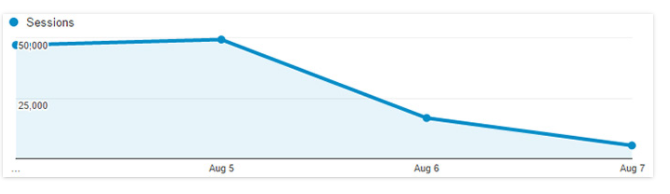
Since an algorithmic penalty will knock down your ranking on the SERPs, this makes perfect sense.
If a particular page has a giant loss of organic traffic, it might have received a penalty. Unfortunately there’s no way to be certain because the loss of traffic might be natural.
Here’s what I recommend: If a page shows a sizeable loss of traffic, check it for bad links.
There’s one more thing you need to consider: Paid links.
If you’ve paid for backlinks before, don’t feel ashamed. We’ve all been there. Back in the dawn of SEO, that was how a lot of sites were able to get ranked.
We know better now. Google frowns on paid links pretty heavily. They do penalize for paid links, and they have extensive systems in place to do just that.
And if you’ve traded goods or services for links, those could also be considered paid links by Google.
Ideally, all of your backlinks should be organic. Are a few paid links going to kill your ranking? Probably not, but they will pose a risk.
If you’re having problems getting quality backlinks, I recommend checking out this article by my friend Brian Dean of Backlinko.
Make a plan for fixing and improving your link structure (15 minutes)
Now that you’ve conducted your link profile audit, finish up by making an action plan for improving your link profile.
Please don’t skip this step.
A link audit is great. But it’s also useless unless you actually do something about it!
I’ve seen SEOs who can whip up a killer link audit. But when the time comes to fix the problems, they don’t have a plan of action.
To seal the deal with your link audit, the final 15 minutes will be the most valuable. Not only will you have the information you need, but you’re going to detail an approach that will boost your rankings.
The step is a simple one. Make a plan, and execute!
We can break this down into a few important actions that might apply to you:
- Recovering from link penalties
- Fixing dead backlinks
- Improving your DA and PA
Let’s take a look at what you can do in each case.
Recovering from link penalties. If you’ve spotted all of your bad backlinks, you can go through a pretty simple process to remove them and recover from your penalties.
If you haven’t gathered up your unhealthy backlinks, try using Monitor Backlinks to find them.
I’ll be briefly going over how to do this, but you can read a more comprehensive guide here.
First, you need to find all of your bad backlinks. Be on the lookout especially for backlinks from spam sites, paid links, and links from penalized sites.
Second, you need to request for those links to be removed. Here’s what a good request looks like:
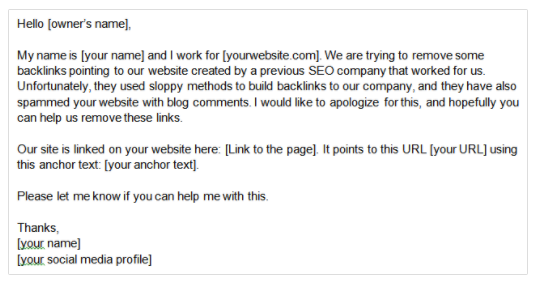
If your request gets ignored, you’ll need to disavow the bad backlinks. Here’s a Quick Sprout article on how to do that.
Fixing dead backlinks. If a backlink is from a site that no longer exists, you should disavow that link.
An easy way to double-check this is to use Deadlinkchecker.com:
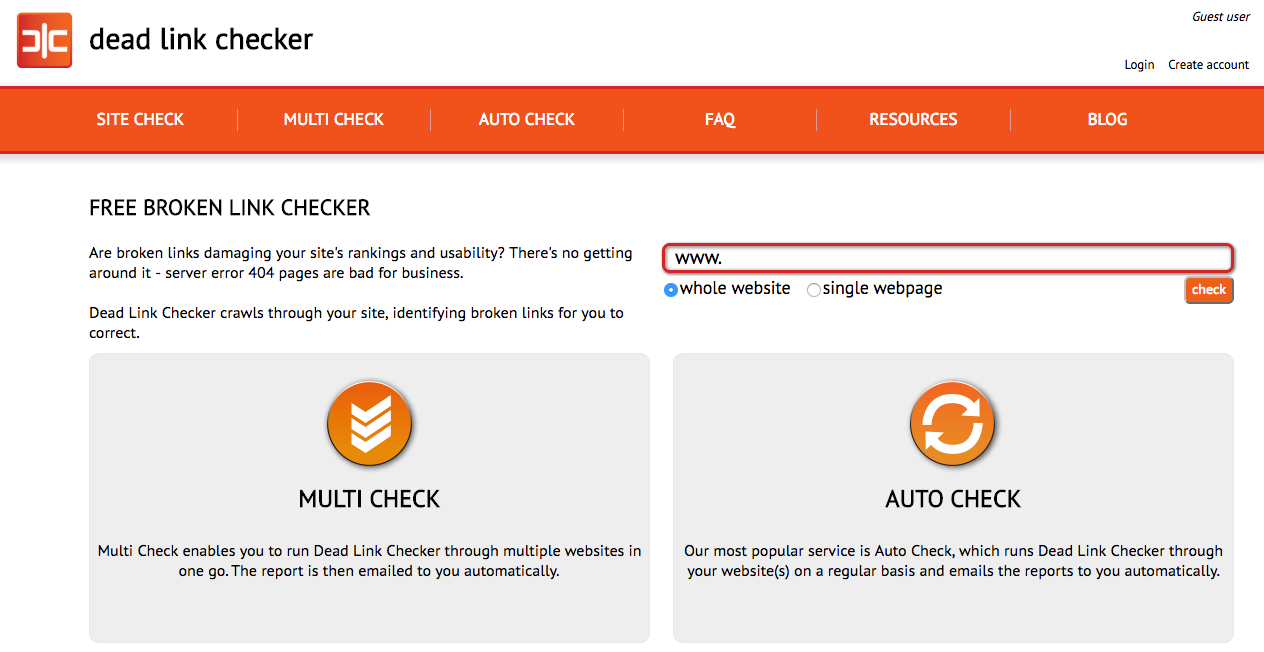
Just enter your page URL into the search bar, and you’ll see dead backlinks that you can then remove.
Improving your DA and PA. While recovering from link penalties and fixing dead backlinks don’t take too much time, improving your DA and PA is a long-term strategy.
One of the best ways to increase these metrics is to get backlinks from authority sites in your niche. Since DA is a bit more important, you should focus on it more. (Here’s even more information on improving your DA.)
Conclusion
I know this was an intense article, but if you follow all these steps, it should only take about 40-45 minutes to conduct a complete link profile audit. The more often you do it, the quicker it will go.
Of course, you could spend a lot longer on an audit, and every now and then you probably should.
But I’m a big believer in checking on things regularly and improving them on a consistent basis. If you can do a complete link audit in less than 45 minutes, you can do it every six months or so and keep your site in tip top shape.
Your link profile matters a lot, so it’s important to take time and make sure it’s playing by the rules and not getting penalized.
If you do find out your link profile isn’t the best, don’t freak out. Take the steps I mentioned above, and you’ll have a better profile in no time.
What kind of link profile audits have you done in the past? What have you learned from them?