 Sign In






 Ubersuggest
  AnswerThePublic
As you all [hopefully] know, the conversion pixel is completely being replaced by the Facebook pixel in the first half of 2016.
The Facebook pixel holds the power of the conversion pixel and the custom audience pixel in one holy grail. It’s basically a more effective and efficient way for marketers and advertisers to track, optimize, and remarket.
If you haven’t joined the bandwagon, now is the time to make the necessary switch for a peaceful mind. An added feature of the Facebook pixel is that we can now create custom conversions, whereas we were unable to do that with the conversions pixel, nor the custom audience pixel.
What Are Custom Conversions?
Custom conversions allow us to track and optimize actions on specific web pages, while bypassing the additional step of adding anything to the Facebook pixel code. Rather than adding a unique pixel for every page, with the new Facebook pixel it’s only required to add the single Facebook pixel once, to every converting page of your site.
Custom conversions are perfect for when you’re running a campaign with a website conversions objective, as it allows you to track specific users as they convert on a given web page. This way, you can chose to optimize for conversions, and Facebook will serve your ad to people who are most likely to complete the preferred action on your website. With implementing custom conversions, Facebook has a better ability to determine whether a user who visited your website ended up converting.

How To Create Custom Conversions
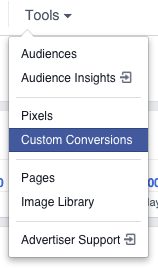
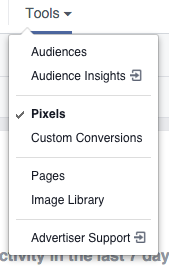
The first and foremost step of creating a custom conversion is installing the Facebook pixel on your website. Once that’s complete, sign into Facebook ads manager and click on “Tools”. Select “Custom Conversions” from the drop down and click the “Create Custom Conversions”.

- URL Contains
- URL Equals
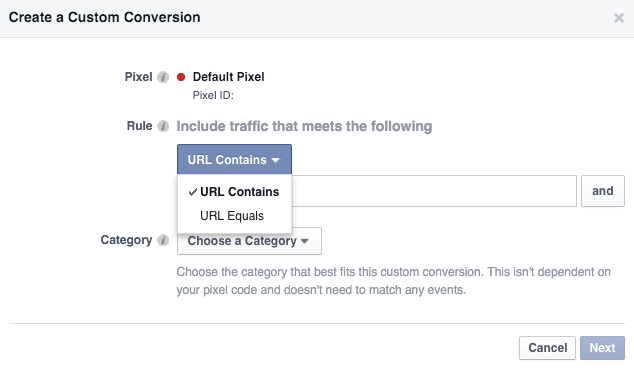
Basically, any web page that contains the Facebook pixel, so any web page that signifies a conversion. In this case, I would be tracking subscribers to my newsletter. If they hit my “thank you” page, they count as a subscriber, and therefore a conversion.
I would recommend using “URL Contains” in the case where your “thank you” page or “order confirmed” page has a dynamically generated URL. Some ecommerce websites will append a customer ID to the URL on their checkout and order confirmed pages, i.e., celinemirzaianclothing.com/order-confirmed?id=04548567438. In this case, you will want to select “URL contains” “/order-confirmed” because each different customer will have a difference exact URL.
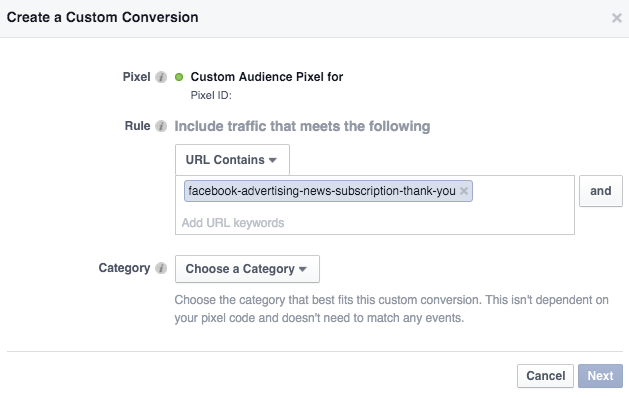
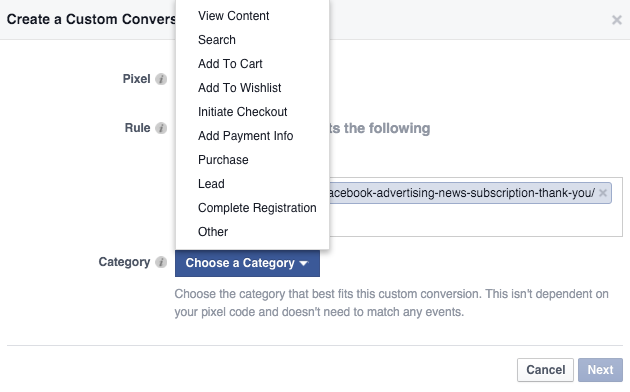
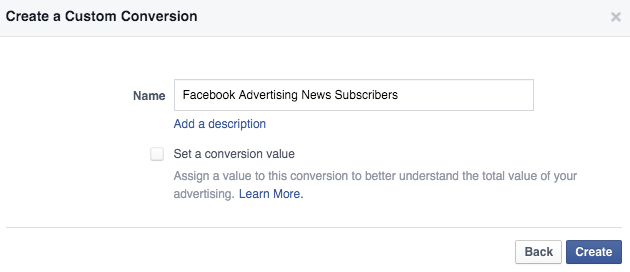
After you’re done selecting a Rule and a Category, click “Next” and type in a name for your Custom Conversion. If applicable, you can set a conversion value. Click “Create” and voila! You can continue the same process and create a separate Custom Conversion for every lead magnet on your site.
How To Track Custom Conversions
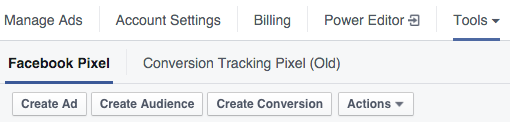
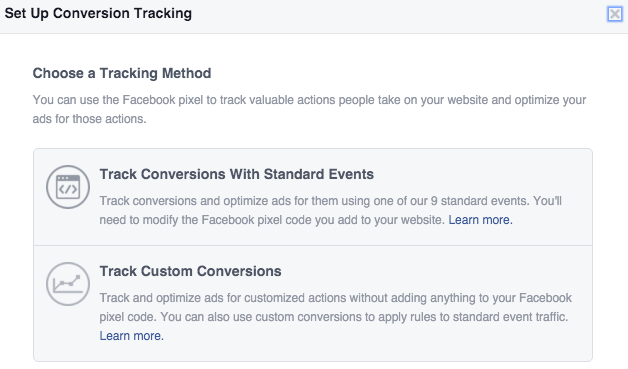
In order to track Custom Conversions, again we would click the “Tools” drop down and select “Pixels” rather than “Custom Conversions”. After that, click “Create Conversion”, and you’ll be advised to choose a tracking method. You’ll want to “Track Custom Conversions”.
How To Optimize Custom Conversions
At the ad set level of your website conversions campaign, select “choose a conversion event” and select any of the custom conversions you created. This automatically tells Facebook that you want to optimize for that specific action.
Branding a business online versus driving traffic and increasing conversions on your website are two separate objectives. Thankfully, Facebook’s ad manager allows us to build campaigns based on specific objectives. If you’re focused on building an online brand, you can choose the “Promote your Page” campaign objective. For the sake of this blog, since we’re focused on the topic of custom conversions, you need to rely on the “Increase conversions on your website” objective. Whether you’re an E-Commerce or a Non-profit organization, this method is helpful in driving traffic to your website.
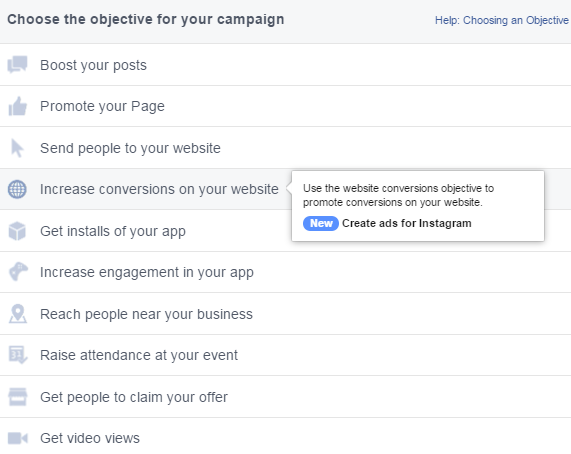
Make sure custom conversions are set up so that Facebook can “optimize for conversions”, and serve your ad to the people who are most likely to convert.

About the Author: Celine Mirzaian is a paid social advertiser at Catalyst. Her keen interest in social media advertising combined with her passion for writing motivates her to seek what’s up and coming in the paid social scene, and translate it into words to share with the rest of her fellow marketers. Check out her LinkedIn for more about Celine.