Sign In













Have you ever wondered just how much SEO power you could have?
Maybe you’ve been trying to rank for a specific keyword and you keep losing out to other sites.
Or maybe you’re on page 1 but you’re further down than you’d like to be.
In other words, how can you improve your SEO when you’re already doing everything?
Turns out, it’s possible to have a huge search engine presence using something called a multiple domain strategy.
This is how lots of big businesses dominate the search engine results pages (SERPs).
In other words, how can you improve your SEO when you’re already doing everything? You need to go behind the scenes a little bit to uncover this method in practice.
It can be powerful if you use it the right way. It is very much a long-term strategy, so you shouldn’t expect to see any immediate wins here.
While it’s not for everyone, this technique can give you a considerable SEO boost in the right situation.
So let’s take a look at exactly what a multiple domain strategy is and how you can use it.
What is a multiple domain strategy?
The best way to tell you what a multiple domain strategy is to show you.
Here’s an example from Moz’s Rand Fishkin that involves real estate giants Zillow and Trulia.
First, you have to know that Zillow owns Trulia. Now that you know that, Google “real estate.”
You’ll probably see both Zillow and Trulia in the first five positions. In fact, this will be true for most keywords related to real estate.
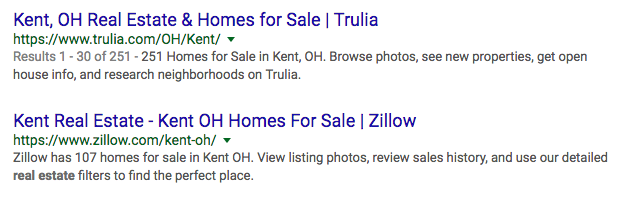
This is a multiple domain strategy in action. Since Zillow and Trulia are essentially the same company, they’re helping to rank their overall brand for certain keywords.
Here’s another example. Go onto Google and type in “user intent.” On page 1, you’ll see these two results from Quick Sprout and Crazy Egg:


As you might know, I founded Quick Sprout and co-founded Crazy Egg.
The idea is that my brand as a whole is performing better for certain keywords.
As you can see, a multiple domain strategy is all about adding more power to your SEO strategy. Instead of ranking with just one domain, you can rank with multiple domains.
This increases the chances that a user will click on a result that links to a site you own.
It’s a bit of an outside-the-box SEO strategy. Most site owners focus on ranking specific pages.
But if you want your brand to rank better, a multiple domain strategy might be for you.
Why use a multiple domain strategy?
I know what you’re thinking: “Neil, why the heck would I ever want to use a multiple domain strategy?”
I’ll admit that it’s not a go-to SEO technique like keyword optimization. But under the right circumstances and for the right businesses, it can make a huge difference.
Here are some reasons why you might want to make use of multiple domains:
You have multiple brands. Just like I have Quick Sprout, Crazy Egg, and Hello Bar, you might own several brands.
This often happens when companies create separate brands to fill a related niche.
Sometimes brands will buy out other brands or create entirely new brands. A good example is how I created the Hello Bar brand to add to my other brands.
Other times, brands create microsites. Procter & Gamble’s P&G Everyday is a great example:
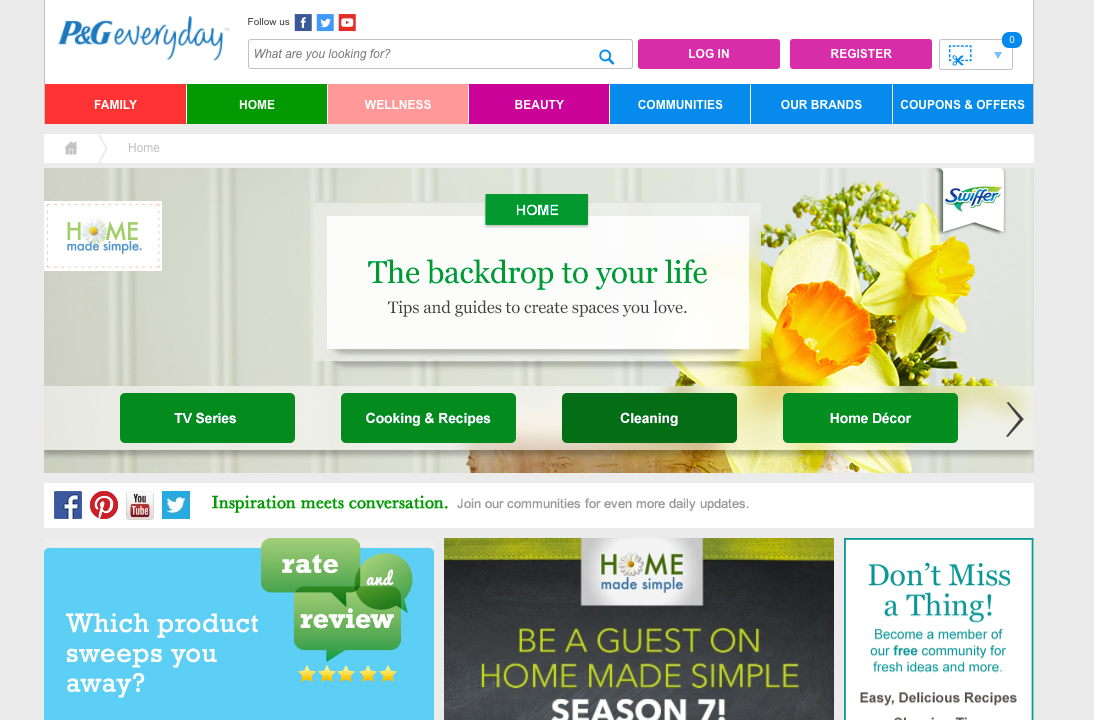
In both cases, you can rank for the same keyword. In theory, this gets your brand out there and helps you rank better for your focus keyword.
There is a specific keyword you want to dominate. If you’re determined to practically own a keyword, this might be a good method to use.
Think of how Zillow and Trulia have a monopoly on the keyword “real estate.” You can do the same thing using multiple domains.
You own more than one site with good link equity. If you’re not familiar with the term “link equity,” here’s how Search Engine Watch describes it:

This is the amount of power your links have. Your sites need to have good link equity if you want this strategy to work well.
Alternatively, if you have the resources to dramatically increase a site’s link equity, you can make this work.
Two types of strategies
There are two strategies you can use that are relatively white hat.
One is what we talked about: building microsites. This requires you to build completely new sites.
The other option is to use 301 redirects to preserve link juice and take advantage of an existing audience.
Let’s look at the pros and cons of each.
Building microsites. This will take the most time and effort, but it can also bring the biggest rewards.
The first step is to decide what gap your microsite is going to fill.
Harry’s, a men’s shaving products store, has a microsite called Five O’Clock that posts about shaving, lifestyle, and productivity.

Their goal is to cater to the typical Harry’s customer, but it’s not just about shaving gear. The microsite is more of a lifestyle blog.
Your microsite should serve some kind of purpose and actually help your users. It shouldn’t just plug your product or service.
If you want to create a microsite, you’ll probably want to buy a new and unique domain, which I’ll talk about below.
301 redirects. The 301 redirect is simple but powerful. Why? It passes 90%–99% of the old link’s ranking on to the new link.
That means if you buy a domain that ranks for a certain keyword and redirect that site to yours, you’ll get the vast majority of the old site’s link juice.
While a 301 redirect will lose some juice, it’s the redirect method of choice. Don’t use a 302!
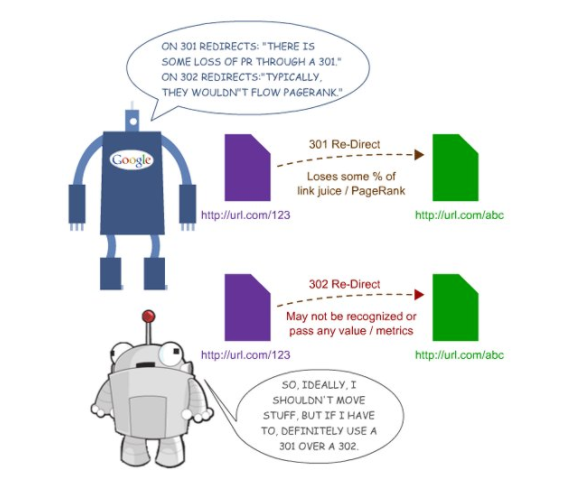
This is one of the downsides of microsites––you won’t inherit link ranking. But redirecting an old site to a new site is much easier than building a microsite.
There’s one thing you should know: Redirecting from a bought domain will likely pass a little less link juice to your site.
You’ll still get link juice, just not as much. Especially if you’re not using any content from the bought site.
I know this is a lot to take in, but you have to think about all of these little factors if you want to have an awesome and effective multiple domain strategy.
I recommend taking some time right now to make sure you want to go ahead with either one of these strategies.
If none of the points I mentioned in the last section apply to you, you might want to reconsider.
If you’re interested, read on. I’ll break each one down step by step for you.
Get the domains
In order to build a multiple domain strategy, you need to get the domains first.
There are three methods you can use:
- Create new domains
- Buy expired domains
- Buy existing domains
Each method has its own pros and cons. One might be really good for you while another might not be ideal.
Let’s take a look at each method.
Option #1: Create new domains
If you want the safest method, opt to create your own brand new domain. (I’ll talk about safety in just a second.)
This will allow you to have total control over your domain, and this will probably be the cheapest option too.
Basically, you’ll need to create a new brand or a microsite around your current brand.
Creating an entirely new brand from scratch is pretty difficult, so I recommend you take the microsite route.
Once you have a purpose, go to Domainsbot.com to help come up with a name:

If you already have a name in mind, write down a few variations and use Domainsbot to see if any of those variations are available. You can also just type in your keyword.
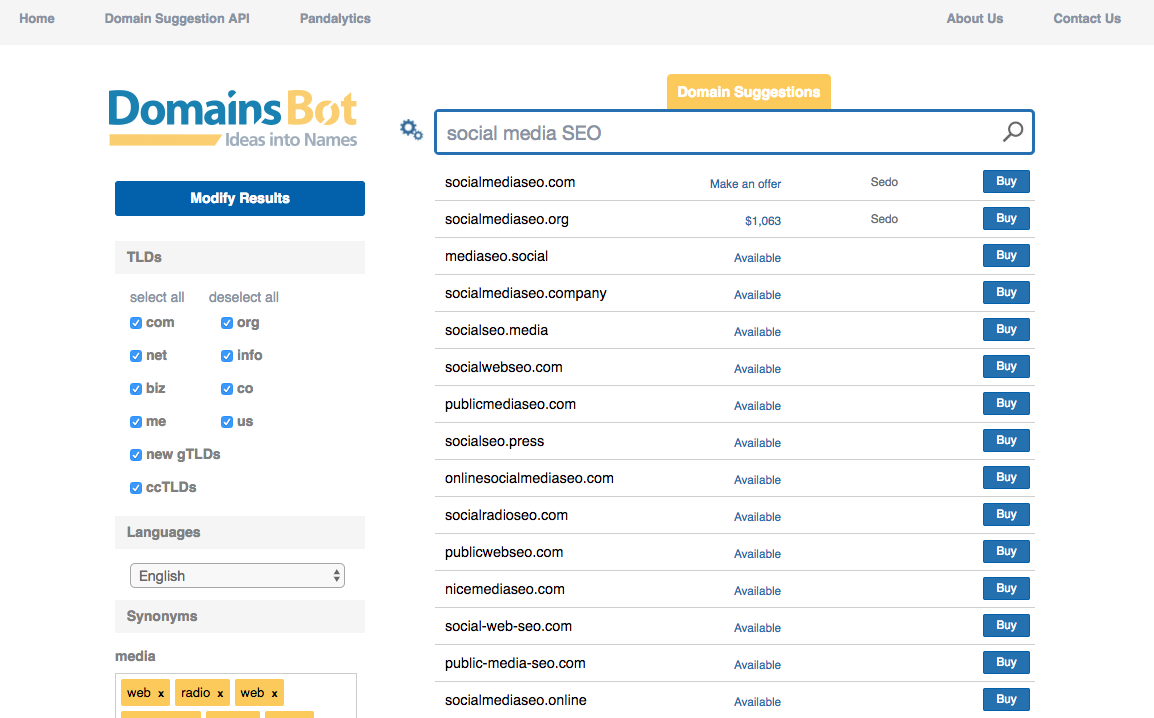
You can then find an available domain and buy it from the registrar of your choice.
Here are a few tips I’ve learned in my career:
Use an original URL name. Google penalizes exact match domains. This means that if your keyword is in your URL, your SEO could take a hit.
Aim for a .com address. I don’t care what anyone says––a .com is still the most trustworthy TLD. Country extensions, like .co.uk or .com.au are fine too.
Option #2: Buy expired domains
If you choose this option, you need to take some extra precautions.
It used to be that people would buy tons of expired domains to create a private blog network. But ever since Google started de-indexing PBNs, this practice has been much less common.
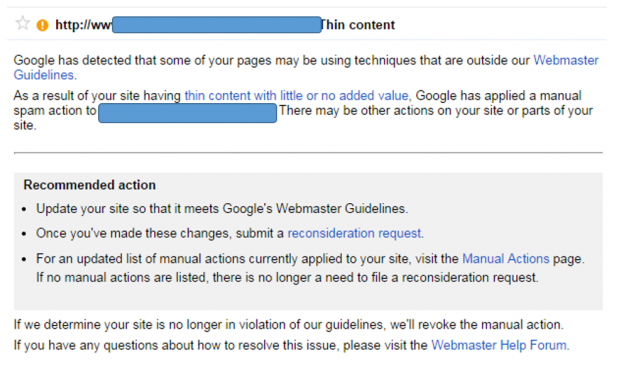
Even though you’re not buying an expired domain for a PBN, you still need to vet any domains you’re considering buying.
Here are a few things you can do:
Check the site’s DA/PA. Domain Authority (DA) and Page Authority (PA) are two metrics created by Moz that reflect a site’s SEO performance.
If an expired domain has poor DA and/or PA, you might want to pass it up.
To check a site’s DA and PA, go to Moz’s Open Site Explorer.
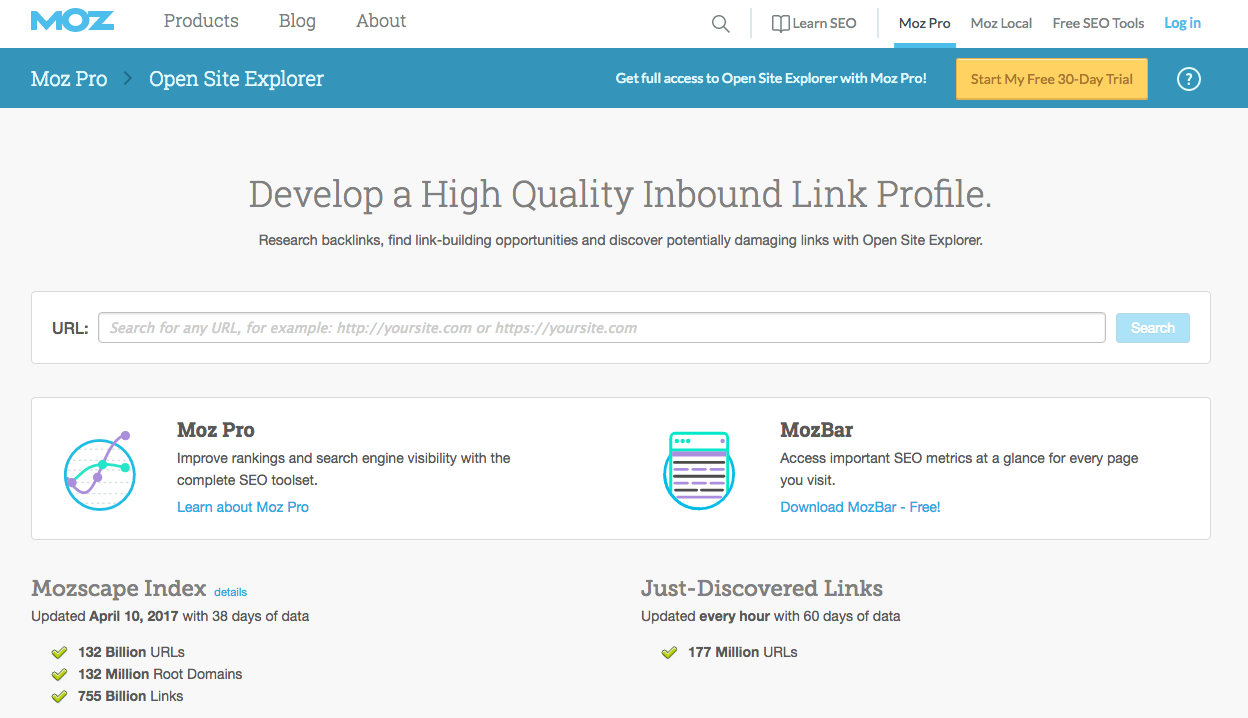
Enter the URL of the expired domain and click Search.

You’ll see the DA and PA numbers under the “Authority” heading:
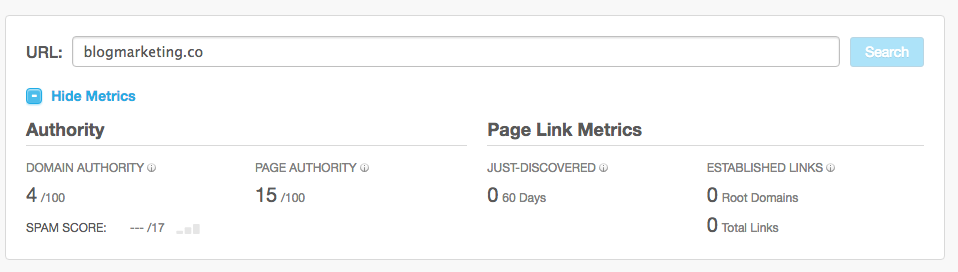
Both of these scores are out of 100, so you obviously want to get as close to that as possible.
I’ve found that scores ranging from 60 to about 80 are really good. If the score is 50-60, you can make that work too, but it’ll be a little tougher.
Check the site’s link profile. You can actually do this right in the Open Site Explorer interface.
Just scroll down a little and you’ll see a table with the site’s backlinks.
You might see this instead:
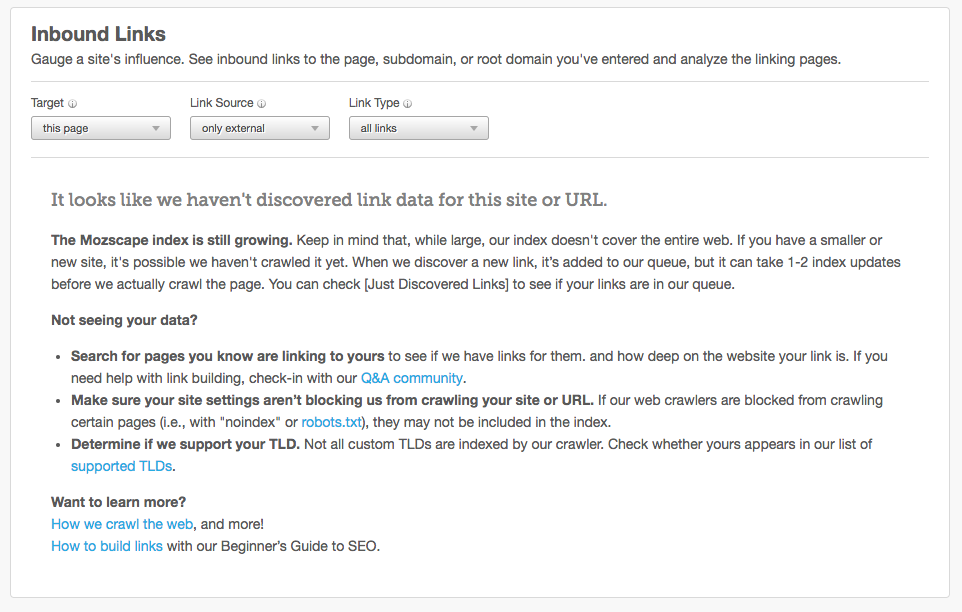
If so, that means the expired domain doesn’t have any backlinks.
You can also use some link auditing techniques to make sure the site’s link profile is healthy.
Investigate the site’s ranking. Ideally, the domain you’re looking at should rank well for your focus keyword (or a long-tail version).
I use SEMrush for this:
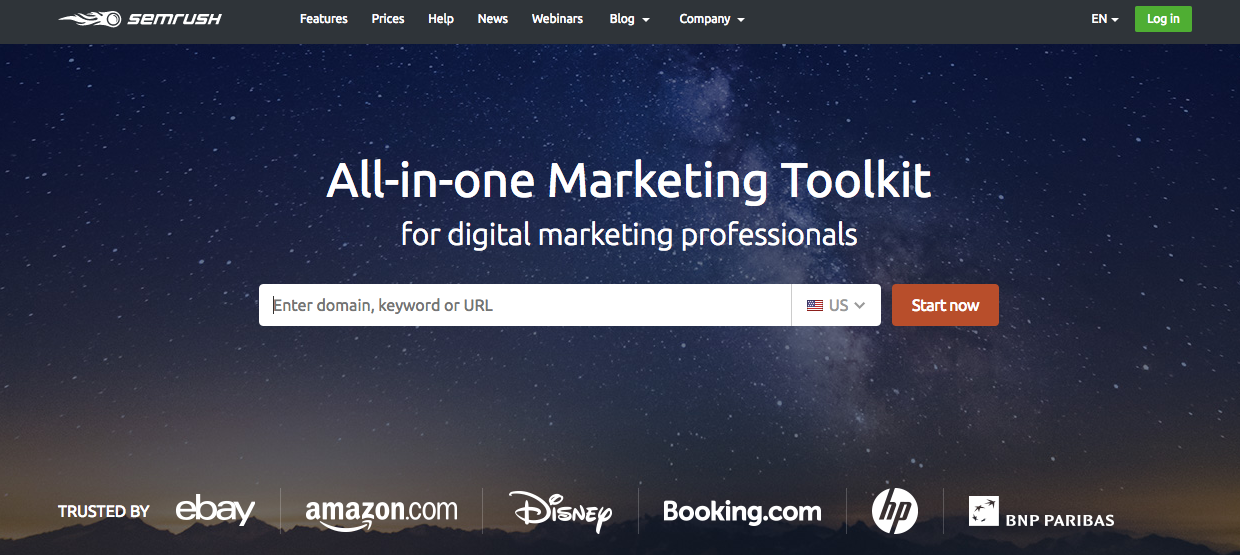
Enter the URL and click “Start now.”

Scroll down and you’ll see a list of the top keywords a site ranks for:
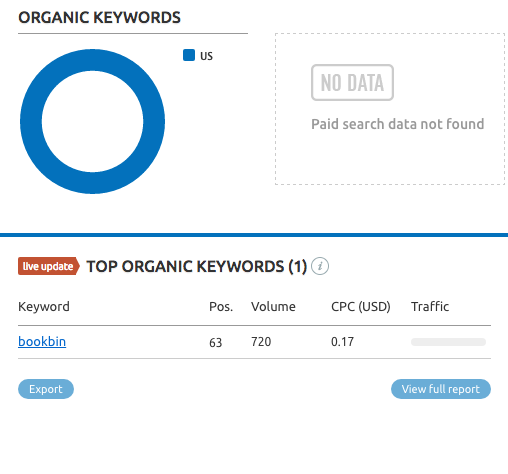
Visit the site. This might be the simplest test of all, but I see so many people buy domains blindly.
See what the site looks like yourself. Are there tons of ads? Is the topic matter strange or undesirable?
Get a feel for the site. In almost every case, you can tell if a site is trustworthy by just visiting it and having a look around.
If an expired domain has good DA/PA, a healthy link profile (i.e., no spam or links to spam sites), solid ranking, and a legitimate appearance, you should feel safe buying it.
Expireddomains.net is a great place to look:
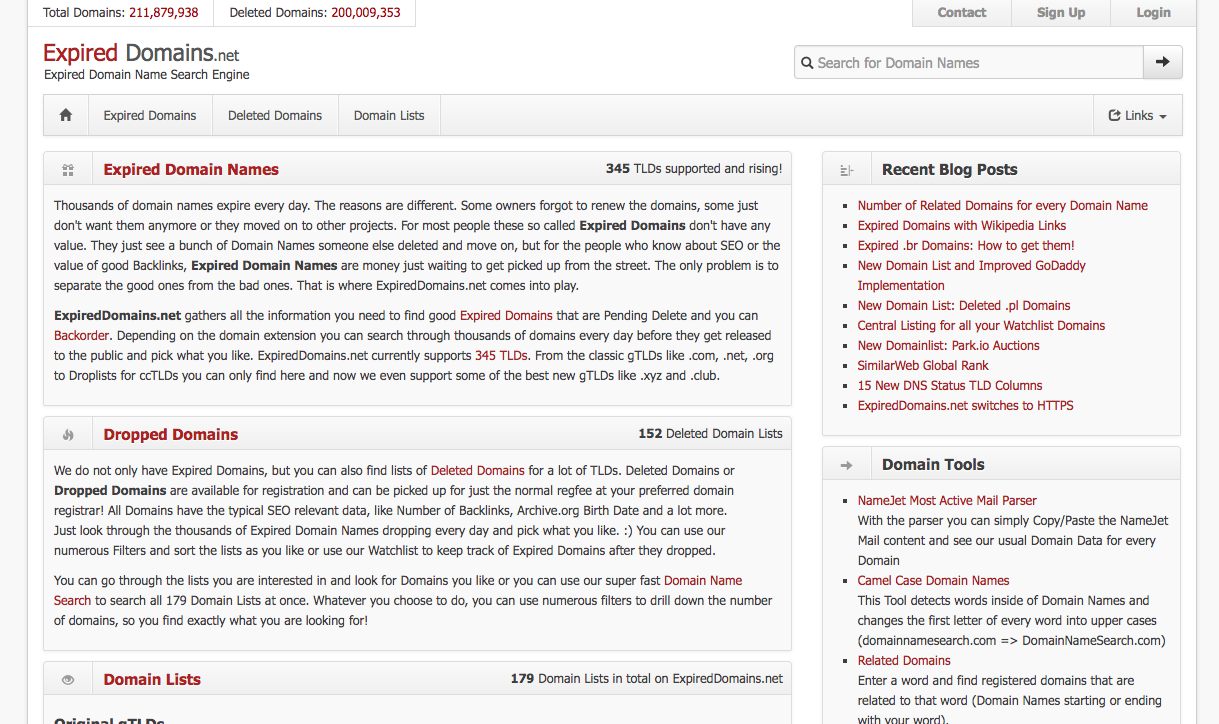
If you use it right, it can be a powerful source of domains that will work for you.
Option #3: Buy existing domains
Here’s where things can get expensive.
If there’s an existing, non-expired domain that’s perfect for your brand, but someone else owns it, it could cost you a pretty penny.
Our previous example URL was socialmediaseo.com, so let’s take a look at socialstrategies.com. Make sure you’re sitting down…

I warned you! Unfortunately, this is often the case for lots of existing domains.
You can use Whois.com to find out who owns the site and/or make an offer for any domain.
I recommend not buying a domain someone owns because it’s a really expensive solution. You and your wallet are much better off buying a brand new or expired domain.
Decided to go with microsites? Optimize them
Before you use bought domains for microsites, you have to optimize them.
And this can take some time.
(I did say at the beginning that this is a long-term strategy!)
First things first––content. Your sites need to have great content in order to stand out from everyone else.
If your content isn’t amazing, you’re not going to get the traffic you want, and this entire strategy will be useless.
You don’t want that.
So take the time to build up a backlog of valuable content. Consider going long form to create comprehensive content that gets attention and backlinks.
If you need a role model for content, look no further than HubSpot. They post long-form content, but more importantly, they go deep into detail with what they publish.

Next, work on some fundamental SEO. I’m talking about all three types of SEO: technical, on-page, and off-page.
You can’t just focus on one. Ideally, you should spend a lot of time on each. But if you’re pressed for time, do what you can.
Here are some areas to focus on.
- Site speed
- Mobile optimization
- Sitemaps
- Error correction (e.g., redirects that don’t work).
- Title and meta tags
- Keyword optimization
- Reader-friendly content
- Fresh content
- Getting backlinks
- Social bookmarking
Once you’ve built your microsite, sit back and…wait. But of course, continue creating great content in the meantime.
I wish I could leave you with something better than that, but this is an SEO technique that doesn’t happen overnight.
Redirecting? Set it up
If you’re just using the 301 redirect method, you’ll need to set that up as soon as you make sure the old site’s SEO is good.
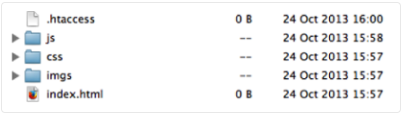
You’ll need access to your site’s .htaccess file to make a 301 happen. You can do this by opening your file manager (provided by your web host).
Source: Hubspot.com
The exact process might be different depending on your web hosting provider, so you should contact them or look at their documentation.
In either case, it’s usually a painless process to set up 301s. Here’s a detailed guide from HubSpot.
Unlike microsites, redirects boost your SEO pretty quickly. You should see the ranking boosts from redirects soon after you set them up.
Conclusion
If I’ve learned anything about SEO, it’s that there’s no magic bullet.
Heck, you’ve probably discovered that yourself.
But there are little tips and tricks you can use in certain situations to dramatically improve your SEO.
This strategy is a great example. It is definitely situational, but it can pack a punch.
Do I recommend you rush out and do this? Not at all. You need to think carefully about it.
Ask yourself if you have the time, money, and resources to do this. (It helps if you have SEO/content marketing experience or know somebody who does.)
If you do, great. If not, consider holding off for now if you don’t have the resources to hire someone else to do it.
If you can pull it off, it’ll give you some unique benefits. Your SEO will be significantly enhanced, and you’ll rank better for your keywords.
You’ll own more SERP real estate than your competitors, and that can work wonders for your bottom line.
Not only that, but it will position your brand as an authority for your keywords, and you’ll get more traffic and, ultimately, more conversions.
How will you use multiple domains to help you rank better?