Sign In






 Ubersuggest
  AnswerThePublic
I think LinkedIn is one of the best social media networks to be on, hands down.
Sure, the big names like Facebook and Twitter are great. But LinkedIn can be a goldmine if you know how to use it the right way.
You might think LinkedIn is just for keeping up with colleagues.
I used to think that too. I set up a page and left it alone. Unsurprisingly, it didn’t do much for me.
Then I learned there’s a lot more you can do with LinkedIn.
In the past, I’ve written about using LinkedIn for content marketing and ads. It’s great for both of those.
But did you know you can actually transform your LinkedIn page into a sales funnel?
You don’t need any third party app or tons of marketing knowledge. You can use your existing profile page to generate warm leads.
This is an uncommon strategy, but it can yield excellent results.
Instead of having your LinkedIn page sit around and collect dust, it’ll turn into a powerful lead generation machine that does work for you.
Does that sound like something you’d be interested in?
Then let’s take a look at how to do that.
Why use LinkedIn?
I’ll admit it––LinkedIn isn’t the hippest social media site.
At first, it might not make sense to use LinkedIn if you aren’t looking for a new job.
Everyone’s on Facebook and Twitter. Instagram and Snapchat are the trendy social media sites. Newcomers like Periscope offer a unique edge.
So why LinkedIn?
You probably already know that LinkedIn is excellent for business. You could call it the B2B version of Facebook.
However, it has one huge advantage over Facebook (and other social media sites).
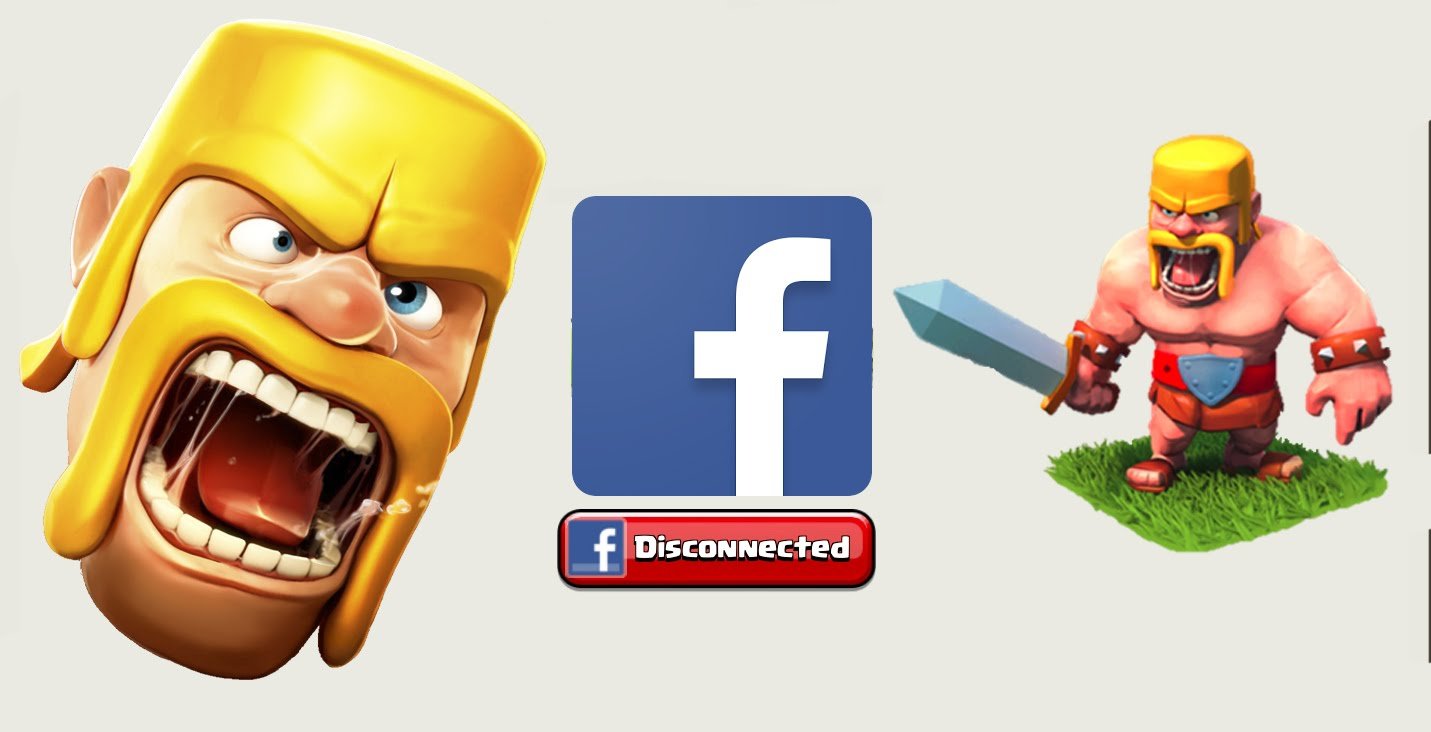
On sites like Facebook, most people are talking with friends or playing games. Seriously, how many Clash of Clans games have you been invited to?
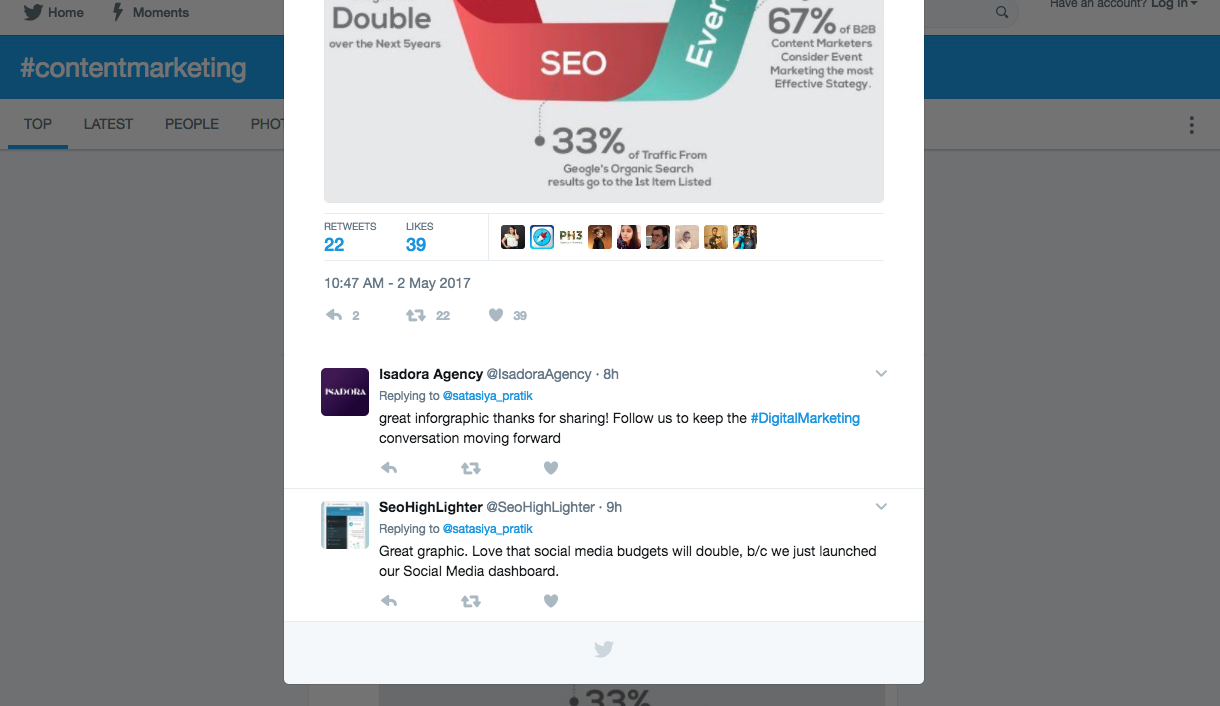
On other sites, like Twitter, people are having conversations (or flame wars) with friends and influencers.
Can you see the common theme here?
On these sites, people aren’t typically in a business-focused mindset. The social nature of the platforms is paramount, making B2B lead generation somewhat of a challenge.
That’s why you have to stand out if you do any advertising or marketing on these platforms.
But on LinkedIn?
Everybody’s thinking business. The whole purpose of the platform is to find jobs, forge connections, maintain a business reputation, and, yep…make sales!
In other words, when people are logged in to LinkedIn, they’re already thinking about business in the way an Instagram user thinks about photos and hashtags.
So when a LinkedIn user stumbles upon your page, they’ll be more receptive to information about your business.
That’s part of the reason why LinkedIn is the single best way to generate B2B leads.
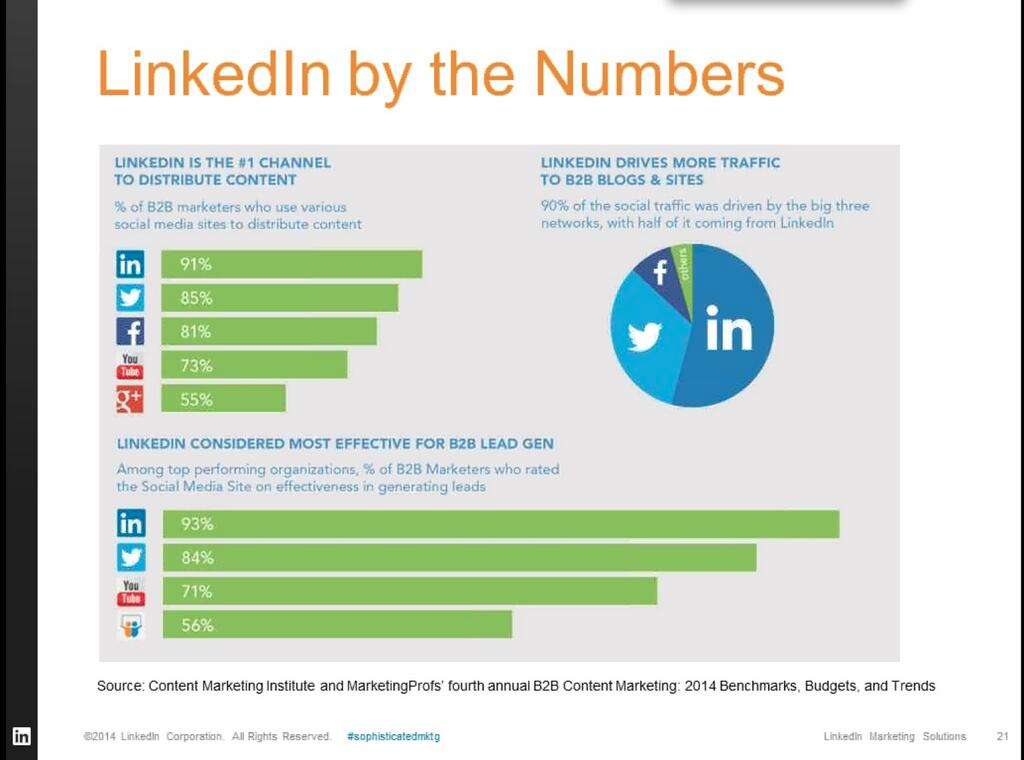
With LinkedIn, you get an edge that’s not possible with other social networks.
I’m not saying that other social media sites are useless. I’m saying that LinkedIn is vastly underrated for what it can do.
Before we go further, let’s talk about the purpose of your LinkedIn sales funnel.
Generally, the purpose of a sales funnel is to, well, make sales. (Duh, right?)
But since you can’t outright sell a product on LinkedIn, we’re going to use it for lead generation.
The ultimate goal is to get people to make the first step in communicating with you.
That might mean sending a request to connect, or it could mean someone clicks on a link in your profile.
In any case, your goal is to get people to reach out and learn more about your business in some way. I’ll share a couple of different ways you can make that happen.
The (important) elements of a great LinkedIn page
There are tons of excellent articles on creating an outstanding LinkedIn profile page.
You should definitely have a prime LinkedIn profile up and running already.
But for what we’re going to do, the process looks a little different.
You can follow these steps no matter what your LinkedIn profile has (or doesn’t have), so pull it up and get ready to make some changes.
First, we need to look at the important parts of your profile.
Sure, every part has its purpose, but to create a sales funnel, you’ll focus on specific elements of your page.
Your headline = your elevator pitch
Your headline is the text that displays beneath your name on your profile.
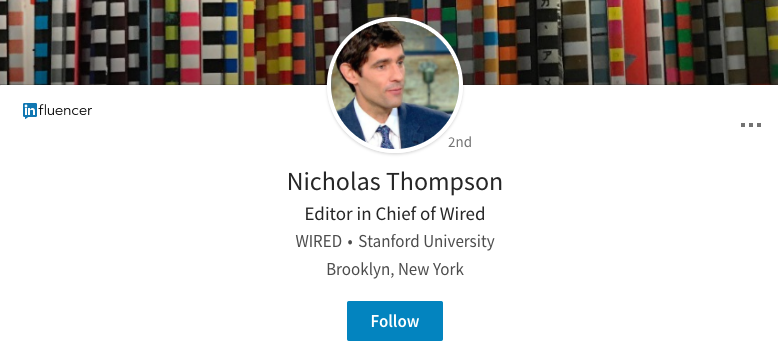
This will also show up in searches and the “People You May Know” section.
By default, your headline is set to your most recent job title.
Anyone who visits your profile is a prospect, right? And you want to show off what you can do.
So if they just see your job title, they won’t have an extraordinary first impression.
But what if they see something like this?
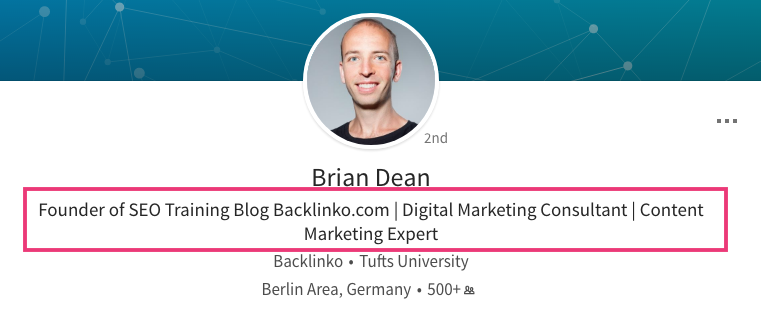
That will create an excellent first impression.
Your prospect will know what you can do for them before they even learn about you or your company.
And that, my friends, is powerful.
In short, you need a benefit-driven headline. It’s basically an elevator pitch but even shorter.
Your headline will be the very top of your sales funnel. It’s what will catch someone’s attention and draw them in.
Here’s an example of a great benefit-driven headline:
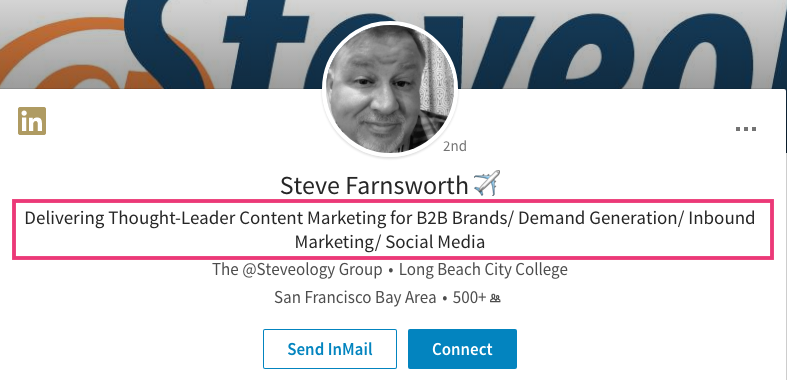
You immediately know why you should click and find out more.
Ask yourself this question: “Why would anyone be interested in my product or service?”
Condense your answer into one line and use it as your headline.
Here are some examples to get the juices flowing:
- I help college students get jobs at Student Jobs Inc.
- SEO that gets you more sales.
- I write copy that customers love.
Focus on the main benefit you provide.
This is a big one: If you have a business, put the name in your headline.
This will make your brand name stick in your visitor’s brain. They’ll associate your name and your face with your business.
If you’re an individual entrepreneur or a freelancer, don’t worry about this.
Once you’ve created a headline, it’s time to put it into action.
You can easily change your headline by going to your profile page and clicking the pencil icon to the right of your profile picture.
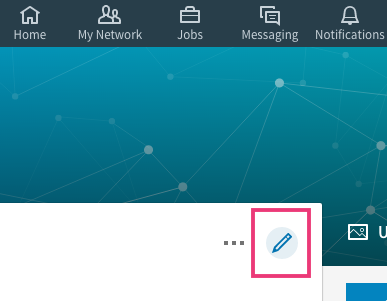
This will make a pane pop up where you can edit your headline and other details.
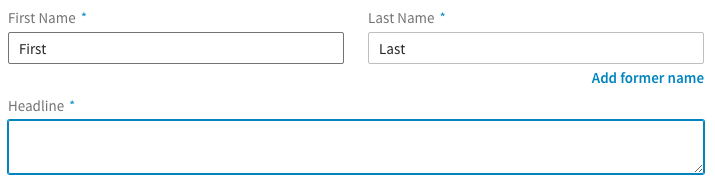
You can change your headline here.
But don’t close this pane yet! You’re going to make some other changes in a moment.
So let’s recap.
You’ve created a benefit-driven headline that tells people what they’ll get if they work with you.
Now that you’ve drawn attention toward your profile, you need to take it to the next level.
Captivate with your summary
People often say that the headline is the most important part of a LinkedIn profile.
I think that’s true. I also think that your summary is the second most important part of your profile.
Your summary is where you can take your headline and go into detail about it.
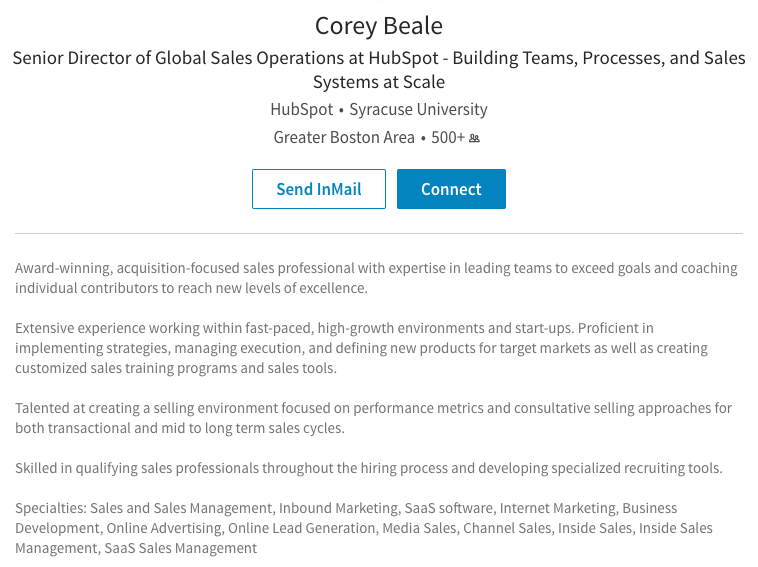
If someone’s reading your summary, they’re interested in seeing what you have to offer.
This section is basically a tiny landing page within your profile page.
And that’s exactly how we’re going to treat it.
First, think of all the benefits you offer your customers.
Make a list like you would for any other landing page. Bullet points will do fine.
Start by copying and pasting that list into your summary section:
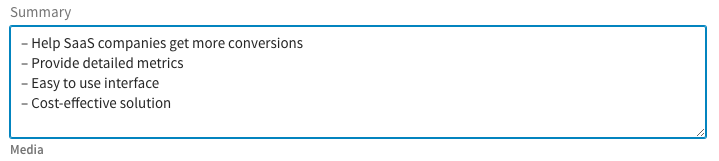
Now you’ll just need to tweak it a little.
First, think about how you want to structure your summary.
Most people use paragraphs:
But this can get congested, especially since the summary section is really wide.
And here’s something to consider: You need to make the first part of your summary short.
Why? LinkedIn cuts off after so many words with a “See more” option.
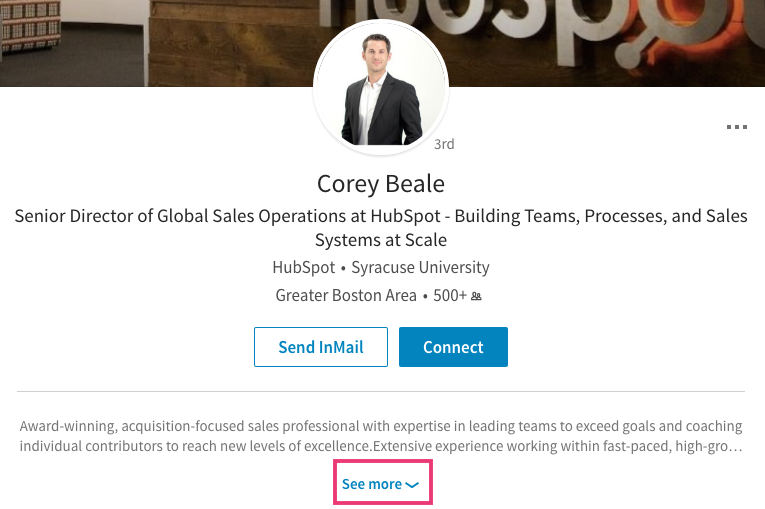
That means you only get two lines to make sure you’re keeping your reader’s attention.
Kind of intimidating, I know, but don’t worry.
So let’s circle back and talk about structure. In particular, we need to talk about the first two lines of your summary.
The first two lines of your summary are the most important
There is no set formula for LinkedIn summaries, but my philosophy is making the most of those first two lines.
In fact, my entire summary fits within the two lines:

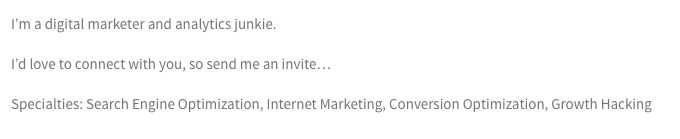
You don’t have to copy me, but you certainly can if you want.
What I’m saying is those first two lines are the most important part of your summary.
Use them to give your reader a concise idea of what you do and how you can help them.
Your summary section is basically the main copy on a landing page. It tells you everything you need to know and hooks you.
However, writing a tiny landing page on LinkedIn isn’t so easy. You can’t use eye-catching graphics, videos, or call-to-action buttons.
So you have to get creative.
If you want an example of how to condense your message into a couple of lines, take a look at Quick Sprout:
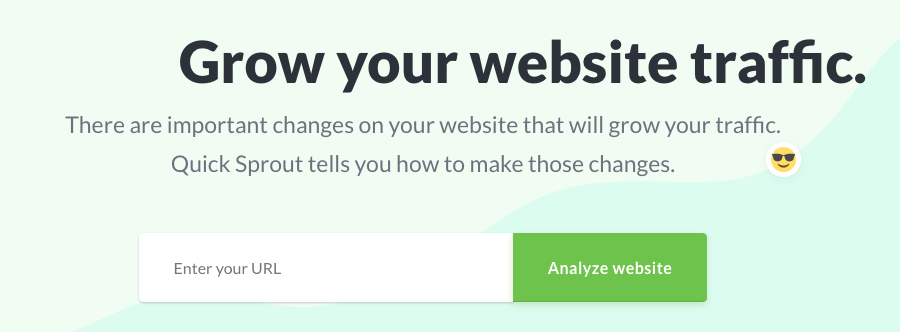
Our goal was to communicate the essence of Quick Sprout in a short sentence or two.
Even though this isn’t much copy, you instantly know what Quick Sprout is and whether or not you’re interested in it.
That’s also what we aimed for with Crazy Egg:
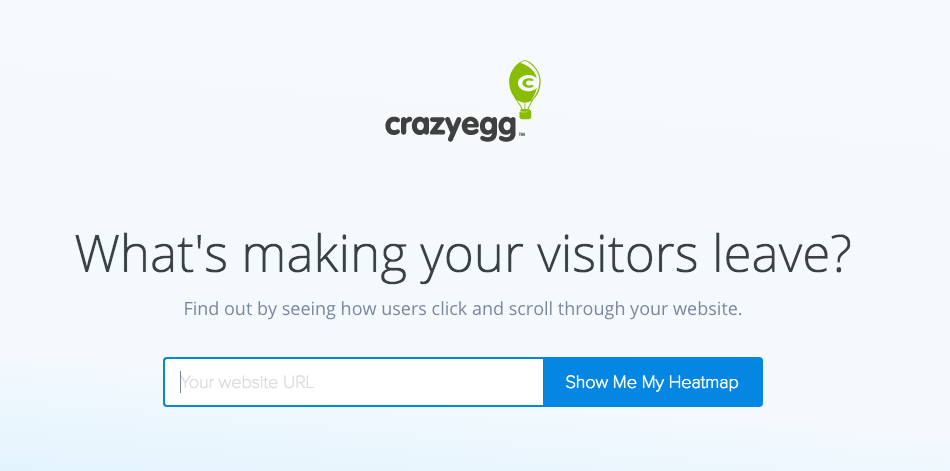
Again, there are just a couple of lines of copy, but it gives you a concrete idea of the product.
If you use this technique with your LinkedIn summary, you’ll build a strong one-two punch in combination with your headline.
While you don’t get the whole picture, you get enough to make you want to click on “See more.”
Don’t resort to clickbait lines or other tactics. Be honest and straightforward and tell your readers how they’ll benefit from your business.
The rest of your summary
Once you’ve gotten the reader interested you can’t stop. You have to keep the momentum going.
Here’s where you can get into the nitty gritty details about your product.
Brian Dean does this on a pro level.
The first two lines of his summary ask questions that a reader might be asking themselves:

But it gets better. His full summary is an awesome overview of what his site Backlinko does and how it can help.
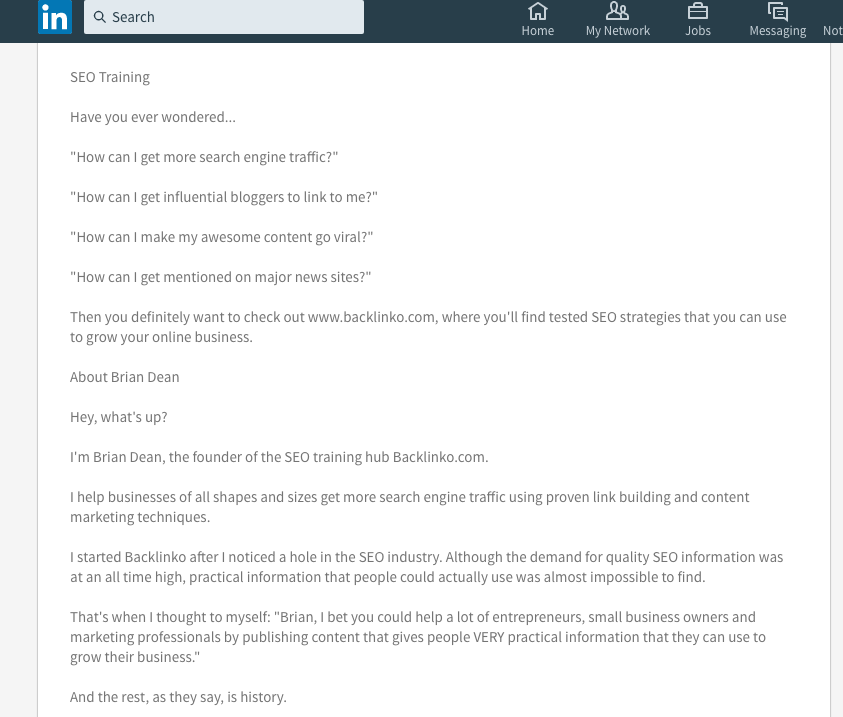
Let’s break down everything that’s going on here.
First, Brian tells you about who he is and what Backlinko is. It’s a short but sweet introduction.
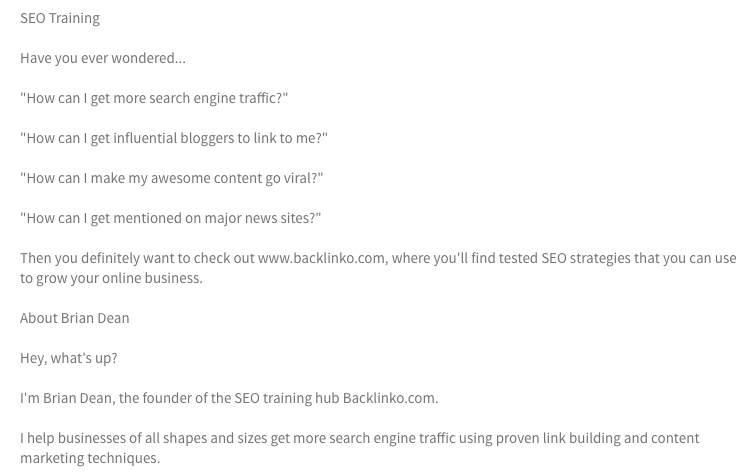
Next, he talks about the history of Backlinko.
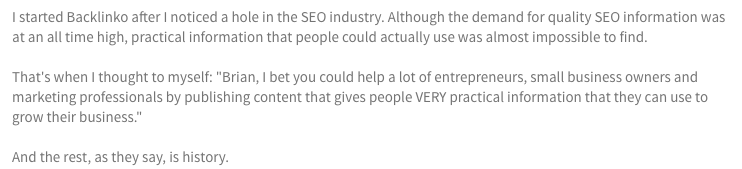
You don’t have to talk about your company’s history, but you should talk about why your business exists.
When you think about it on a larger level, that’s what this section is about.
No one who’s reading Brian’s summary for the first time is going to care about Backlinko’s history. But they will care about why Backlinko exists.
Finally, Brian adds credibility by mentioning where he’s been featured and a list of his specialties.
This is where all those benefits you thought of will come into play.
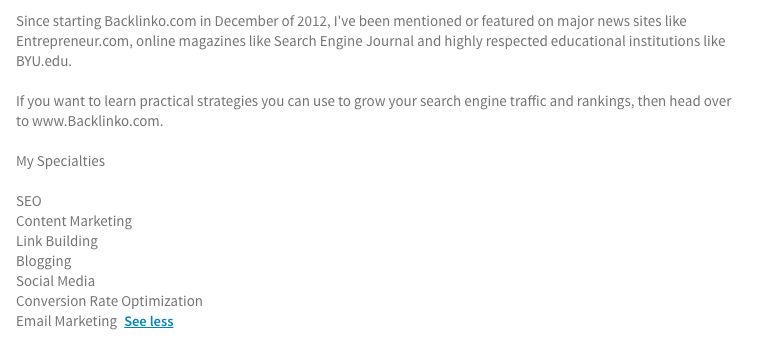
This list doesn’t just talk about Brian’s abilities. It also applies to what Backlinko can do.
After all, Backlinko is Brian’s site, and his entire summary is all about it.
So this list is a double whammy, talking about what both Brian and Backlinko can do.
Again, you don’t have to copy Brian’s exact summary style. But your summary should hit all of these major points.
In addition, I recommend including contact information at the end of your summary. This could be your email address or the URL of your site.
This will make sure anyone interested will be able to reach out to you and check out your business.
So to recap, after the first two lines, your summary should have the following:
- An introduction
- A section that explains what your business does
- A section that explains what benefits your business offer
- A way to contact you/a link to your site
That’s the basic process of turning your profile into a sales funnel.
Before you save your summary, I have one more tip to share with you in this section.
At the bottom of the summary editing pane, there’s an option that says “Share profile changes.”
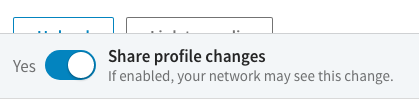
This will send out a message to everyone in your network saying that you’ve updated your profile.
That’s free marketing.
So I highly recommend toggling this option to “yes.”
Someone in your network could reach out and reconnect with you, or someone could refer you to a colleague.
Fine-tune your funnel
There is so much more you can do with your profile.
I’ll discuss a couple of my favorite strategies, but keep in mind that your imagination is the limit here.
Direct visitors to a specific page. If you’re running a specific campaign, you can direct your visitors to a relevant link.
You don’t have to link to your homepage. You can send readers wherever you want to.
For example, HubSpot’s Rob Battaglia has a link to HubSpot’s careers page in his summary:
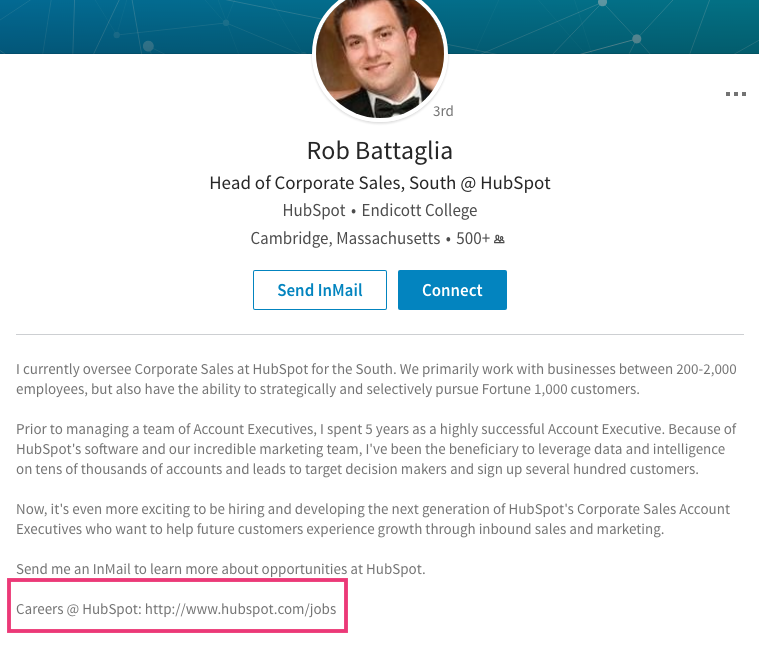
You can link to a landing page, a product page, or a social profile.
You can link to any page as long as it helps the user move through the funnel.
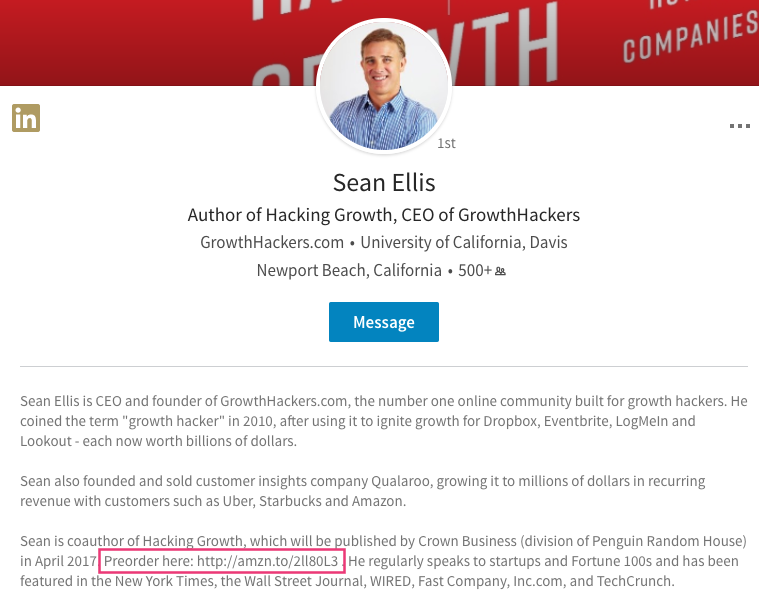
Sean Ellis currently has a pre-order link for his new book:
Add testimonials. Your summary is the perfect place to add some social proof.
After all, your visitors are looking for a solution. If you’ve helped others find the same solution, your new visitors will be even more confident about looking at your business.
Ayman Abdullah includes a short quote from none other than Seth Godin on his profile:
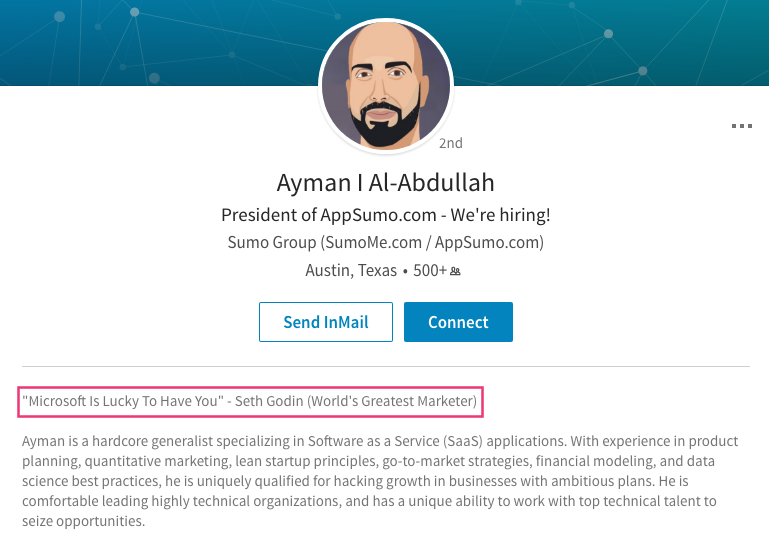
If that’s not social proof, I don’t know what is.
Don’t worry––you don’t need a testimonial from Seth to make a great testimonial section.
A few short but punchy quotes from influencers or even customers will do the trick.
Use the Experience section. You can use this part of your profile to create even more appeal for your business.
This section is designed for you to show off your accomplishments. You can do that but also include links and/or enticing copy.
Chris Guillebeau has a link to his blog in his Experience section:
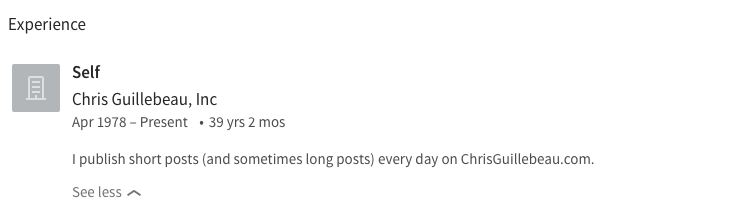
In short, you can use all of the techniques we’ve talked about so far in this section.
Use this section to provide additional information or emphasize important benefits. Don’t repeat yourself for no reason.
Conclusion
I hope I’ve rekindled your hope in LinkedIn.
Yes, it’s sort of boring, and yes, it’s not as fun to use as some other social networks, but it does get excellent results when it comes to business.
So if you have a LinkedIn page you’ve ignored for a while, dust it off and polish it using this process.
Few people use LinkedIn like this. That means you’ll be way ahead of your competitors by taking advantage of a channel they’re not using.
I honestly think LinkedIn can be more beneficial than Facebook for lead generation. (And no, that’s not a typo or a joke. I mean it!)
It’s all about what you put into it. If you give this strategy your all, you’ll see great results.
I know this is not the most talked-about technique on the web. That’s why I wanted to bring it to your attention.
Give it a try, and see what kind of success you get.
If you have any questions, don’t be afraid to ask them in the comments.
What do you do to get the most out of your LinkedIn profile?