Sign In










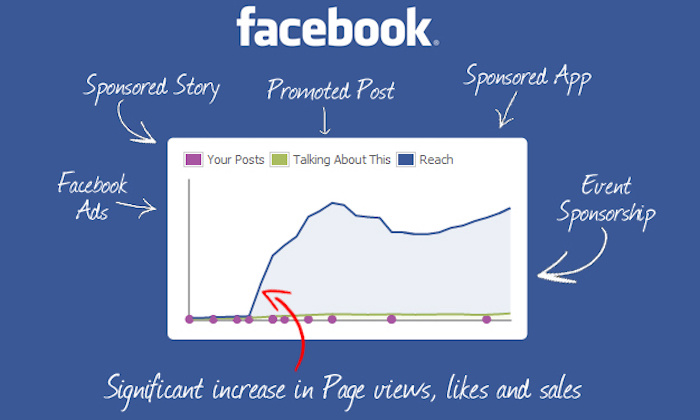
The network that more and more marketers (myself included) are turning to these days is Facebook.
Facebook Ads is fast becoming the go-to platform for paid ads.
Just look at how the interest level has grown in recent years.
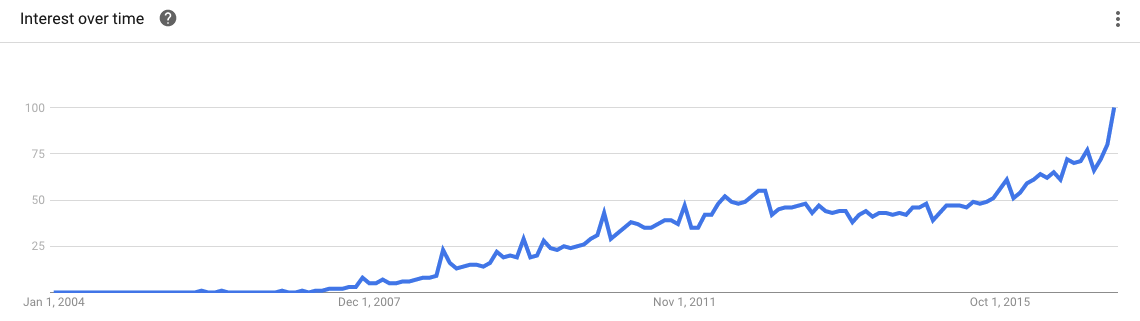
According to Business 2 Community, “Facebook accounts for 9 percent of the digital ad spending and 18 percent of the global mobile digital ad spending.”
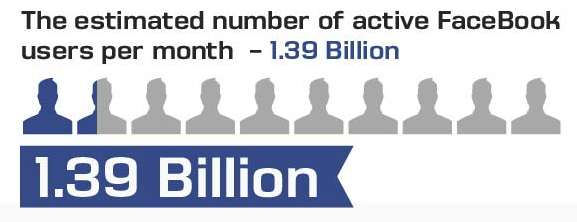
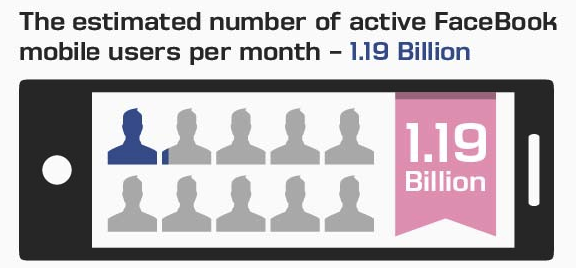
The amazing thing is the massive built-in audience you can reach.
Here are a couple of highlights from an infographic from Business 2 Community that shed light on the sheer size.
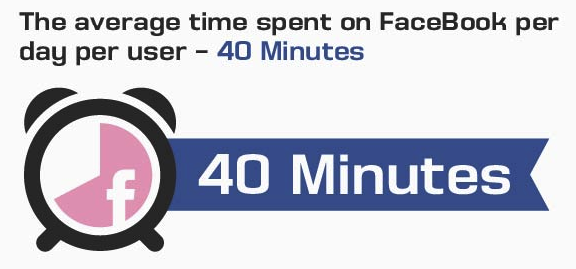
Not only that, people spend a lot of time on Facebook.
In fact, the average person spends 40 minutes each and every day.
When you really break everything down, Facebook marketers all have a singular interest and priority — maximizing their click-through-rate (CTR).
More specifically, they want their clicks to be from qualified, relevant leads that are likely to convert.
This poses a simple but extremely important question:
How can you get more clicks on your Facebook Ads?
I would now like to cover a range of techniques and tactics that are based on thorough research and that have worked for me personally.
These should not only help you get more clicks but ensure that you ultimately get a solid conversion rate as well.
Learn how I generated over 100,000 visitors a month without Facebook ads.
Targeting your demographic
Facebook’s reach is ridiculous.
You literally have people from all walks of life logging into their account every day.
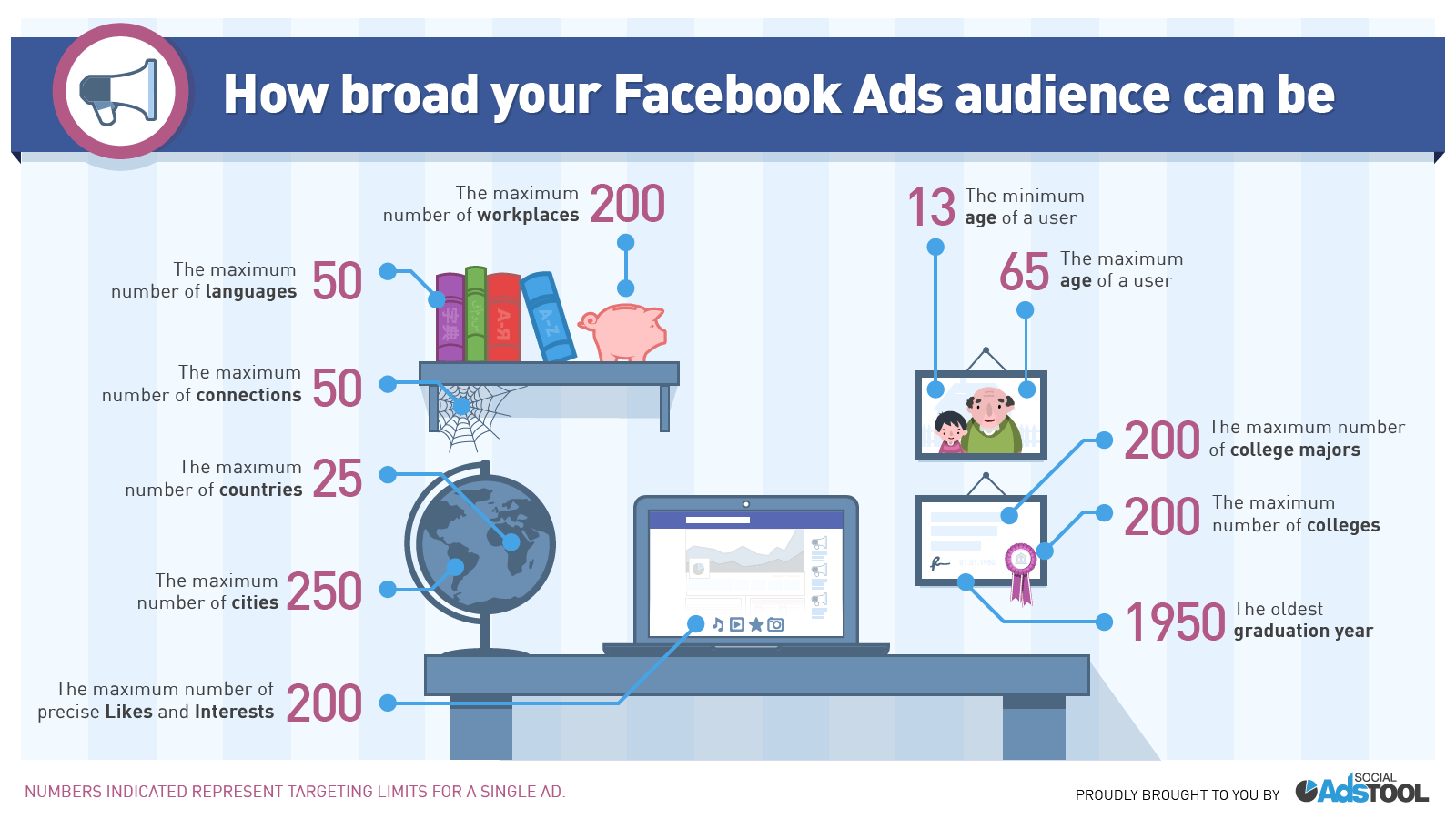
For this reason, it’s imperative that you narrow your audience down so that your ads are being displayed to the right people.
This is done by being super-specific with the demographic you target and letting Facebook know exactly who it is you’re trying to reach.
Fortunately, Facebook makes this fairly easy to do.
It’s just a matter of targeting users based on factors like location, interests, age group, gender and so on.
Here’s what you want to do.
After you’ve created a campaign and an ad account in Ads Manager, you’ll get to the third step: your Ad Set.
This is where you’ll see this screen.
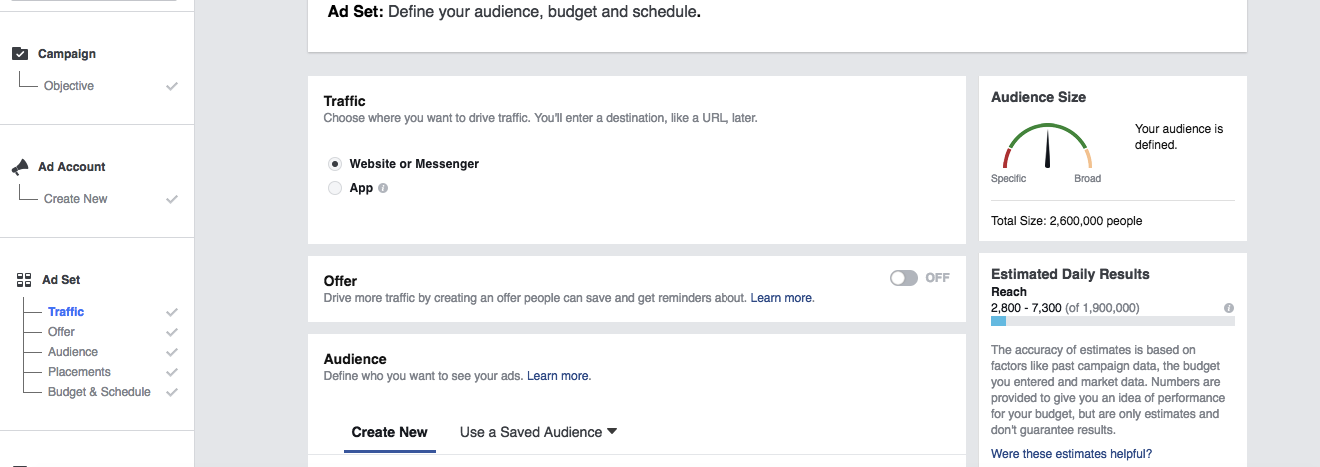
Scroll down just a bit, and you’ll get to the “Audience” section.
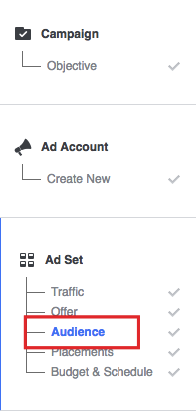
This is where you “define your audience, budget, and schedule.”
Let’s say there’s a small, mom-and-pop type coffee shop in Seattle.
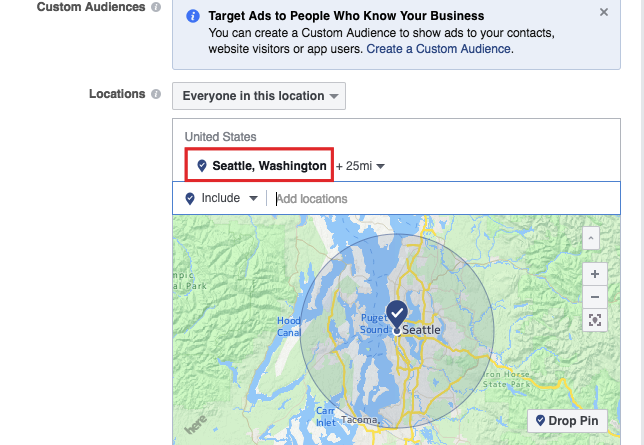
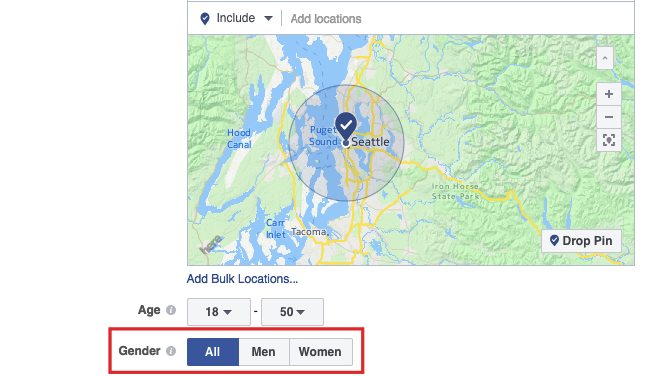
The first thing you want to do is choose your location and create a radius to ensure that your ads are only being displayed right in and around greater Seattle.
To do this, you would enter “Seattle” in the “Add locations” box.
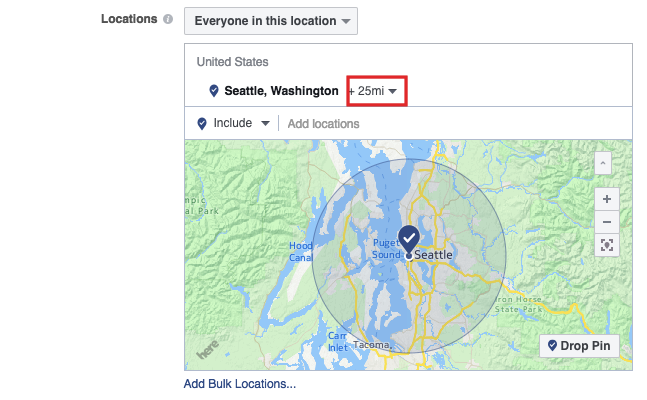
Next, you’ll want to pick the right radius.
The default setting is +25 miles, but you can change that by clicking on +25mi.
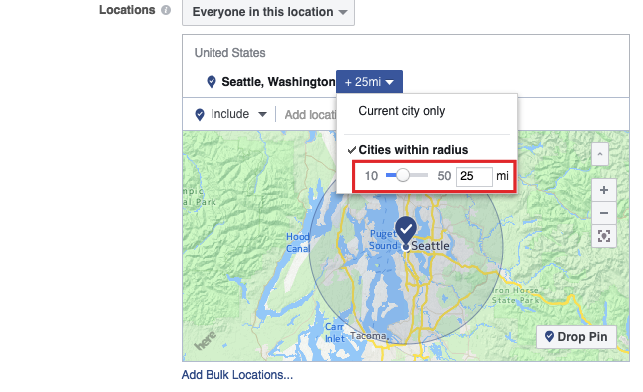
Let’s shoot for a little smaller of a radius and go for only 15 miles.
You would adjust it in this box.
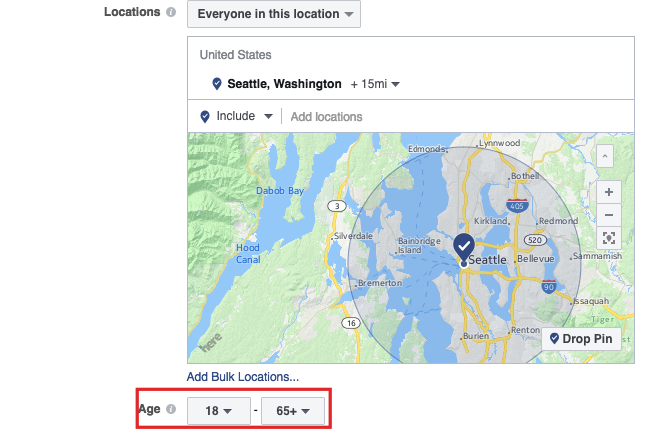
Next, you’ll want to select the right age group for your demographic.
The default setting is 18 – 65, but you can adjust this as well.
If you’re only targeting a certain gender, you can opt for either men or women under the “Gender” section.
The “Languages” section beneath this is pretty self-explanatory.
The area that you really need to pay close attention to is “Detailed Targeting.”
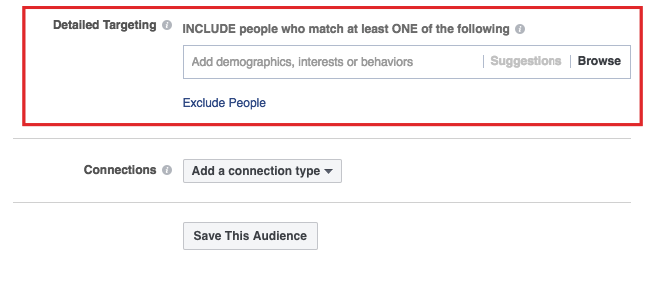
You’ll want to carefully think this through and include a hyper-specific audience.
You can either manually enter a demographic, interest, or behavior or let Facebook help you find the best criteria.
Since our example is a coffee shop, I will choose interests like “coffee” and “food and drink.”
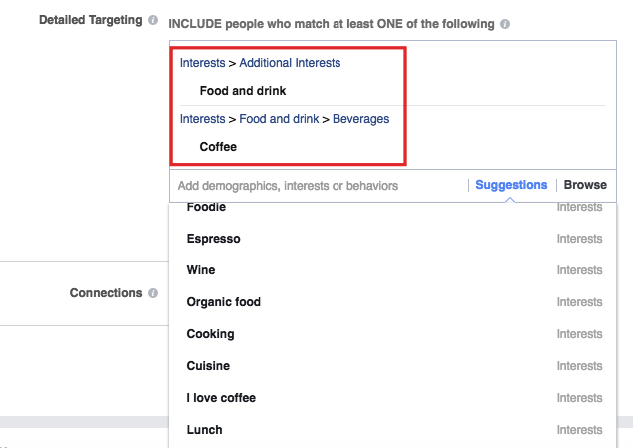
Note that Facebook will automatically give you other ideas based on whatever term you enter.
Just choose whatever is most relevant to your audience.
Like in Google Adwords where there are negative keywords, you can narrow your demographic by excluding certain people.
Simply click on “Exclude People” or “Narrow Audience.”
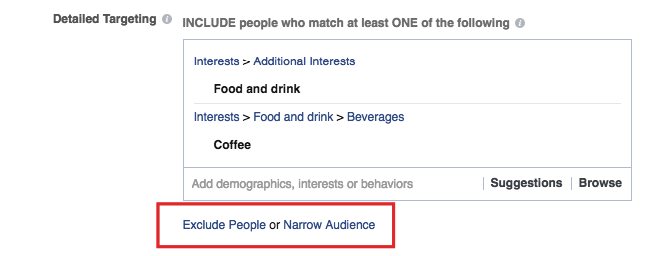
Let’s say that I wanted to exclude people who are looking to research or buy an actual coffeemaker.
I would enter “coffeemaker” in “Exclude People.”
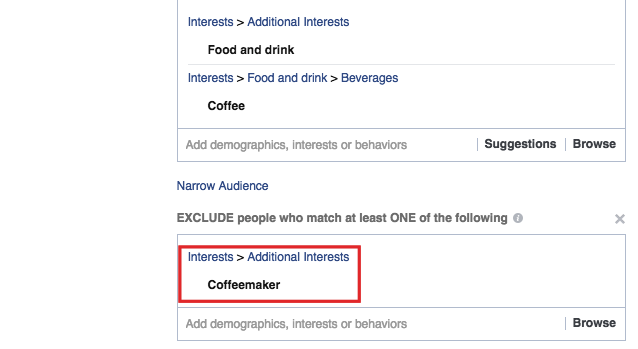
The bottom line here is to be extra thorough when identifying your demographic.
Not only will this help you increase your CTR, it should increase your conversion rate for a better overall ROI.
Images
Now for the obvious — images.
One of the reasons I love Facebook Ads is because it’s one of the only PPC platforms that allows you to use images, which is a huge plus in my book.
But of course, not just any image will suffice.
The picture you use will dominate your ad, so you need to choose very carefully.
And there’s a certain formula that I like to follow.
Contrast
The goal is simple. You want to immediately grab the user’s attention and get their eyeballs on your ad.
A surefire way to do this is to use plenty of contrast.
I personally prefer a light background with brighter images in the foreground to “make it pop.”
Here are some good examples.

I think Naturebox really nailed it.
I know that my eyes instantly gravitate to the orange colors.
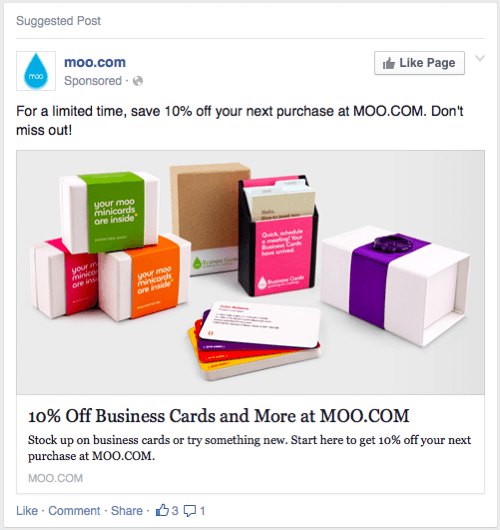
This ad from Moo.com has a similar effect.
So does this one from Harry’s.
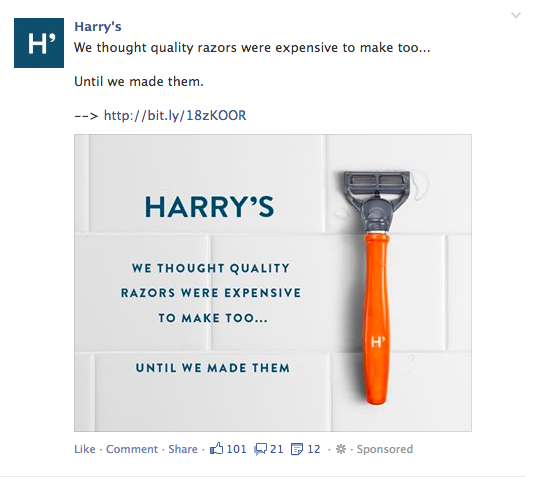
I’m personally a proponent of sticking with a clean, simple, almost minimalist aesthetic.
It looks great and helps people focus.
People smiling
One thing I’ve noticed in my campaigns is that people tend to respond positively to seeing other people in ads.
This helps create an emotional connection, which I find makes users more receptive to checking out my ads.
It can also help create trust.
That’s why I often feature my own images in my ads.
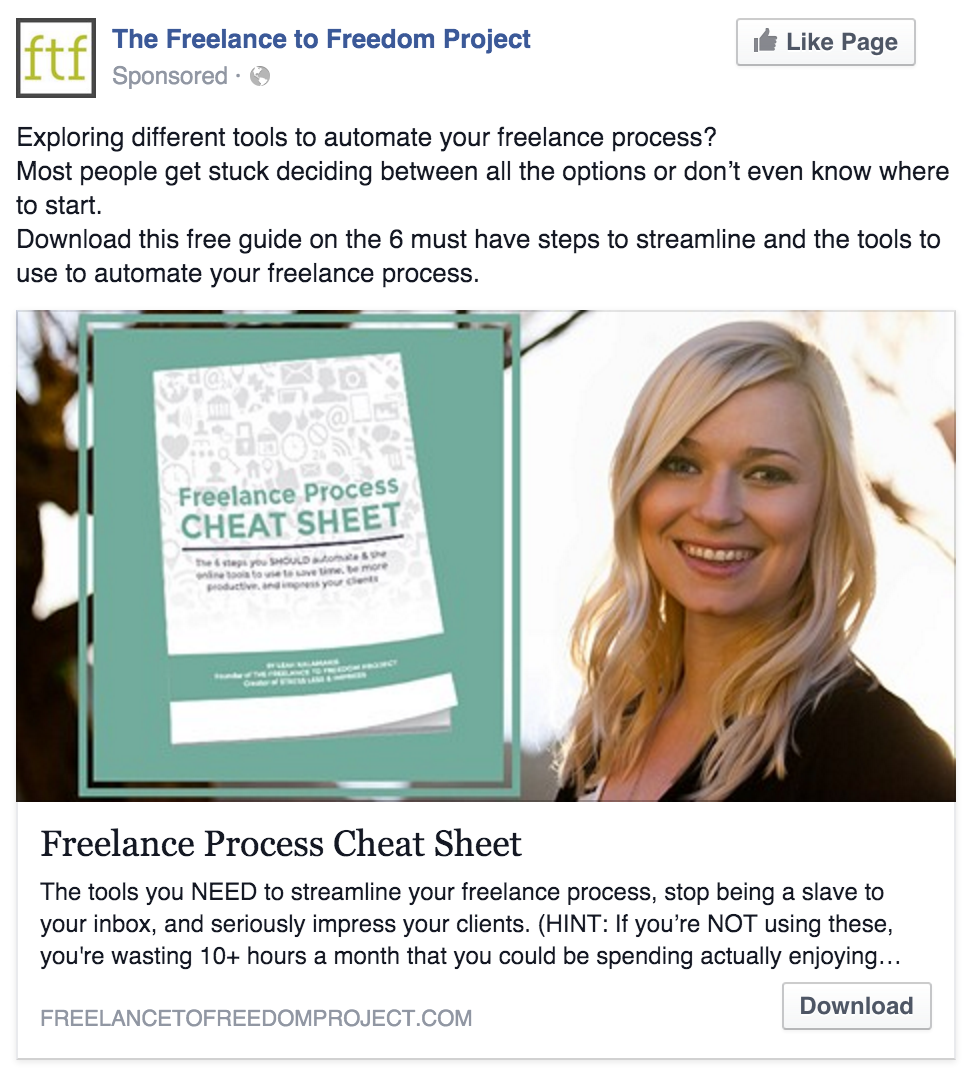
But I also recommend using images of other people smiling.
Here are two great examples.
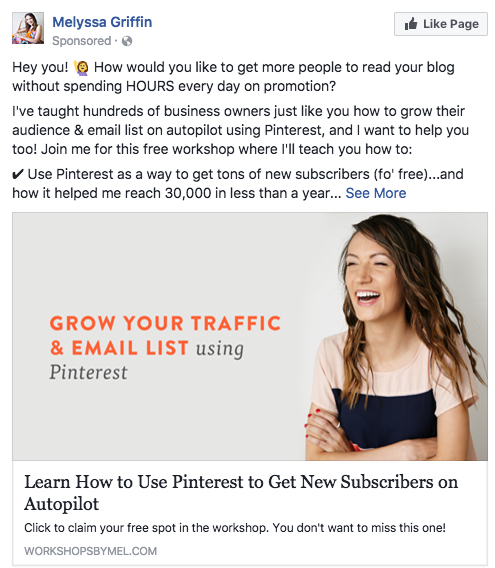
Here’s another thing that I’ve heard from experts.
It’s ideal to use images of attractive people.
I know it sounds vain and the term “attractive” is inherently subjective, but it’s definitely a factor in getting clicks.
And here’s another thing.
You’ll typically want to use an image of an attractive woman if you’re advertising to a primarily male demographic and an attractive man if you’re trying to reach a primarily female demographic.
Go figure.
Should I use stock photos?
The instinct of many Facebook marketers, especially when they’re just starting out, is to use stock photos.
It’s quick, easy, and cheap (Facebook provides them for free).
But in my opinion, this is something that should be avoided.
Why?
A lot of stock photos have an air of cheesiness to them and just don’t feel authentic.
They feel very amateurish.

See what I mean?
Although stock photos are usually okay for blog posts and other types of content (heck, I use them myself!) I generally advise against using them for Facebook Ads.
Most people are accustomed to seeing real pictures of their friends and family on Facebook, so mediocre stock photos just won’t cut it.
Instead, try and use real images because they tend to get more clicks.
Crafting the perfect headline
So you’ve targeted your core audience and have used imagery that grabs the attention of Facebook users.
The third key element of a great Facebook Ad is your headline.
As I’ve mentioned before, the headline you use in your content is incredibly important.
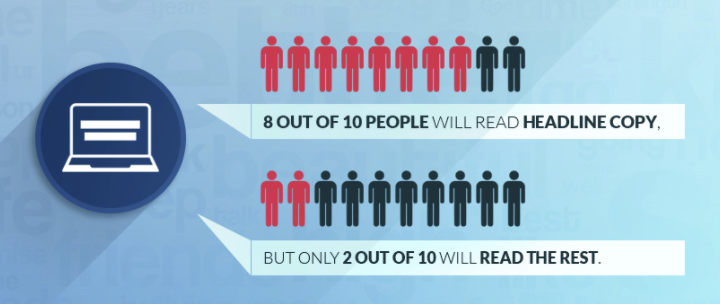
To put perspective on things, “8 out of 10 people will read headline copy, but only 2 out of 10 will read the rest.”
If I had to use two words to describe the perfect headline they would be short and specific.
So how short is short?
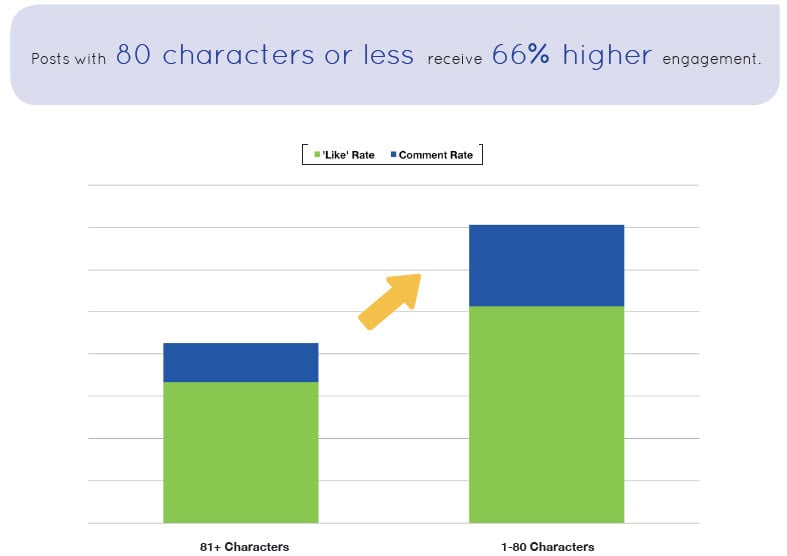
Well, according to Jeff Bullas,
Posts less than 80 characters in length receive 66 percent higher engagement than longer posts.
However,
Very concise posts — those between one and 40 characters — generate highest engagement. Only 5 percent of all retail brand Wall Posts are less than 40 characters in length, even though these receive 86 percent higher fan engagement.
When I say “be specific,” I mean keep your headline targeted directly to your offer.
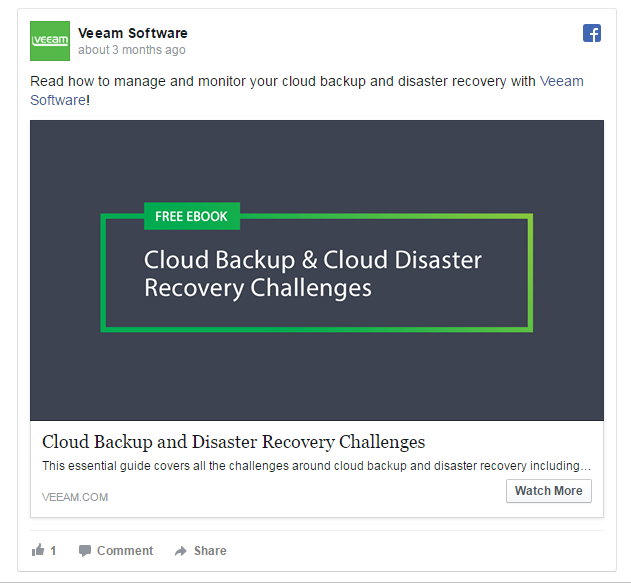
It should be crystal clear what your offer is for Facebook users and there should be zero confusion.
Here’s a nice example from Veeam Software.
Besides simply bringing in more clicks, this should maximize the number that ultimately ends up converting.
Writing killer copy
Writing copy for your Facebook Ads is pretty straightforward.
In just a sentence or two, you need to motivate Facebook users and get them to take action and click.
But truth be told, this is easier said than done.
However, there is a distinct formula that should increase your number of clicks dramatically.
I really love this article from Wishpond that discusses Facebook posts that drive clicks.
In it, they offer some specific phrases you can use to maximize clicks.
There are three in particular that I feel are especially potent.
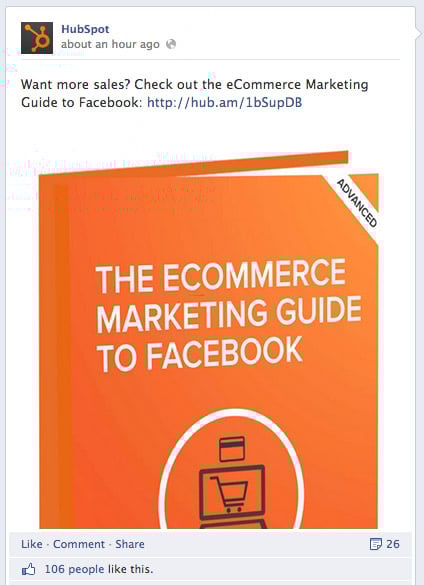
Phrase #1 “Want [Blank]? Check out [Blank]: [LINK]”
This instantly addresses the needs and/or pain points of your audience and in very simplistic terms encourages them to click on your link.
Here’s an example of how HubSpot pulled this off brilliantly.
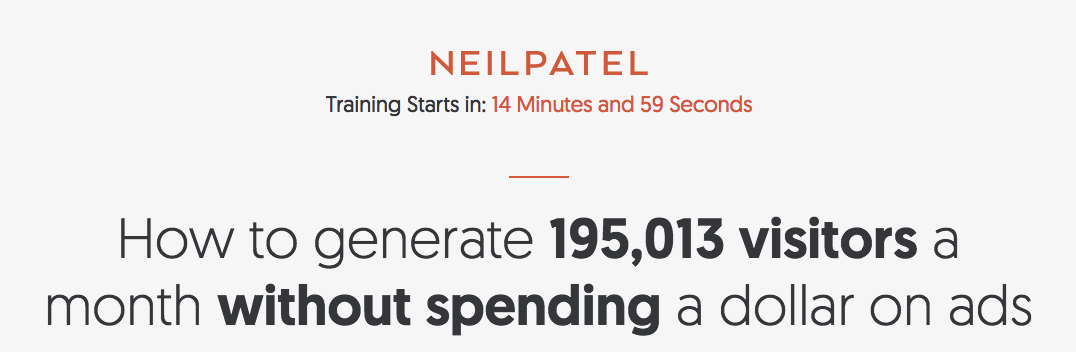
Phrase #2 “Learn how to [Do Something]: [LINK]”
This is a technique that I’ve used several times not just in Facebook Ads but with my overall campaign.
For example, I do something very similar on the homepage of this site.
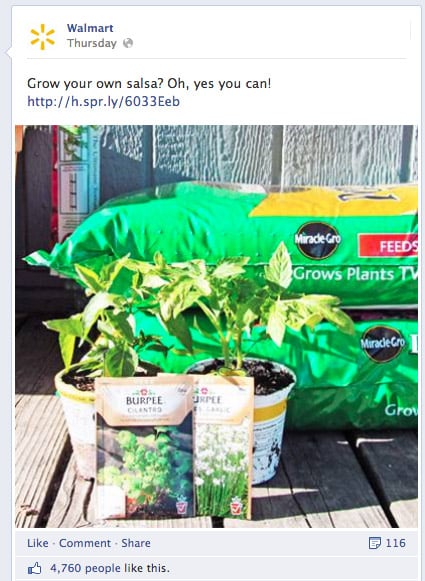
By promising to answer a burning question your audience has, it stands to reason that you can drive a massive amount of clicks.
Here’s an example of how Wal-Mart utilizes this tactic.
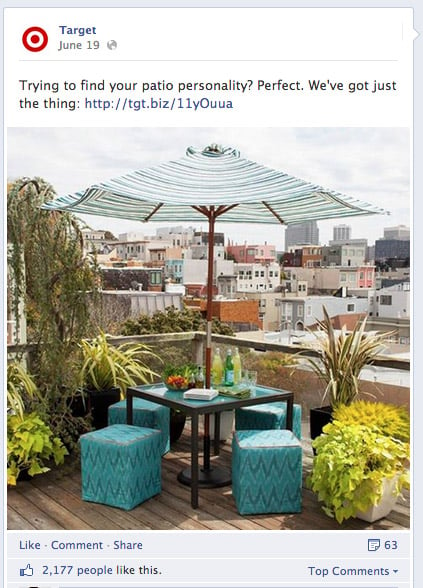
Phrase #3 “Need to [Solve a problem]? Here’s an easy way to do it: [LINK]”
Most consumers are plagued with some sort of problem.
Concisely explain that you’ve got a solution, and watch your CTR skyrocket.
Here’s how Target implements this technique.
If you’ll notice, there’s an overarching pattern of great sales copy on Facebook Ads.
It’s simple.
So there’s no need to drone on. Just find a way to encapsulate your audience’s pain point, issue, etc. and how clicking on your ad offers a solution.
Don’t overthink it. Just keep it brief and to the point.
Include your own personal opinion
Here’s a clever little trick that not a lot of people are aware of but can really crank up your CTR.
And that’s subtly weaving in your personal opinion.
Here’s a great example from Amy Porterfield.
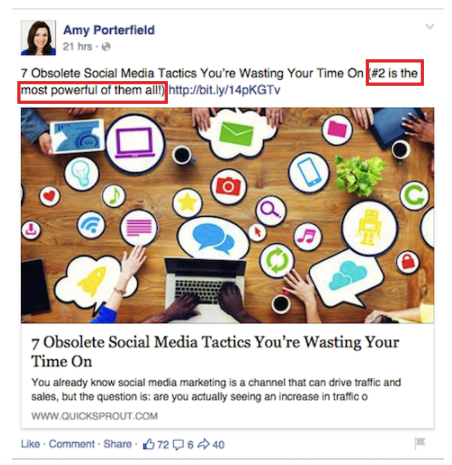
Notice how she gives her own take by saying that “#2 is the most powerful of them all!”
While this may not seem like it would have all that profound of an impact, you may be surprised at what the actual effect is.
When we tested it, the difference in CTR was 8 percent, a significant difference.
So whenever applicable, try this little trick.
It only takes a second but can have a considerable impact.
Add a CTA button
It’s been fairly well documented that people as a whole respond favorably to CTA buttons.
And did you know that Facebook allows you to easily add a CTA button to your ads?
It’s true.
You can choose from a variety of CTA options such as “Download,” “Learn More” and “Shop Now.”
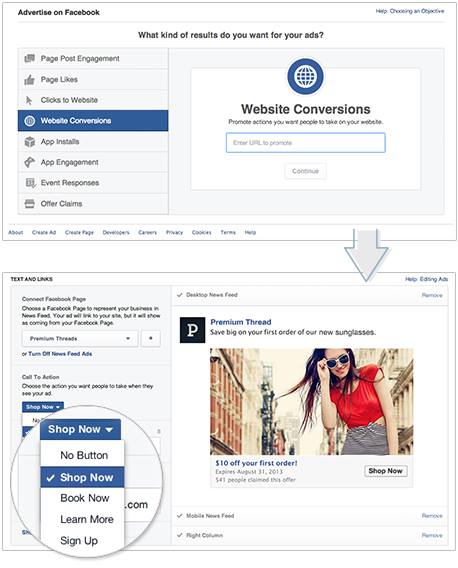
Just check out this section from Facebook’s Advertiser Help Center for a step-by-step walkthrough of how to set this up.
Offer social proof
Social proof is kind of a big deal.
In fact, I believe that in many cases it can make or break you.
That’s why I make it a point to incorporate social proof whenever I can.
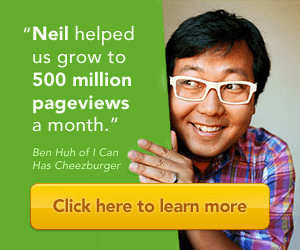
Just take Quick Sprout for example.
This short and sweet little testimonial from Ben Huh has been huge for helping me increase conversions.
And guess what?
You can totally use social proof for leverage with Facebook Ads as well.
Here’s a really great example of how AdEspresso pulls this off flawlessly.
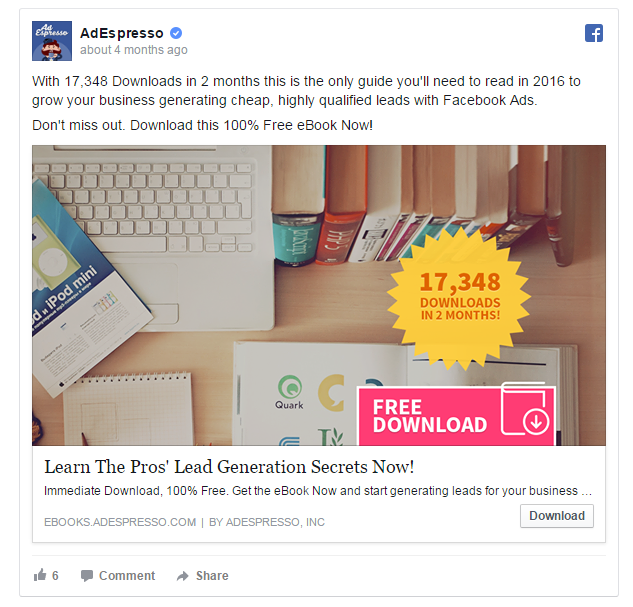
The goal of their ad was to get people to download their eBook.
To encourage this, they mentioned the specific number of downloads they had in two months — 17,348.
This lets prospects know that the eBook must be legit.
After all, 17,348 people can’t be wrong.
Obviously, the specific situation will differ depending upon your unique goal and what you’re trying to promote.
But keep the concept of social proof in mind when constructing your ad.
Do whatever you can to quell any skepticism or fears that your audience may have and that may be inhibiting them from clicking.
Timing your posts
One way that Facebook Ads differ from other, more conventional PPC platforms is that you’re using a social network.
And there’s a huge factor that any savvy social media marketer is aware of — timing.
The time in which you post something will impact how many impressions and clicks it receives.
I actually addressed timing social media posts on an infographic on Quick Sprout a couple of years back.
Here are the main points that you need to know.
The optimal time to post on Facebook according to experts is between 9 a.m. and 7 p.m.
But I find this to be a little broad.
According to research, 1 p.m. is best for getting the most shares and 3 p.m. is ideal for getting the most clicks.
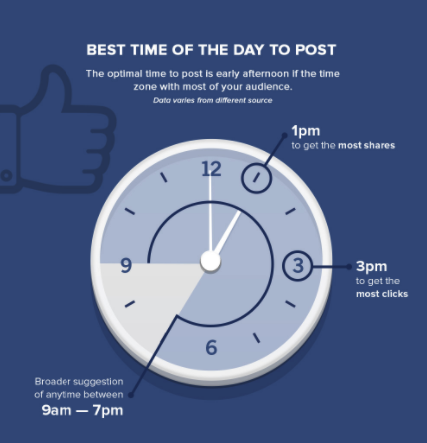
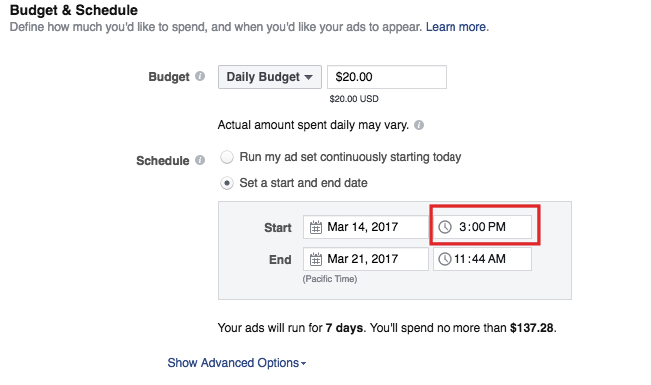
Since our goal here is to generate the maximum amount of clicks, 3 p.m. is a great time to shoot for with your Facebook Ads.
Adjusting the time is simple to do. Here’s now.
Go to “Budget & Schedule” in your Ads Manager.
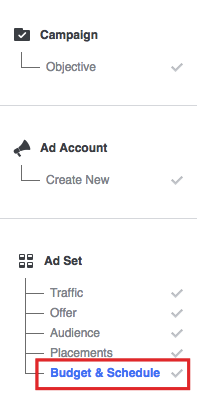
You’ll see this.
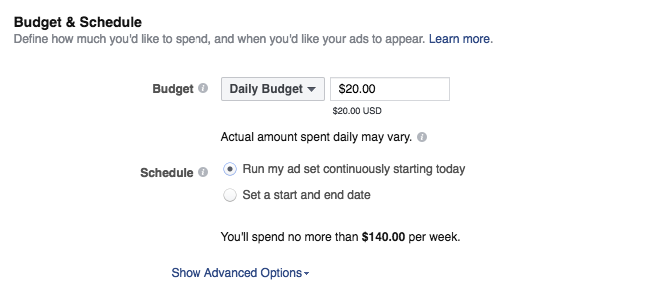
Notice that the default setting on “Schedule” is “Run my ad set continuously starting today.”
This isn’t the setting you want.
Want you want is to click on the second option, “Set a start and end date.”
Then a box will pop up underneath.
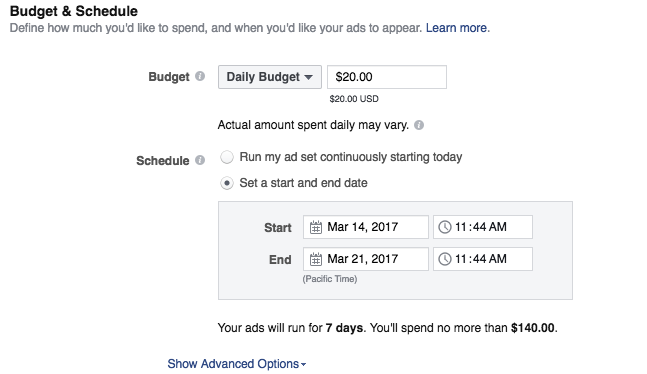
From there you can adjust the time in which you want your ads to be displayed.
Here are a couple other bits of advice that I’ve learned from experience and from testing.
Posting once every other day will get you the highest number of clicks per post.
That’s because people tend to ignore your content when you post multiple times per day.
Also, try to share your most valuable posts on a Thursday or Friday because engagement rates are 3.5 percent higher on these days.
A/B testing
I have one last point.
As always, I recommend performing some thorough A/B testing so that you can get your Facebook Ads “just right.”
Even if you find that you’re getting a solid CTR rate initially, it could always be better.
There’s simply no replacement for some basic experimentation to see what will drive the best response from your audience.
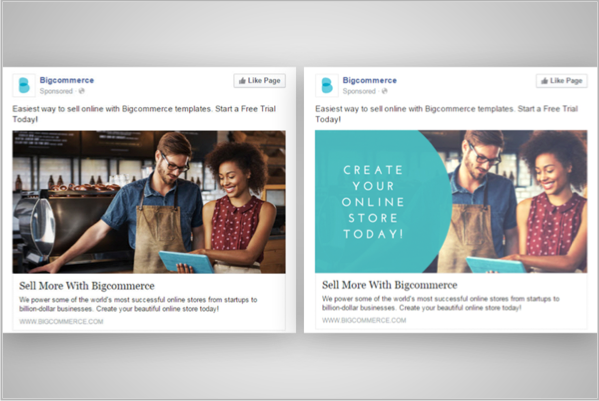
I recommend testing out:
- Different images
- Header variations
- Copy variations
- CTAs
Conclusion
I find Facebook Ads to be one of the most exciting PPC platforms at the moment.
The CPC is pretty reasonable compared to many other platforms, and you can potentially reach well over one billion people.
Of course, there are a lot of factors that will determine how successful you are.
You can’t just haphazardly slap up some ads and expect to crush it.
You need to use proven principles and psychological triggers that we know for a fact people respond to.
By following the formula I described, you should most definitely improve your CTR and get the most bang for your buck with Facebook Ads.
Do you have any more suggestions for getting more clicks on this platform?