Sign In














In the online world, everyone is always trying to one-up each other.
I see it all the time.
It’s not that competition is a bad thing. I love a little competition.
Sometimes it’s not about competing. It’s about refining what you have to offer and adding real value.
You can write a 2,500-word blog post about SEO, for example, but unless it helps the person reading it, what use is it?
You can publish 5 blog posts every single day, but unless there’s a purpose, the only thing it will bring you is a little more traffic.
Publishing content for content’s sake won’t help anyone.
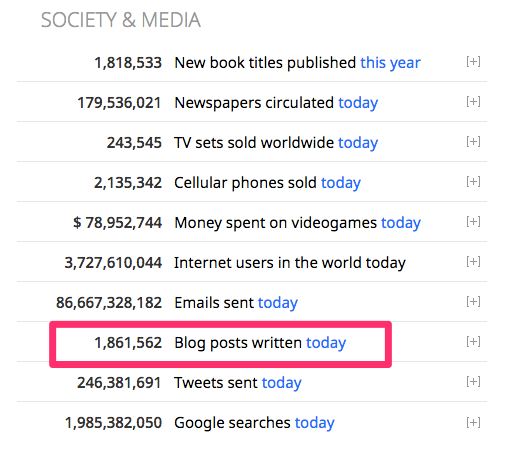
I’ve been blogging for a long time now.
I’ve seen some of the best and worst advice out there.
Even though I’m not perfect, I do have a few things that I recommend people do if they want to improve their blog.
You certainly don’t have to do all of them.
But these tips are ones that I’ve found to be helpful for improving my blog over time.
Let’s dive in.
1. Write about proven topics
Your blog should contain topics that you’re passionate about.
Passionate writers are far more engaging than those turning out bland articles for traffic.
But that doesn’t mean you should write about everything that you’re passionate about.
A good blog has a niche. It has focus. It has topics that are proven to drive results.
So how do you know if your blog posts live up to that?
Jump over to Google Trends.

You can take a keyword from a blog post and see how it’s trending using the top search bar.
Or you can search what’s already trending using the categories tool and create a blog post from those topics.
Let’s look up the term “small business marketing strategies.”

You can also type that keyword into Google to see what posts come up.
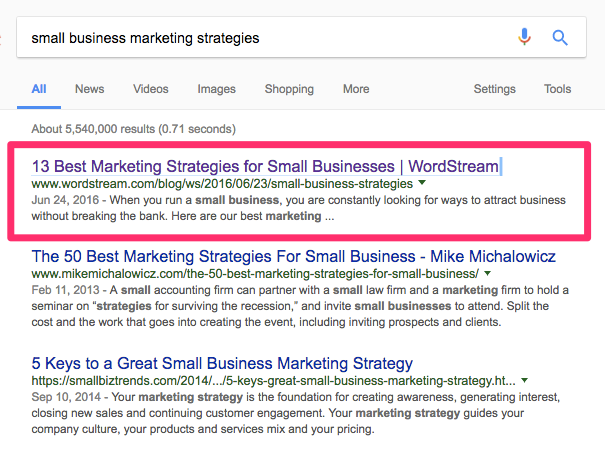
WordStream has the first-ranked post in this instance.
If you want to see how popular the topic is, paste the URL of the post into BuzzSumo.

It will show you how much the post has been shared and on which channels.
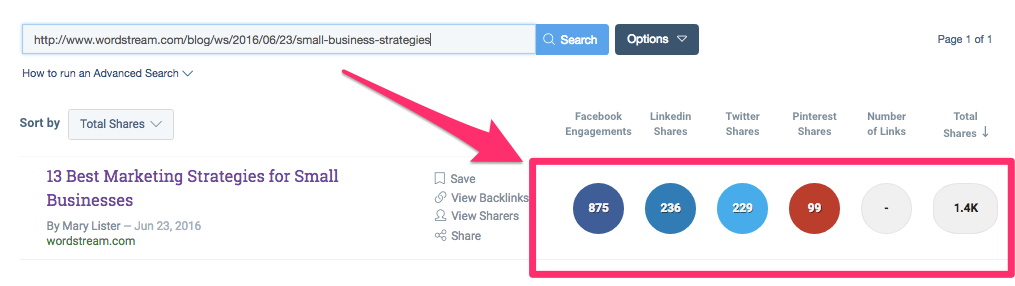
You can also search for other popular posts from this site if you’re struggling to come up with proven topics.
Just type in the site URL and it will show you the top posts:
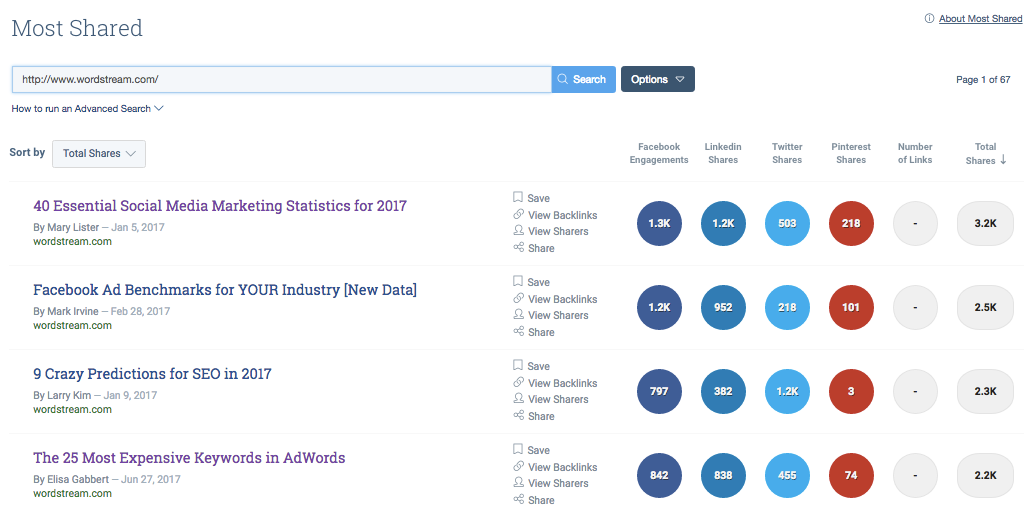
If you can write about topics that people want to know about, your blog will instantly have more value.
And you’ll drive more search traffic, too.
2. Write catchier headlines
Your proven content also needs a proven headline.
Expert marketer Drayton Bird suggests spending 80% of your time writing your headline and only 20% writing your content.
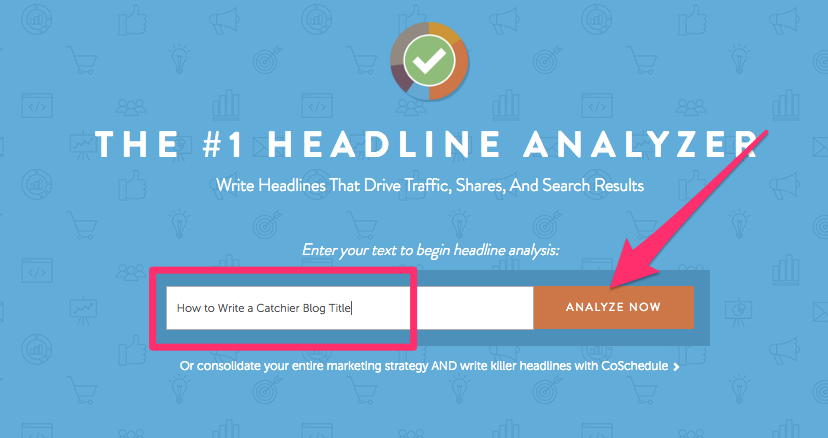
You can use a tool like CoSchedule’s Headline Analyzer to help with this.
Enter in a headline you want to start with and then choose “Analyze Now”:
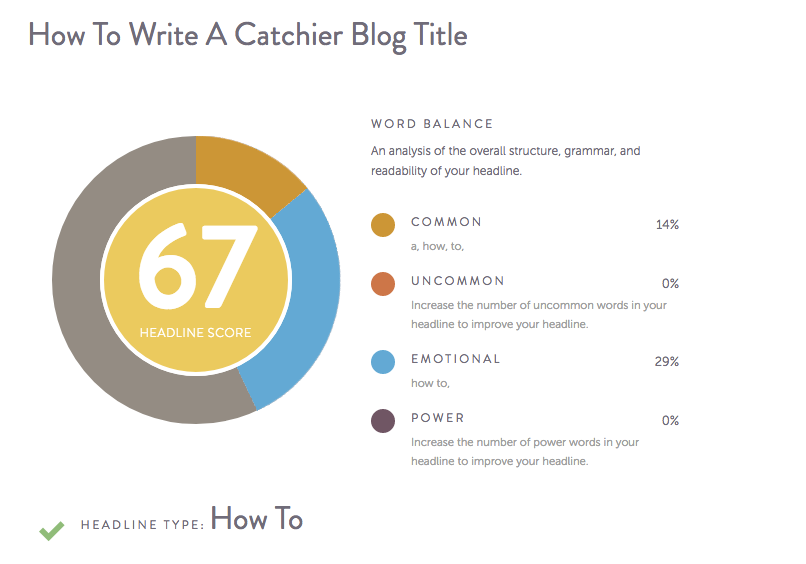
Your headline will be given an overall grade.
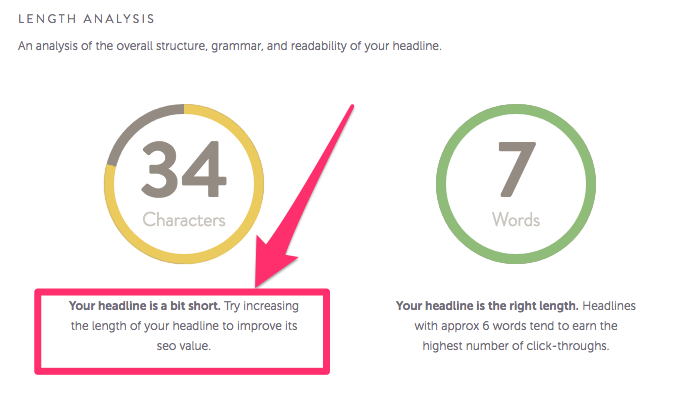
If you scroll down a bit, you can see your title’s length and character numbers. It will give you suggestions if it thinks your title could be improved.
It also gives you some other info you might find helpful, like sentiment and keywords.
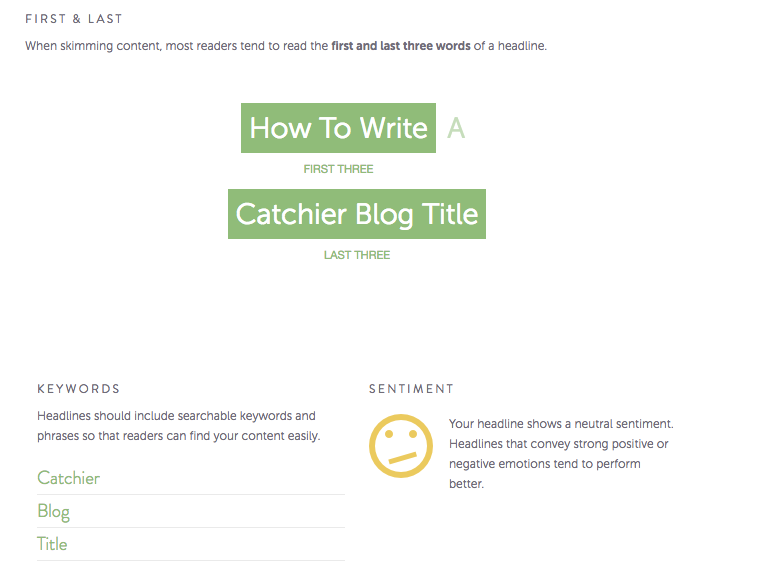
Using this information, you can tweak your title to make it a little better and then test it again.
Here’s what I came up with the second time:
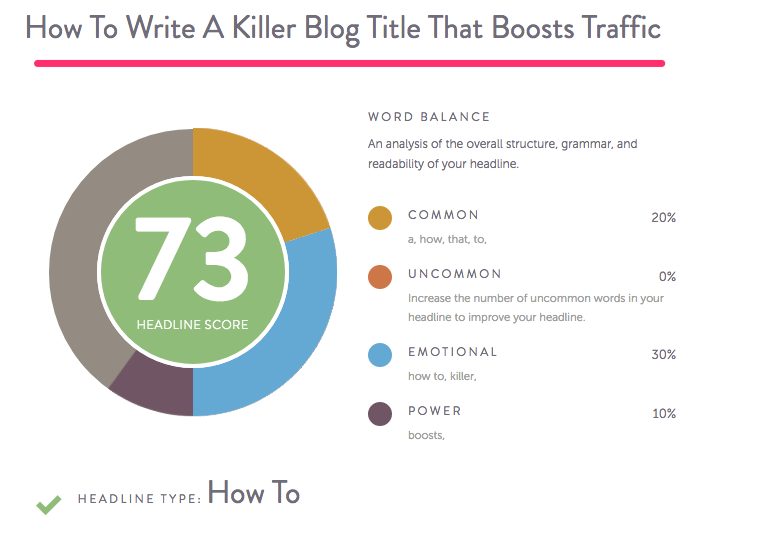
You can keep refining your titles as much as you want until your score improves.
If you’re struggling for headline ideas, HubSpot has a few headline formulas you can follow.
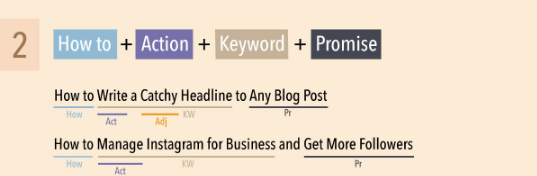
Keep in mind any keywords you want to use (for SEO purposes), length (how will it look on Twitter vs your blog?) as well as sentiment.
Make a claim. Make a statement. Give something actionable.
Remember, if you would bypass a post because of its title, so will your audience.
3. Use scannable formatting
Your topic and headline will bring people in, but your format will hook them or scare them away.
There’s a reason I write in bite-sized chunks of text with bold headlines.
It’s scannable, and it’s extremely easy to read.
So how do you know if your content is scannable enough?
You can use a heat mapping tool, like Crazy Egg to see the scannability of your headlines and subheadlines (and other content).

Heat mapping can show you where the focus is and where it should be.
In one instance when CoSchedule used heat mapping to analyze their content, they found that readers weren’t making it past 20-30% of their posts.
By adjusting the format of their site, they were able to improve that significantly.
When it comes to formatting, you want to:
- Emphasize key points in your subheadlines
- Write in smaller and easy-to-digest sentences
- Use bullet points and other segmentation to break up text
You can also use images to break up content. You’ll notice I do that a lot.
Another thing to keep in mind is readability, and I don’t just mean formatting.
Your posts should also be easy to understand.
You can use a tool like this Readability Test Tool to test a post’s comprehension level. I’m using one of my recent blog posts as my test:

You’ll see the average “grade level” for your content depending on the results. Mine looks OK.

You can also see a breakdown of the complexity of your words and sentences used:
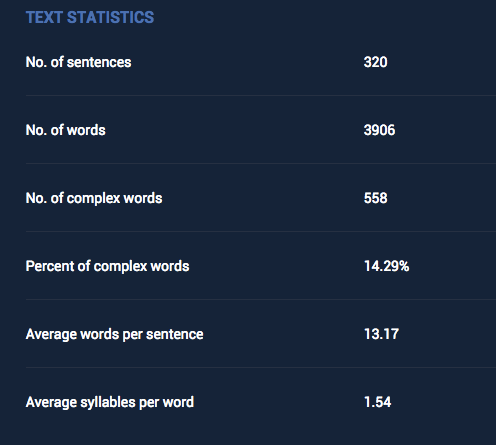
While you don’t necessarily want to dumb down your content, you should be speaking at the level of your audience.
Remember, simpler is better.
4. Ask experts to guest post
I often recommend guest posting as a strategy for increasing traffic to your blog.
But you can also improve the quality of your blog by offering guest posts to others.
You don’t want to just offer the spots to anyone. Ideally, you would find experts in your industry to write proven content.
Not only is it a boon for your credibility, but the poster can also link back to their site.
That’s a nice little SEO boost for the both of you.
But how do you find quality experts who would be willing to post on your blog?
If you don’t already know experts in your industry, you will want to find them.
Start with a tool like Mention. Once you sign up for a free trial, type in your brand name:
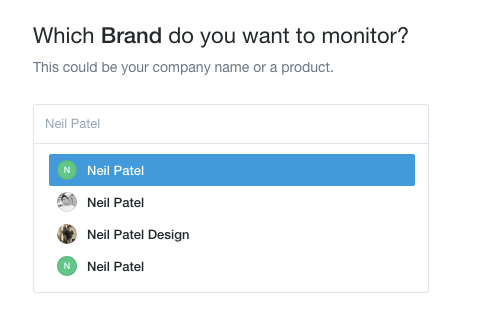
Then you’ll be asked to add any additional brands you want to monitor (which is optional).

You can then see a dashboard of all mentions from multiple channels.

This helps you find mentions of your brand around the web to see who’s already talking about you.
If you can find influencers on this list, it will be an easy sell. They already know who you are!
You can also use Google Alerts for this, or a free tool like Social Mention.
If you want to find influencers that are also brand evangelists, you can use a tool like BuzzSumo to pinpoint relevant contributors.
Type in a keyword relevant to your industry and you will see a list of the top posts with contributor names.
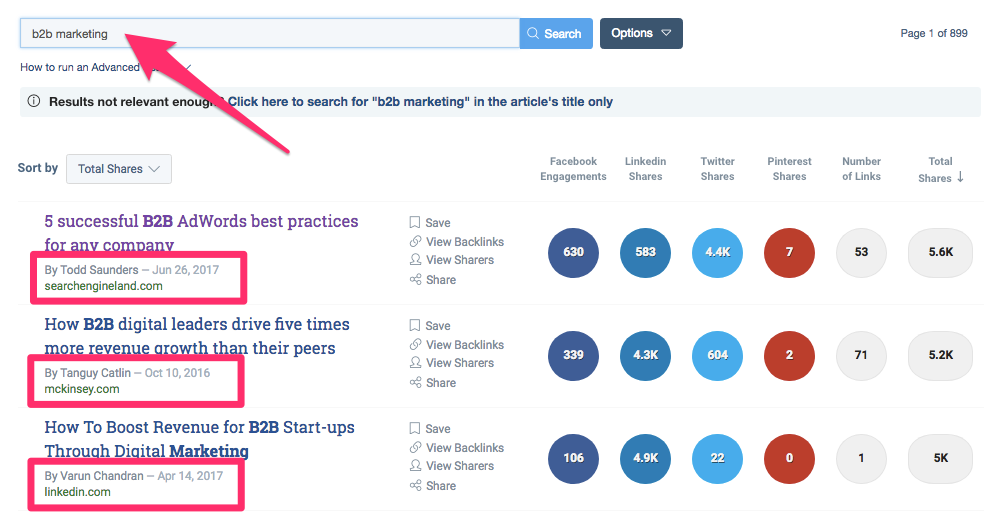
Look for content that’s in line with your blog style and the voice you want to portray.
You can then reach out to these contributors to find out if they would be willing to guest post.
You may also want to see how much traffic their other content gets.
To do this, just click on the contributor’s name in your BuzzSumo results:
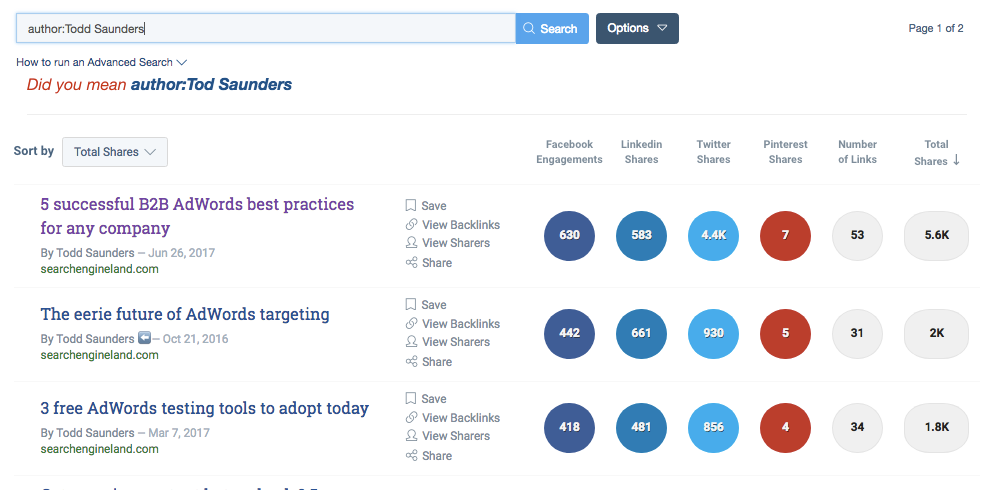
You’ll see other posts and share numbers.
This will help you decide whether or not the effort of reaching out is worth it to you.
It may take some time to get someone to guest post successfully.
But if it’s ultimately worth it, then it’s not time wasted.
5. Create “pin-worthy” featured images
Once you have your content squared away, next up comes the design.
And as they say over at Clarity Creative, “Content is King, but beauty is Queen.”
You’ve spent all this time crafting relevant posts with catchy headlines and reaching out to contributors. You want your posts to really shine.
The best way to do this is with a great visual.
The first image your audience will see when they come to your page is your featured image.

It’s the thumbnail that will show up in other places around your site and the web.
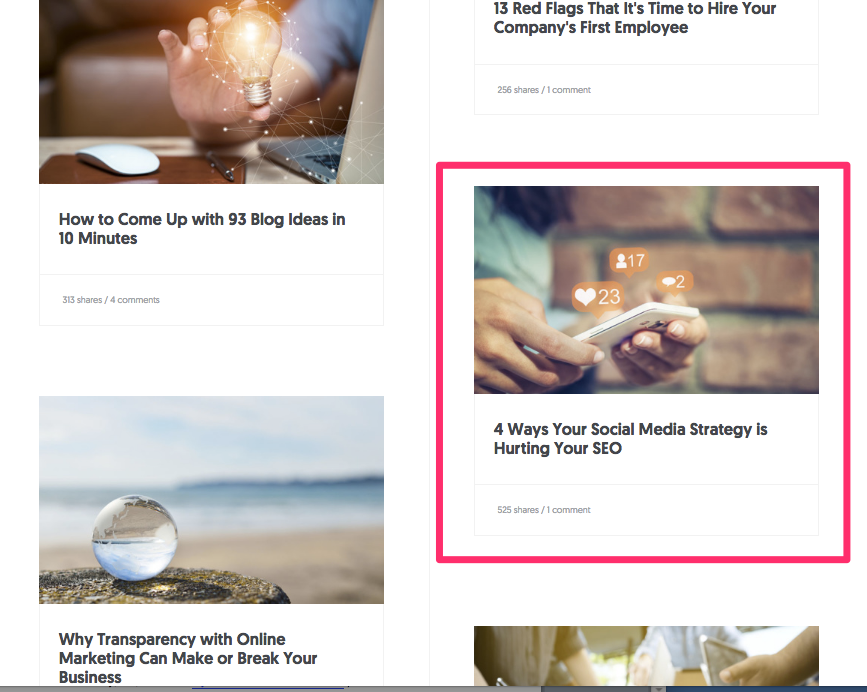
It’s also the image that’s most shared on social media.

It should be impressive. It should be what they call, “pin-worthy.”
Pin-worthy images are those that would stand out against others on very visual sites, like Pinterest, Instagram, Facebook and so on.
You want an image that screams, “Click me!”
That doesn’t mean you have to spend countless hours creating images from scratch.
You can find attractive images from stock sites like I do.
But if you do have the creative flair, you can also make your own.
Tools like Canva can help you make really easy, shareable featured images fast.
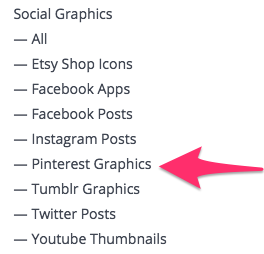
Simply log into the site, (it’s free) and you can choose from a variety of graphics templates.
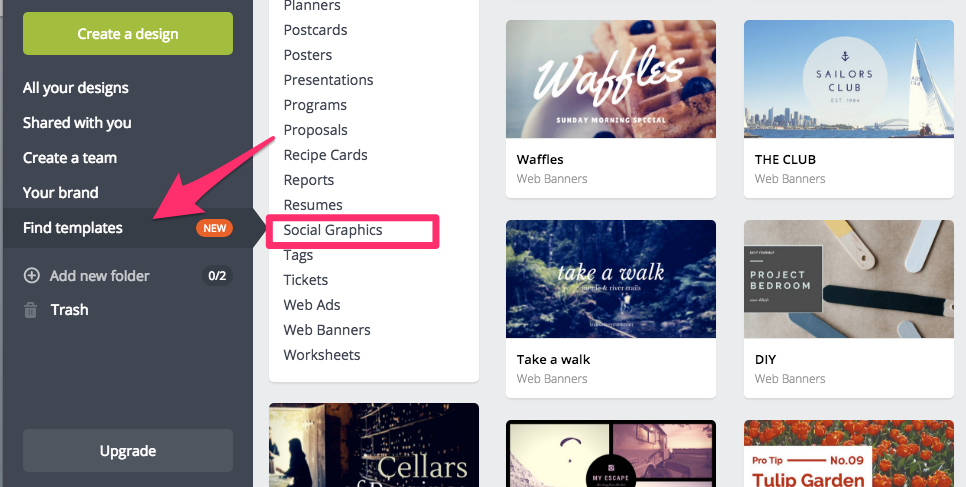
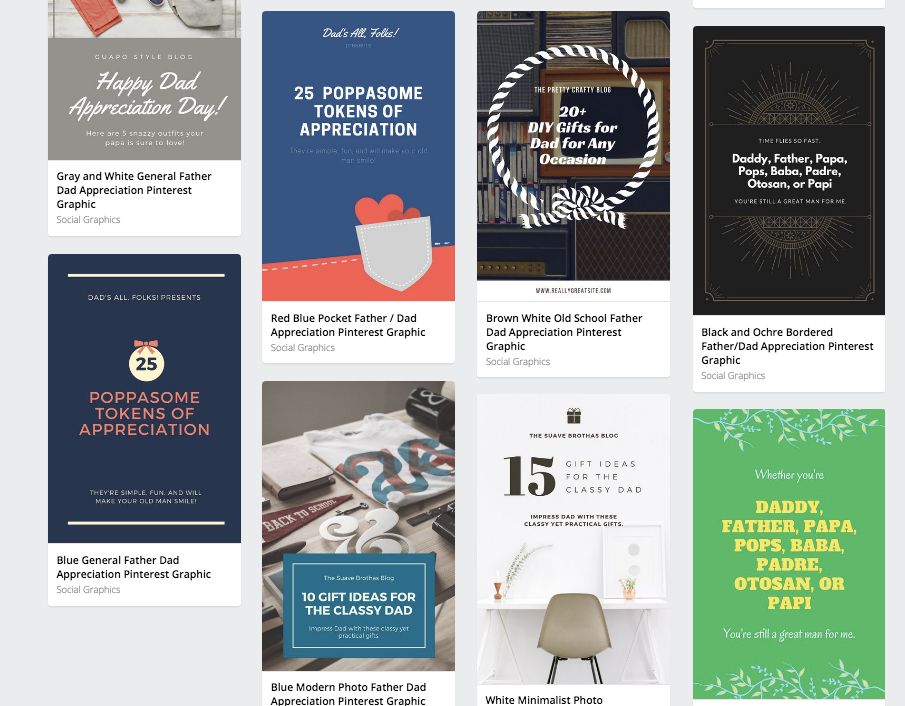
Let’s go with “Social Graphics” and choose a Pinterest one for pin-worthiness.
I’m brought to the editor where I can choose from thousands of pre-made templates.
From there, I can quickly customize text and images as I need.
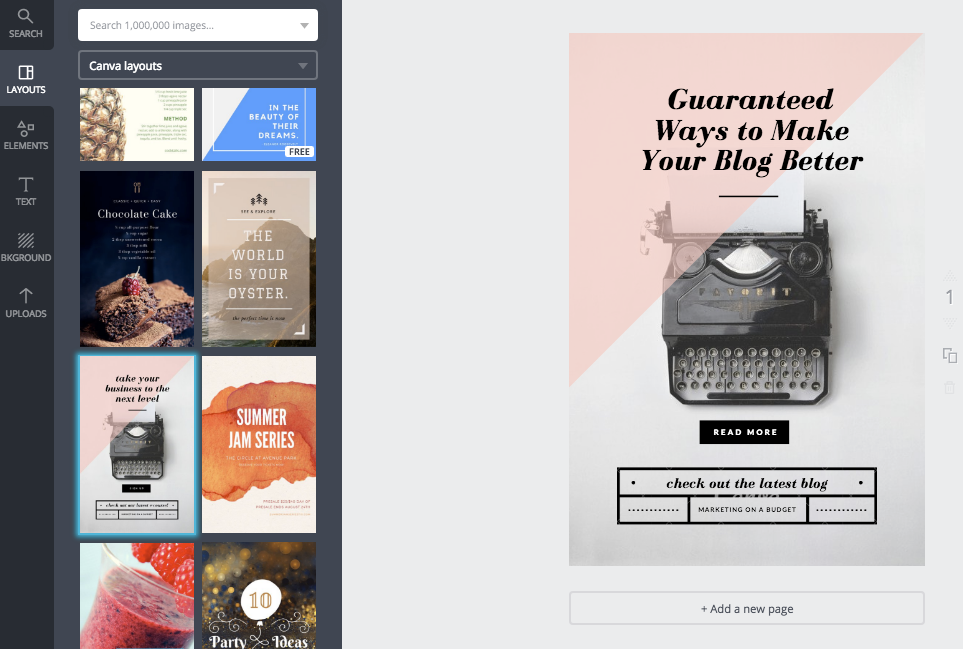
Within minutes, I have something for my blog that can be pinned or posted anywhere.

One thing to keep in mind when creating featured images (if you’re not using a tool like Canva) is image size.
Certain sizes work better for sharing than others.
I tend to use rectangular featured images because they work well for my thumbnails and Facebook.
Make sure you research social media image sizes before you start creating.
6. Post an infographic instead of a blog
You also have the option of not writing a blog post at all.
Shocking, I know.
Sticking with the visual theme, you can create infographics instead of posts.
They combine valuable data with visuals in a way that’s easy to understand. It checks all the boxes of engagement.
What kind of infographic should you create?
Something related to your industry and something revolving around data, case studies, or other metrics.
The first thing you need to do is gather data. You can use a site like Statista to do this.
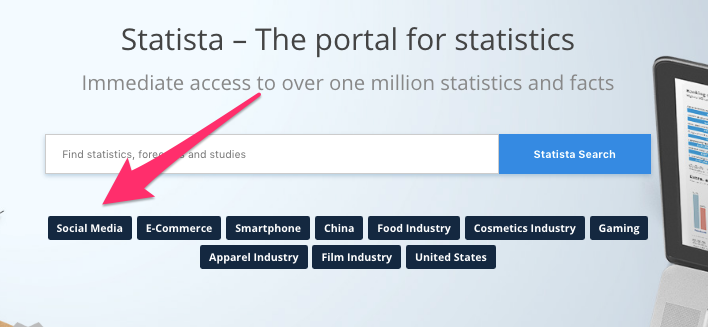
You can type in your own keywords or choose from a list of pre-populated topics. Let’s go with “social media.”
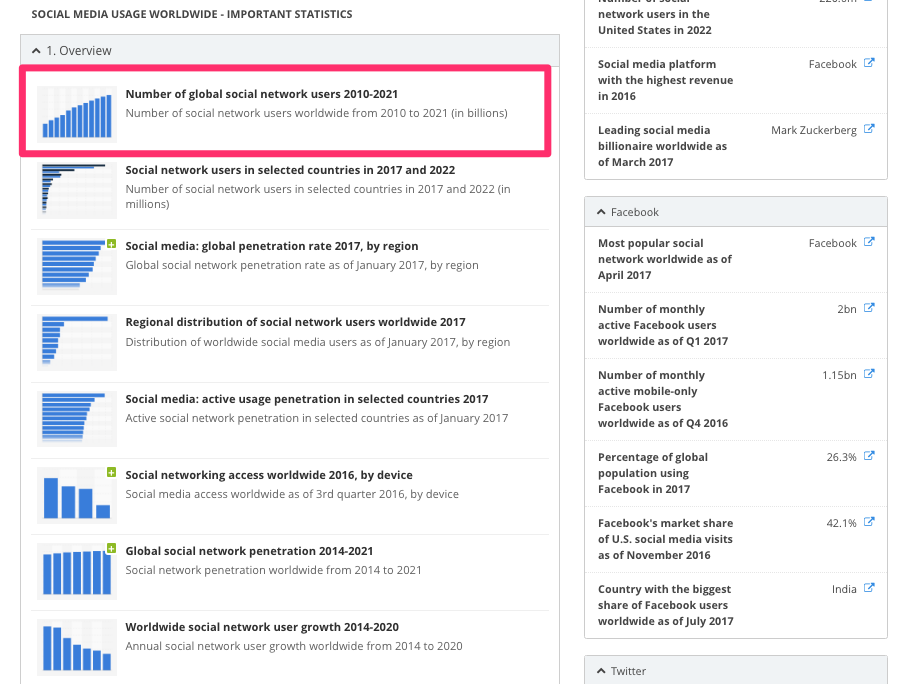
This leads me to a page full of different stats about a chosen topic.
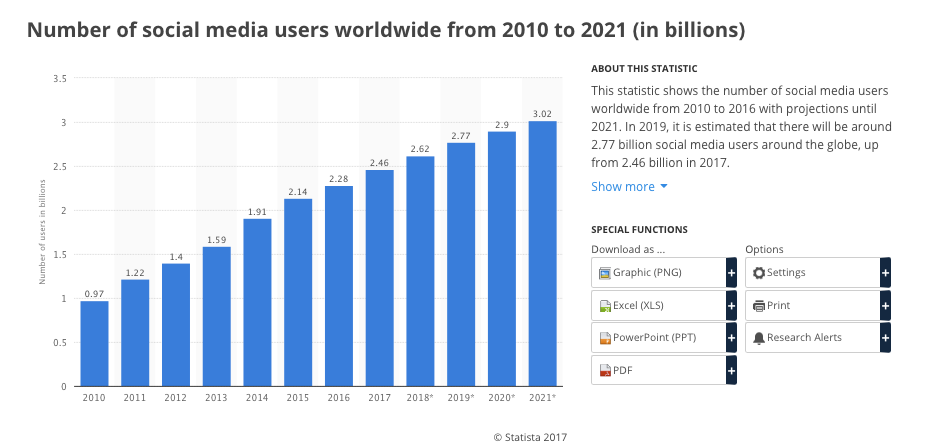
I can then click on those stats and see a graph that gives me more detail.
From here, I can turn this into an infographic.
Let’s say I want to create one about social media trends for businesses. This might be the first stat in my infographic.
Going back to a tool like Canva, I can quickly look for infographic templates.
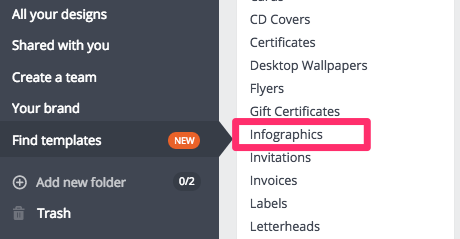
From there, I can find one that should fit the style and feel I’m looking for.
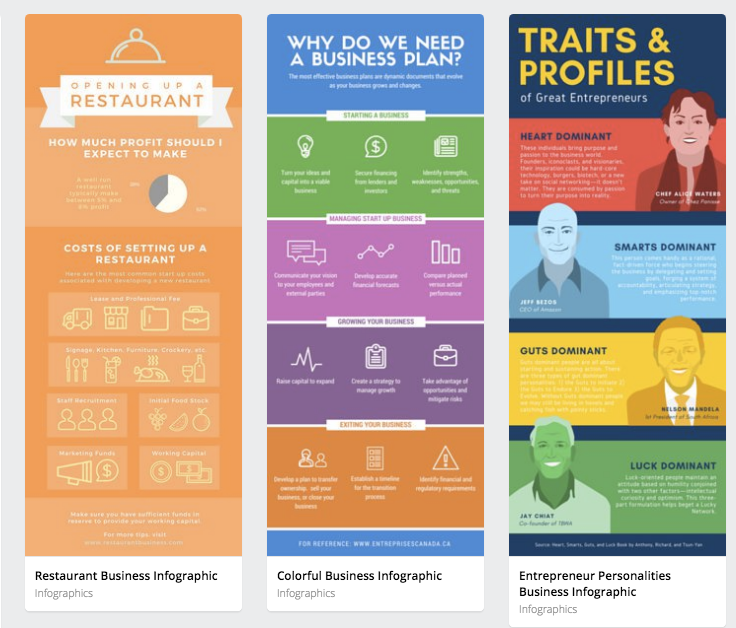
I can then edit and customize my infographic with this data as needed.
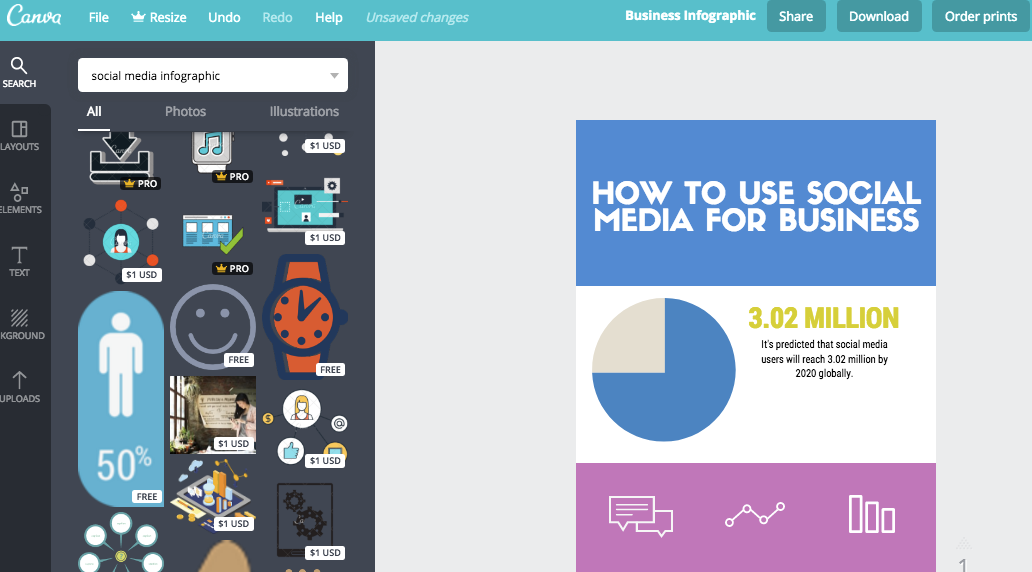
I can use this on my site in place of a traditional blog post.
I might even add to the title of my post that there’s an infographic for better SEO.

If you don’t feel creative or you’re not sure you have time to create an infographic, you can always hire a freelancer to do it.
Infographics are a nice change of pace from traditional blogs, and they’re also pin-worthy and shareable.
So if you’re looking to change things up, add an infographic.
7. Increase your number of monthly posts
Once you’ve formatted your posts and decked them out in fancy graphics, you should experience some success.
But there’s one last piece of the puzzle: consistency.
If you want your blog to be consistent, you have to post more often.
This may require a bigger time commitment than you’re used to. A post can take over 6 hours to create.
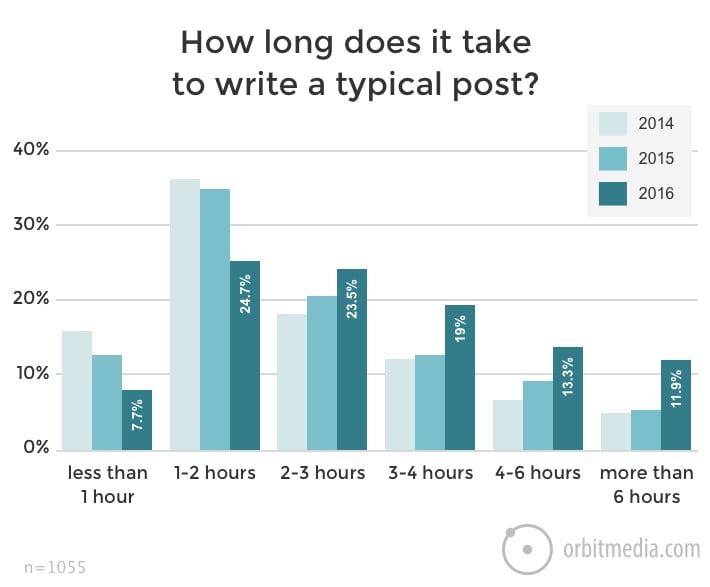
This may be longer if you’re testing your titles and adding in fancy images and infographics.
You also need to decide how often you want to post.
According to Forbes, there are 5 factors that will influence how often you post:
- Regular readership – Posting at least once a week will keep regular readers happy (they already have a buy-in).
- SEO – In terms of SEO, companies that produce 16 posts or more every month have better SEO traffic than those who don’t post as often.
- News and updates – How quickly do people need to know about changes in your industry or to your product or service?
- Competition – How often do your competitors post? You want to match the pace as best as you can.
- Budget and resources – Publishing more often will mean more time and energy (and potential costs) for your blog. Can you afford it?
Some of that will be subjective.
Only you know how often your readers want to hear from you, or whether or not you have the budget to post daily.
But if you want to know how often your competitors post, you can use a tool like WhatRunsWhere.
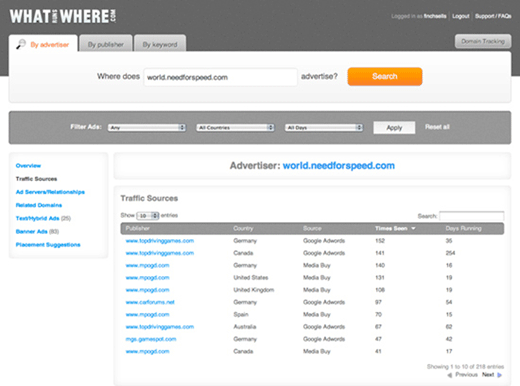
While they technically specialize in monitoring ads, you can also get alerts every time a competitor publishes new content.
You can also use a tool like SimilarWeb to track competitors’ traffic numbers, rankings, and posts.
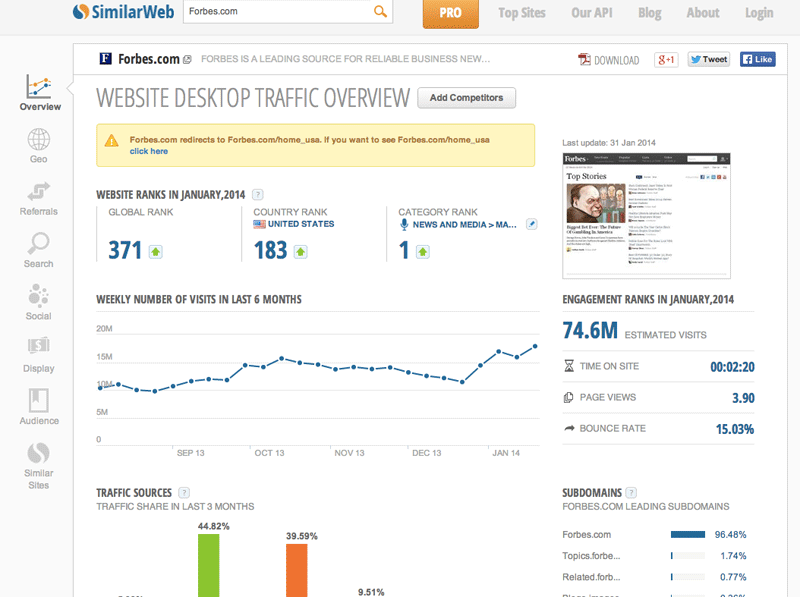
This should give you an idea of what they’re doing to stay ahead of the game.
More traffic doesn’t always mean more engagement. You also want to look at things like bounce rate, time on page, and page views.
You can use BuzzSumo to see which posts on their site get the most shares.
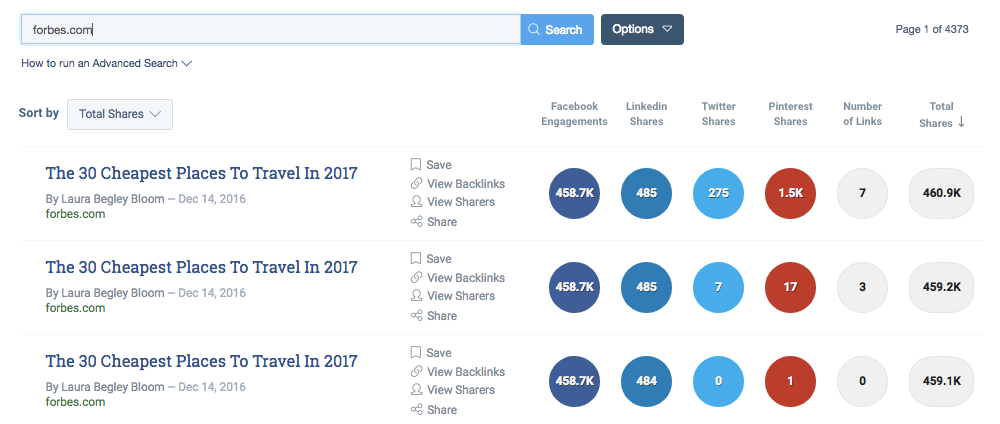
This will help you see what your competitors are doing that you’re not so you can up your game, too.
Only you know how often you can and should post. But this is one of those instances where more is better.
If you’re not sure you can keep up with the pace, find a way to outsource the process.
Or get faster at writing blog posts, I guess.
Conclusion
If I had to choose only one thing from this list to do, I would choose #7.
Posting more often will get you the best results, even if you don’t have fancy featured images or the catchiest headlines.
As long as you’re doing that, though, you may as well spice things up, too.
People want value. So if you’re writing a post, make it count.
Make it relatable. Make it readable. Make it accessible on every level.
And then throw in some of the fun stuff.
Create a really catchy (if not clickbaity) headline and see how it goes.
Throw together a shareable graphic or infographic and see where it pops up.
You’ll never know if you don’t try.
And if you want to make your blog better, you have to at least give it a try.
What are your favorite strategies for improving engagement on your blog?