Sign In






When you hear the word “Pinterest,” what pops into your head?
Wedding inspiration? Design DIY? The best Oreo cupcake recipe ever?
But here’s the thing: Pinterest is useful for so much more than that.
In fact, when it comes to Pinterest, it’s good to employ the good ol’ “don’t judge a book by its cover” adage.
Because once you dig a little bit beneath the Pinterest surface, you’ll find some amazing tools to grow your business.
Are you not convinced that Pinterest will work for you?
I wasn’t at first, either.
But the truth is that continuing to ignore it means you risk missing out on new sources of revenue, traffic, and customers.
When I first started using Pinterest, I was amazed by the traffic it drove to my site.
I was shocked, to put it mildly, when I saw this in my Google Analytics:
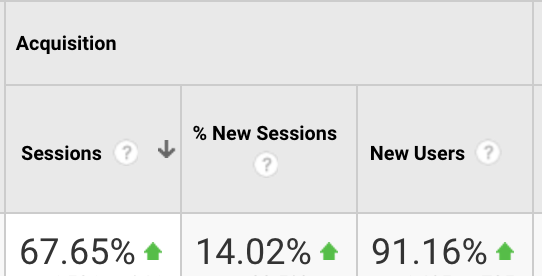
In just a few minutes each day, I was able to drive 67% more traffic with Pinterest.
If I had stuck with the Pinterest-stereotype mindset, think about all the traffic I would have missed out on.
Trying new things can be scary, tough, and even risky.
But Pinterest is a free social network. And you just saw the traffic count.
It’s proven to work if you do it right. And there’s almost no risk.
It’s a great platform for driving traffic and building a consistent following.
So I used it to drive traffic and build an audience. Then I took it to the next level.
I started using it to land more leads and customers.
I want to help you do the same with a few helpful Pinterest hacks.
Here’s why you should finally care about Pinterest
When you bring up Pinterest to a marketer, you might get some laughs.
There might even be a few jokes at your expense.
It happens all the time.
But the joke’s on them.
Because Pinterest is an awesome marketing tool to drive traffic and generate more customers. So be prepared to school them in their naivete.
Let’s start with the fact that Pinterest has more than 150 million monthly users.
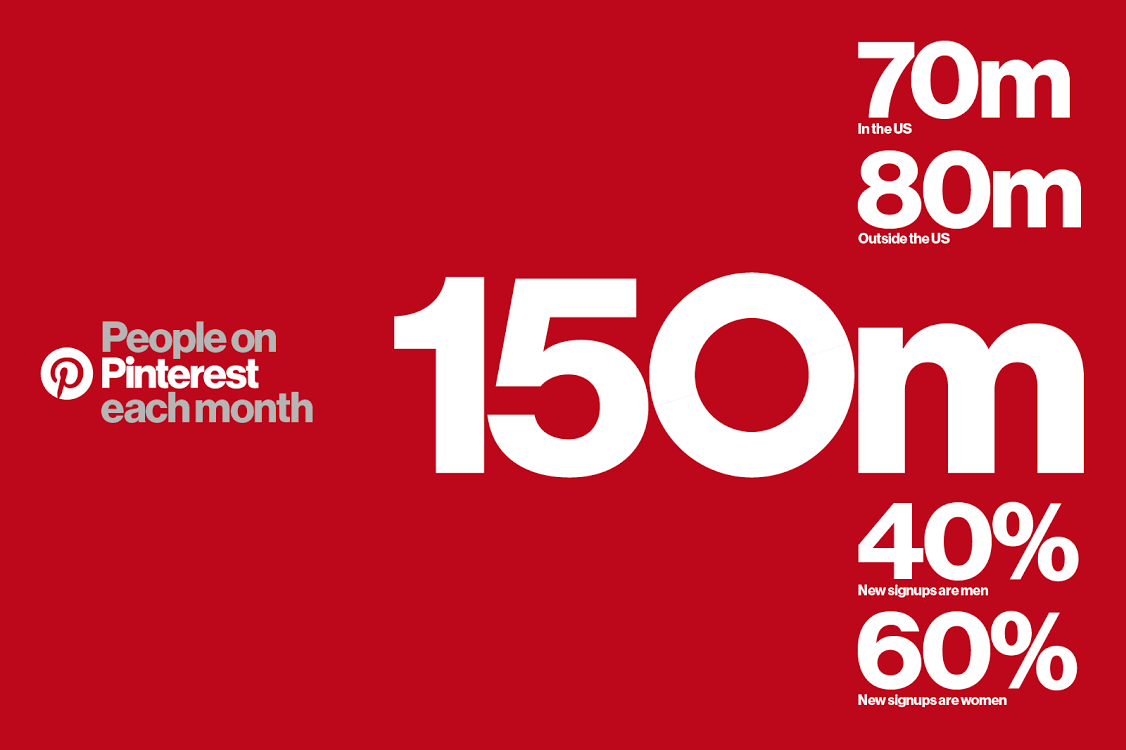
And take a second look at those last two stats. 40% of new signups are men, and 60% are women.
Pinterest is not just for women.
This means more marketers can, and should, take advantage of the platform’s diverse user base.
And Pinterest users are primed to buy. Two million Pinterest users save ecommerce-based pins every single day.
That’s two million people every day looking for new items to buy.
Pinterest is like shooting fish in a barrel when it comes to generating new customers.
Millward Brown Digital partnered with Pinterest to survey users and found that 93% of active users on Pinterest said they use the platform to plan for purchases. And 87% said that Pinterest influenced their buying decisions.
Still not convinced?
Then take a look at the average order value for each major social network:
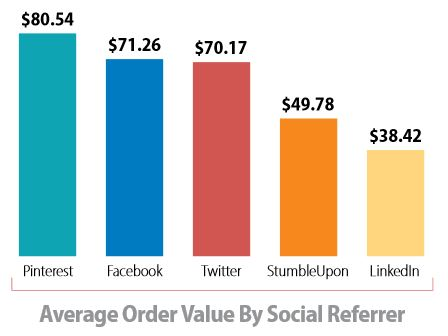
Yep, you read that right. A report from Monetate found that Facebook drives higher conversion rates, but Pinterest drives higher-value conversions.
People are spending more on Pinterest than they are on any other social network.
So if you want high-quality conversions, Pinterest is the place to be.
Consumers can also travel all the way through the buyer’s journey on Pinterest, just like they do with a Facebook sales funnel.
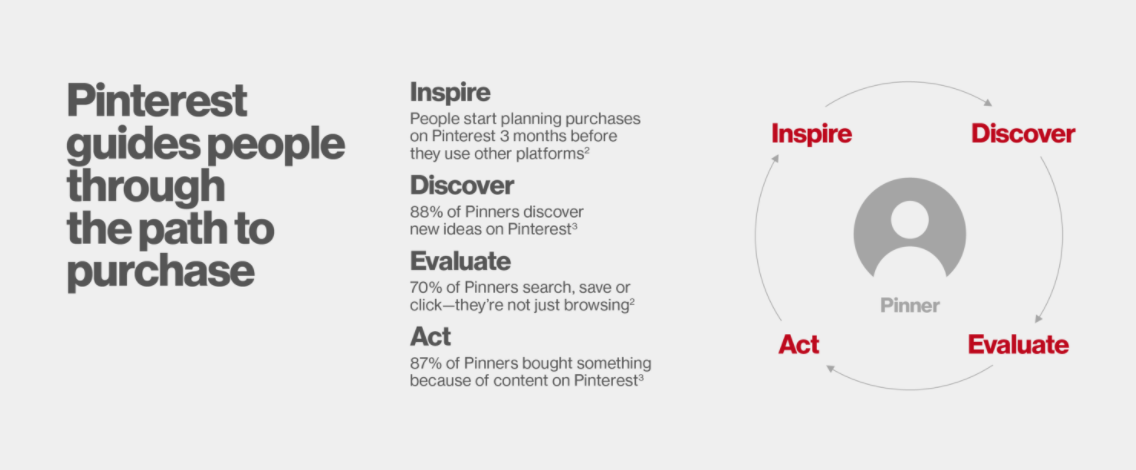
The platform is custom made to hit every point of the buyer’s journey from awareness to decision making.
With one login to the platform, users can get inspired by great products and services, discover new ones, compare items, and then purchase directly from landing-page links.
It’s vastly different from Facebook or Twitter, especially in one very fundamental way:
People actually use it to shop.
People don’t use Facebook to shop. They use it to engage with friends and family and read the latest trending news stories.
The purchase intent on Pinterest is high. The intent on Facebook is low.
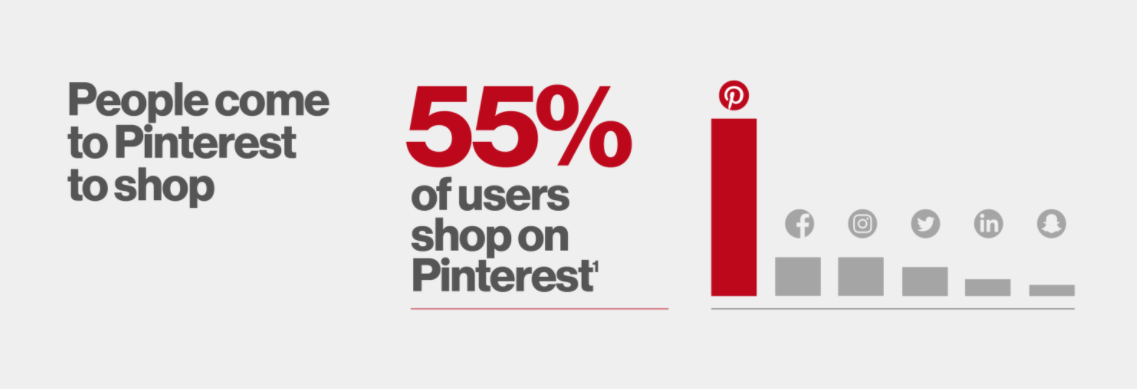
This means that you don’t need to spend hours setting up multiple campaigns to remarket higher-intent users like you have to do for Facebook.
Instead, you can simply skip those steps and get right to the product sale.
No more remarketing, no more wasted ad spend, and no more customers with low intent to buy.
The bottom line is that you need Pinterest if you sell products.
Here’s how to use it to generate more customers fast.
#1 Optimize your Pinterest
If I could read your mind, I’d guess that right about now you’re wondering:
“Is Pinterest really a search engine? How can you optimize your content for it?”
To which I would say, yes, Pinterest is a search engine.
In fact, they change their algorithm all the time, just like our best buddy Google.
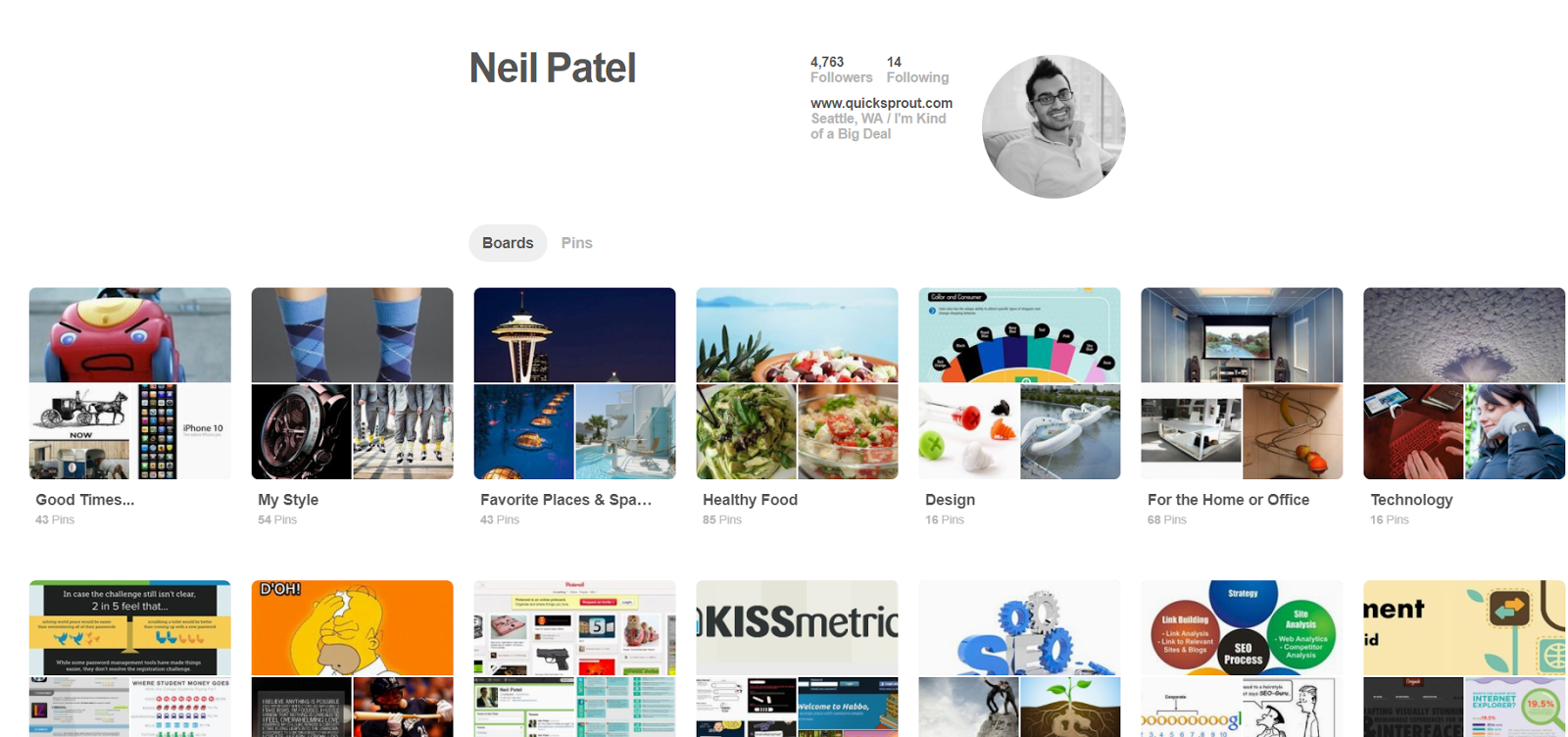
Here’s what my Pinterest looks like right now:
And here’s what my live feed looks like:
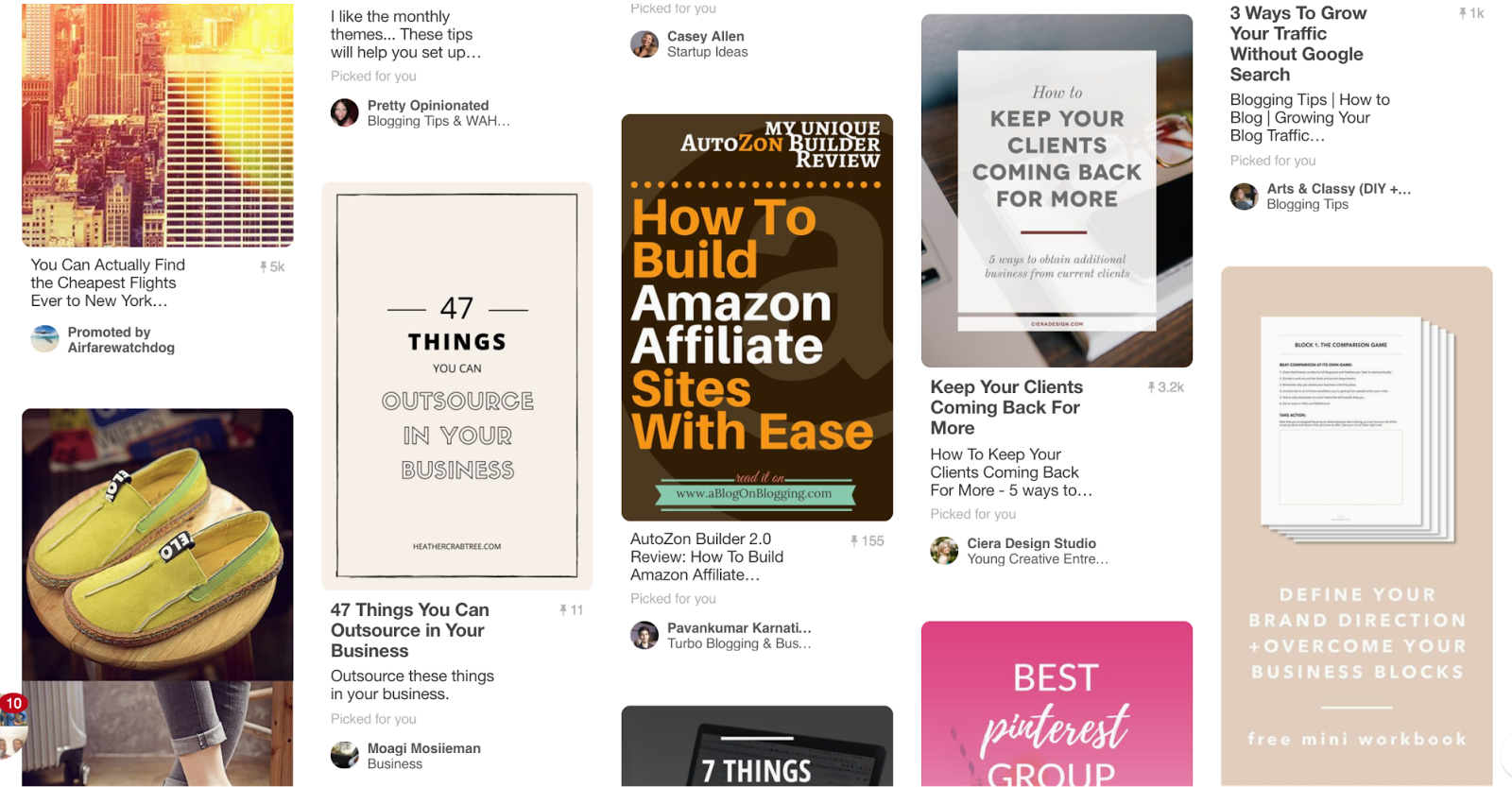
That live feed is full of content that I follow and the topics that I search for most often.
But this doesn’t just happen out of the blue.
I can’t just upload new content to Pinterest and expect it to show up in users’ feeds.
That would be like putting up a random post on your blog, doing zero promotion, and expecting the traffic from your high-volume keywords.
Pinterest works just like Google in the sense that keywords drive results.
So, if you start to search for digital-marketing-based keywords, you’re going to get results on digital marketing.
And on top of that, you’ll see more and more pins in your feed on those topics, even from people you don’t follow.
And that’s a great opportunity for marketers.
After a few months of using Pinterest and seeing weak results concerning traffic and customer acquisition, I learned a few things.
Here’s how you can optimize your Pinterest account. It starts with profile SEO.
Step 1. Profile SEO
To get started with profile SEO, make sure you’ve got an account set up.
One of the key components in optimizing your profile is including keywords in your name and description.
Just like a meta description, it helps users understand what they will get by clicking on your profile and content.
For example, here’s what searching for “SEO tips” looks like:
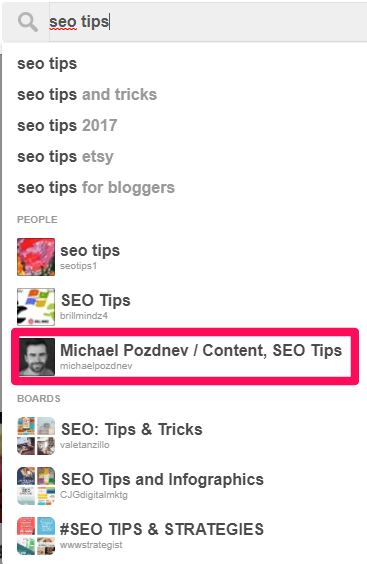
Let’s start with Michael Pozdnev because his content is excellent.
If you were to click on Michael’s page, you’d see tons more keywords in his description section.
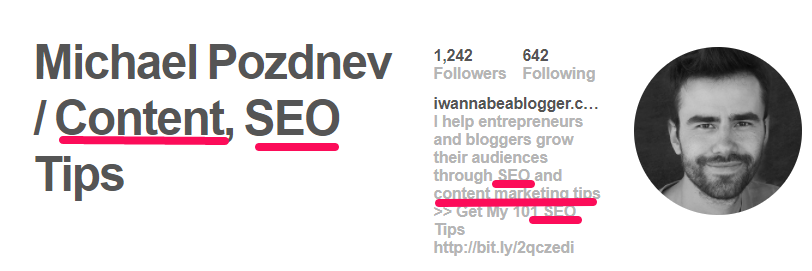
Pro tip: Instead of just making your name on Pinterest “First Last,” try inserting keywords related to your industry or niche, like “First Last SEO – Content Marketing.”
This way you will show up in the search results before anybody else.
To be honest, this is like 2005-level SEO stuff. Yes, you’re keyword stuffing. But it works.
Especially when you look at the new content uploaded to your board.
Step 2. Board SEO
You probably already see where this is going.
Optimize your boards with keywords, just like you did for your account profile.
Now, take a look at how Michael did it on his boards:

Looks pretty similar to his profile optimization, right?
His keywords and content remain consistent. That means it’s easier for him to rank for these searches because he’s producing great content on those topics.
Guess what you should do at this point?
Check out some of the boards on my profile that are optimized for keywords:
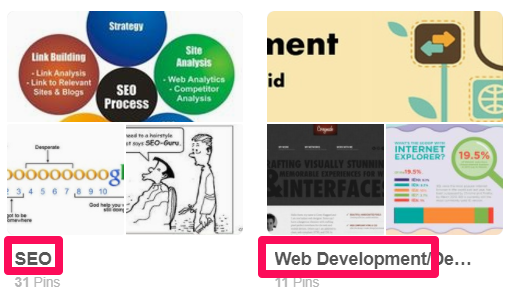
It’s incredibly easy to do this.
Just navigate to your profile and edit your current board, or create a new one.
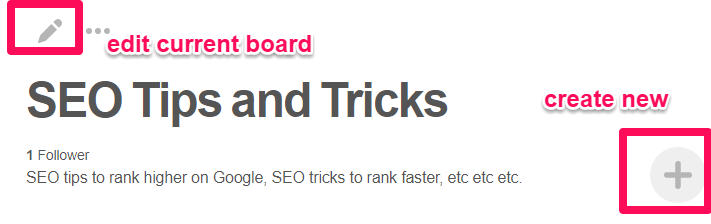
Then, make sure to insert your keywords into your description and title, like this:
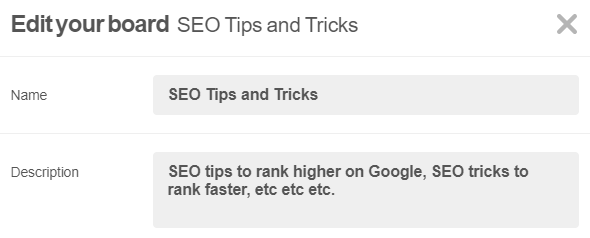
Once again, don’t overthink it.
First, you need to make sure people are actually looking for these topics.
Long-tail keywords are great. However, if there aren’t enough people searching for them, don’t try to rank for them.
Make sure the topics are popular enough to give yourself a chance.
Second, you can apply even the most basic on-page optimization strategy to dominate these keywords.
The good news is that you don’t need to be an SEO expert. You just need a helpful on-page SEO cheat sheet to give you the 20% that will deliver 80% of the results.
Step 3. Pin SEO
Similar to the SEO steps of optimizing your profile and board, you need to optimize each pin, too.
This is an easy process.
For example, when you add a pin, make sure you include keywords in the title and hashtags in the description.
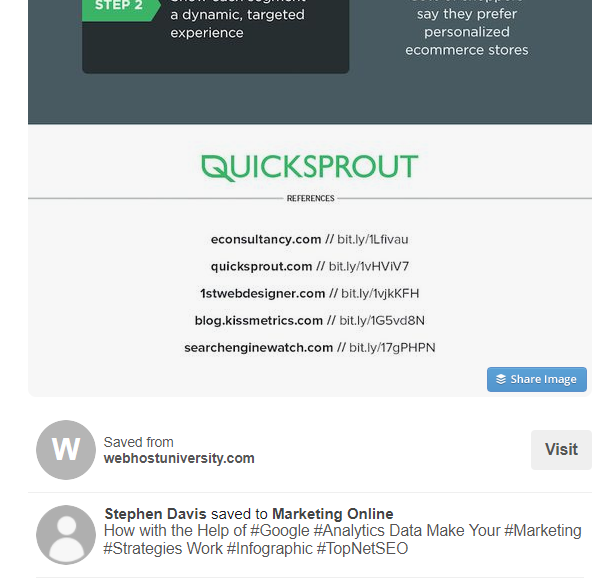
These will help your SEO and will bring your page up in search results and related pins.
All of these tactics will help you start to organically rank for these keywords.
The good news is that you should see consistent results pour in over time.
The bad news is that it typically takes a few weeks or months for this to happen.
But wait, there’s more good news!
You can use a few strategic advertising units to drive results ASAP.
Let’s take a look at how to do just that.
#2 Buyable pins
If you want to drive more conversions and land more customers, add buyable pins to your list of to-dos.
Buyable pins are a fantastic way to generate more customers with ease.
They simplify the buying process for customers, making it that much easier for them to make a purchase.
Instead of having to go to a landing page and then go through a checkout process, it’s all done on Pinterest.
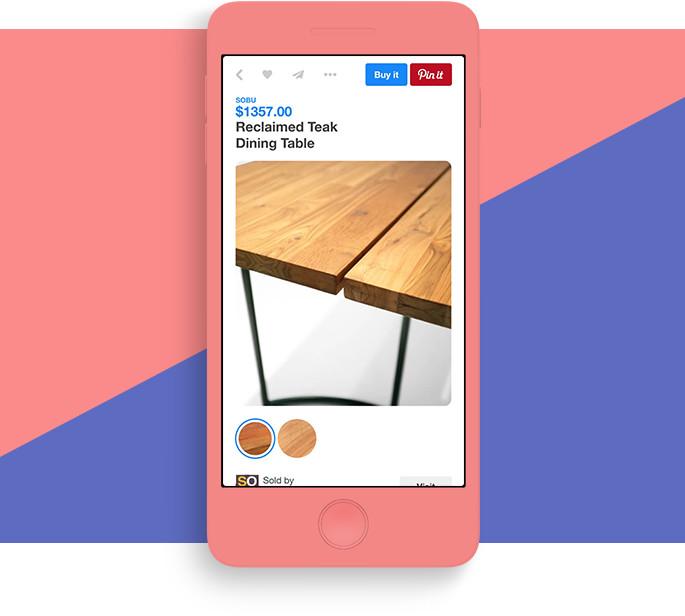
Plus, you can easily integrate buyable pins with Shopify, BigCommerce, or the Salesforce Commerce Cloud.
That means people will be able to purchase instantly. They’ll be whisked away to the product page to buy.
And you don’t need to set up any unique integrations or touch a line of code. No developers required!
To understand the effectiveness of buyable pins, let’s look at an example of purchasing a product.
Simply navigate to Pinterest to find buyable pins and create a search for a product.

Next, click on “Buyable Pins” from the drop-down menu.

This will sort all the pins that have products you can purchase directly on Pinterest instead of on another site.
Now, select any of the results, and you can add it to your “bag” right from there.
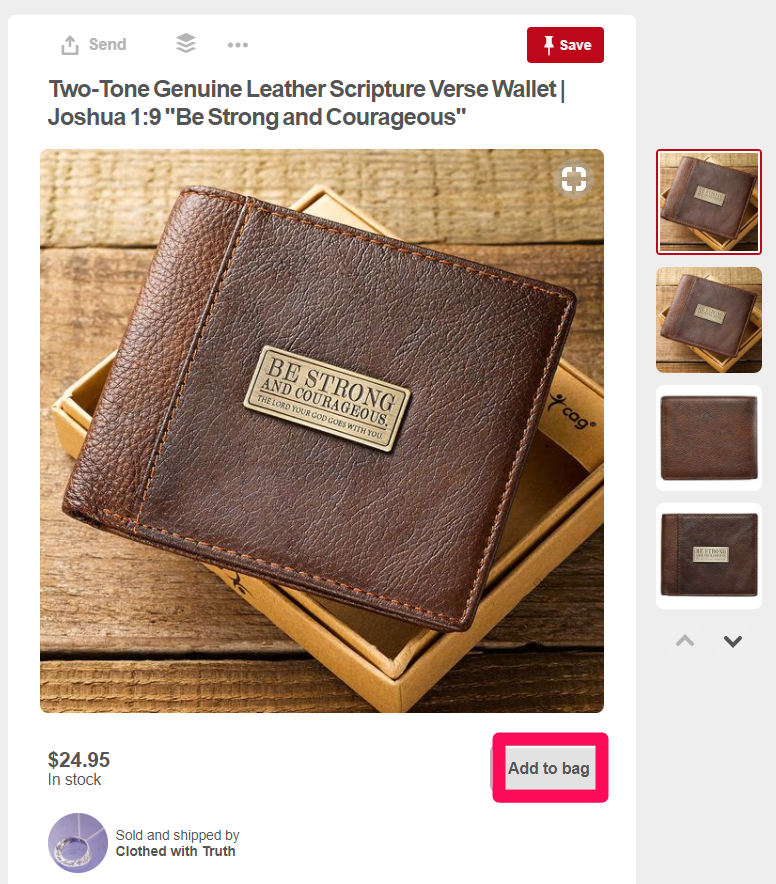
Then, you can head to your bag and check out from that page! I told you it was easy.
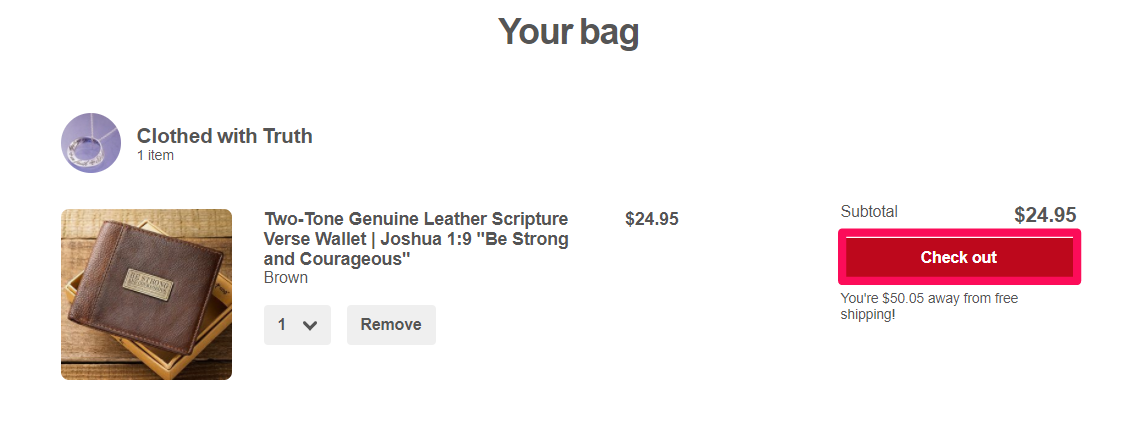
Fill out the standard fields that are required in any checkout process, such as shipping and payment info.

And you’re all set to buy!
These ad units work well because they simplify the checkout process. They reduce the friction that’s likely to occur if a purchase isn’t made as fast as possible.
That’s especially important on mobile devices. Think about how difficult a long, complicated checkout process can be on those tiny screens.
If you give someone the extra time to click to your site and get distracted, they might not buy.
But, if they stay on Pinterest, they have fewer steps and barriers standing in the way of a purchase decision.
Here’s how to set these buyable pins up:
Head over to Pinterest Buyable Pins to get started.
Next, choose your Pinterest e-commerce platform from the list of vendors:
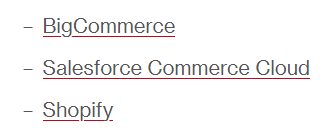
For this example, we will use Shopify. Just log in to your account from the Shopify Buyable Pins page.
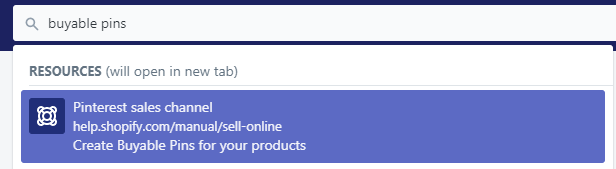
Then, on your Shopify dashboard, search for “buyable pins” and click the first link.
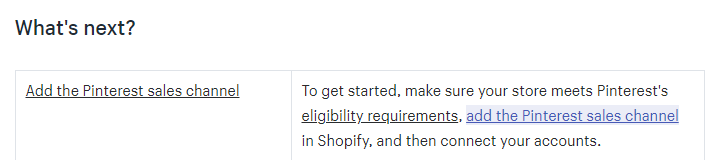
In the “What’s next?” section, click the link to add the Pinterest sales channel.
Then, you’ll be prompted to add the channel to your Shopify account.
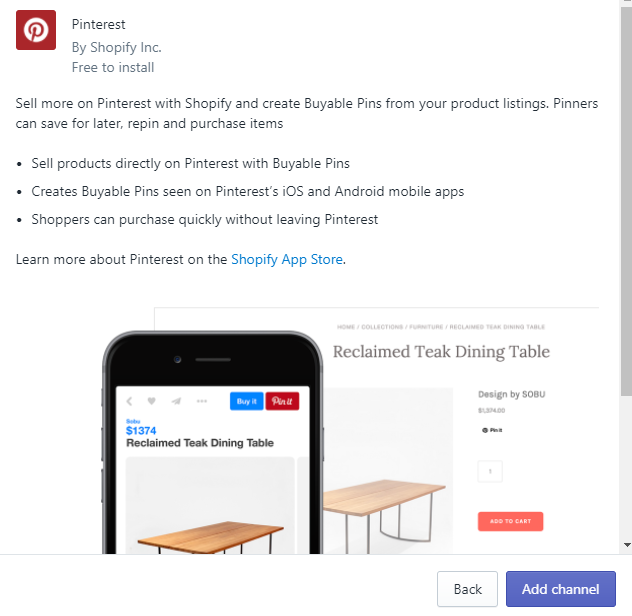
Connect your Pinterest account, and you’re ready to start running buyable pins!
Give the integration one final check to make sure everything was set up correctly by taking a look at your products.
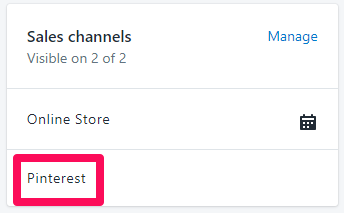
Double check the product requirements to ensure they meet the qualifications for buyable pins.
Now you can start to take advantage of the fast checkout options to generate tons more customers.
#3 Use Rich Pins to drive revenue
Rich Pins provide tons more details and context than the typical pin.
You can use the following pin types: apps, products, recipes, and articles.
Rich Pins give users more information, like the ingredients or recipe for a new dish.
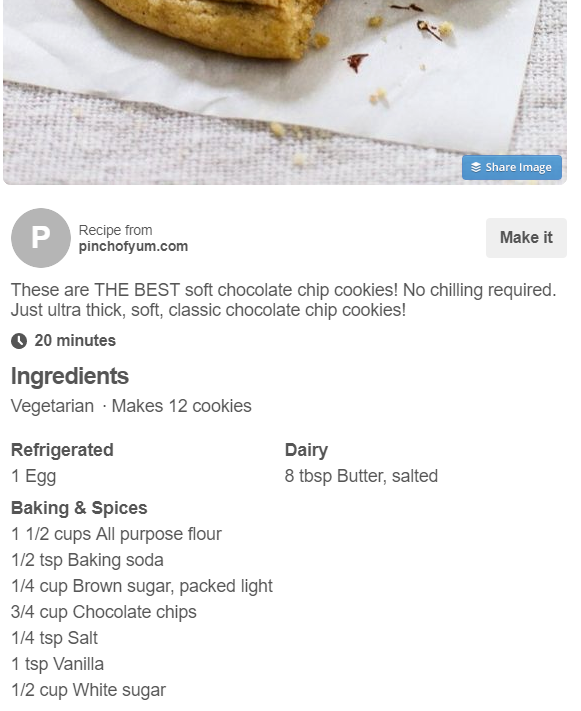
These are similar to rich snippets in the SEO world.
For a product, Rich Pins look like this:
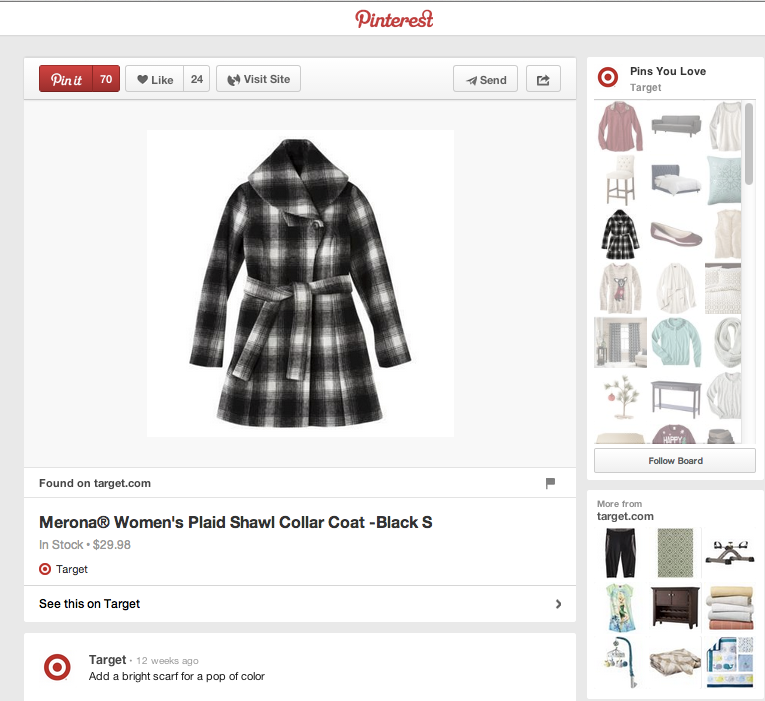
They allow you to include more long-form content in a tiny space to attract more buyers.
On top of that, you can use them to add links back to your site. You can even list pricing that corresponds to sales or changes on your site.
Plus, you can update important info like “In Stock,” to let customers know the product is ready to go.
Rich Pins work extremely well. The designer furniture company Made was able to drive 173% more revenue using rich pins and awesome content.
They also helped drive 36% more traffic, and Made had a 51% increase in conversions and 106% increase in transactions.
Thankfully, Rich Pins are also easy to set up.
Just follow these simple steps to get started.
First, head to this validator link: Rich Pins Validator.

It’s effortless to use. Insert the URL for your product, application, recipe, or article, and hit Validate, like this:

Then, you should get a confirmation to apply Rich Pins to your entire URL.
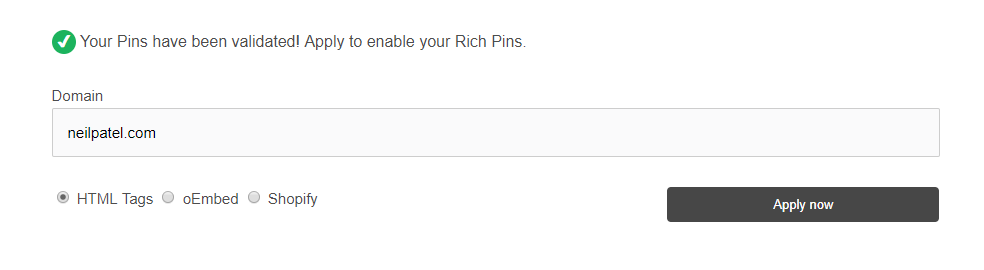
Once done, you can apply and use Rich Pins. They should start showing up within an hour on Pinterest.
Perfect, right?
You don’t have to get knee deep in code like you do with rich snippets for Google. However, you can still get many of the same benefits.
You’ll be able to attract extra attention and visibility. You’ll get higher click-through rates.
And if those two happen like they’re supposed to, you should expect more conversions, too.
Conclusion
Like many marketers out there, I used to dislike Pinterest. A lot, if we’re honest.
I thought it was a perfect way to waste a little time, but not much else.
But in reality, it’s an incredible marketing platform that doesn’t always get its fair share of attention.
Companies have found great success selling products on it. And it actually converts at a higher revenue per sale than Facebook.
When I first started using it, I drove almost no traffic, no conversions, and no leads.
I thought I should give up, but I did some in-depth research.
I implemented a few Pinterest hacks, from basic SEO tactics to buyable pins and Rich Pins, and drove my traffic up by 67%.
All in just a few minutes a day.
Best of all, you can do all of these tactics right now. You don’t need to wait for a developer or pay someone else to take care of it for you.
Pinterest is more than just a treasure trove of quotes and ideas on how to throw the best party. It’s an important tool for your business.
The trick is to first understand what people are already doing on the platform. They’re shopping. They’re browsing for new products.
Then you can use some of these features to capitalize on their intent.
The results you start seeing will quickly confirm that Pinterest marketing is no laughing matter.
What’s your favorite way to generate more customers on Pinterest?