Sign In













Are you frustrated with content marketing?
You know you want to create content, but maybe you lack the budget you think you need to develop a strong campaign.
Don’t worry. I’ll tell you the exact strategy I use to produce awesome content on a regular basis.
The biggest pitfall I see with most would-be content marketers is they don’t have a strategy.
According to the Content Marketing Institute, 88% of B2B companies were using content marketing.
But in that same report, 68% of those companies said they lacked a documented content marketing strategy.
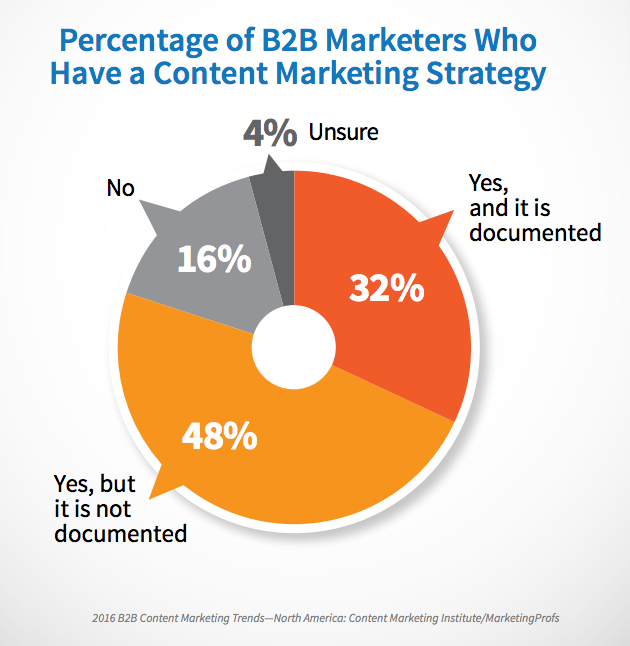
That means that a vast majority of businesses are venturing into content marketing without a clear idea of where they’re going.
The good news is that most marketers know that they need to learn more.
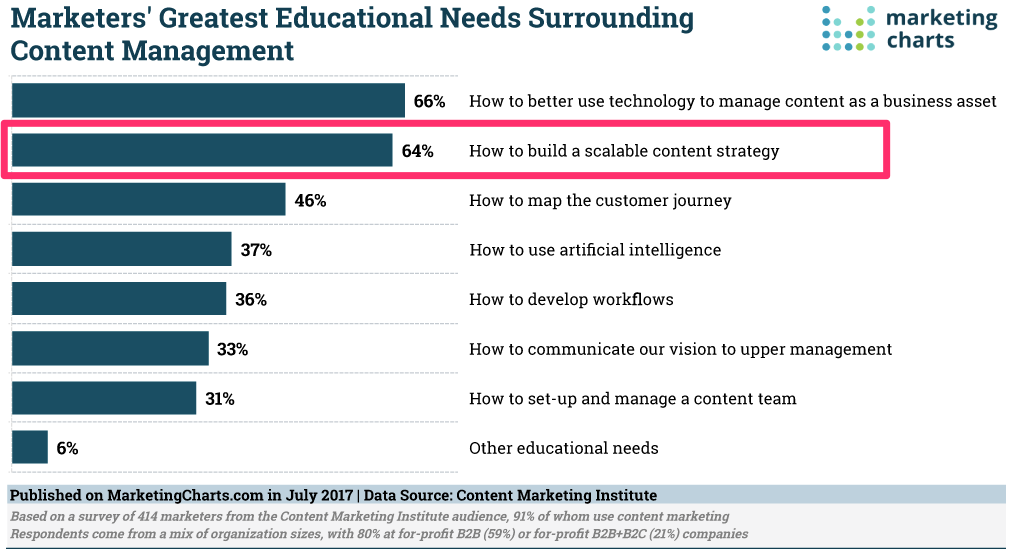
Recent research showed that 64% of marketers say they need to learn more about how to create a scalable content strategy.
I do a lot of content marketing, and I attribute much of my success to a well-designed strategy.
In this article, I’ll teach you how to set up a content marketing strategy for a startup with zero budget.
The great thing about content marketing is that it isn’t expensive. You don’t have to buy ads or costly equipment.
Almost everything can be done for free.
Here’s how.
How to save on your content marketing strategy
A typical startup is strapped for cash. But more than that, it’s limited in terms of other resources as well.
Chances are, you don’t have a large team to dedicate to your content marketing, and you don’t have a lot of time to get started.
Here are the best methods I’ve found to save money on a content marketing strategy. These will be the framework I’ll use for the rest of the article.
1. Save money on tools
If you don’t have a budget, you need to use free tools for planning.
The best tool I know for writing and sharing documents is Google Docs.

I’ll teach you how to set up your strategy mostly using Google software. The programs are easy to use for all stages of content marketing. Plus, you can share them with other members of your team.
The second way we’re going to save money is by using free web tools and plugins. Some of these require setting up an account, but you don’t have to pay to use them.
This includes publishing the content you produce. Chances are, you don’t have much control over this.
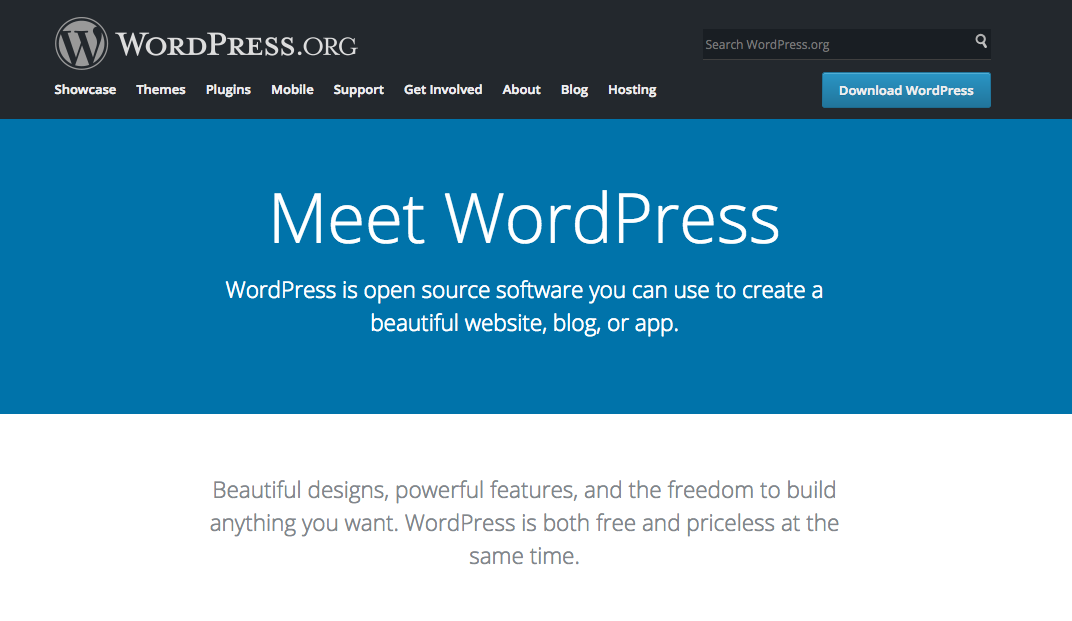
If you do, I recommend installing WordPress. It’s free and works very well for blog content of all types.
As you keep up with new content, you can start to create a budget for content marketing. For now, however, we can do everything we need to do with free tools.
2. Save time
I work with a lot of startups, and I’ve created a few of my own.
Even more than money, startups lack time. There simply aren’t enough hours in the day for all the production, marketing, and growth hacking that today’s entrepreneurs need to accomplish.
I’ll explain how to save time when creating a strategy, as well. I’ve found four tips to be really helpful. I’ll use them throughout this article.
- Bulk creation. When we’re creating new pieces, it makes the most sense to do this all at once. For example, we’ll generate new content ideas all at once.
- Update immediately. Whenever we need to make an update, we’ll do it as soon as possible. For example, once we finish an article, we’ll mark it as complete.
- Plan ahead. Nothing steals time like a last-minute project. I’ll teach you how to plan all your projects ahead to eliminate stress.
- Focus on the big stuff. There are lots of ways to take your content marketing strategy to the next level, but we’re going to start small and focus on tasks with the biggest ROI.
And one last note: Be in it for the long haul.
You won’t see incredible results from content marketing quickly. It’ll probably take around two years to get consistent results from Google.
But if you commit to it for a while, you’ll experience great things. The best time to start is right now.
Understand your audience
Understanding your audience is the #1 secret to creating better content for your customers.
Each piece of content you produce should speak directly to your readers. You want to understand their frustrations, pains, and desires.
The most obvious and usually the best way to get their feedback is just to ask them!
You should do this for quality and quantity. Both are important. You want to know what problems most customers struggle with, and you also want to understand the specific types of questions your readers have.
I’ll use an example of a site that focuses on healthy eating.
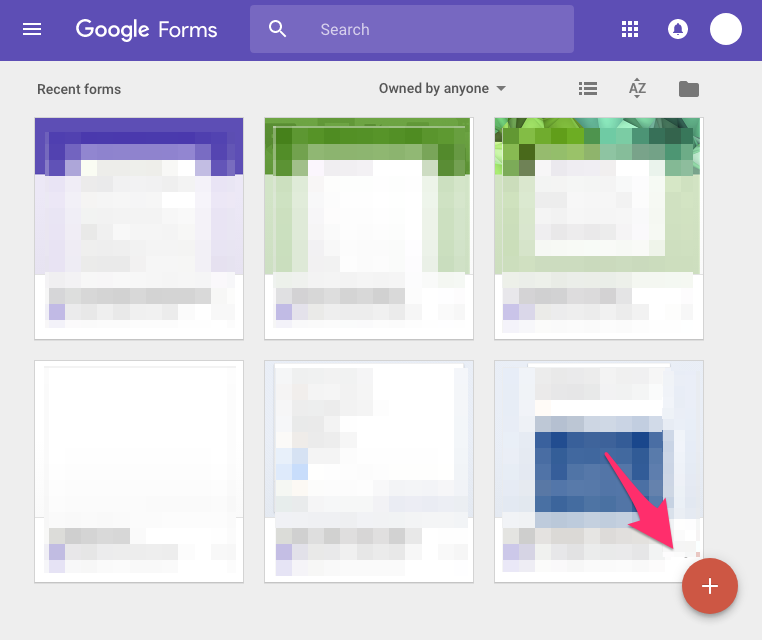
To get started, go to Google Forms. Click the large plus button to create a new form.
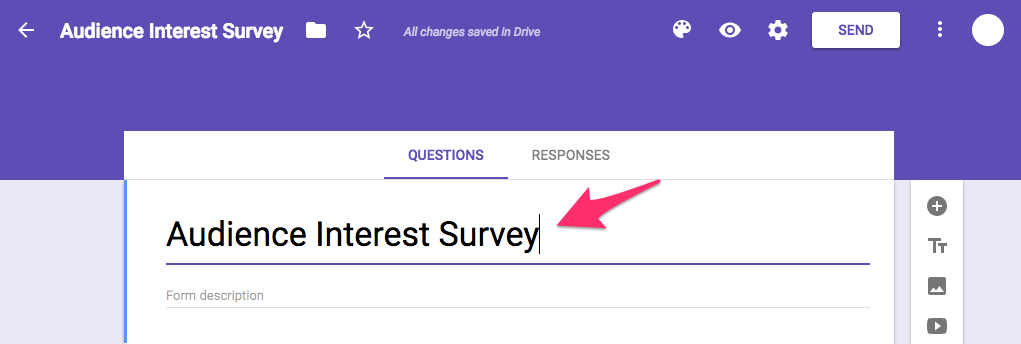
Name your new form something simple, like “Audience Interest Survey.”
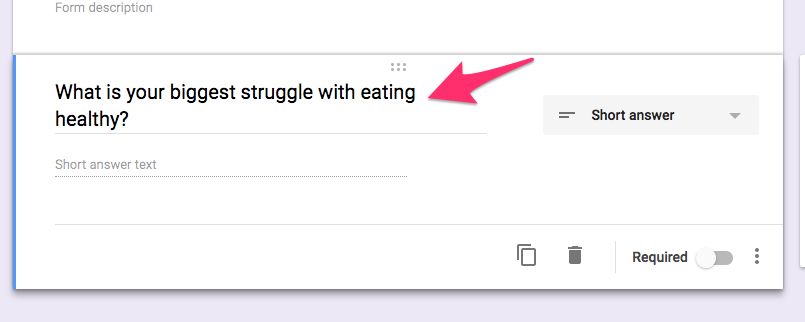
In the default question box, type “What is your biggest struggle with _____?”
Use whatever your main topic is. In this example, I used “eating healthy.”
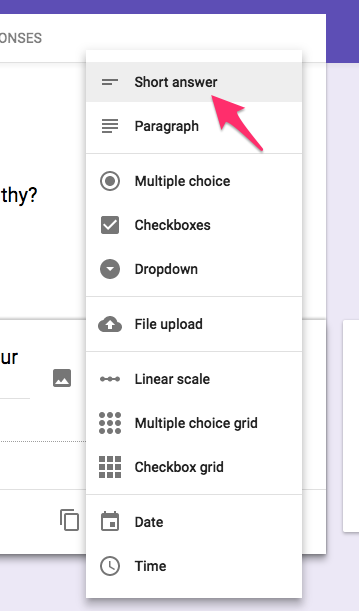
We want this to be a short-answer question. If Google doesn’t change it automatically, click on the popup menu on the right.
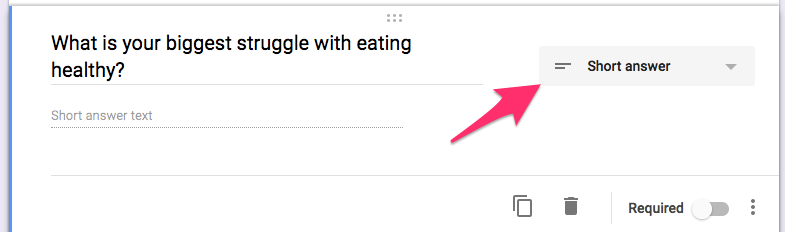
Choose “short answer” from the options listed.
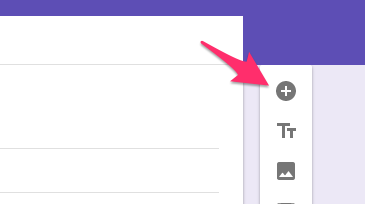
Now let’s add one more question. Click on the + icon on the right.
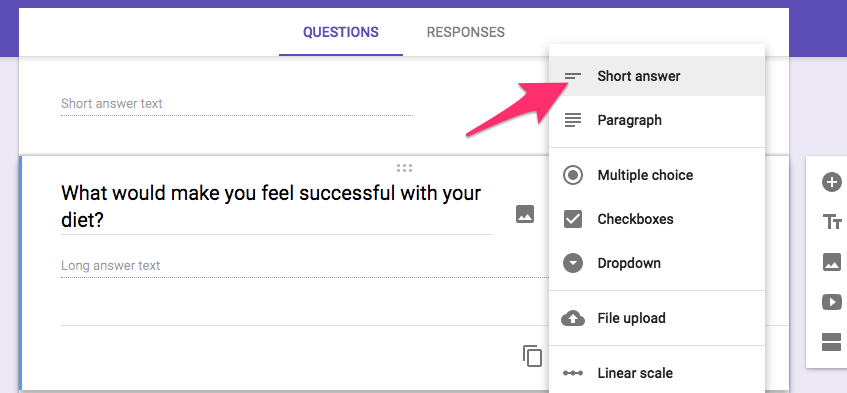
For this question, type “What would make you feel successful with _______?”
With my healthy eating example, I used “your diet” in the blank. You should use whatever topic your content will be about.

Make sure this question is also a short-text answer.
We’re going to add one final question: “Would you be willing to help us with a quick chat about your answers? If so, please enter your email address.”
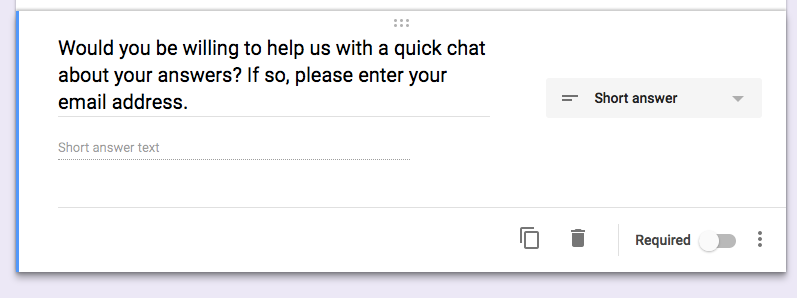
This is how we’ll contact respondents to get more detailed answers.
Now that you’re finished, click the Send button at the top.
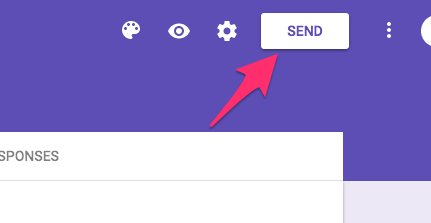
On the menu that it opens, click the link icon.
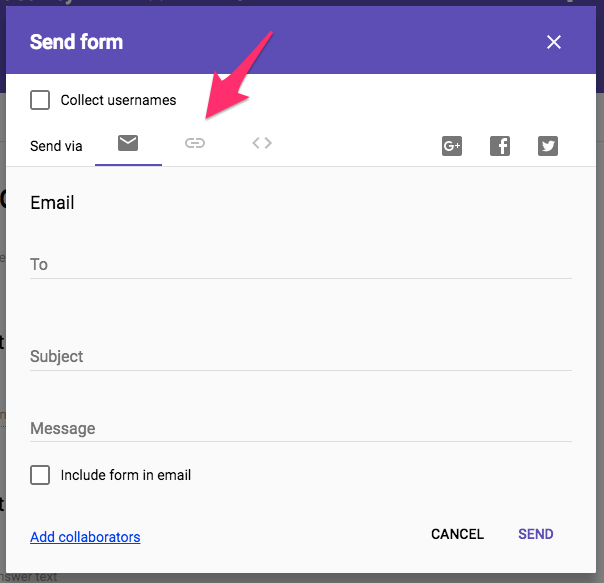
This is the URL you can send to people, but it’s a little long. Click on Shorten URL.
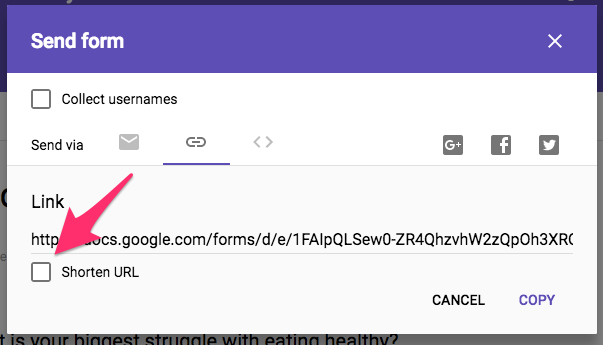
There you go! Now click on Copy. It will save the link to your clipboard.
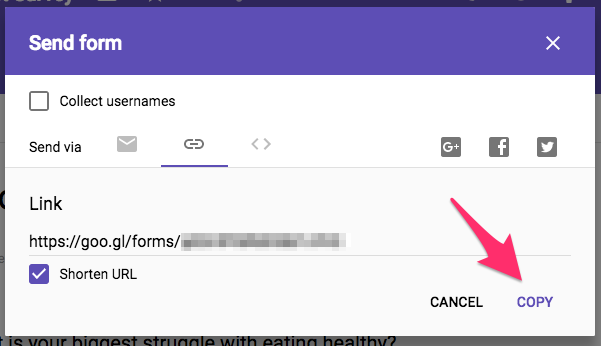
Send this link to any current customers, email subscribers, or readers you have. Here’s a simple email template to use.
Hi, NAME!
We’re looking to create more content on our site that helps readers. Would you mind telling us what you’d like to see?
It’ll only take a minute or two: LINK
Thanks so much!
Your name
Once you send the survey out, you can track responses from the form. Just click on Responses at the top.
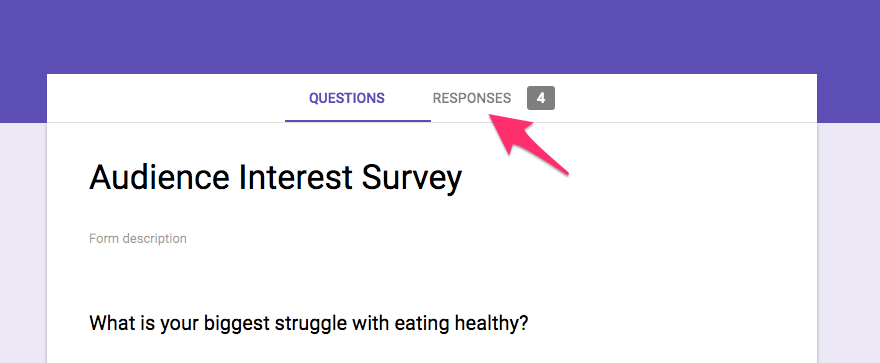
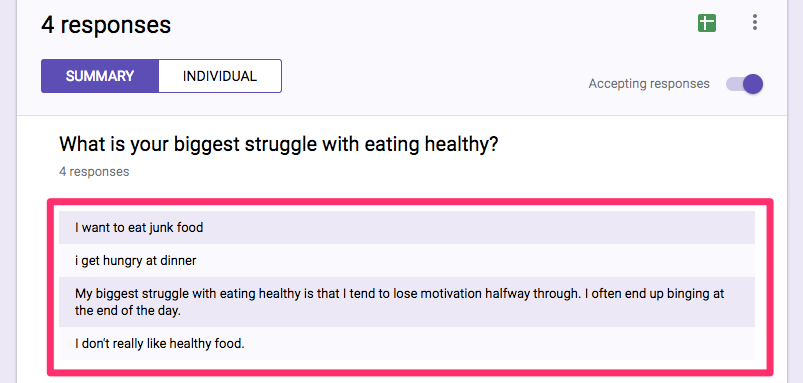
The answers you get are gold for creating new content. You can see what your readers are having a tough time with.
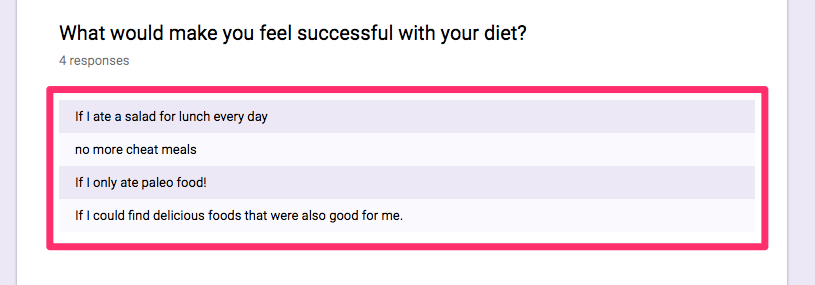
You can see what their goals look like.
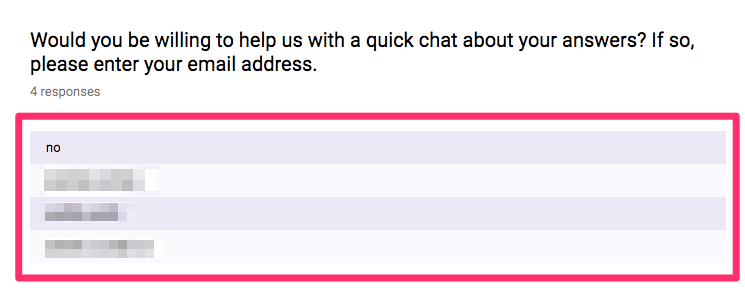
And you should have the email addresses for a few people you can contact again.
Shortly after someone replies to the form, send them a simple email. This is a template you can follow.
Hey,
Thanks so much for filling out our survey! You said you’d be willing to help us with a quick chat about your answers.
Could you do a Google Hangout for 10 minutes on Thursday at 6 p.m? If not, does a call on Friday at 10 a.m. work better?
Regards,
Your name
Be sure to give two options for the hangout time. This makes it easier for correspondents to say “yes.”
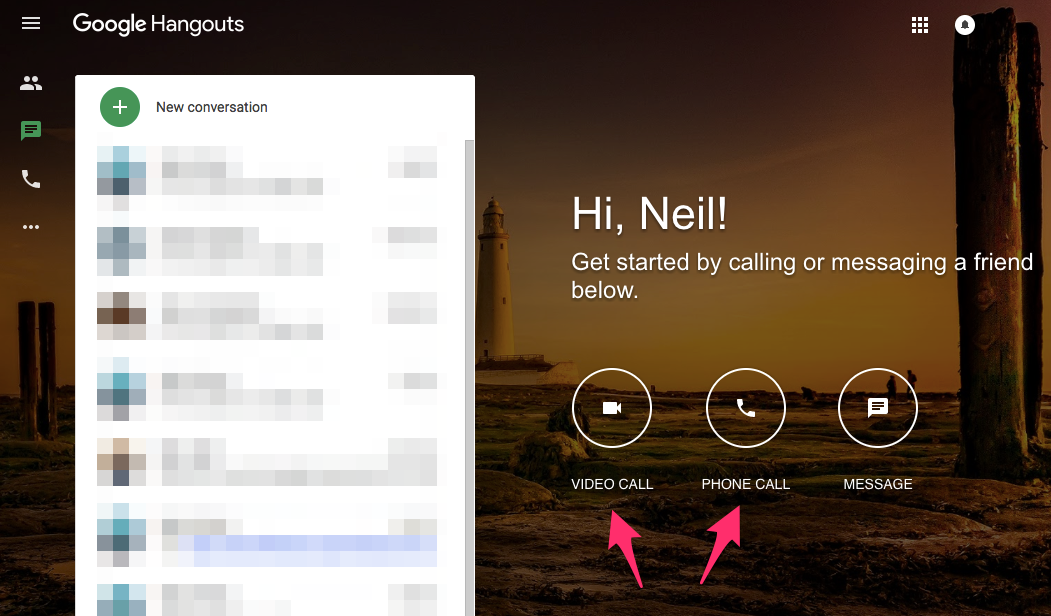
If they agree, go to Google Hangouts at the scheduled time. Choose either Video or Phone Call.
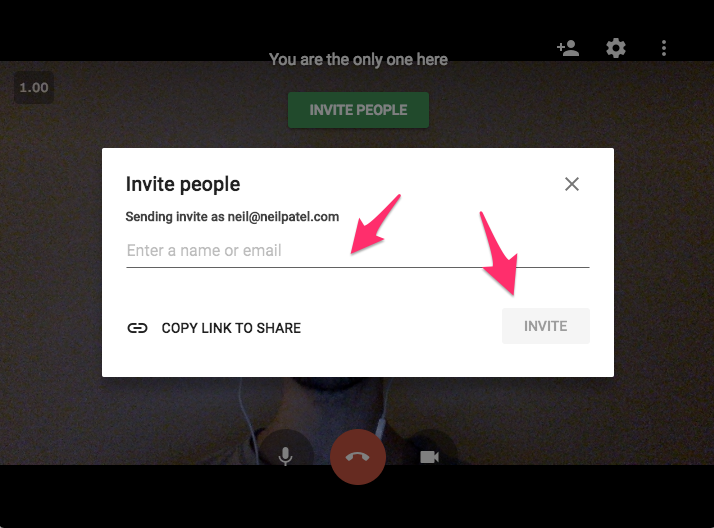
On the next page, enter their email address and invite them.
During the call, ask them about the struggles and goals they listed. Get them to be specific.
Using our healthy food example, these questions would be good:
- How hungry are you at dinner time? A little hungry or starving?
- What kind of healthy food do you not like?
- What’s an example of a delicious food you wish was healthy?
Our goal here is to get an idea of what kind of frustrations our readers have.
This will be invaluable later on.
Make an inventory of all current content
Before we can figure out what kind of content we’re going to produce in the future, we need to understand what already exists.
We’ll record our data on a Google Sheet.
(If you don’t have any content on the site yet, or if you’re just starting, skip this step.)
To get started, go to Google Sheets.
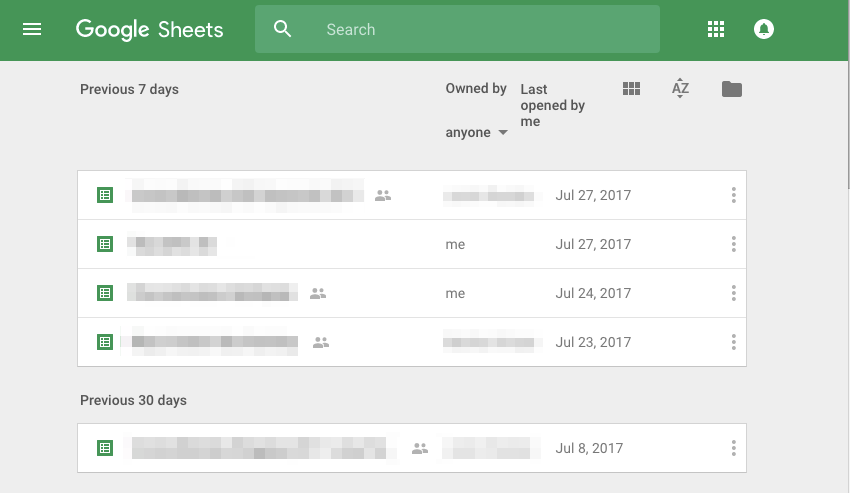
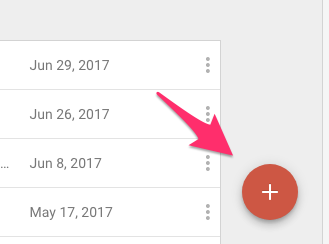
Click on the Plus button to add a new sheet.
Name the sheet. A good template is “Content Inventory – Your Site Name.”
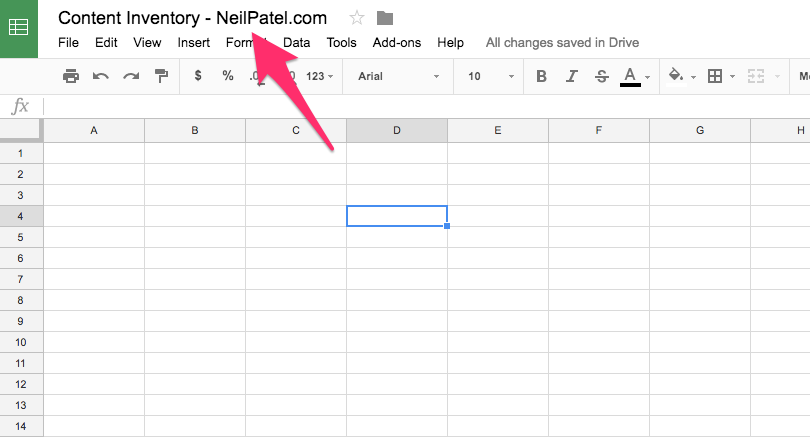
Create a row for labels. Click on the top border.
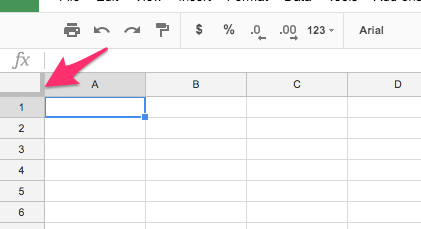
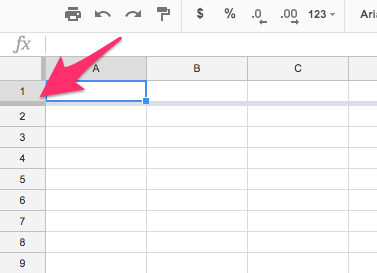
Drag it down to create a header row.
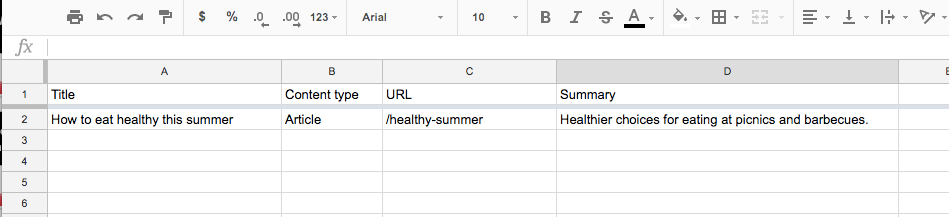
In the header row, enter four labels: Title, Content Type, URL, and Summary.
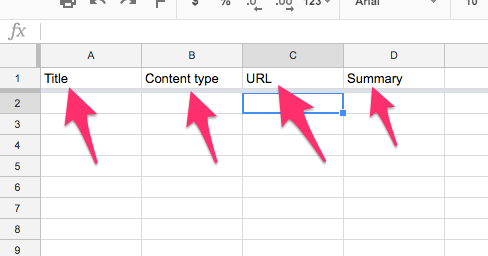
We’re going to include each piece of content from your site in this sheet using those labels.
To do so, you’ll need to get the list of published posts. If you’re using WordPress, this is easy to do.
Type in your domain name with /wp-admin/ afterward.

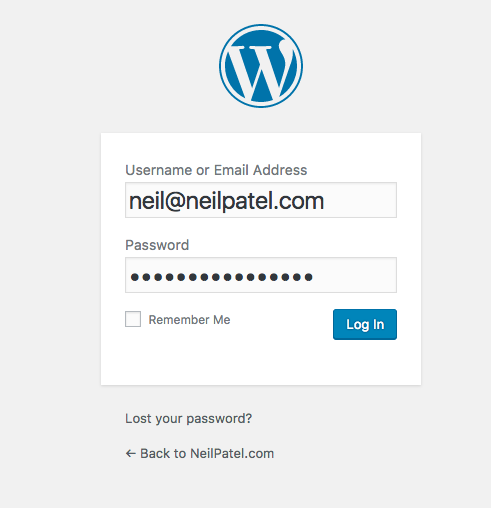
This will take you to the sign in page. Enter your credentials.
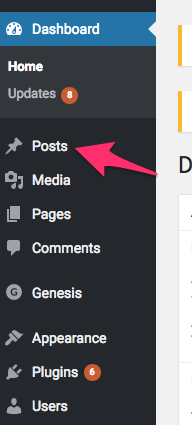
You’ll see the WordPress dashboard. On the left menu, click on Posts.
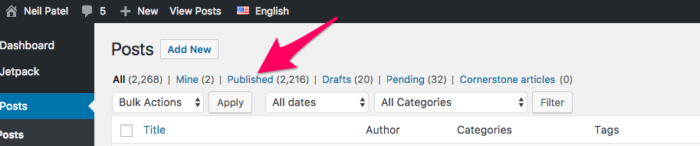
This will bring up a list of all the articles you have. Right now, we’re only concerned with the pieces you’ve published. Click on Published. It shows the total number next to the link.
Fill out the Google Sheet with information from the content. This will help us understand what you’ve already covered and what remains to be written.
Keep going until you’ve documented all the articles on your site.
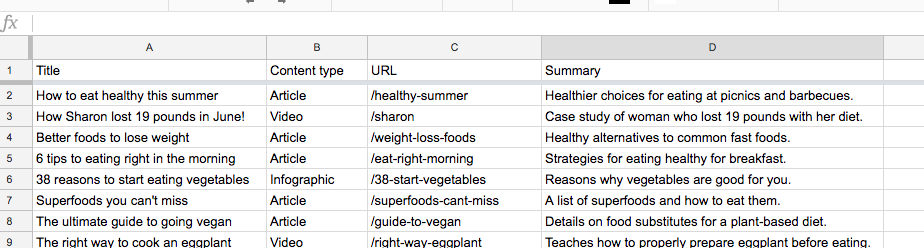
As you add new articles, you’ll continually update this sheet. It’ll be a living document of your content strategy.
Now that you have the entire list, you can figure out what’s missing from the content you already have.
We can brainstorm ideas and add new pieces depending on customer needs.
Decide what new content to create
Now that you’ve taken an inventory of your content, we’re going to brainstorm new pieces to create.
I’ve found that the best way to do this is to compare your existing content to the customer struggles and goals you uncovered earlier. How well have you met those needs and goals?
Chances are, there are a few questions that remain unanswered.
Let’s look at the customer struggles in our healthy eating example from earlier.
When I review the content we’ve already published, I notice that most of these struggles haven’t been answered.
Using the reader feedback as our basis, here are a few articles we could create in response to each reader struggle.
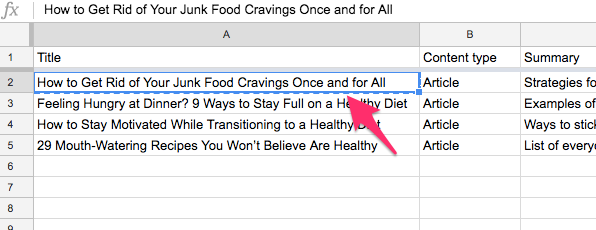
- How to Get Rid of Your Junk Food Cravings Once and for All
- Feeling Hungry at Dinner? 9 Ways to Stay Full on a Healthy Diet
- How to Stay Motivated While Transitioning to a Healthy Diet
- 29 Mouth-Watering Recipes You Won’t Believe Are Healthy
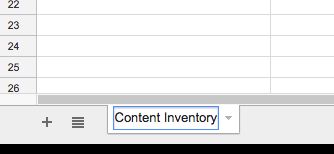
To keep these ideas in mind, we need to create a new page in our Google Sheets. Click on the Sheet1 button at the bottom of the sheet.

We’re going to rename this. Just call it Content Inventory.
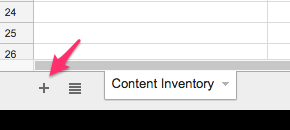
Click the Plus icon in the left-hand corner. This will add a new sheet.
You can call it whatever you want. I like the term Idea Bank.
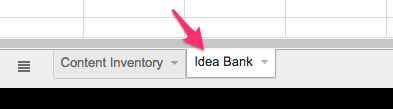
Create three columns: Title, Content Type, and Summary. We don’t need a URL yet since these ideas aren’t published.
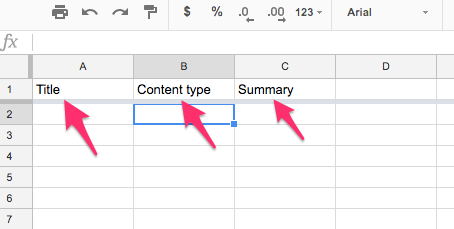
Type in the ideas we brainstormed earlier.
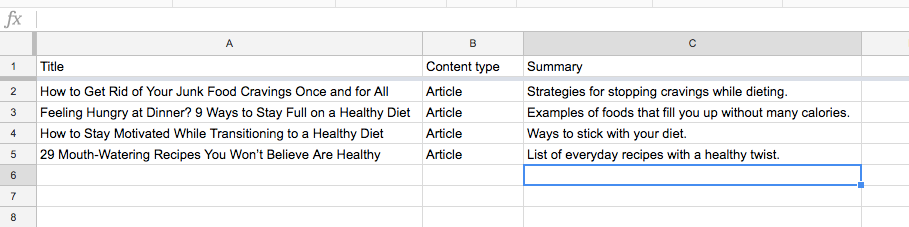
The Summary column is important because it gives us additional details.
For example, the article with 29 recipes will all be everyday favorites with a healthy twist. This helps us narrow down the content when it’s time to write the article.
If you’re struggling to find article types, here are four types that are always popular.
Lists
Lists are consistently popular. Science has shown that list articles help to calm our minds. They provide a sense of finality and provide bite-sized pieces of information that readers can easily process.
They’re also easy to write because you just brainstorm ideas to fill out each point.
There’s a reason most of the viral articles on sites like BuzzFeed are made of lists.
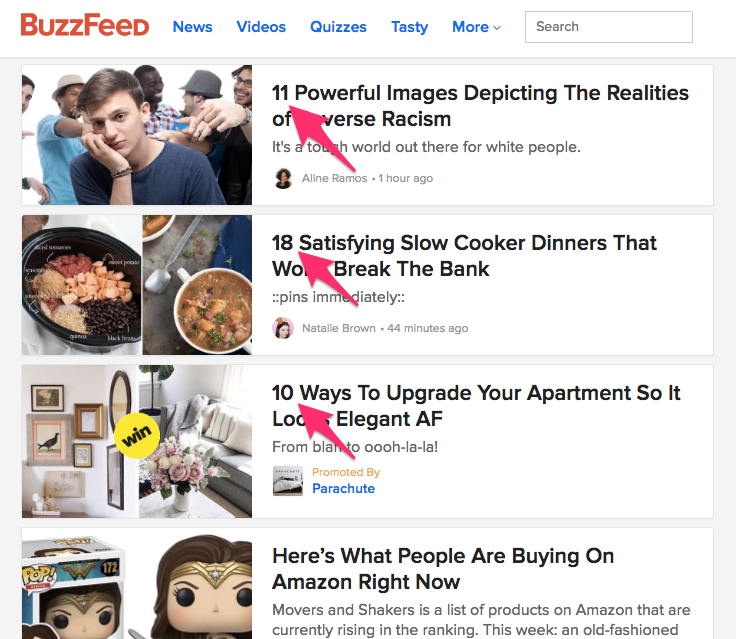
These types of posts — sometimes called “listicles” (a portmanteau of the words list and articles) — are often criticized for being shallow.
But just because an article is written in a list format doesn’t mean that it qualifies as pointless click bait. You can provide helpful, life-changing advice in list articles.
How-to
If your readers have questions and struggles, they want to know how to solve these problems.
You can provide helpful information in the form of how-to articles. These consist of step-by-step instructions.
Most of the articles I write on marketing are how-to articles. They help my readers solve problems and grow their businesses.
(This article is an example of a how-to post.)
Popular sites like WikiHow consist entirely of articles that teach people how to do something.
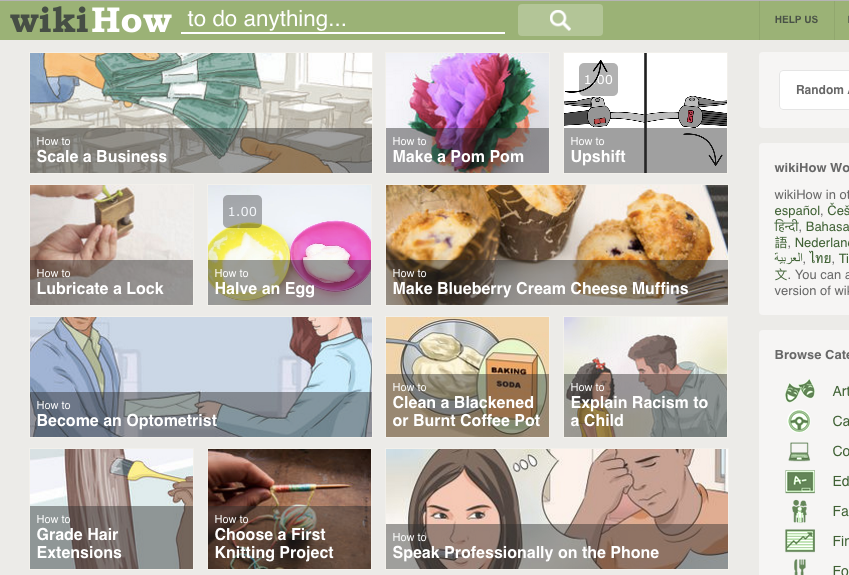
Case studies
Case studies tell the story of a successful student, customer, or client. They usually teach the reader how he or she can accomplish the same thing.
Fitness site Muscle For Life, for instance, includes regular case studies each month as part of its content marketing strategy.
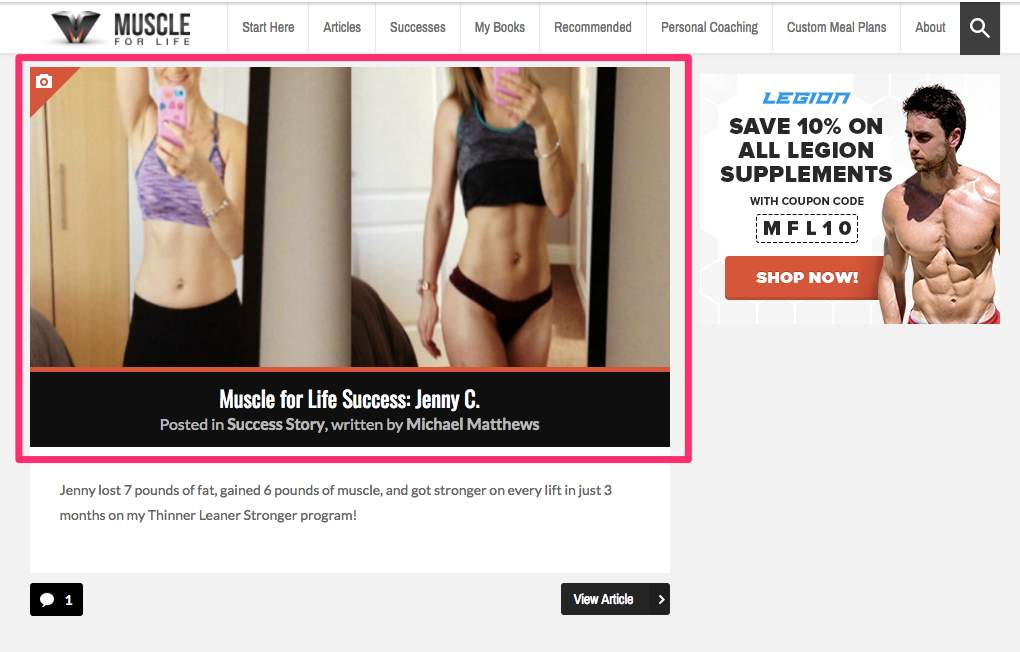
If you’re selling a product, case studies are the most important type of content to include.
Research shows that 78% of buyers access at least one case study before making a purchase. In many ways, case studies serve as a form of social proof that your product or service works.
Resources
No matter your industry, content with free resources will always be popular.
Just doing a little bit of work in advance can be a huge help to your readers. Canva’s popular Design School blog contains dozens of free templates.
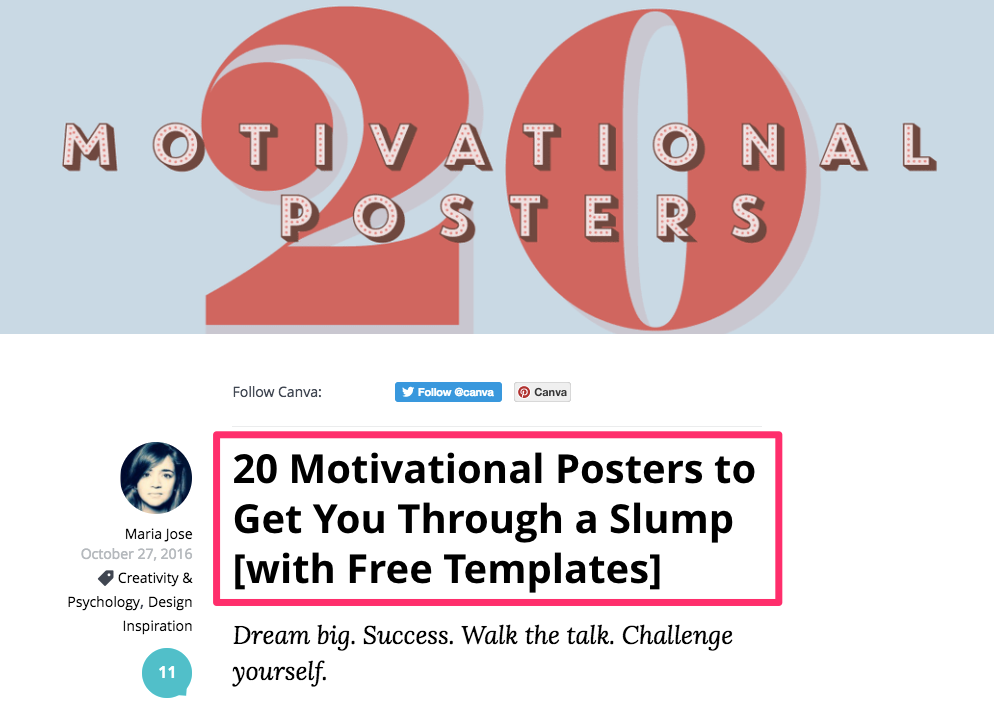
But if you’re not a designer, don’t worry. Just use your expertise to create helpful content for readers.
Some great resources include:
- Templates
- Email scripts
- Code snippets
- Calculators and tools
- Lists of helpful websites
The beauty of these four content types is that you can use them for the same topic. We get four pieces of content from one idea!
In our healthy eating example, one reader said that a perfect day would be “no more cheat meals.”
Using those four content types, we could brainstorm these headlines:
- List: 11 Snacks That Will End Your Cravings for Cheat Meals Once and for All
- How-To: How to Cook Healthy Food so Delicious You’ll Forget About Cheat Meals
- Case Study: How Darius Lost 10 Pounds by Cutting out Cheat Meals
- Resources: Grab These Done-For-You Meal Plans and Keep Cheat Meals at Bay
Those are solid pieces of content that meet the real needs of your readers.
Even if you’re in a boring industry, these can give you ideas for interesting topics to write about.
Create an editorial calendar
Now you have an understanding of the content you’ve published already and where your focus is now.
Let’s look ahead and see what content you’ll produce in the future.
To do this, you’ll need to create an editorial calendar. This is a way of keeping articles organized as they move through the processes of writing, editing, and publishing.
Having an editorial calendar is critical for keeping your content strategy organized. It’s especially important if you have more than one person on your team.
There are lots of ways to create an editorial calendar. I’ll show you one that incorporates the Google programs we’ve been using throughout.
To get started, go to Google Calendar.
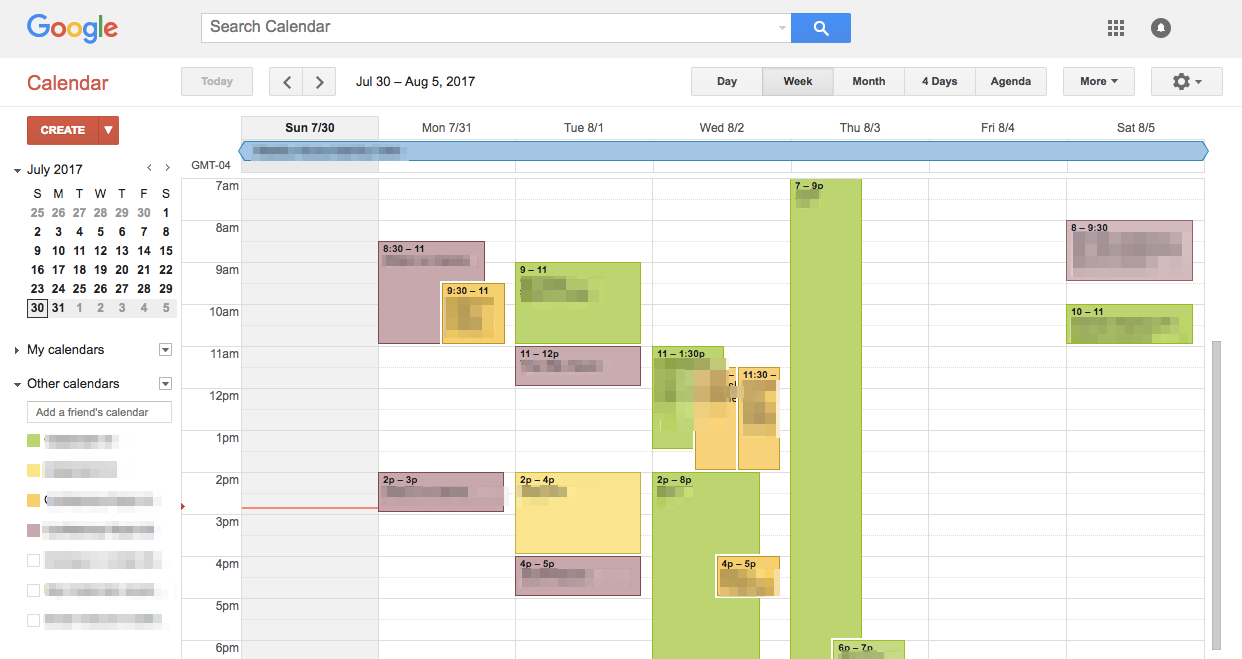
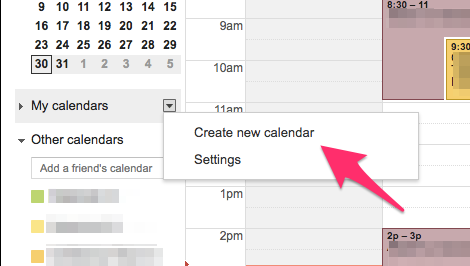
Go to the sidebar where it says My Calendars. Click on the small arrow.
On the menu that appears, click Create New Calendar.
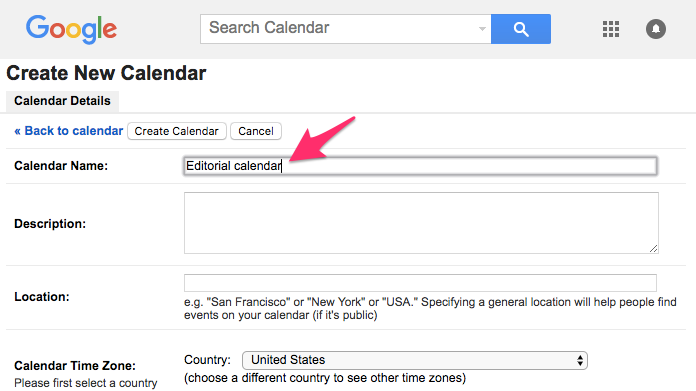
Enter the details. I’ve named this “Editorial calendar,” but you can choose whatever you like.
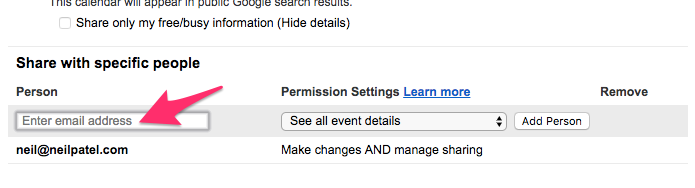
If you have a team working on your content strategy, be sure to share the calendar with them.
Enter their email addresses and click Add Person.
When you’ve added everything, save the calendar. You’ll be taken back to the main page.
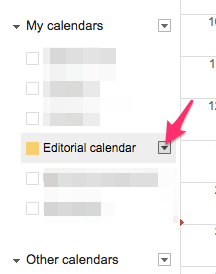
Click on the left-side arrow next to My Calendars to find the calendar we just created.
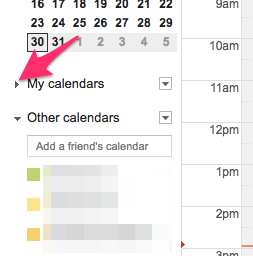
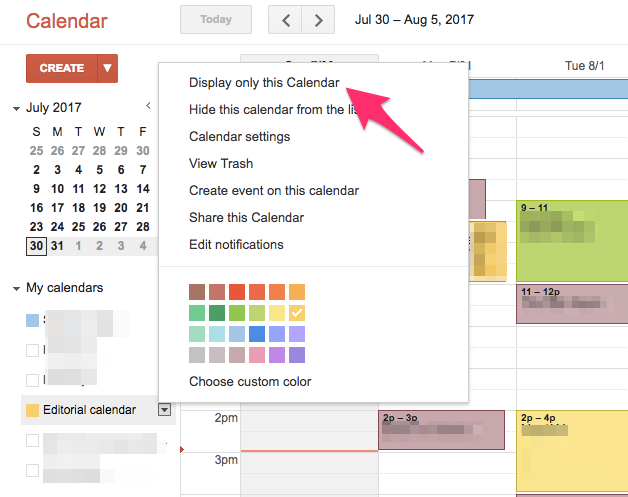
Click on the arrow on the right side of the editorial calendar.
Click Display only this calendar.
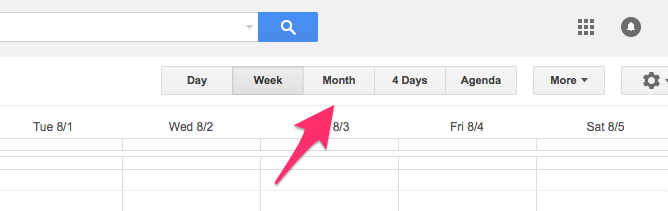
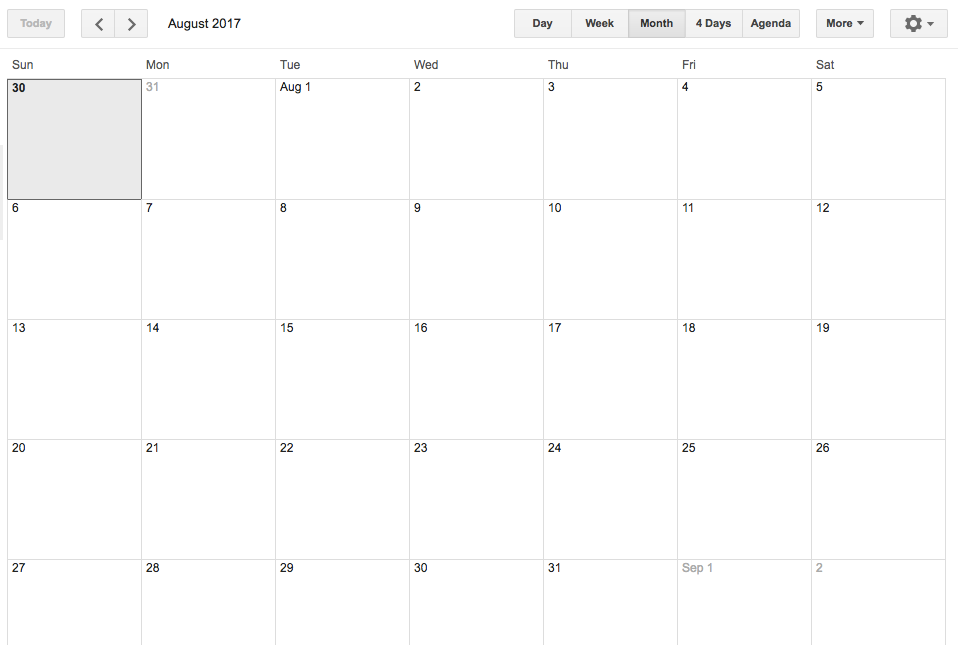
Go up to the top of the calendar page and select Month display.
With the entire month before us, it’s time to take a break and decide how often we’d like to post.
There is no single right answer for how often you should publish content. The secret to a publishing schedule is making sure you can keep the commitment.
If you can only publish one article per week — or even just one piece of content per month — that’s OK.
It’s better to consistently publish great content than to spread yourself thin. If you try to publish once a day without enough time, you’ll grow frustrated and probably give up.
And remember: Once you have a consistent publishing schedule, you can always increase the volume.
In this example, we’ll post twice a week, once on Tuesday and once on Thursday.
Go back to the Idea Bank. Copy the title of the first article you’d like to schedule.
On the calendar, click on the day you’d like that article to get published.

In the popup box, paste the title. Click Create.

Continue doing this with other articles in the Idea Bank. I’d recommend scheduling content at least four weeks in advance.
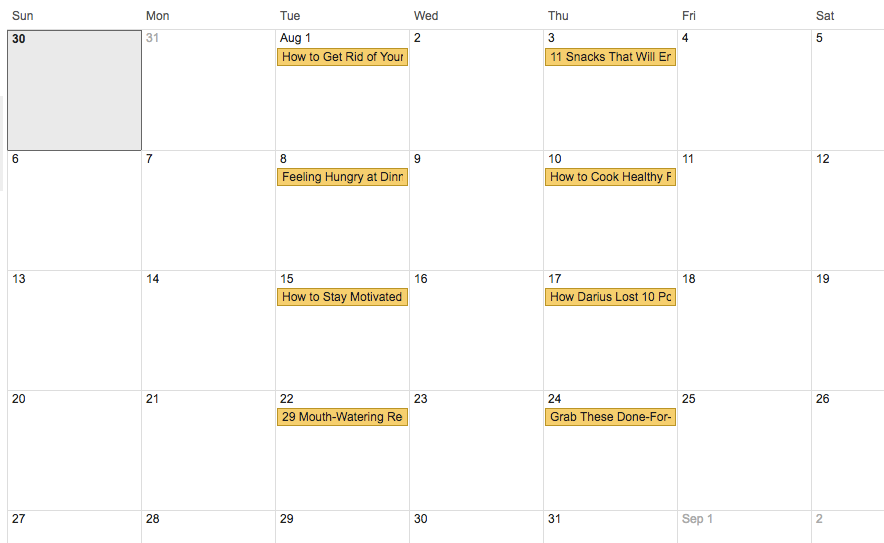
This editorial calendar keeps everyone on the same page with your posts. When all writers are aware of the deadlines, you’re more likely to produce content consistently.
But if you have a team for your content marketing, you need to make sure everyone uses the same voice. I’ll explain that next.
Create editorial guidelines
When it comes to the content itself, writing isn’t hard to do if you have the ability to research and do background information on the topic.
But you will encounter a problem: Everyone writes differently!
One writer may write casually with contractions like “isn’t” and “haven’t.” Another may use stiff, formal prose best suited for an academic paper.
Some writers may talk as “I” and “me,” but other writers might write in the second- or third-person point of view instead.
How do you get everyone to write the same way? Easy. You create editorial guidelines.
Even if you’re writing all the content yourself, you may forget specific style points. That’s why I recommend documenting your style guidelines no matter what.
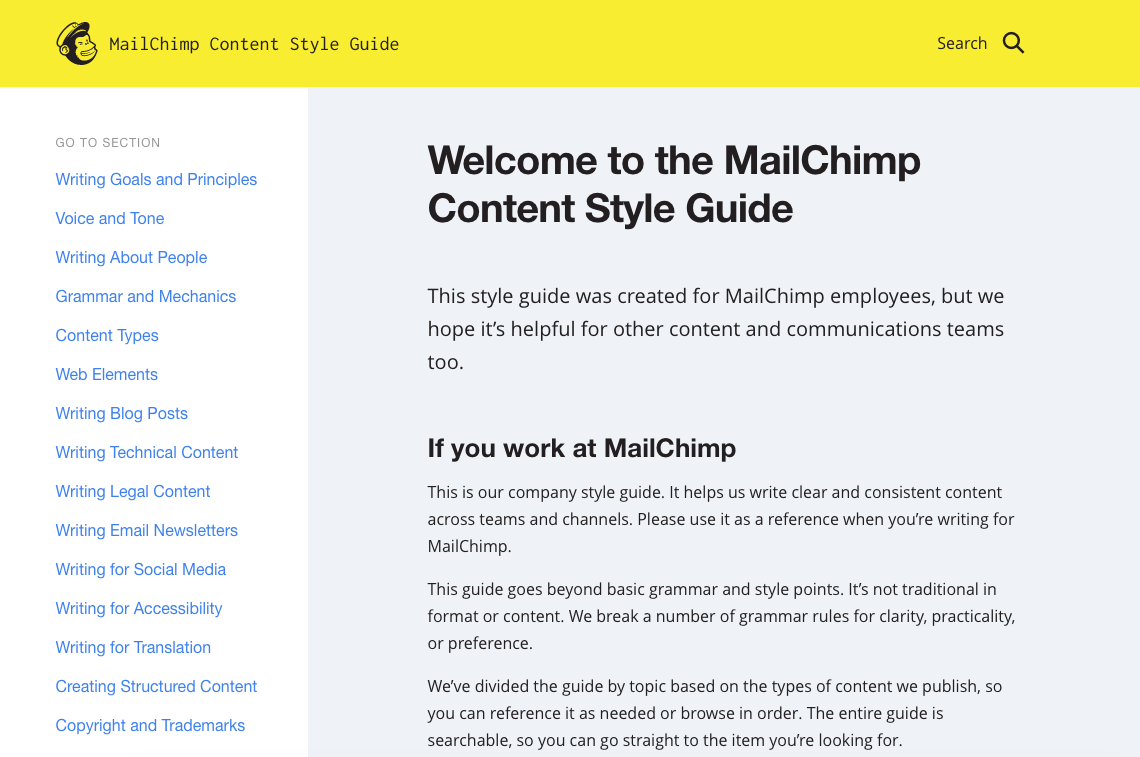
The simplest way to get started is to copy a set of guidelines written by someone else. The MailChimp Content Style Guide is a great place to start.
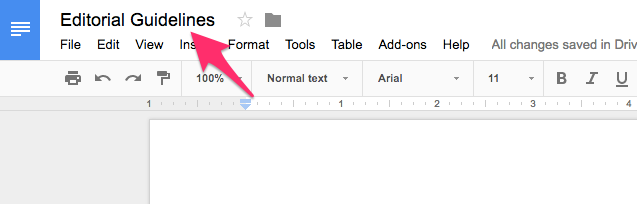
But if you’d rather write your own guide, it’s easy. Create a new Google Doc and name it “Editorial Guidelines.”
In its simplest form, this article only needs to answer three questions.
First, what type of message do you want to convey? Is the blog calm and friendly or loud and audacious?
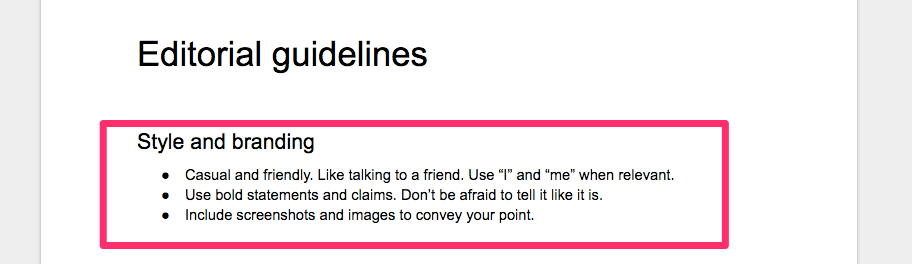
Second, what kind of structure do the articles have? Explain the sections to include in each article, and describe how long the articles should be.

Finally, how should writers submit their articles? Explain formatting details. This will save you time later.
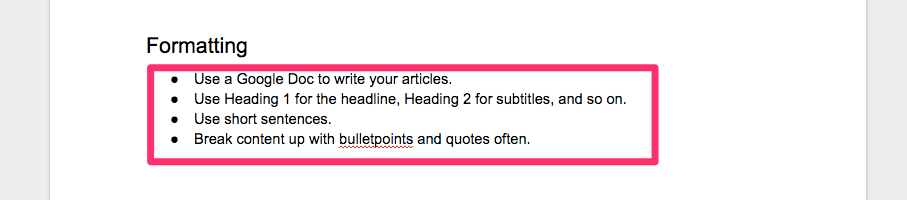
Once you’ve prepared that document, you’re ready to go!
Everyone on the content marketing team (even if it’s just you) knows deadlines and details.
Conclusion
If you’re starting content marketing without a budget, don’t worry.
You can create killer content that drives customers and increases conversions without spending a dime.
Using free tools, it’s easy to answer your readers’ biggest needs and drive traffic and conversions.
As long as you’re willing to put in the time, you can create fantastic content that brings potential customers to your website.
How will you develop a content strategy for your startup?